
How to Build a Branded Status Page That Builds Customer Trust
Learn how to design a branded status page that reassures customers during incidents. A practical playbook covering status page design, incident commun
Meta description: Learn how UK SaaS teams can build a branded status page with effective design, reliable monitoring data, and clear incident communication that strengthens customer trust.
A branded status page builds trust when it does three things well: it looks and sounds like your product, it shows current monitoring status alongside historical reliability data (with the measurement method and refresh limits explained, not just a bare number), and it delivers clear, honest incident updates on a predictable cadence. In plain terms, it's your own public status page, hosted on your domain, styled like your product, and wired into your monitoring, not a generic third-party tool with your logo bolted on. Get those three things right, and it stops being an afterthought and becomes something customers actually rely on.
I've spent a lot of time around SaaS teams who treat their status page like a chore they'll "get to eventually." I get it. When you're heads-down building product, a status page feels like busywork. But the moment something breaks, that page becomes the single most important piece of communication your company puts out that day. This is a practical playbook for getting three things right: status page design, data, and incident communication, with specific notes for UK SaaS teams along the way.
Why every SaaS needs a public status page
Imagine your API goes down at 2pm on a Tuesday. Within minutes, your support inbox fills up. Someone in your Slack channel types "is this just me?" for the third time. Multiply that by every customer experiencing the same confusion, separately, all at once, and that's the real cost of silence during an outage.
A public status page short-circuits it. It answers "is it down for everyone?" before anyone has to ask, turning dozens of duplicate tickets into one centrally posted update everyone can check. In practice, your support team can drop a single link into every ticket instead of writing the same reassurance forty times, which frees them up to help customers who need something specific.
Trust isn't only built during incidents, though. It's built in the quiet stretches between them. A status page that consistently shows "all systems operational," backed by real uptime history, becomes a quiet signal of reliability every time a prospect glances at it. It works best as part of a broader monitoring and alerting practice, not a standalone widget. If your team already catches problems fast, the status page is just the honest extension of that work.
What this means specifically for UK SaaS teams
The UK angle isn't "UK buyers care about reliability" — every buyer does. What's genuinely different is a handful of operational details worth building into your setup from day one.
- Procurement evidence. In regulated sectors like fintech and healthtech, UK procurement teams often run formal security and reliability questionnaires before signing. A well-maintained incident history and clearly measured uptime figures give you something concrete to point to in those conversations, though a status page is supporting evidence, not a substitute for a proper security questionnaire or SOC 2 report.
- Out-of-hours coverage. If your team or customers are UK-based, decide who's watching alerts outside 9-to-5 UK time. An incident at 6am UK time still needs a first acknowledgement within minutes, not when someone logs on. That's really an on-call rota decision as much as a status page one.
- Regional labelling. If you serve UK/EU and US customers from different infrastructure, label components by region so a UK customer isn't left wondering whether a US-only incident affects them.
Hosting in the UK or EU for data residency reasons is a genuine infrastructure decision, but it doesn't change what your status page needs to show. There's no separate legal status-page requirement to meet, so don't present "we host in the UK" as if it were a compliance claim.
What should be included on a status page?
So what actually needs to be on the page? I've grouped these by how essential they are, because not every team needs to build all of this on day one.
Essential:
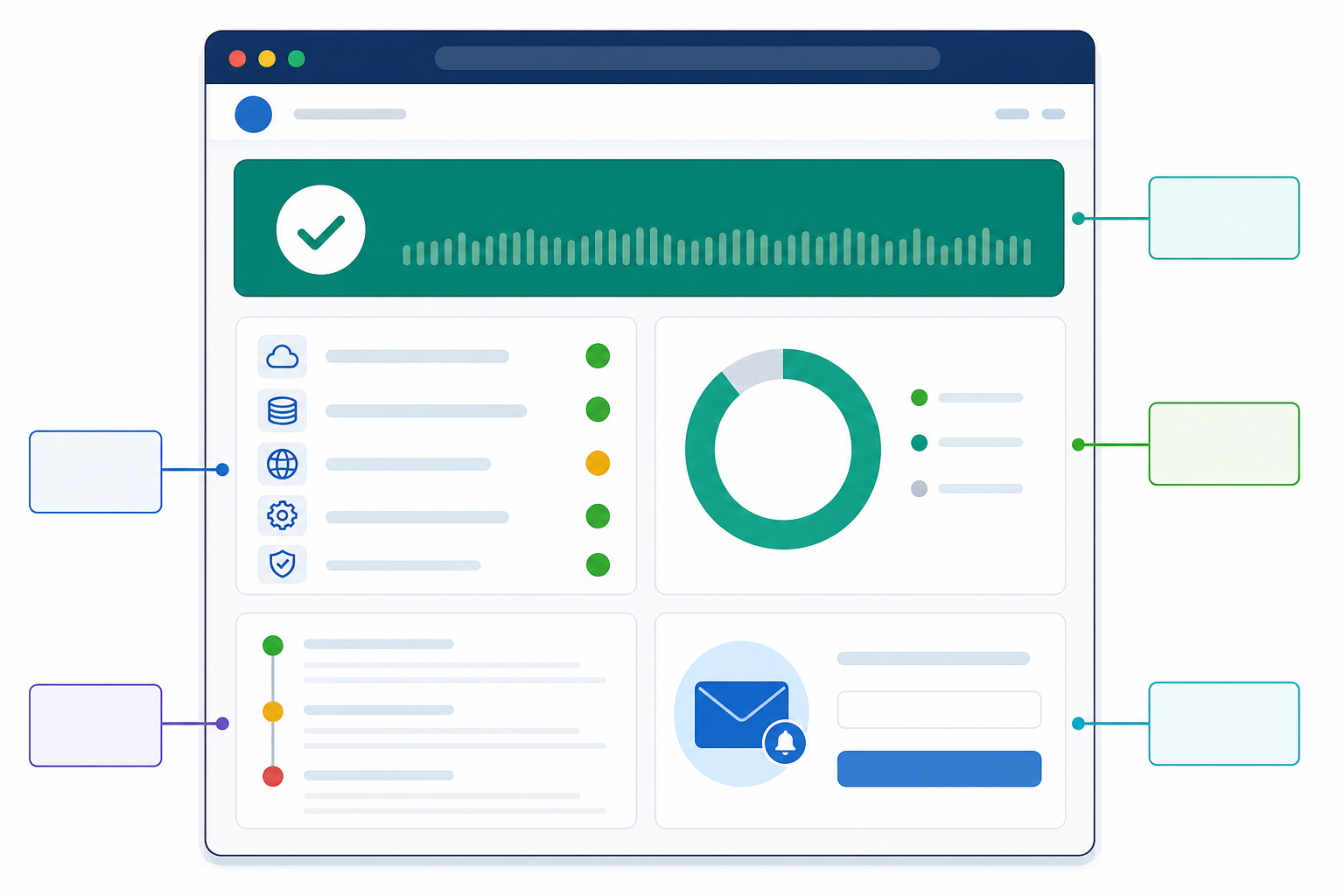
- An overall status indicator at a glance. "All Systems Operational," "Degraded Performance," or "Major Outage," visible without scrolling. Use colour plus text labels, never colour alone.
- A severity model behind that indicator. Decide in advance what counts as "degraded" versus "major outage," because that decision drives your update cadence and banner treatment later. A vague or inconsistent severity call is one of the fastest ways to lose trust in the page.
- Component-level breakdown, named for customers, not engineers. "Payments API" tells a customer something useful; "eu-west-db-cluster-3" just exposes your architecture. A simple test: for each component, ask whether the name and status tell a customer something they'd want to know, or whether it only reveals internal plumbing. Group by customer-facing function, and if a contract or NDA restricts what you can disclose about specific infrastructure, group and anonymise rather than omit reporting entirely.
- A named point of ownership. Even "Incident Communications Team" tells customers updates come from a real, accountable source.
Recommended:
- Incident history and postmortems. A running log of what happened and what you did about it, building accountability over time.
- Uptime and response-time trends, with the method stated. Say whether the number is measured by your monitoring probes or experienced by customers, and over what window (30 days? 90 days?). A 99.98% figure with no context is vague precision, and it can undermine trust just as much as vague reassurance.
- Scheduled maintenance windows, clearly separated from unexpected incidents and announced in advance.
Advanced, once the basics are solid:
- Subscribe options. Email, RSS, or Slack, so customers get updates pushed to them. Genuinely useful for many customers, though not every customer will use it. Treat it as a strong addition rather than table stakes.
- Regional or per-product incident splitting. Useful once enough infrastructure complexity exists that a single feed becomes noisy for unaffected customers.
Status page design and accessibility basics worth getting right
A branded page that fails on a phone or for a screen-reader user isn't doing its job. Some specifics worth getting right:
- Mobile-first layout. Most people check status pages on their phone, often mid-panic. Overall status and the affected component should be visible without horizontal scrolling.
- Contrast and colour. Meet at least WCAG AA contrast for status text and banners, and never rely on colour alone to signal severity.
- Status changes announced properly, not just shown. Use semantic status text (not just an icon), keep the current status in a properly-scoped live region so screen readers announce updates without needing a page refresh, and make sure keyboard focus isn't unexpectedly moved around when the page updates. Keep a chronological, accessible incident log alongside the live status, so someone using assistive technology can review history, not just the current state.
- Clear typography and hierarchy. The current status and most recent update should be the most prominent things on the page, not buried below a logo or marketing banner.
- Incident-state design. Design your "major outage" state as carefully as your "all operational" state. It's tempting to over-invest in the happy path, but that's exactly when people are looking hardest.
- Before launch, test it properly. Navigate the whole page with a keyboard only, zoom to 200%, run it through a screen reader once, and check it in portrait mode on an actual phone. None of this takes long, and it catches the failures that only show up under real conditions.
How do you brand a status page to match your product?
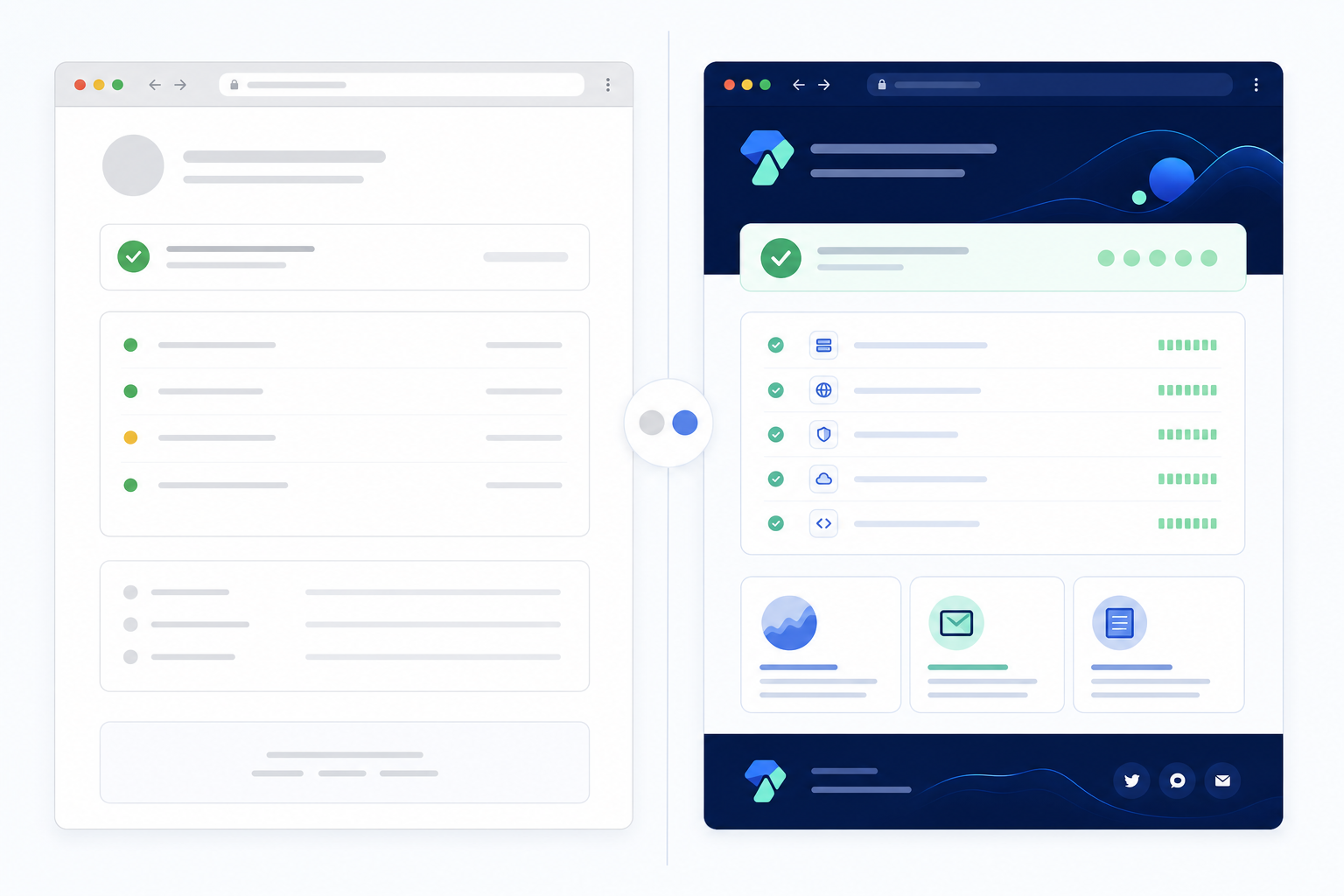
Here's something that trips up smaller SaaS teams: they set up a status page using a third-party tool, and it works technically, but it looks nothing like their product. Customers click through from your app to a page with a different logo, different colours, a different tone of voice. It's small, but it plants doubt. Wait, is this actually run by the same company I trust?
Here's the difference in practice. An unbranded update might read: "Incident #4471: Service degradation detected. Investigating." A branded, on-voice version might read: "We're seeing slower load times on the dashboard for some customers and our team is looking into it now. We'll update you again by 3:15pm." Same information, completely different experience of being looked after.
A few things close that gap:
Custom domain. Use status.yourcompany.com rather than a generic third-party subdomain. It's a small change, but it's a clear signal that this page is part of your product.
Visual consistency, kept in check. Match your logo, colour palette, and typography to your main product. One caution: don't let brand polish get in the way of clarity during a real incident. A beautifully styled page that buries the "Major Outage" banner under a hero image has failed at the one job that matters most.
Tone of voice. Your status page shouldn't sound like a robot reciting server logs. It should sound like your support team, the same plain language you'd use in a support email.
Visibility across touchpoints. Link your status page from your app footer, documentation, and support email signatures, so customers encounter it as a normal part of using your product, not something they only find by googling "is [your product] down" mid-panic.
If you're already using Moonitor for uptime, API, server, SSL, or cron job monitoring, its branded status page sits on top of those same monitors: custom domain, your logo, your colours, so you're not maintaining a second, disconnected tool. Check Moonitor's current documentation for exactly which monitor types and metrics can be surfaced publicly on your plan, since that detail can change.
How to write incident updates customers actually trust
This is where otherwise well-designed status pages fall apart. You can have the prettiest, most on-brand page in the world, but if your incident updates are vague or inconsistent, customers stop trusting it fast. A reusable structure helps: state the impact, the affected scope, what you're doing right now, any workaround, and when you'll update next.
- Acknowledge fast, even without answers. The moment you know something's wrong, post something, even just: "We're aware of an issue affecting [component] and are investigating." Silence in the first few minutes is worse than an incomplete update.
- Ditch the internal jargon. Customers don't know what "rolling back the canary" means. Say what's actually happening: "Some users may experience slow load times on the dashboard."
- Separate what you know, what you don't, and what's next. Template: "We've confirmed this is affecting [function] in [region]. We don't yet know the root cause, but we're actively investigating and will update again by [time]."
- Set a cadence based on severity, and stick to it. For a major outage, updates every 20 to 30 minutes is a sensible starting point. Adapt it to your team's capacity rather than treating it as a universal rule. For a minor issue, hourly is usually fine. If your incident-communications policy or a customer SLA specifies a cadence, that commitment overrides this general guidance. Whatever you choose, hold to it. Even "still investigating, no change" beats silence.
- Close the loop properly. Template: "This issue has been resolved as of [time]. [Component] is now operating normally." For anything significant, follow with a short postmortem: what happened, how long it lasted, what caused it, and what you're doing to prevent it recurring.
- Never promise a timeline you can't guarantee. "We expect this resolved within the hour" is a trap if you're wrong. Better: "We're actively working on this and will provide our next update by [time]."
A worked incident communication example
Say your payments API starts throwing intermittent errors at 9:14am.
- 9:17am: "We're aware of an issue affecting Payments API and are investigating. Next update by 9:45am."
- 9:44am: "We've confirmed this is affecting card payments for some UK customers. We don't yet know the root cause, but we're actively investigating. Next update by 10:15am."
- 10:14am: "Still investigating, no change. We're now testing a fix in staging. Next update by 10:45am."
- 11:02am: "This issue has been resolved as of 10:58am. Payments API is now operating normally. A full postmortem will follow within 48 hours."
Every update sticks to the promised cadence, even the one with no real news, and nothing promises a timeline the team can't guarantee.
Who owns status page incident communication?
Good templates don't help if nobody's clearly responsible for posting them. Before your next incident, settle who has permission to post updates, who approves wording for anything significant, and who's the backup when your usual incident commander is on leave or asleep. Keep a simple log of who posted what and when. It's genuinely useful during a postmortem, and it's something customers or auditors sometimes ask for after a serious incident.
The common thread through all of this is honesty over polish. Customers aren't expecting perfection. They're expecting accurate, timely information they can act on.
Examples of status pages done right
It helps to look at how established companies handle this, not to copy exactly, but to spot transferable patterns. The details below reflect what was publicly visible on each page at the time of writing; check the live pages yourself before drawing conclusions, since status pages change.
Stripe Status uses plain-language incident updates by product area, even for a highly technical product, which is worth borrowing regardless of team size. Its granularity assumes a large incident-response team maintaining detailed per-product breakdowns continuously, which is less realistic to copy directly if you're small.
GitHub Status keeps a consistent investigation-to-resolution timestamp trail on every incident, so anyone can follow what happened after the fact, not just people watching live. This is genuinely achievable for a small team. It's a discipline, not a headcount problem.
Cloudflare Status separates incidents by region, which matters given how distributed its infrastructure is. Worth borrowing if your service genuinely varies by region (UK/EU versus US hosting, say) so customers in an unaffected area aren't left worrying unnecessarily. Not worth copying for a single-region product; it just adds noise.
| Status Page | Branding | Uptime History | Incident Communication Style | Lesson for Smaller Teams |
|---|---|---|---|---|
| Stripe Status | Fully custom domain and styling | Per-component history shown | Plain-language, chronological updates | Copy the tone, not the full per-product granularity |
| GitHub Status | Fully custom domain and styling | Uptime graph per component | Clear investigation-to-resolution trail | Copy the discipline — it scales down well |
| Cloudflare Status | Fully custom domain and styling | Per-component history shown | Region-specific incident splitting | Only adopt regional splitting if you're genuinely multi-region |
(Verify current features directly on each page before publishing — providers update these pages over time.)
None of this requires a dedicated communications team. The underlying pattern of a clear component breakdown, honest chronological updates, and consistent branding is achievable for a small SaaS team. What's harder to replicate is the sheer breadth of per-product detail; you're usually better off doing fewer components well than copying a large company's full granularity.
How to set up a branded status page
You can build a status page in-house, and some larger teams with dedicated infrastructure staff do. For most small-to-mid SaaS teams, though, a hosted tool that already connects to your existing monitoring is the faster, lower-maintenance route. You're not maintaining a separate app just to display incident state.
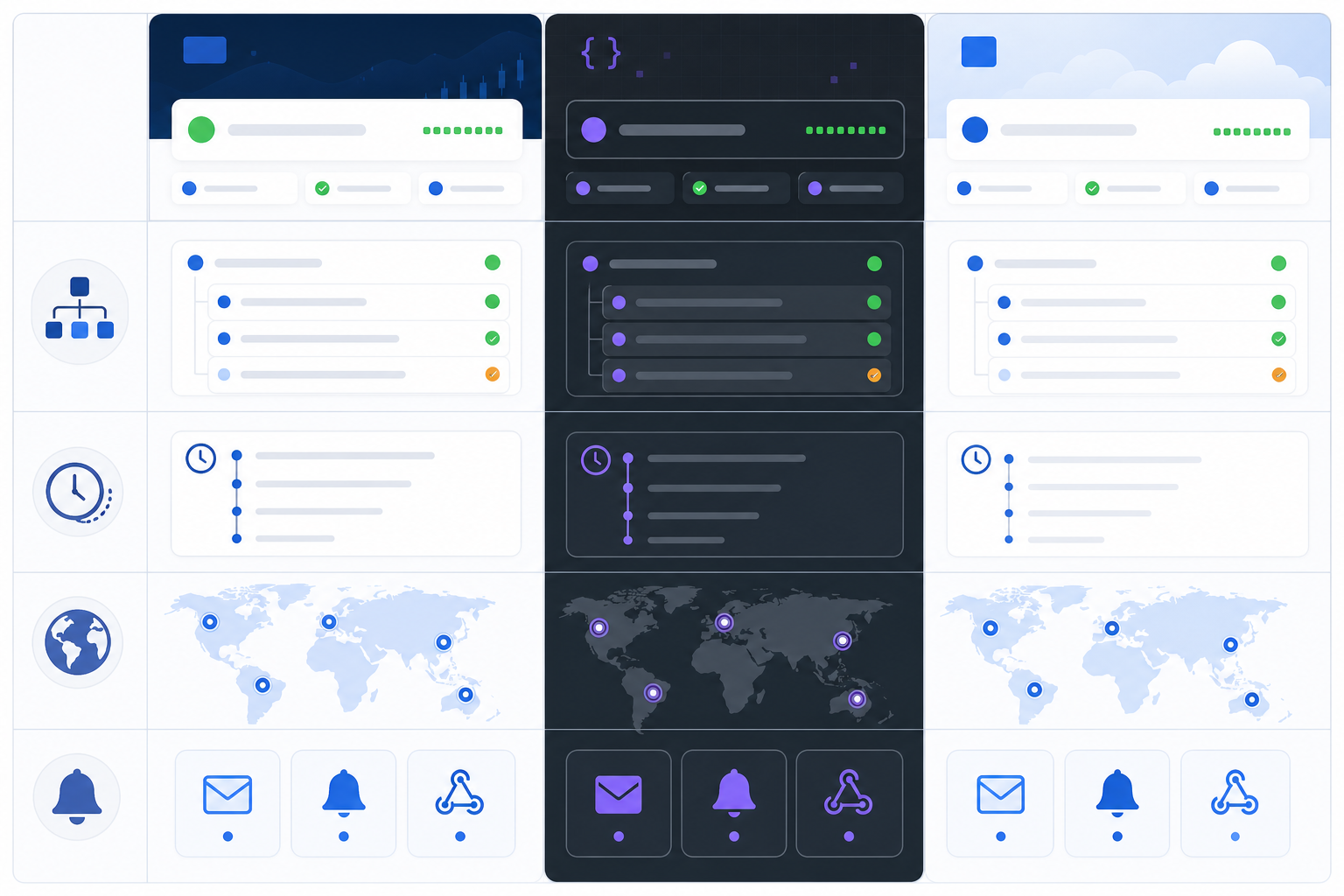
Whatever tool you use, the setup sequence looks roughly like this:
- Decide what to expose publicly, using the framework above. Not every internal monitor belongs on the public page.
- Choose your uptime measurement window and definition, and write it down somewhere your team can reference consistently.
- Connect a custom domain and confirm DNS works independently of your main app's hosting.
- Add your logo and brand colours, then check the page on mobile before launch.
- Assign ownership. Who posts updates, who approves wording, who's the backup.
- Run a test incident internally before you rely on the page for a real one, to confirm it stays reachable if your main platform goes down.
If you're already using Moonitor for uptime, API, server, SSL, or cron job monitoring, most of this is already half-done: your monitors already track the health of your endpoints, APIs, servers, and scheduled jobs, so turning on a branded status page mostly means connecting a custom domain and your brand colours rather than building tracking from scratch. Check Moonitor's current documentation for exact steps and plan-specific limits, since monitor types and calculation methods can change.
The practical benefit, set up well, is that your monitoring data and your public status communication live in the same place, so you're not manually re-entering incident details in two systems. Set up your branded Moonitor status page and connect it to your existing monitors in a few steps, rather than juggling a status page that's disconnected from the monitoring that actually knows when something's wrong.
Bringing it together: a branded status page checklist
A status page earns customer trust the same way a person does: by being consistent, honest, and recognisably itself, especially when things go wrong. Before you consider yours done, run through this:
- Overall status and affected components are visible at a glance, on mobile, without relying on colour alone.
- Uptime and response-time figures state their measurement window and what they actually measure.
- The page is hosted on separate DNS and infrastructure from your main app.
- Someone specific owns posting updates, with a named backup.
- Your last incident update matched the cadence you promised, even when there was no news.
Get those right, and your status page quietly becomes one of the most effective trust-building tools you have. No dedicated communications team required.
Branded status page FAQ
What should be included on a status page? At minimum: an overall status indicator, a breakdown by customer-facing component (not internal architecture), current and historical incidents, and uptime or response-time metrics with a clear measurement window. Subscription options via email or Slack are a common, genuinely useful addition, recommended but not mandatory.
How do I brand my status page to match my product? Start with a custom domain like status.yourcompany.com, then match your logo, colours, and fonts. Beyond visuals, make sure your incident updates sound like your support team actually talks. Consistency builds more trust than polish alone, and polish should never cost you clarity during a real outage.
How often should I update customers during an incident? For major, customer-facing incidents, a 20 to 30 minute cadence is a sensible starting point, even if the update is "still investigating." For smaller issues, hourly is usually fine. Set this as your own team's policy rather than treating it as an industry standard, and follow your contracts or SLAs first if they specify a cadence. Predictability matters more than good news.
Should a status page be hosted separately from my main app? Yes, where possible. If your primary platform and status page share infrastructure, a full outage can take down both at once, leaving customers with no reliable source of information exactly when they need one. Host it on separate infrastructure and DNS, and test occasionally that it stays reachable when your main app doesn't.
What shouldn't I show on a public status page? Avoid internal system names, precise architecture details, or security-sensitive information. Group technical components under customer-facing labels ("Payments API" rather than internal server names) so the page stays useful without becoming a map of your infrastructure.
How should I think about uptime measurement so the number is actually trustworthy? State whether the figure is measured by your monitoring probes or experienced by customers, and over what window: 30 days and 90 days tell different stories. An honest 99.7% with that context reads as more trustworthy than an unverifiable "highly reliable" claim, and it protects you from the appearance of vague precision later.