
Cron Job Alerting: How to Set Up a Dead Man's Switch the Right Way
Configure a dead man's switch for cron job alerting: set heartbeat monitoring thresholds, catch scheduled task failures, and avoid noisy false alerts.
Dead Man's Switch for Cron Jobs: How to Configure Reliable Cron Job Alerting
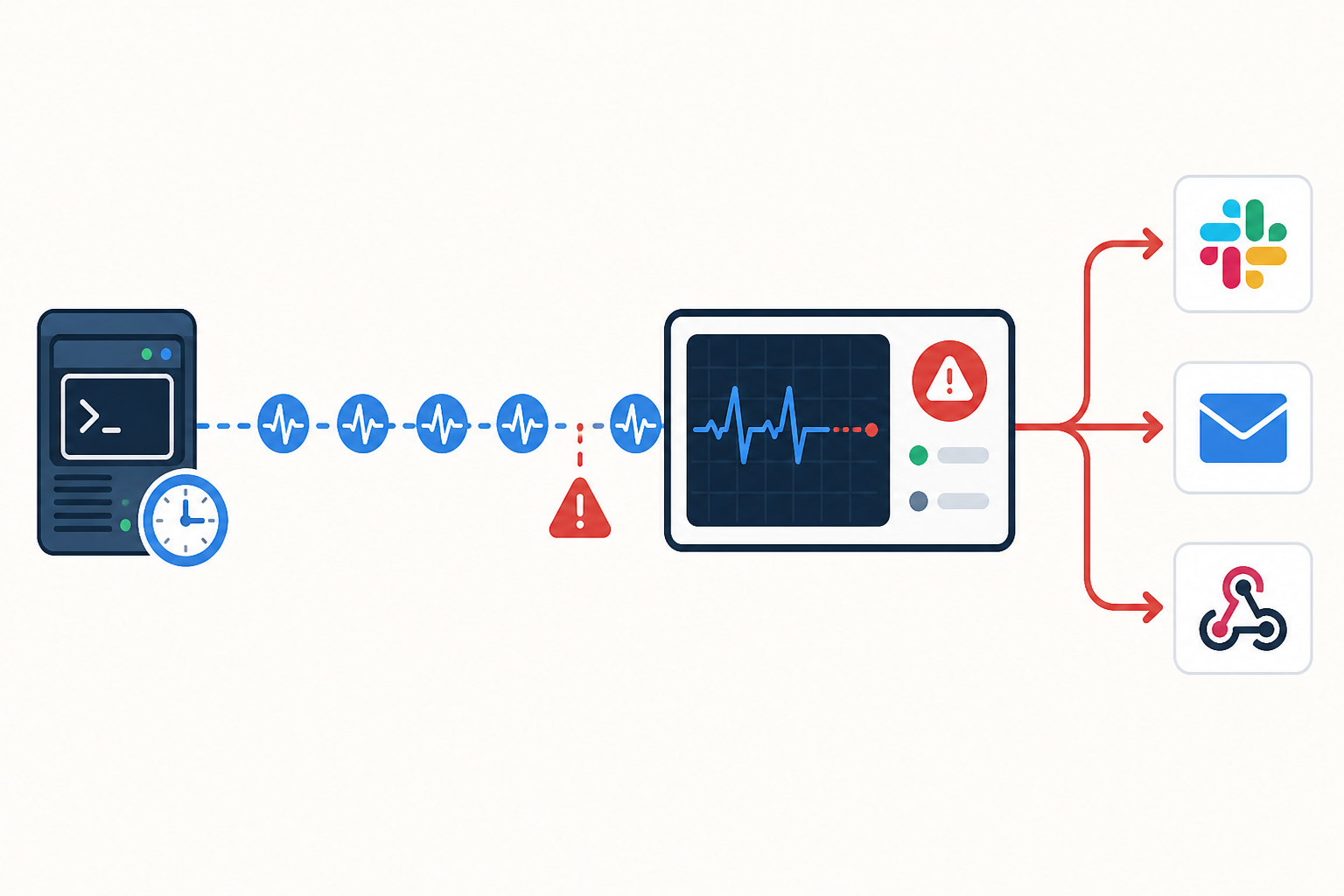
A dead man's switch for cron jobs, more precisely called a heartbeat monitor or cron monitor in most software teams, works by expecting a regular check-in ping from your scheduled task, then alerting you once that ping is overdue by more than your configured tolerance. The tricky part isn't setting one up. It's getting four related but distinct settings right: your job's schedule, its expected completion window, the heartbeat interval you monitor, and the grace period before an alert fires. Get those right and you'll know about a scheduled task failure with enough lead time to fix it before your users, or your boss, do. Get them wrong, and you'll either miss real failures or drown in false alarms until you start ignoring the whole system.
I've lost count of how many times I've heard some version of this story: a nightly backup job silently stops running, nobody notices for three weeks, and then a server dies. Suddenly there's no backup to restore from. The job didn't crash loudly, it just stopped. No error message, no red alert, nothing. That's the exact scenario a heartbeat monitor exists to prevent, and if you're running any kind of scheduled task, this is one of those unglamorous bits of infrastructure that pays for itself the very first time it saves you.
Let's get into how dead man's switches actually work, where people get cron job alerting wrong, and how to build a monitoring setup you can genuinely trust, including the edge cases that trip up even experienced teams.
What Is a Dead Man's Switch for Cron Jobs?
The term comes from railways, believe it or not. Old trains had a pedal or lever the driver had to keep pressed. Let go, because you'd fallen asleep, had a heart attack, whatever, and the train would automatically brake. The switch didn't care why you stopped pressing it. Absence of action was the signal.
That's precisely the logic we borrow for monitoring scheduled tasks. In software, you'll hear this called a dead man's switch, a heartbeat monitor, or a cron monitor pretty much interchangeably (heartbeat monitor is the term you'll see most often in monitoring tool documentation, so it's worth knowing both). Instead of asking, "Is this thing working right now?" we ask, "Has this thing sent its expected signal within the time I allowed for it?" It's a subtle but important flip from how most people think about uptime monitoring.
Traditional website or API monitoring works by reaching out and testing something: pinging a URL, checking a port, verifying an SSL certificate hasn't expired. You're actively probing for the presence of a problem. A dead man's switch flips that entirely: you're watching for the absence of a signal. Nobody probes your cron job. Your cron job is supposed to reach out to the monitor, not the other way around, and that signal is typically an HTTPS request to a unique, secret-bearing URL that only your script knows.
This is exactly why cron jobs are so miserable to monitor with standard HTTP checks. There's no persistent server sitting there answering requests. A cron job runs, does its thing, and exits. If it exits cleanly two minutes early or crashes silently at 3am, there's nothing external to poll. You can't ping a job that isn't currently running.
Heartbeat monitoring solves this by inverting the relationship. Your job pings a unique URL after it finishes, and specifically, after it has verified success, not just after it started. The monitor sits there quietly, expecting that ping within a window you define. If the ping arrives on time, nothing happens, which is exactly what you want: silence when things are healthy. If it doesn't arrive within your configured tolerance, that's your scheduled task failure signal, and an alert goes out through whichever channels you've set up.
Four Cron Monitoring Concepts People Conflate
Before we get into configuration mistakes, it's worth being precise about four separate things, because muddling them is the single biggest source of both false positives and missed failures:
- Schedule interval: how often the job is supposed to run, per your cron expression (e.g., every hour, on the hour).
- Runtime: how long the job actually takes to execute once it starts, which often varies (e.g., 4 to 12 minutes for an hourly job depending on load).
- Expected completion window: the latest time by which a successful heartbeat should reasonably have arrived, given the schedule and the realistic upper bound of runtime.
- Alert timeout (grace period): the additional buffer you add on top of the expected completion window before you actually get paged, to absorb normal variance without crying wolf.
Here's a worked example. Say a job is scheduled to run at the top of every hour and typically completes in 4 to 12 minutes. Your expected completion window isn't "the schedule interval" (60 minutes). It's roughly "by 12 to 15 minutes past the hour, most of the time." If you configure your monitor around the raw 60-minute schedule interval instead of the actual completion window, you won't catch a job that silently died until nearly two hours have passed, because the monitor is waiting for the next scheduled slot rather than checking whether this run finished on time. Configure the monitor around when a successful ping should realistically arrive, then layer a grace period on top of that for the alert timeout.
Common Cron Job Alerting Mistakes and Alert Threshold Configuration
Here's where most teams go wrong, and honestly, I've made a few of these mistakes myself. Setting up the switch is the easy part. Getting the alert thresholds right is where the actual skill lives.
- Conflating runtime with the check-in deadline. Take our hourly job that completes in 4 to 12 minutes. Set the monitor to expect a ping every 5 minutes because that's roughly how long the job takes, and you'll get paged constantly for a job that's behaving normally. The deadline should reflect the latest acceptable arrival time of the success ping, not the typical runtime.
- Using identical thresholds across wildly different jobs. A job firing every 5 minutes and a job running once a night have completely different tolerance needs. Copy-pasting the same grace period across both is a recipe for either missed failures or constant noise.
- Ignoring timezone and daylight saving shifts. If you're running infrastructure with a UK audience, this one bites twice a year. If your server, your cron scheduler, and your monitoring tool don't all agree on how to handle the Europe/London GMT-to-BST transition (and back), you'll see a phantom one-hour gap in late March and late October that has nothing to do with an actual failure. The safest approach is to store your cron schedules and monitor configuration in UTC internally, and only convert to Europe/London for human-facing dashboards and alert messages.
- Not accounting for infrastructure hiccups. Deploys, server restarts, and container rescheduling all delay pings without indicating a real scheduled task failure. If your thresholds are too aggressive, routine maintenance becomes a false alarm generator.
- Forgetting to update thresholds when the schedule changes. You moved a job from hourly to every 15 minutes six months ago and never touched the monitor. Now it's either alerting constantly or not alerting at all, and nobody remembers why.
The fix for nearly all of these is the same: treat your alert thresholds as living configuration, not a one-time setting. Revisit them whenever the job itself changes, and revisit them again after you've gathered a few weeks of real data. More on that shortly.
How to Set Up a Dead Man's Switch for Cron Jobs
Let's walk through actually building one of these. I'll use Moonitor's cron/heartbeat monitor as a concrete example since it's what I know best, but the principles apply wherever you set this up.
Identify every scheduled job that matters. Don't just monitor the obvious ones like nightly backups. Data syncs, report generators, cleanup scripts, cache warmers: if a silent failure would cost you money, trust, or sleep, it belongs on the list.
Create a heartbeat monitor and grab your unique, secret ping URL. Treat this URL like a credential. Anyone with it can trigger false success signals, so avoid committing it to a public repository and use HTTPS only. In Moonitor, generating one takes under a minute; name the monitor after the job it tracks so it's obvious later what broke.
Wrap your job so the ping only fires on verified success, with proper error handling. A bare
curltacked onto the end of a script is fragile. It can silently swallow failures or hang indefinitely if the monitoring service is slow to respond. A safer pattern looks something like this:#!/usr/bin/env bash set -Eeuo pipefailDo the actual job work first
/usr/local/bin/run-nightly-backup.sh
Only ping if the command above succeeded (set -e means we won't reach here otherwise)
curl --fail --silent --show-error
--connect-timeout 5 --max-time 15 --retry 3
"https://moonitor.io/ping/your-unique-id"
|| logger "WARNING: backup succeeded but heartbeat ping failed"The
set -Eeuo pipefailline makes the script exit immediately if the backup command fails, so the ping line never executes on a failure path. The--failflag on curl treats non-2xx responses as errors,--connect-timeoutand--max-timestop the request from hanging if Moonitor's service is briefly unreachable, and the|| loggerfallback makes sure a failed ping (as opposed to a failed job) gets logged somewhere you'll actually see it. A monitoring service outage shouldn't masquerade as a job failure, and you don't want that ambiguity going unrecorded.Set your expected check-in window based on actual completion times, not the raw schedule. Look at your job's real-world completion times over the past few weeks, not a guess. If it's scheduled hourly but typically finishes by 12 minutes past the hour, configure the monitor to expect a ping by roughly that time, then add a grace period on top (covered in the next section).
Configure alert channels appropriately, with escalation in mind. A Slack ping is fine for a warning-level job nobody needs to wake up for. For anything business-critical, route it into a proper on-call or incident-management pipeline rather than a chat channel alone. Chat messages get missed, especially overnight. Moonitor supports email, Slack, Discord, Telegram, and webhooks, so you can wire it into whatever escalation tooling you already use.
Add context to your alerts. A message that just says "monitor down" is nearly useless at 3am. Include what the job does, what breaks downstream if it fails, the last successful run time, and a link to the relevant runbook or dashboard.
How to Handle Overlapping and Concurrent Cron Runs
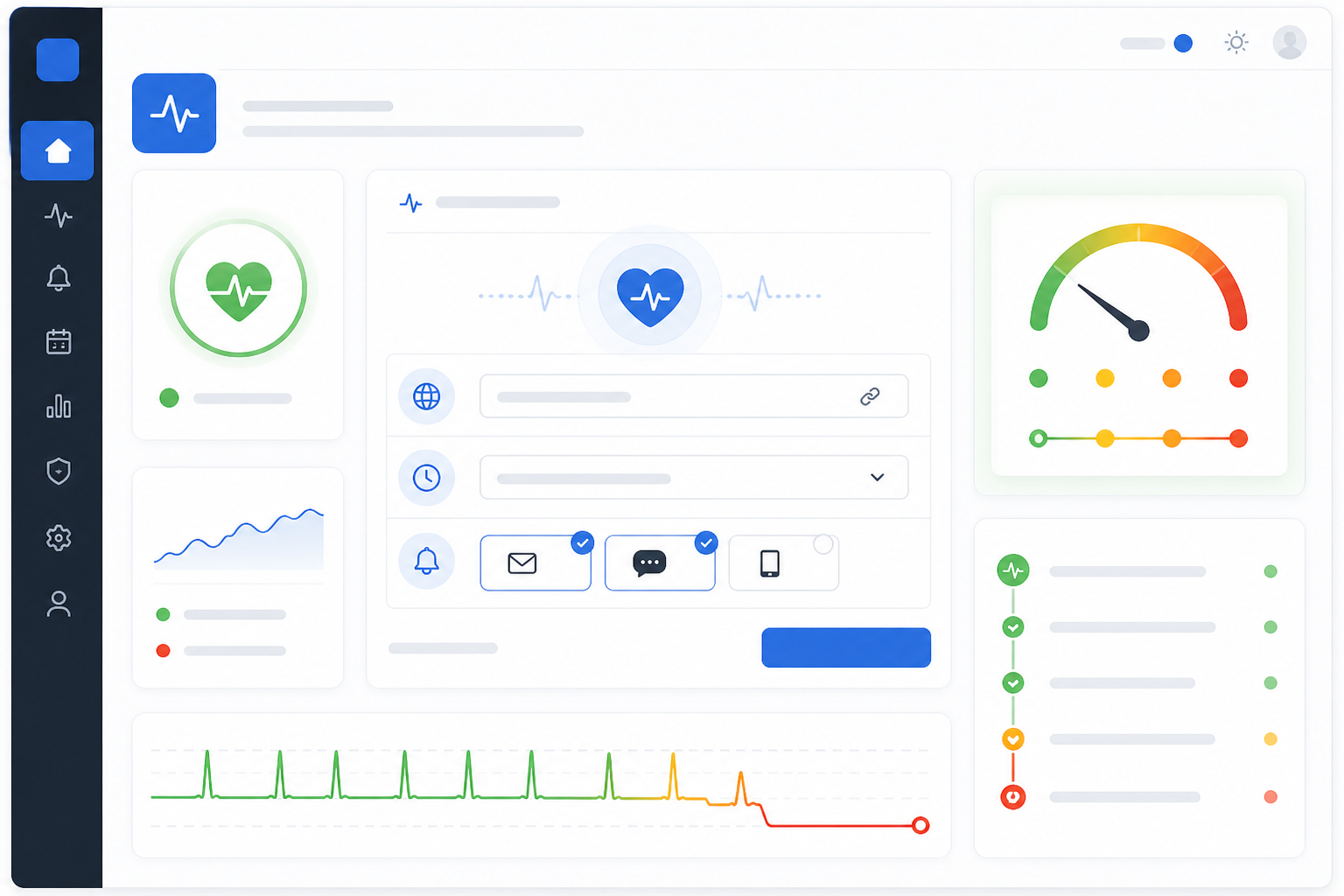
One thing that catches teams out: if a job occasionally runs long and the next scheduled invocation starts before the previous one finishes, you can end up with two instances pinging the same monitor, or a heartbeat arriving that reflects the wrong run entirely. If this is a realistic risk for your job, add a simple lock file or a distributed lock so a second instance exits immediately rather than doing duplicate work and sending a misleading success. If you need to track individual run outcomes rather than just "did something check in," look for a monitor type that supports distinct start, success, and failure events with a run ID, rather than a single generic ping. This gives you a much clearer picture when things get messy.
Handling Cron Job Retries and Grace Periods
A grace period isn't cheating the system. It's what separates a useful alert from noise you'll eventually learn to ignore. Every scheduled job has natural runtime variance. Database load, network latency, and dataset size on a given day all nudge completion time around, and your alerting needs room to breathe.
Rather than reaching for a generic rule like "10-20% of the interval," the more reliable approach is to actually look at your data. Pull the completion times (or ping arrival times) for a job over the last few weeks, find the 95th or 99th percentile, and set your expected completion window around that, then add a documented operational buffer on top, sized to how much lead time you actually need to respond. A job where a 20-minute delay in noticing is genuinely fine can have a generous buffer. A job where every minute of delay matters, billing runs, for instance, needs a tighter one, even if that means accepting a slightly higher rate of false positives that you'll manually dismiss.
As a rough starting point before you have your own data: an hourly job might use a 10-minute grace period on top of its measured completion window, while a nightly job processing a growing dataset might need 30-60 minutes, especially if you've noticed it creeping slower over the past few months. Treat these as a first guess to refine, not a rule to follow blindly. Jobs scheduled at a fixed local time, say "02:00 Europe/London," need particular care around the GMT/BST transition twice a year, since the job's wall-clock trigger time doesn't move but its offset from UTC does. Make sure your monitor's expected window accounts for this rather than assuming a fixed UTC offset year-round.
It's also worth building some retry logic into the job itself before you lean on external alerting as your only safety net. If your script can detect a transient failure (a dropped database connection, a timeout calling an API) and retry two or three times before giving up, you'll catch a good chunk of failures without ever needing an alert to fire. Your dead man's switch should be the backstop, not the first line of defence.
Here's a nuance that trips people up: a missing heartbeat tells you the job didn't run, or didn't finish successfully. It does not tell you the job ran but produced garbage output, or failed halfway through after already pinging success. If your script pings the moment it starts rather than after it verifies success, you'll get a false sense of security. This is exactly the failure mode the wrapper script earlier is designed to avoid. I'd always recommend layering heartbeat monitoring with actual logging or exit-code checks inside the job: the heartbeat catches "it never showed up," and your logs catch "it showed up but something inside went sideways." Together, that's genuinely comprehensive coverage. It's also worth thinking through what happens if the monitoring service itself is briefly unreachable. Your job's own logging (as in the logger fallback above) is what catches that gap, since the monitor obviously can't alert on a ping it never had the chance to receive.
How to Test a Dead Man's Switch Before Relying on It
A monitor you've never tested is just a guess. Before you trust this thing with anything important, put it through its paces.
- Manually skip a scheduled run. Comment out the cron entry or pause the job temporarily, then wait and confirm the alert fires within your configured window, not five minutes later, not never.
- Simulate a late-but-successful run. Delay the ping (even just by adding a
sleepbefore it in a test copy of the script) to just inside your grace period, and confirm no alert fires. Then push it just past the grace period and confirm one does. This tells you whether your buffer is actually doing its job. - Test a failed heartbeat request specifically. Point the curl call at an invalid URL temporarily and confirm your fallback logging catches it, so you know what happens if the monitoring service is briefly unreachable rather than the job actually failing.
- Check that every configured channel receives it. Email, Slack, Discord, webhook: test each one individually. It's common to set up three channels and only actually verify one.
- Verify the alert has enough detail to act on. "Something failed" is not an alert, it's a mystery. You want the job name, the last successful run time, and ideally a link straight to logs or a runbook.
- If overlapping runs are a risk, test that scenario too. Trigger two runs back to back and confirm your locking (if you've added it) prevents a misleading duplicate success signal.
- Review incident history after a few weeks. Once real-world data accumulates, look back and see whether alerts fired appropriately or whether thresholds need adjusting. This is an ongoing process, not a set-and-forget task.
Do this testing during business hours. There's nothing worse than validating your alerting at 2am and accidentally leaving something misconfigured overnight.
Choosing Cron Alert Channels by Job Severity
Not every job deserves the same level of urgency, and treating them all the same is how alert fatigue creeps in. Matching the channel, and the escalation path, to the actual business impact keeps your team responsive without burning them out.
| Job Priority | Example | Recommended Channel | Escalation Notes |
|---|---|---|---|
| Low | Nightly report generation | Slack or Discord notification | No escalation needed; review during next working day |
| Medium | Data syncs, scheduled backups | Email plus Slack for redundancy | Escalate to a named owner if unacknowledged within a defined window (e.g., 2 hours) |
| High | Billing runs, security scans | Webhook into your incident alerting pipeline | Route to on-call rotation with acknowledgement tracking, not chat alone |
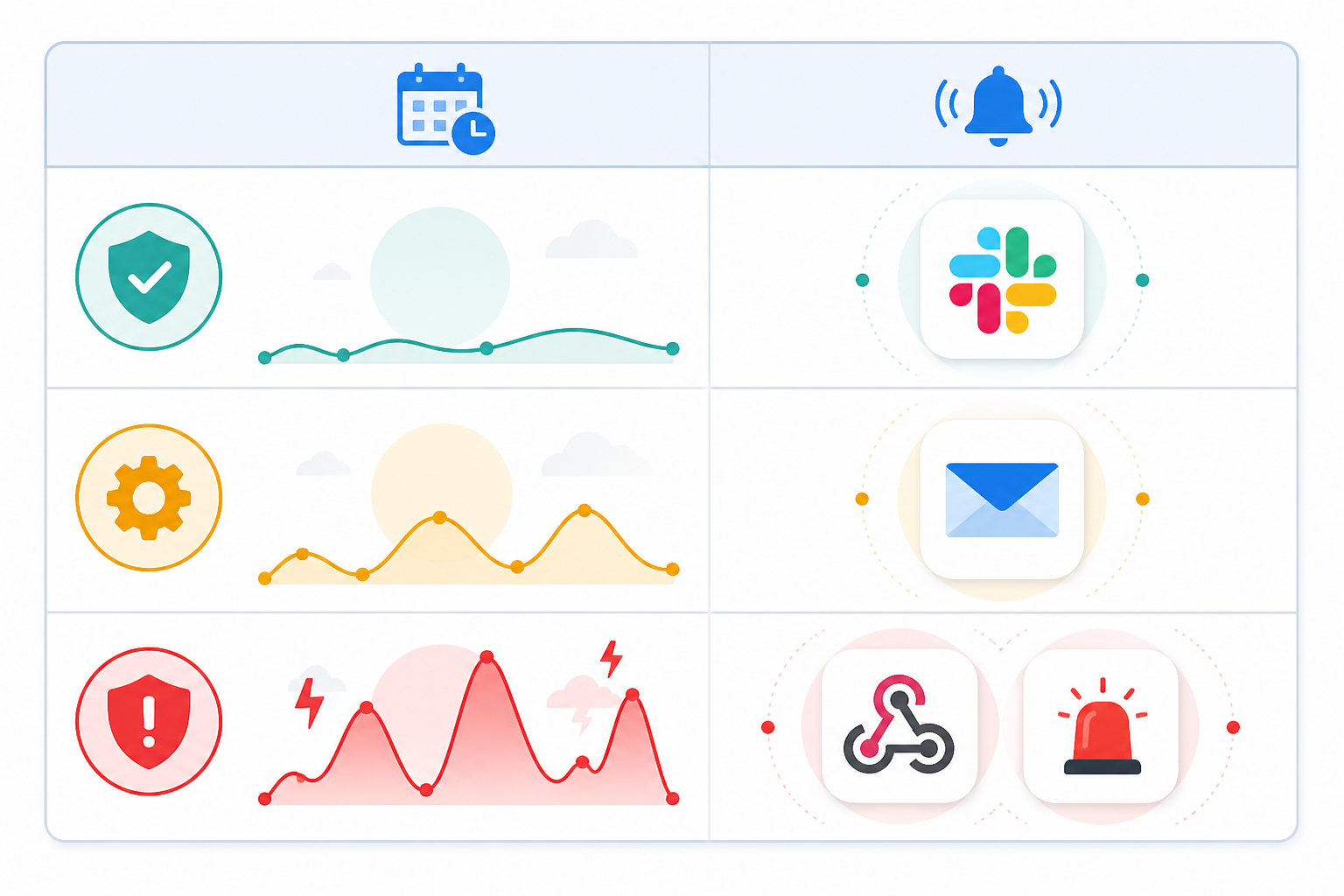
The goal here is proportionality, but it's also about acknowledgement. A missed nightly report is annoying but rarely urgent. A Slack ping is plenty, and nobody needs to be paged. A missed billing run, on the other hand, might mean customers aren't getting charged or refunds aren't processing. That deserves an incident-management pipeline with acknowledgement tracking, so you know a human has actually seen it, rather than trusting that someone happened to glance at a chat channel.
Dead Man's Switch for Cron Jobs: Configuration Checklist
Here's the short version, if you want a checklist to work from:
- Separate your job's schedule interval, typical runtime, expected completion window, and alert grace period. Don't conflate them.
- Wrap your job so the heartbeat only fires on verified success, with proper timeouts and a fallback log if the ping itself fails.
- Base your grace period on measured completion times (ideally p95/p99), not a generic percentage.
- Account for GMT/BST transitions if you're running on UK time, and for overlapping runs if your job can occasionally run long.
- Match alert channels to business impact, with real escalation for anything critical.
- Test the whole thing, including failure paths, before you trust it.
A dead man's switch is a small, almost boring piece of infrastructure until the exact moment it saves you from a very bad day. The setup itself takes minutes; the real value comes from the thoughtful configuration above.
If you're managing cron jobs alongside websites, APIs, servers, SSL certificates, or DNS records, it's worth having all of it in one place rather than juggling separate tools for each. Moonitor handles heartbeat monitoring right alongside HTTP, port, SSL certificate, and DNS monitoring in a single dashboard, so a missed cron job shows up next to everything else you're already keeping an eye on. You can set up a heartbeat monitor in under a minute, and there's a 7-day free trial with no credit card required if you want to try it against your own jobs first.
Frequently Asked Questions About Dead Man's Switches and Cron Monitoring
How do I set up a dead man's switch for cron jobs?
You create a heartbeat monitor with a unique, secret ping URL, then add success-only logic to your script that calls that URL once the job has verified it completed correctly, not simply when it starts. If the ping doesn't arrive within your configured window plus grace period, you get alerted. Moonitor's cron/heartbeat monitor type handles the monitor-creation part in under a minute; the important work is calculating the right expected window from your job's actual completion times.
What threshold should I use for job alerts?
Rather than a fixed percentage, look at your job's actual completion times over a few weeks and set your expected window around the 95th or 99th percentile, then add a buffer sized to how quickly you genuinely need to know about a failure. As a rough starting point before you have data, an hourly job might use roughly a 10-minute grace period on top of its measured completion time, while a nightly job might need 30-60 minutes. Jobs scheduled at a fixed local time need extra care around daylight saving transitions.
How do I monitor a job that runs at a fixed local time, like 2am Europe/London?
Store your cron schedule and monitor configuration in UTC internally where possible, and be explicit about how your monitoring tool handles the GMT-to-BST switch each spring and autumn. A job set to trigger at "02:00 local time" has a UTC offset that changes twice a year, and if your scheduler and monitor don't agree on that, you'll see a phantom hour-long gap that isn't a real failure. Check whether your monitoring tool supports calendar-aware schedules rather than only fixed intervals.
How do I prevent duplicate or overlapping heartbeats from confusing my monitoring?
If a job can occasionally run long enough that the next scheduled invocation starts before the previous one finishes, add a simple lock (a lock file or distributed lock) so the second instance exits immediately instead of doing duplicate work and sending a misleading success ping. If you need to track individual run outcomes precisely, look for a monitor that supports distinct start, success, and failure events tied to a run ID rather than one generic ping.
How do I test that my failure alerts actually work?
Deliberately skip a scheduled run, and separately test a late-but-still-within-grace-period run and a failed heartbeat request, confirming the right outcome in each case across every alert channel you've configured. Do this during business hours, not at 2am, so you can quickly reset things once you've confirmed it works.
What's the difference between a dead man's switch and regular uptime monitoring?
Regular uptime monitoring checks if something is reachable right now, like pinging your website every minute. A dead man's switch (or heartbeat monitor) flips this: it expects your system to reach out within an expected window, and alerts you when that expected signal is overdue. It's built specifically for scheduled task failure detection, not always-on services.