
Heartbeat Monitoring Explained: Never Miss a Silent Cron Failure
Learn how heartbeat monitoring catches silent cron failures with dead man's switch alerts, grace periods and practical scheduled job monitoring tips!
Heartbeat monitoring explained: how to catch silent cron failures before they cost you
Heartbeat monitoring works like a dead man's switch: your scheduled job pings a monitoring service every time it runs successfully. If that ping doesn't arrive within an expected window, plus a grace period you control, you get an alert. Unlike traditional uptime checks that watch from the outside, heartbeat monitoring listens for a signal from inside the job itself. That makes it one of the most direct ways to catch a cron job that silently stopped running, though it works best alongside your existing logs, scheduler alerts, and application-level checks rather than on its own.
If you've ever discovered a broken backup script three weeks too late, you already know why scheduled job monitoring matters. I have too. Let's look at how heartbeat monitoring actually works, how to configure it properly, and where it fits alongside the other monitoring tools your team probably already has running.
Why are silent cron failures so hard to detect?
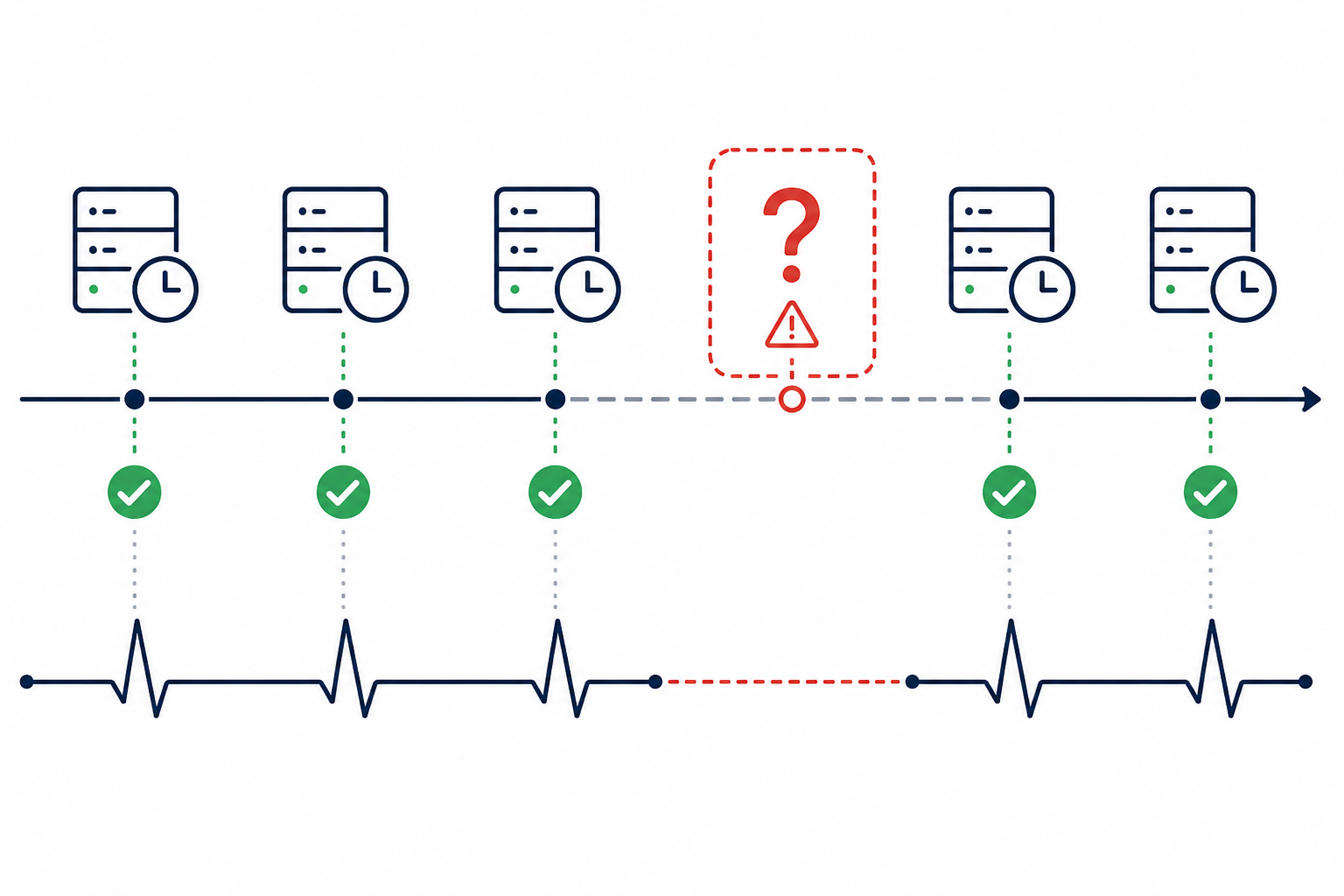
Cron jobs don't fail the same way web requests fail. When an API endpoint goes down, you usually get a timeout or a 500 error, something concrete you can log and monitor. When a cron job stops running, there's often nothing at all. No error. No log entry. No exception to catch. It just... doesn't happen.
I've seen this play out in a genuinely painful way. A team I know had a nightly backup script running on a server that got rebooted after a routine patch. The crontab didn't survive the reboot cleanly, and a permissions change meant the job's user account lost access to its working directory. The job silently dropped off the schedule. Nobody noticed, because there was nothing on the outside to alert them. The server was healthy. The API was responding. It wasn't until someone needed to restore from a backup three weeks later that they found out there weren't any.
That's the core limitation of leaning on traditional uptime monitoring for scheduled work. Uptime monitoring is good at answering "is this endpoint up right now?" It can't answer the question that actually matters for scheduled jobs: "did this job happen when it was supposed to?" Your server can be perfectly healthy while a critical nightly job is quietly dead in the water. That's the gap heartbeat monitoring helps close, alongside good scheduler logs and application-level checks.
How does heartbeat monitoring work? The dead man's switch explained
The fix is refreshingly simple once you see it, and it's called a dead man's switch for good reason. The concept originally comes from railway and industrial safety systems: if an operator stops actively pressing a button or lever, the system assumes something's gone wrong and triggers a safety response. Heartbeat monitoring applies the same logic to software.
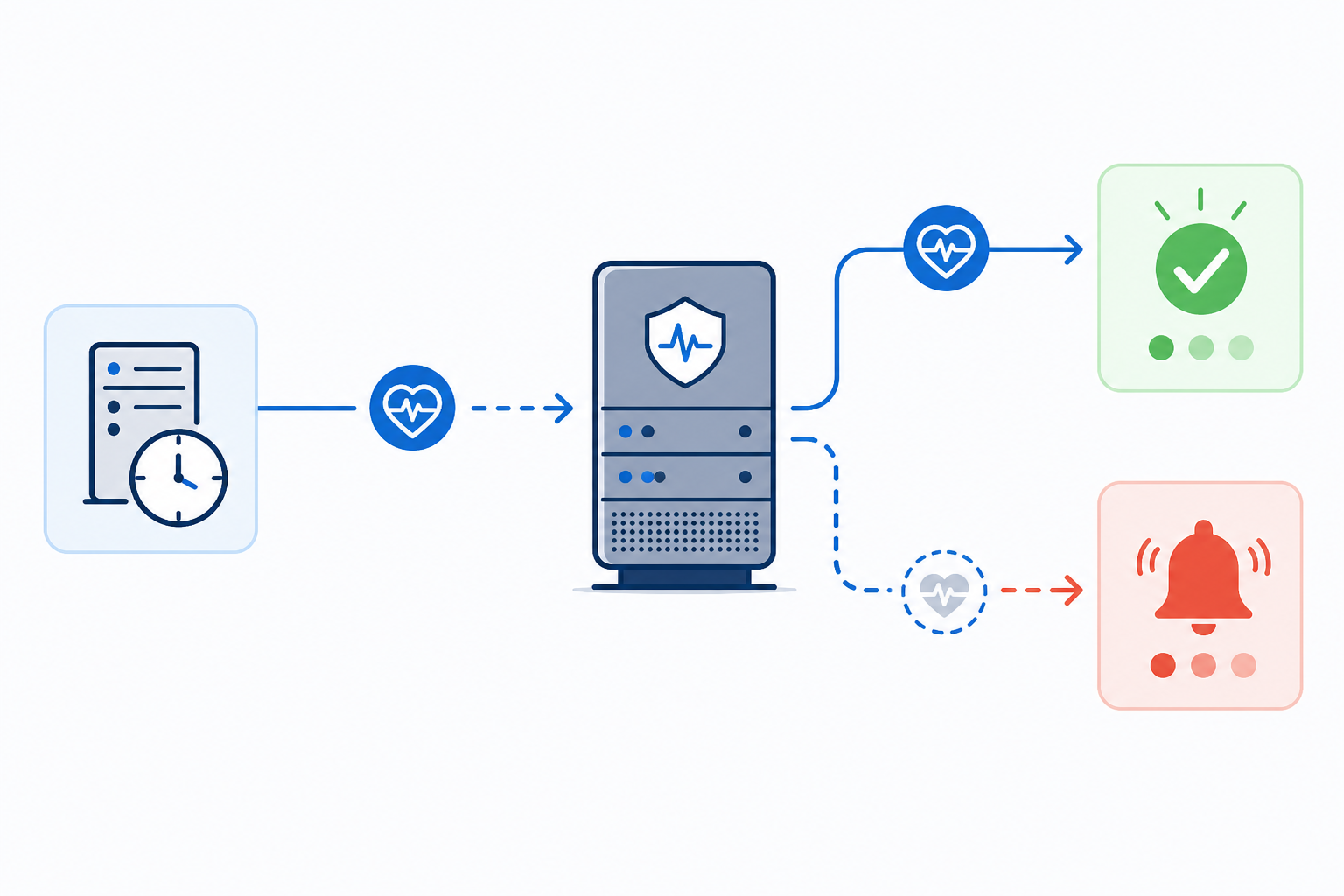
In practice, you set up a heartbeat monitor and get a unique ping URL back. Every time your scheduled job finishes successfully, it sends a small HTTP request to that URL, essentially saying, "I'm alive, I ran, and everything's fine." The monitoring service expects that ping on a schedule you define. If it doesn't show up within the expected window and grace period, you get a cron failure alert.
What I like about this model is how it flips traditional monitoring on its head. With HTTP monitoring, the service does the asking, reaching out to check whether you're alive. With heartbeat monitoring, your job does the telling. It's proactive rather than reactive, which is exactly why it can catch failures no external check would ever see.
But let's be clear about what a successful heartbeat ping actually proves. It confirms your wrapper script reached the ping step. That's it. If your job pings before all its work is durably written, if a wrapper script swallows a non-zero exit code, or if a network hiccup drops the ping while the job itself succeeds, you can end up with either a false sense of security or a false alarm. The mental model that actually holds up: heartbeat monitoring tells you a process reached its finish line, not that every downstream result was correct.
What can heartbeat monitoring track?
Honestly, pretty much anything that runs on a schedule:
- Cron jobs on a Linux server
- CI/CD pipeline steps that need to run on a schedule
- Backup scripts that can't afford to fail silently
- ETL jobs feeding your data warehouse overnight
- Queue workers that should be processing tasks continuously
- A hobby script running on a Raspberry Pi tucked away in a cupboard
If a process is supposed to happen on a schedule, heartbeat monitoring can watch for it.
Choosing the right check-in interval for scheduled job monitoring
Once you understand the mechanism, the next question is calibration: how often should your job actually check in? Get this wrong in either direction and you'll either drown in noise or completely miss the point of setting up monitoring in the first place.
The general rule: base the check-in interval on the job's actual schedule, then add a grace period that reflects its real-world runtime and variance. Don't set the interval too tightly against the schedule.
- Too tight, with no allowance for variance, creates noise. If a job normally takes anywhere from 30 seconds to four minutes to finish and your window doesn't leave room for that spread, you'll get false alarms during completely normal operation. That's how teams end up tuning out alerts altogether.
- Too loose delays discovery. Set the window much wider than the job's actual cadence and a genuine failure might sit undiscovered for hours, when minutes would have made a real difference.
- For frequent jobs, expected cadence plus a modest grace period usually works fine. A job running every five minutes might have an expected check-in of five minutes with one or two minutes of grace to absorb normal jitter.
- Daily or weekly jobs need more breathing room. Longer-running jobs tend to have more variance in completion time, so a wider window makes sense there.
- Think about the business impact of a missed run. A missed daily report is annoying but rarely urgent. A missed hourly payment reconciliation job might need an alert within minutes, not hours.
The interval isn't a set-and-forget setting. Revisit it as your job's behaviour changes, especially after infrastructure changes, dependency upgrades, or data-volume growth that could affect runtime.
How to set grace periods and avoid false cron alerts
Once you've picked an interval, the next setting is the grace period: the buffer after the expected check-in before an alert actually fires. Jobs don't finish at exactly the same second every time. Servers get busier, dependencies take longer to respond, and a job might finish several minutes later than usual without anything actually being wrong.
A rough starting point is 10–20% of the job's normal run frequency, but treat that as a first guess, not a formula. It works reasonably well for fairly regular hourly jobs but falls apart for jobs with irregular or seasonal runtimes, like a weekly report that takes longer at month-end. The more reliable approach is to look at historical completion times and base the grace period on real variance.
| Job cadence | Typical runtime variance | Suggested grace period starting point |
|---|---|---|
| Every 5 minutes | A few seconds | 1–2 minutes |
| Hourly | 1–5 minutes | 6–12 minutes |
| Daily | 5–30 minutes | 1–2 hours |
| Weekly | 30 minutes–2 hours | 2–4 hours |
Getting the grace period wrong tends to cause one of two problems. Too short, and you'll get paged unnecessarily because a job running slightly slow looks like a genuine failure. This is one of the fastest ways to erode trust in your alerting. Too long, and you delay discovering real problems, leaving an issue unresolved for an extra hour or more.
Don't treat the grace period as a one-time setting. Review your incident history over the first few weeks. If alerts keep resolving themselves moments later, it's probably too tight. If you're discovering failures well after they've caused damage, it's too loose. Adjust based on what actually happens, not an untested guess.
How to integrate heartbeat checks into a cron deployment
Setting up the monitor itself takes minutes. Getting the ping logic right so it only fires after genuine success takes more care, and it's the part a lot of basic guides skip entirely. Here's a safer way to do it.
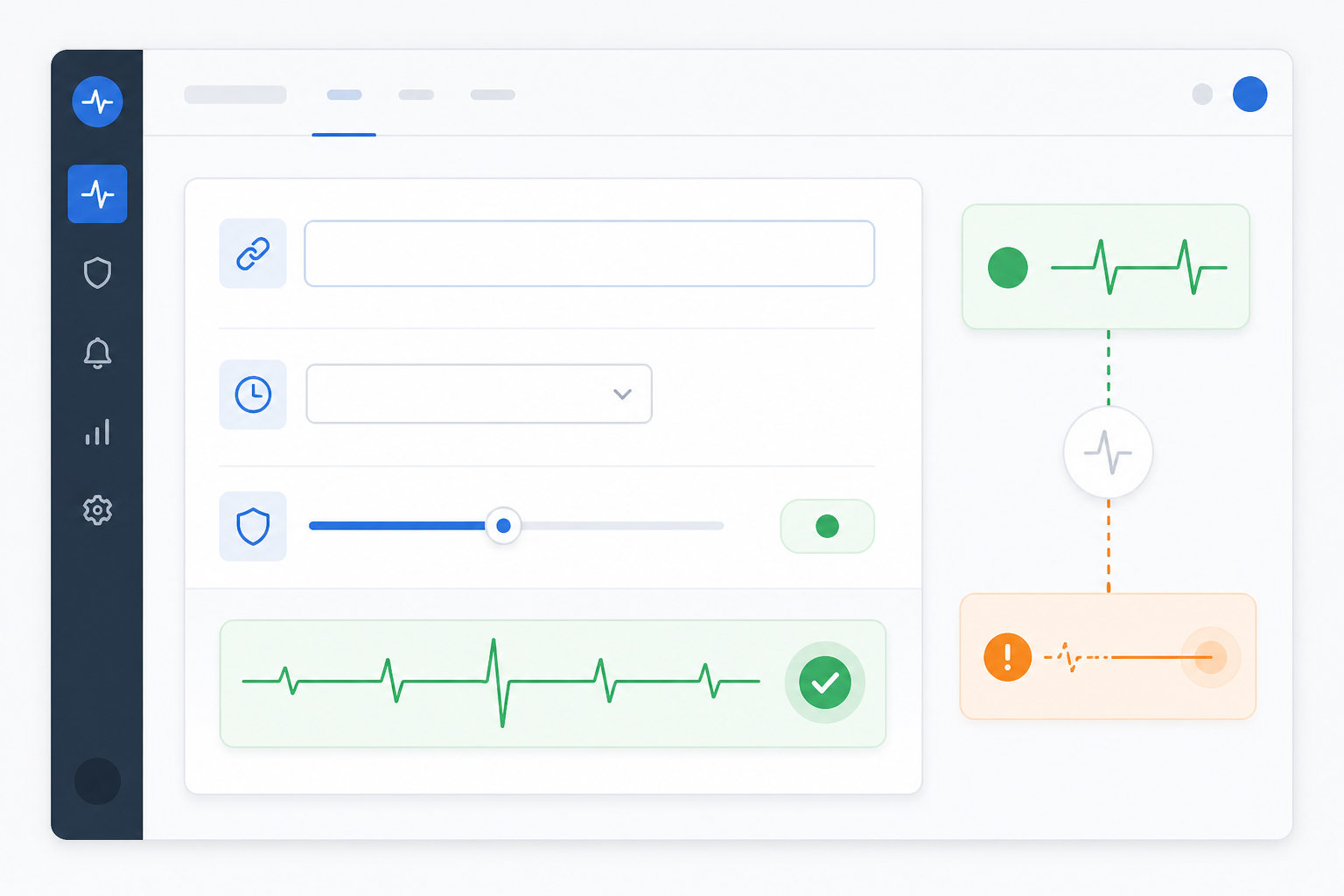
- Create a heartbeat monitor and copy the unique ping URL. Use a dedicated URL for each scheduled job. Treat it like a credential: don't commit it to a public repository and avoid printing it in logs.
- Wrap the job so the ping only fires after genuine success. A common mistake is putting the ping inside a wrapper that catches errors and continues anyway, which can produce a heartbeat even when the actual work failed. A safer Bash pattern looks like this:
#!/usr/bin/env bash
set -Eeuo pipefail

## Your actual job logic
/usr/local/bin/run-nightly-backup.sh

## Only reached if the line above exited 0
curl --fail --silent --show-error --max-time 10 \
  "https://moonitor.example/ping/your-unique-id" \
  || echo "Warning: heartbeat ping failed, job succeeded but alert was not sent" >&2
The set -Eeuo pipefail line makes the script exit immediately if a command fails, so curl never runs unless the backup genuinely succeeds. The --max-time flag stops a slow or unreachable monitoring endpoint from hanging the job. The fallback echo records a warning if the monitoring service can't be reached even though the job worked, which is worth catching, because that situation creates a missing heartbeat and a potential false alarm.
- Add the wrapper to cron and actually capture its output instead of discarding it:
0 2 * * * /usr/local/bin/nightly-backup-with-heartbeat.sh >> /var/log/backup.log 2>&1
Keeping the log means that when a cron failure alert fires, you have somewhere to actually investigate rather than relying on the heartbeat monitor as your only source of truth.
- Test the failure path on purpose. Temporarily comment out the cron entry or break the job, then confirm the alert fires after the monitoring window and grace period close. Testing the failure path matters just as much as testing the success path, and it's the step most people skip.
- Route alerts to channels your team actually watches. Slack, email, or a webhook into your existing incident-management system, whatever gets it in front of someone who can act.
- Consider surfacing job status publicly if the process is customer-facing. For nightly report generation or data syncs that customers depend on, showing when the job last completed can cut down on support queries.
If your team works across UK hours, align alert routing with your on-call coverage. A job that fails at 2am UK time needs an actual escalation path, not just a Slack message that sits unread until the working day starts. Also worth checking: your scheduling assumptions around BST and GMT transitions. A cron schedule defined in server-local time can shift by an hour when the clocks change twice a year, occasionally triggering heartbeat alerts for reasons that have nothing to do with the job itself.
Heartbeat monitoring vs other monitoring types
Heartbeat monitoring solves one specific problem: confirming that something happened on schedule. It's not a replacement for other infrastructure checks, or for scheduler and application logs. A healthy server doesn't prove its cron job actually fired. A working cron job doesn't tell you whether your API is responding or your SSL certificate is about to expire. A successful heartbeat ping doesn't guarantee the job's output was correct, it just shows the job reached the ping step.
| Monitor type | What it detects |
|---|---|
| Heartbeat or cron monitoring | Jobs that stopped running or never started |
| HTTP/S monitoring | Endpoints that are unavailable or returning errors |
| Port and ping monitoring | Servers or services that are unreachable |
| SSL and domain expiry monitoring | Certificates or domains approaching expiry |
| DNS monitoring | Unexpected record changes that could indicate hijacking or misconfiguration |
| Log-based and application-level checks | Incorrect output, partial failures or business-logic errors a ping alone can't catch |
Most teams end up needing several of these together. Website monitoring tells you whether your homepage loads. API monitoring tells you whether endpoints respond correctly. Server monitoring tells you whether the infrastructure is reachable at all. And log-based checks tell you whether a job's output was actually right. None of these on their own will catch a cron job that quietly stopped firing, which is exactly the gap heartbeat monitoring fills.
Frequently asked questions about heartbeat monitoring
What is heartbeat monitoring and how does it work?
Heartbeat monitoring confirms that a scheduled job or process actually ran, rather than just confirming a server is online. The job sends a small ping to a monitoring service each time it completes successfully. If the expected ping doesn't arrive within the configured interval and grace period, the service sends an alert. It's basically the inverse of typical uptime monitoring: instead of the service checking on your job, your job checks in with the service.
How do I detect a cron job that silently stopped running?
Heartbeat monitoring is one of the most direct ways to catch this, because a job that stops running usually doesn't produce an error. It just doesn't execute. Add a ping to the end of the job's success path, making sure it only fires after genuine completion. If the ping goes missing, you'll typically know within minutes instead of weeks.
Scheduler logs and process-level monitoring are useful on top of this. They can catch things a heartbeat alone might miss, like a wrapper script masking a failure, or a job that runs but produces a bad result.
What grace period should I set for heartbeat checks?
A reasonable starting point is 10–20% of the job's normal run frequency. For an hourly job, that might mean six to 12 minutes; for a daily job, one to two hours. Treat this as a starting point, not a rule. The better approach is to review historical runtimes, account for normal variance, and adjust after you've watched the job run for a few weeks.
Does a successful heartbeat ping prove that my job worked correctly?
No. A ping only confirms the script reached the point where it calls the monitoring service, usually after the main logic finishes. It doesn't verify the output was correct, that data was fully written, or that a downstream system actually got what it expected.
For jobs where correctness matters as much as occurrence, pair heartbeat monitoring with an application-level check. Think validating row counts after an ETL run, or confirming a backup file's size and checksum before sending the heartbeat.
Can I use heartbeat monitoring for processes other than cron jobs?
Yes. Anything that runs on a schedule or is expected to check in periodically can use heartbeat monitoring. CI/CD pipeline steps, backup scripts, queue workers, ETL processes, IoT devices that need to phone home, all of it. If a process is expected to run on a predictable cadence, a heartbeat monitor can watch for it.
Bringing it together: start monitoring silent failures
The core principles here aren't complicated: set your check-in window around the job's actual schedule, choose a grace period based on real runtime variance, and make sure the ping only fires after genuine success, not just after a script happens to exit.
Pair heartbeat monitoring with scheduler logs, application-level validation, and your other infrastructure checks rather than treating it as a complete safety net on its own. Used that way, it's a reliable method for catching silent cron failures that traditional uptime monitoring was never built to see.
If your team runs scheduled jobs without any protection against silent failures, I'd start with your most critical job this week. Even a free monitor is enough to understand the setup, test the alert flow, and cut the risk of discovering a missed backup or failed data process weeks too late.
Target keywords: heartbeat monitoring, cron failure alerts, scheduled job monitoring, dead man's switch, silent failures