
SSL Certificate Monitoring Checklist for Busy Sysadmins
Use this six-step SSL certificate monitoring checklist to track certificates, set expiry alerts, verify renewals and prevent outages with automation.

Good SSL certificate monitoring comes down to six habits: know every certificate you own, alert on expiry in tiers, confirm renewals actually went live, cover subdomains and wildcards, give every alert a named owner, and review it all quarterly. You can run the whole checklist by hand. Automating the repetitive checks just makes a missed renewal far less likely to turn into a 2am outage.
Below is the checklist I'd copy into a runbook. Each step ends with a short, tool-neutral note on where automation earns its keep. One clearly labelled section near the end covers where a monitoring platform (we make Moonitor) fits in. Grab a coffee. ☕
Why SSL certificate expiry still catches experienced teams out
Picture the Friday before a bank holiday weekend. Half the team is already on the motorway when a customer emails to say your API is throwing certificate errors. The person who set up that endpoint left eight months ago, and the renewal reminder went to their inbox.
If that sounds familiar, you're in good company. It keeps happening for a few reasons:
- Sprawl. Certificates live on load balancers, CDNs, API gateways, ingress controllers, mail servers, VPN gateways and internal admin tools. Monitoring the main website covers one of those. NIST's TLS server certificate management guidance (SP 1800-16) starts with building an inventory for exactly this reason.
- Shorter lifetimes. Browsers have enforced a 398-day maximum for publicly trusted certificates since September 2020. The CA/Browser Forum has since approved a staged reduction (ballot SC-081v3): 200 days from March 2026, 100 days from March 2027 and 47 days from March 2029. Check the ballot for exact cut-offs. Either way, manual renewal is becoming a more frequent chore, not a rarer one.
- Staff turnover. Certificates outlive the people who bought them.
- Silent automation failures. ACME, Let's Encrypt and cloud-managed certificates are brilliant, until a cron job breaks, a DNS validation record changes or a reload never happens.
Expiry doesn't only hit public websites, either. In December 2018, Ericsson said expired software certificates in its network software disrupted O2's mobile services in the UK. In February 2020, Microsoft attributed a Teams outage to an expired authentication certificate. Both companies explained the cause publicly at the time. Both cases show that certificates also sit inside your suppliers' systems and identity dependencies, where you can't see them.
The cost is rarely subtle: browser warnings, broken API clients, failed webhooks and a dent in customer trust that outlasts the fix. The good news is that it's all preventable with a bit of structure.
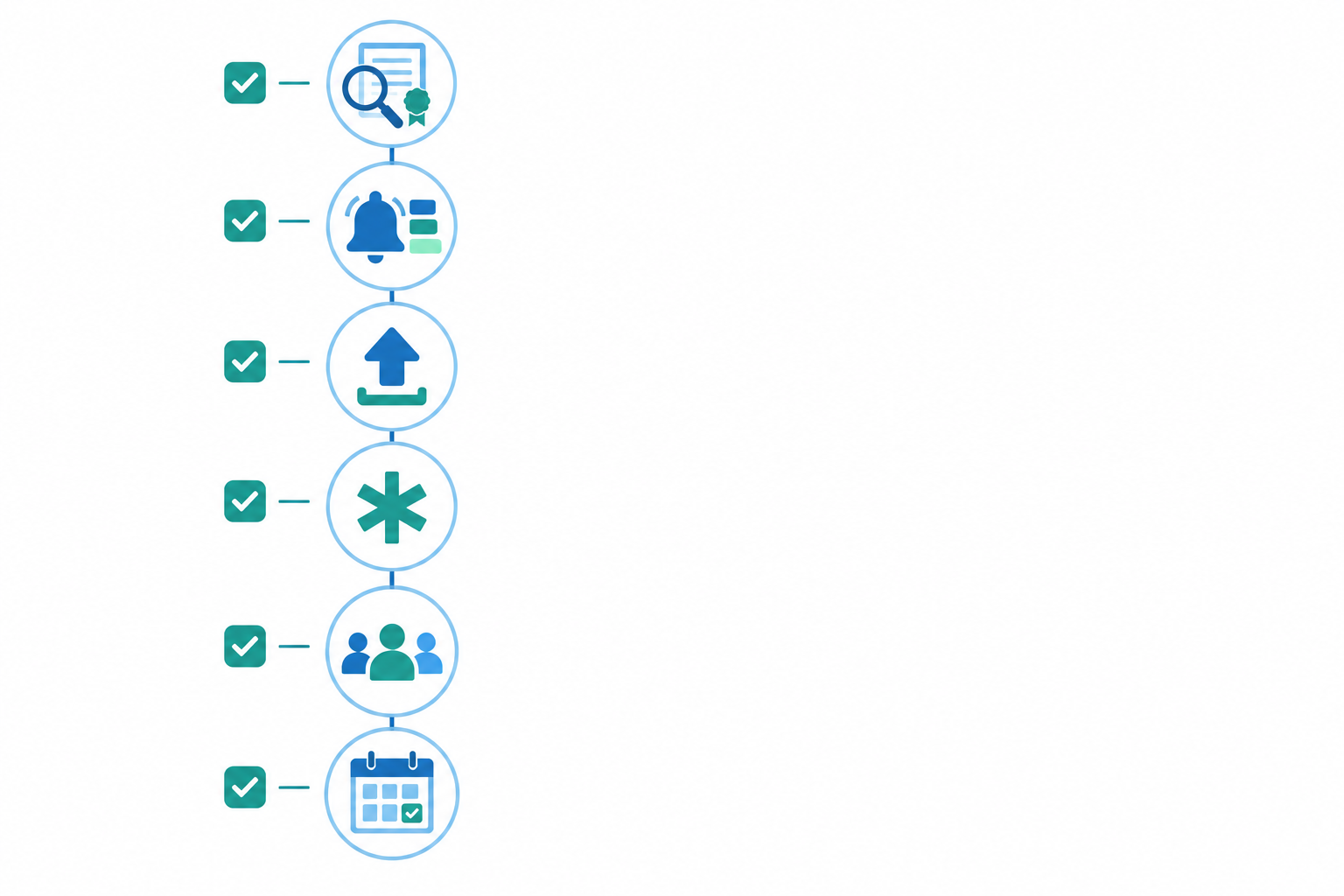
SSL certificate monitoring checklist at a glance
Copy this into your runbook. Each line is the 'done when' test for that step.
- Inventory: every hostname and port serving TLS is listed with issuer, expiry date, renewal method and owner.
- Tiered alerts: every endpoint warns ahead of expiry, and the final warnings reach someone who can act.
- Renewal checks: you verify the certificate the live endpoint serves, not the file on disk.
- Subdomains and wildcards: every distinct certificate, and every server sharing a wildcard, has its own check.
- Owners: every alert has a named owner, a backup and a shared channel.
- Quarterly review: inventory, monitors and recipients are reconciled, and a test alert has fired end to end.
Step 1: How to find every SSL certificate and endpoint
The first question everyone asks is how to find all their certificates. Honestly, you rarely find them all in one place. No single source is complete, so you combine several and cross-check.
- Start with DNS. Export your zones and list every A, AAAA and CNAME record. Include internal DNS zones too, and remember that anything managed by a third party won't appear in your own zone files. Forgotten hostnames show up here, usually the ones nobody has touched in years.
- Check certificate transparency logs. Searching a site like crt.sh for your domains shows publicly trusted certificates issued against them, including ones a colleague or agency requested without telling you. A logged certificate may never have been deployed, and private PKI doesn't appear in public logs at all, so treat CT as a supplement.
- Check your cloud and provider inventories. Cloud accounts, CDN dashboards and managed certificate services often know about certificates your DNS export doesn't.
- Scan your own IP ranges. Look for TLS listeners on 443, 8443, 465, 993 and 995, not just websites. Mail and admin interfaces expire just as loudly.
- Audit the usual hiding places: load balancers, reverse proxies, mail servers, VPN gateways, API gateways and internal admin tools. A CDN may present a different certificate from your application server's config, so compare what's expected with what's actually served.
- Record the essentials for each one: hostname, port, issuer, expiry date, renewal method and owner. SANs, serial number and environment are a bonus.
- Track domain registration expiry in the same list. An expired domain doesn't invalidate the certificate, but it can take the service offline, so certificate monitoring alone won't save you. Keep internal and privately issued certificates in their own section, since they won't turn up in public sources.
Where automation helps: a spreadsheet goes stale the week after you finish it. Any tool that reads the certificate straight from each endpoint keeps expiry dates current. Most monitors check the endpoints you give them rather than discovering new ones, so you'll still want the DNS and CT reconciliation from Step 6.
Step 2: Set tiered SSL certificate expiry alerts
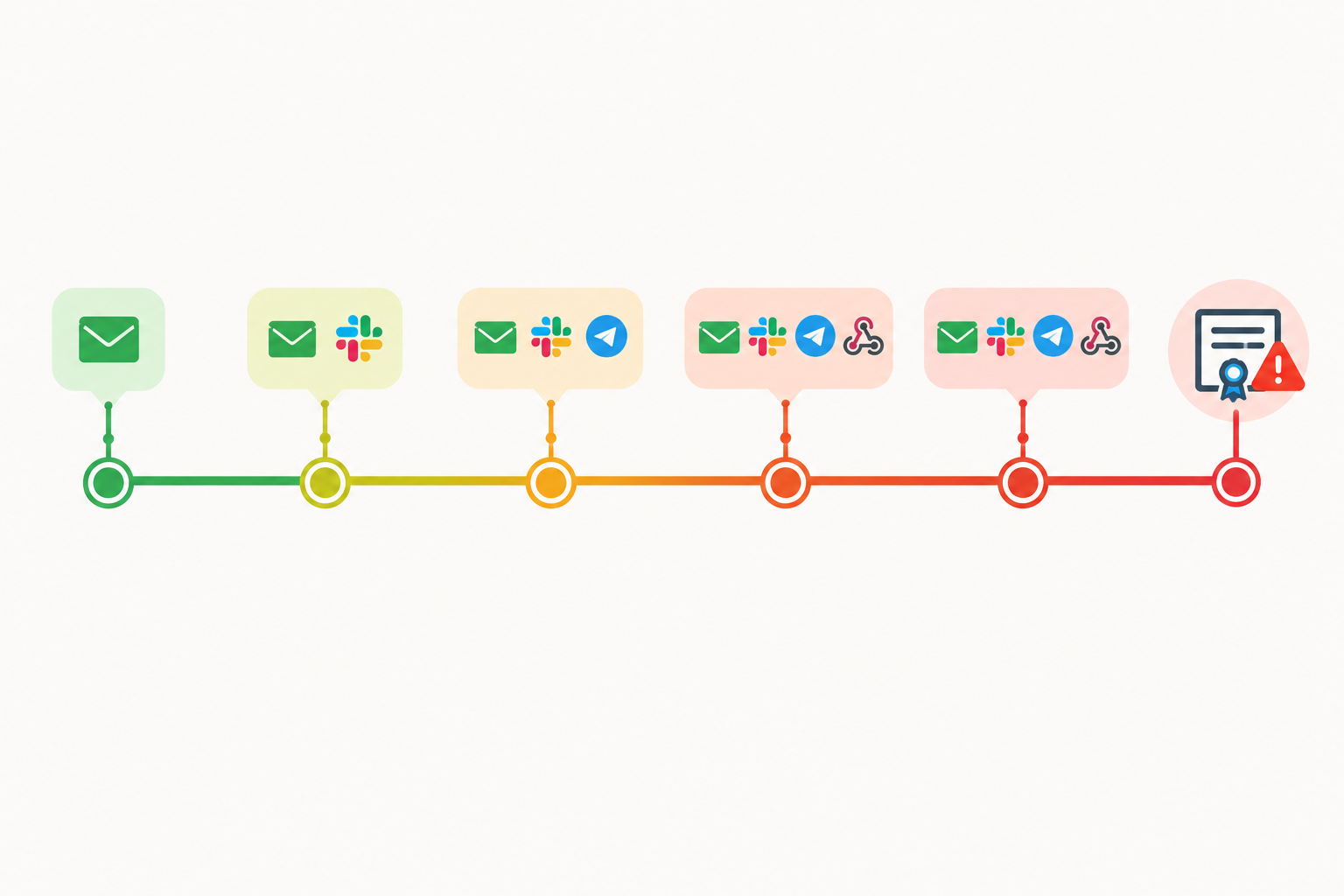
One alert is never enough. The first gets ignored because it feels distant, and the last arrives too late to be useful. Tiers give you several chances to catch the problem, each at the right level of urgency.
Here's a sensible starting policy:
- 30 days: a heads-up. Is the renewal scheduled?
- 14 days: renewal should already be in progress. If it isn't, someone investigates.
- 7 days: escalate. This is no longer routine.
- 3 days and 1 day: urgent. Page someone.
I've seen this go wrong, so a word of caution. Treat 30/14/7/3/1 as a starting policy, not a requirement to send five separate messages for every certificate. Across dozens of endpoints that's a lot of noise, and noisy alerts get filtered into a folder and forgotten. A few habits keep it manageable:
- Deduplicate. If one wildcard covers ten hostnames, send one alert for the certificate, not ten.
- Escalate on silence. Move to the next tier only if the previous alert hasn't been acknowledged or the renewal hasn't happened.
- Test thresholds against your renewal lead time. If renewals need a change request and a few days' notice, your first real alert should land comfortably before that.
- Mind UK working hours. A 14-day warning that arrives at 6pm on a Friday gets read on Monday, so time the early tiers for when someone will actually act.
On channels, email, team chat and paging are examples, not a prescription. Route alerts through the on-call system your team already uses rather than introducing a new channel just for certificates.
If you run 90-day Let's Encrypt certificates, adjust to match. Certbot's documentation says its renewal job attempts renewal when a certificate is within 30 days of expiry. That makes a 30-day alert a reasonable first warning, and you might treat 14 days as the point where a still-unrenewed certificate needs a human. Your numbers should reflect your renewal schedule and escalation process, and you'll need to rethink them again as lifetimes shorten.
Where automation helps: alerts that fire at thresholds you choose, across several channels, without anyone remembering to check a calendar.
Step 3: How to verify an SSL certificate renewal is live
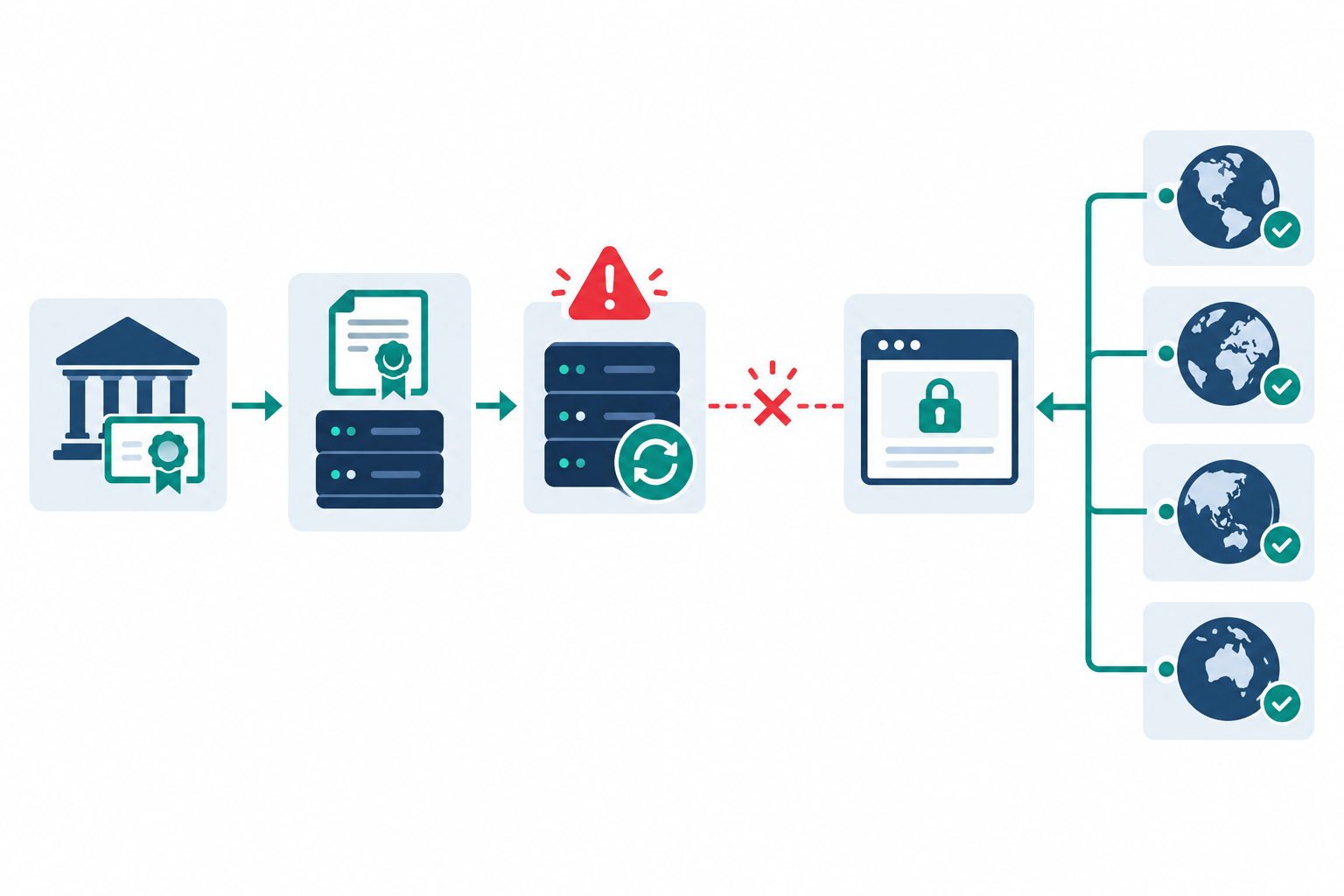
How do you confirm a renewed certificate is live? You check the live endpoint. A successful renewal in your CA dashboard or ACME client only proves a certificate was obtained. It says nothing about whether anyone is being served it.
Check what the endpoint presents, not what's on disk. This command connects to the live endpoint and prints the expiry dates and serial number:
openssl s_client -connect host:443 -servername host </dev/null 2>/dev/null | openssl x509 -noout -dates -serialReplace
hostwith your hostname (twice) and change the port if needed. The</dev/nullcloses the connection cleanly, and-servernamesends SNI, without which you may get a default certificate instead. Compare thenotAfterdate andserialwith the certificate you just renewed.Confirm the service was reloaded. nginx, Apache, HAProxy and Postfix all need to pick up the new file. Certbot's deploy hooks exist for exactly this reason.
Check every node behind a load balancer. One stale node can keep serving the old certificate while your own test happily hits a healthy one. Where it applies, check IPv4 and IPv6 separately too.
Check CDN edges as far as you can. You usually can't test every edge yourself, so use checks from several regions plus your CDN's own validation and diagnostics, and don't assume that covers every edge unless the provider says so.
Check the full chain, including intermediates. A missing intermediate won't bother most browsers, but older clients and API consumers will fail hard.
Watch for the classic trap: the cron job or systemd timer that renews faithfully but never reloads. It reports success every time, right up to the moment the old certificate expires.
Test at the real TLS termination point. If a CDN or load balancer terminates TLS, check that. The origin certificate tells you very little.
Where automation helps: a monitor that reads the certificate presented by the live endpoint will show a missed reload as an old expiry date or serial number. Checks from several regions, ideally including the UK and Europe if that's where your users are, can help expose a stale node or regional CDN problem.
Pair that with heartbeat monitoring on the renewal job itself. If certbot or your renewal script quietly stops running, a missed heartbeat tells you long before the certificate nears expiry. It's the same idea as cron job monitoring for backups: you alert on the absence of a successful run.
Step 4: How to monitor subdomains and wildcard certificates
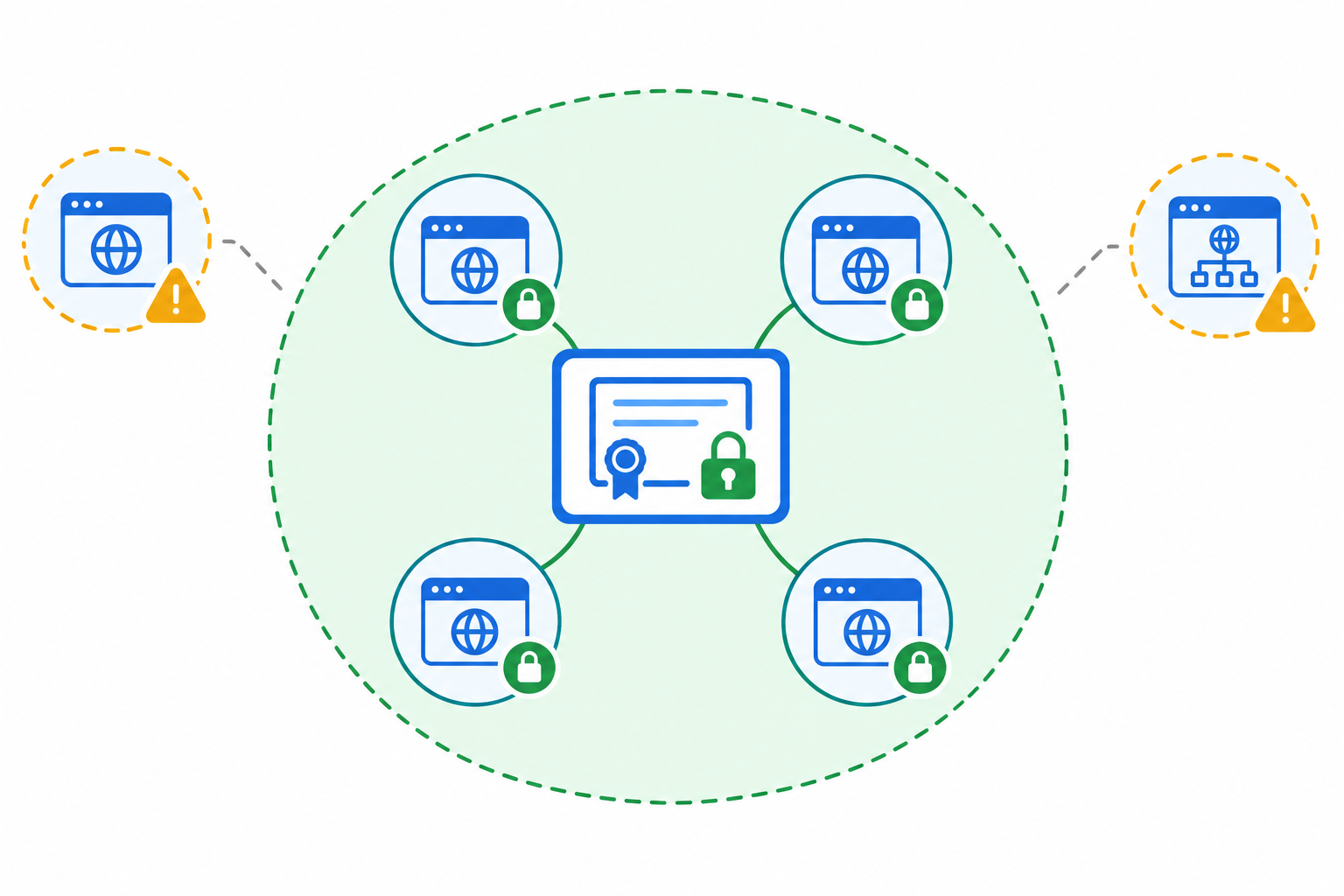
Are wildcard certificates harder to track? They're not harder to renew, but they're easier to lose track of. One certificate quietly underpins many hostnames, so nobody thinks of it as 'a certificate that expires'. That's the blast radius problem. One expired wildcard can take down dozens of services at once, often owned by different teams who each assumed someone else had it covered.
A few things worth remembering:
- A wildcard covers exactly one label.
*.example.commatchesapp.example.com, but nota.b.example.com, and not the apexexample.comunless that name is also listed as a SAN (or covered by a separate certificate). - The same wildcard may be installed on several separate servers, and each one needs updating at renewal time.
- Staging sites, demos and campaign subdomains tend to appear without anyone telling ops. Your DNS export from Step 1 is the best way to catch them.
The practical rule is to monitor at least one representative hostname per distinct certificate, plus every hostname on a separate server that uses the same wildcard. Be specific about the hostname (SNI) and endpoint each check targets, because one hostname check won't necessarily validate every certificate or listener on that server. If a deployment updates six of seven servers, you want the seventh to complain.
I'd also add DNS monitoring. If a record changes unexpectedly and a subdomain suddenly points at a server with the wrong or an expired certificate, you'll want to hear about the DNS change before your users hear about the certificate error.
Where automation helps: checking each endpoint separately, so a rollout that missed one server still gets flagged even though the wildcard looks fine everywhere else.
Step 5: Assign SSL certificate alert owners and backup contacts
Who should get the alerts? A named owner, a backup and a shared team channel, never just one person's inbox. People go on holiday, fall ill and hand in their notice, and UK teams know how thin cover gets around bank holidays and school-holiday annual leave.
Some ground rules that work well:
- Route by service, not by job title. The team that runs the service owns its certificate.
- Use group addresses or shared channels so a resignation doesn't create a blind spot overnight.
- Document the escalation path. Who is paged at 7 days? At 3? Who has the authority (and the company card) to buy or reissue an emergency certificate?
- Store the credentials somewhere the backup can reach them: CA account logins, DNS access and registrar accounts. An alert is useless if the person receiving it can't log in to fix anything.
- Plan for the worst case. Have a status page or internal comms plan ready so customers hear about a problem from you first.
Ownership is the easiest part of the checklist to skip and the most painful to regret.
Where automation helps: sending alerts to several channels at once, and keeping incident history so you can see who responded and how quickly. That history is very handy at the quarterly review.
Step 6: Review your SSL certificate monitoring quarterly
A checklist you run once is just a snapshot. Put a recurring slot in the team calendar and work through this:
- Reconcile the inventory against DNS, CT logs and your cloud accounts to catch new or retired endpoints.
- Tidy your monitors. Remove ones for decommissioned services and add any for things launched since last time.
- Check the recipients. Are they still employed, still on the team and still reachable?
- Run a test alert end to end, including the on-call webhook. Silent, misrouted notifications create false confidence.
- Review near-misses. Which certificates were renewed within three days of expiry, and why?
- Check domain expiry dates and registrar auto-renew settings, including whether the payment card on file is about to expire.
- Review renewal methods. Anything still renewed by hand is a candidate to move onto ACME or a managed certificate, especially as validity periods shrink.
Where automation helps: if your monitoring tool has an API or data export, you can pull the monitor list and diff it against the inventory. That turns reconciliation into a short job rather than an afternoon.
Manual SSL certificate checks vs automated monitoring
Let's be fair. Manual checks can work perfectly well for a small, stable estate, and scripts are free and flexible. The trade-off is upkeep, because a script that checks certificates is itself something that needs monitoring.
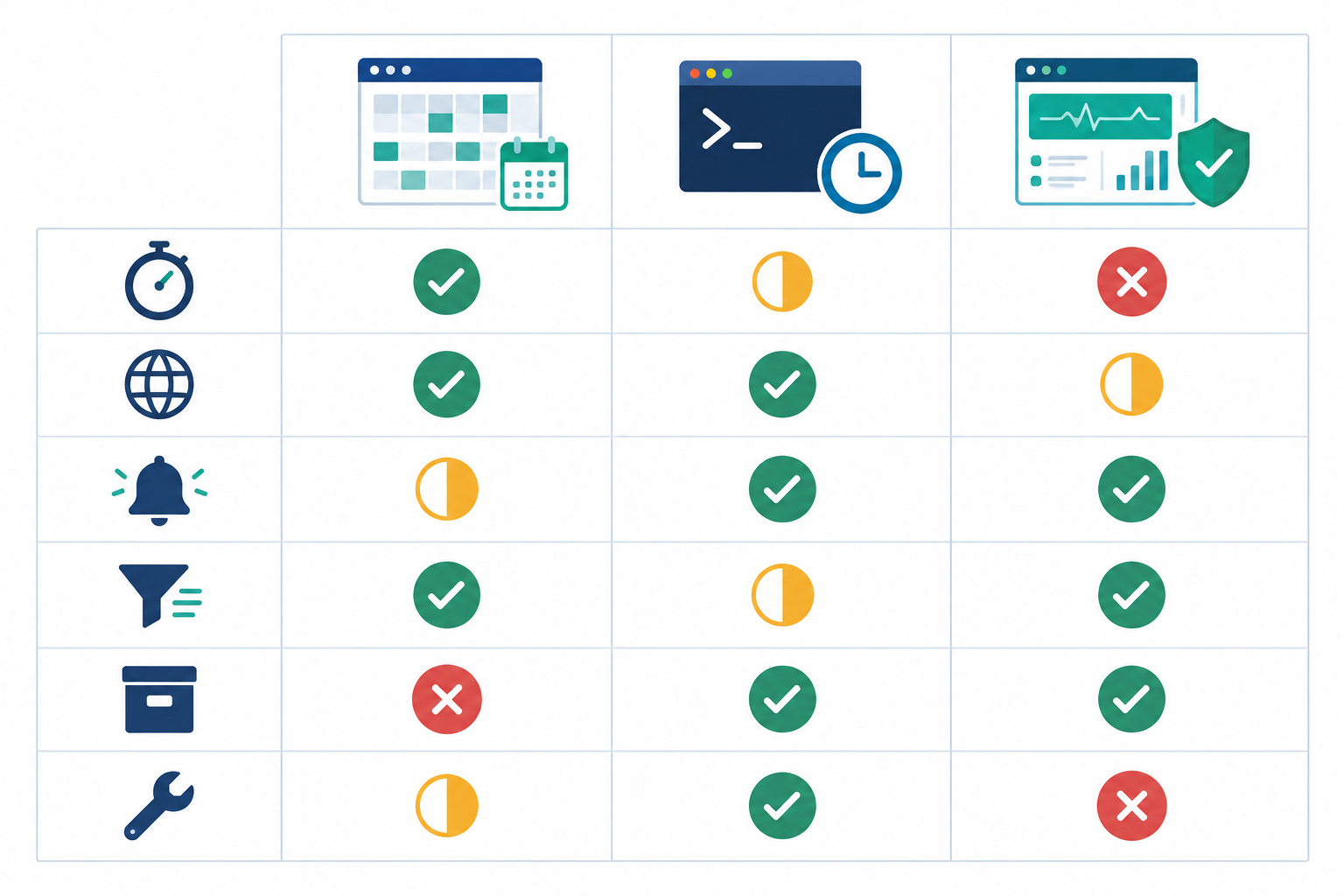
This is a general comparison. The platform column assumes you've added each endpoint yourself, and details vary between products and plans.
| Spreadsheet and calendar reminders | Scripts and cron (openssl, Nagios-style checks) | Dedicated monitoring platform | |
|---|---|---|---|
| Setup time | Quick to start | Hours to days | Usually minutes per endpoint |
| Coverage | Only what someone remembers to list | Only what you script | Every endpoint you add (discovery is usually still on you) |
| Alert routing | Manual, depends on people | Whatever you build | Typically email, chat and webhooks |
| False alarm handling | N/A | You build the retries | Varies; some tools verify from several regions |
| History and reporting | Rarely | DIY | Often built in |
| Ongoing maintenance | High, and easy to forget | Moderate, and the script needs watching | Lower, but monitors still need reviewing |
Where Moonitor fits (our product)
Full disclosure: I work on Moonitor, so treat this as a product example rather than independent advice. It puts SSL and domain expiration monitors in the same dashboard as uptime, API, server, cron job, heartbeat and DNS monitoring. That matters because certificate problems rarely happen in isolation. A failed renewal job, a changed DNS record and an unreachable endpoint are often the same incident seen from three angles. Alerts can go to email, Slack, Discord, Telegram and webhooks.
Plans, monitor limits and trial terms change over time, so I've deliberately left prices out of this article. Check the current pricing page for up-to-date details. Prices are listed in US dollars, so factor in VAT and exchange rates before you commit.
My honest advice is to match the approach to your estate size and how much upkeep you want. A handful of certificates and a tidy team may be fine with a script and a calendar. Dozens of hostnames, shared wildcards or several people to keep informed is where automation tends to pay for itself.
Your 10-minute SSL certificate monitoring starter plan
Don't try to boil the ocean. Start small and expand once the habit sticks.
- Minutes 1–3: List your ten most business-critical hostnames and the domains they sit on.
- Minutes 4–6: Add a certificate-expiry monitor for each hostname and a domain-expiry monitor for each domain, whichever tool you use. Start with the 30/14/7/3/1 policy, deduplicated.
- Minutes 7–8: Send alerts to a shared channel and a backup email address.
- Minutes 9–10: Put a quarterly review in the team calendar.
Ten minutes, and you've covered the endpoints most likely to hurt.
SSL certificate monitoring FAQ
How do I find all my SSL certificates?
Combine DNS exports (internal zones included), certificate transparency logs, cloud and provider inventories, and scans of your IP ranges. No single source is complete, so cross-check them.
How do I confirm a renewed SSL certificate is actually live?
Check what the live endpoint serves, not what's on disk, using the openssl command in Step 3. Compare the expiry date and serial number with the new certificate.
Are wildcard certificates harder to track?
Not to renew, but one certificate covers many hostnames, so an expiry can take down several services at once. Monitor each server that uses the wildcard, and remember it covers one label only.
Who should receive SSL certificate expiry alerts?
A named service owner, a backup contact and a shared team channel, never a single inbox. Agree in advance who can reissue or buy a certificate quickly.
How many days before expiry should I set SSL certificate alerts?
Start with 30, 14, 7, 3 and 1 days, using quieter channels early and paging late. Deduplicate, escalate only if earlier alerts go unacknowledged, and tune to your certificate lifetime.
Do I still need monitoring if I use Let's Encrypt auto-renewal?
Yes. Auto-renewal can fail silently through a broken timer, changed DNS validation, rate limits or a missing reload. Monitoring the live certificate and the renewal job is your safety net.