
How to Automate Certificate and Domain Renewal Alerts (So You Never Get Caught Out Again)
Automate certificate renewal alerts for SSL and domains with daily checks, named owners, and email, Slack, or webhook notifications.
How to Automate Certificate Renewal Alerts and Domain Expiry Monitoring
Meta description: Automate certificate renewal alerts for SSL and domains with daily checks, named owners, and email, Slack, or webhook notifications.
If you're tired of chasing down certificate and domain expirations by hand, the fix is simpler than you'd think: set up alerts that check every asset daily and route notifications to whoever actually owns that asset, before the deadline sneaks up on anyone. Tools like Moonitor do exactly this. They watch your domain and certificate inventory and ping you by email, Slack or webhook well before anything lapses.
But here's a distinction worth making up front: monitoring and renewing are two different jobs. A good alert tells you something is about to expire. Actually renewing it, whether that's logging into a registrar dashboard or letting an ACME client reissue a certificate, is still a separate step you have to handle. This guide covers both the monitoring setup and what I'd call the alerting workflow that has to follow it.
No more sticky notes on monitors. No more "I thought Dave was handling that one." Just a system that quietly watches your assets, paired with a clear process for what happens after an alert fires.
Why manual certificate and domain tracking fails eventually
Here's how it usually starts: someone builds a spreadsheet with the domain name, expiry date and registrar login. Maybe there's a calendar reminder too, set 30 days out. It feels solid, at first.
Then your infrastructure grows. You add subdomains for a new product launch. Marketing spins up a microsite for a campaign. A client asks you to manage their .co.uk domain "just for now." Six months later, the spreadsheet is missing entries, the calendar reminders are scattered across three people's Outlook accounts, and nobody's entirely sure who owns what anymore.
I've seen this play out the same way more than once: a reminder was set on a calendar belonging to someone who left the company months ago, and the alert fired into the void. The first anyone hears about the problem is a customer reporting a browser security warning over the weekend. By then, the fix is a scramble instead of a five-minute renewal.
That's the quiet danger of manual tracking. It doesn't fail loudly until it fails completely. Staff turnover is a real and often invisible risk here. Ownership gaps open up every time someone changes roles or leaves, and unless renewal tracking is built into a system rather than living in one person's head, those gaps can sit open until something breaks.
The cost of that break isn't trivial, either. An expired SSL certificate can trigger browser warnings that scare away visitors and tank conversion rates overnight. An expired domain can be worse. Depending on the top-level domain (TLD) and registrar, a domain typically moves through a grace period and then a redemption period before it's released back into general availability, though exact timelines vary quite a bit.
For .uk domains specifically, Nominet runs its own suspension and expiry process, so check the current guidance directly rather than assuming it matches a .com or .io renewal window. The real risk isn't that someone swoops in and grabs your domain the second it expires. It's that you lose control of the timeline, and that's a stressful place for any IT team to be.
Build a complete domain and certificate inventory
Before you automate anything, you need an accurate picture of what you're actually managing. This step gets skipped more often than you'd expect, and it's usually why monitoring projects stall halfway through.
- Build a full inventory. List every domain, subdomain and wildcard certificate across your organisation. Include internal services, staging environments and anything behind a VPN that still needs a valid certificate.
- Audit registrar and DNS provider accounts. Log into every account your team can access and check what's actually registered there. It's common to find domains bought years ago for projects that no longer exist, or domains set up by a former employee under a personal account.
- Include third-party and client-facing domains. If your team supports a client website or manages DNS for a partner organisation, put it on the list even if you don't technically own it. If you support it, you're responsible for monitoring it.
- Capture ownership and criticality metadata. For each asset, record the owner, business criticality, registrar, DNS provider, certificate authority, renewal method, deployment location and when it was last verified. This detail is what makes escalation and audits actually work.
- Use certificate transparency logs as a discovery check. A quick search of CT logs for your domain can turn up certificates your team forgot existed, especially on subdomains created for one-off campaigns. Expect some noise here; not everything that shows up is something you control. Treat CT logs as a discovery aid, not a definitive inventory.
- Document everything centrally. Put the information in a shared document or a monitoring platform's inventory view so your team has one source of truth instead of five half-updated ones.
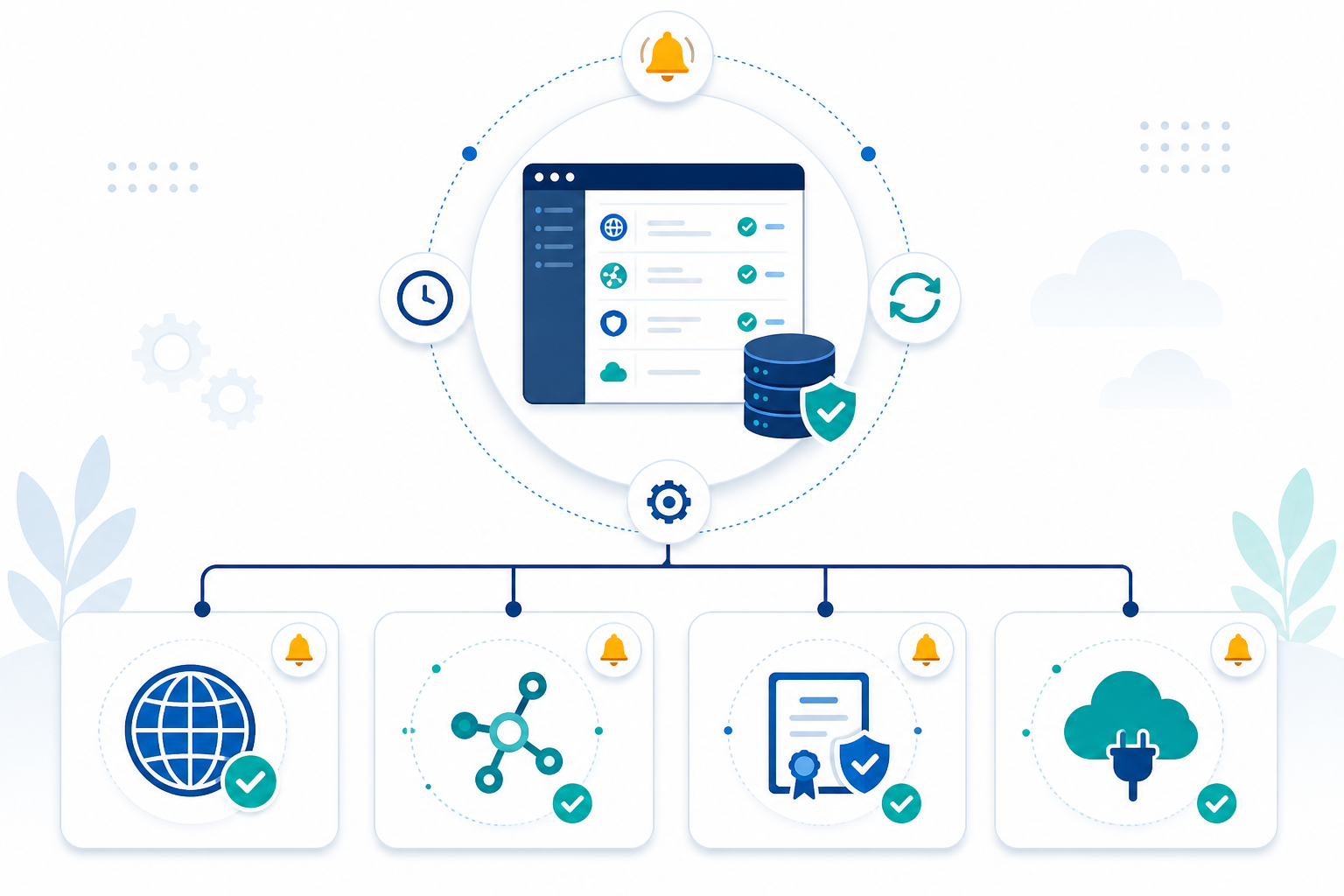
This inventory step can feel tedious, and I get why people want to skip it. But it's the foundation everything else sits on. Automate on top of an incomplete list and you'll just have a faster, better-looking way of missing things.
Set up automated SSL expiration monitoring
Once you know what you're tracking, the monitoring setup itself is quick. A dedicated platform helps, but it's worth understanding what these checks actually confirm and what they don't.
- Add each domain or certificate as a monitor. In Moonitor, you can add SSL certificate and domain expiry monitors for each asset. The service checks them daily, so you're not relying on a stale spreadsheet or someone remembering to look.
- Understand what's being checked. An external monitor checks the certificate currently being served at the endpoint. That might not be the same certificate configured in your load balancer, CDN or Kubernetes ingress. If a certificate has been renewed in cert-manager but the ingress hasn't picked up the new secret yet, an external check can catch that mismatch before a customer does.
- Set staggered warning thresholds. Don't rely on a single 30-day warning. Use a few, like 30, 14 and 3 days before expiry. That gives you an early heads-up and a genuinely urgent nudge if nothing's happened yet.
- Use multi-region verification where you can. A certificate check from one location can fail because of a regional DNS hiccup rather than an actual certificate problem. Checking from multiple regions cuts down on false positives, even if it can't eliminate them entirely.
- Layer in DNS monitoring. If you're using ACME DNS validation for automated renewal, a DNS record change can quietly break that renewal process without anyone noticing. Watching DNS alongside SSL helps you catch that before it turns into an expired certificate.
- Know where renewal automation actually happens. Monitoring sends alerts; it doesn't renew anything on its own. For Let's Encrypt and other ACME-based certificates, tools like Certbot or cert-manager handle the reissue and can be set to run automatically. For domains, check that registrar auto-renewal is switched on and the payment method is current. An expired card is a surprisingly common reason renewals fail.
- Test the setup. Temporarily lower a threshold on a test domain and confirm the alert fires and lands where it should. It takes a few minutes and can save you from finding a configuration problem in the middle of a real incident.
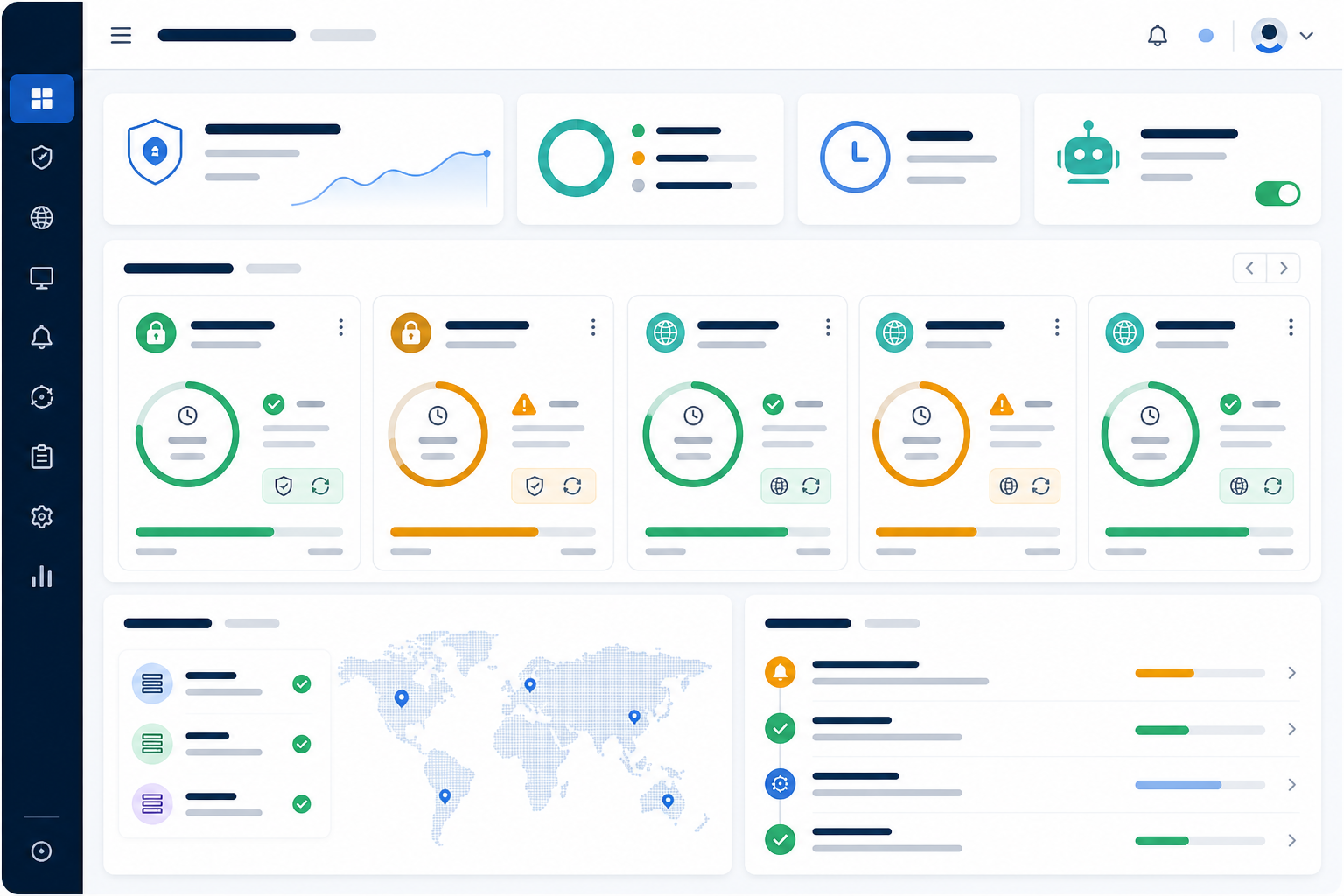
For a modest inventory, say under 50 domains and certificates, most teams can get monitors live in an afternoon. Bigger or more fragmented environments, especially ones spread across multiple registrars or mixing cloud and on-premises certificates, will take longer. Still, it's a fraction of the time you'd spend tracking things by hand.
Create an IT alerting workflow with named owners
Setting up expiration checks is only half the job. If alerts land in an inbox nobody checks, you've just automated the same failure you started with.
- Assign a named owner to each domain or certificate. Skip the generic "IT" label. Alerts sent to an actual person get acted on far more often than alerts sent to a department.
- Separate ownership, approval and verification. For business-critical assets, be clear about who receives the alert, who approves a paid renewal or provider change, and who confirms the new certificate is actually live. On smaller teams one person might wear all three hats, but writing it down still avoids assumptions.
- Match the channel to the urgency. Email is fine for a 30-day heads-up. Slack or Teams gets more attention as the deadline closes in. Webhook alerts can feed into Jira, PagerDuty or another incident-management tool.
- Set an acknowledgement window. Give the named owner a defined window, say 48 hours, to acknowledge a warning. If nothing happens, escalate to a backup owner or a wider channel.
- Keep thresholds meaningful. Alert on everything and people stop reading alerts. Consolidate per domain where you can, and pick thresholds that give enough time to act without drowning people in noise.
- Give stakeholders a status page. Leadership or clients often need visibility into uptime and certificate health without getting every technical alert. A branded status page usually does that job better than adding them to your engineering channel.
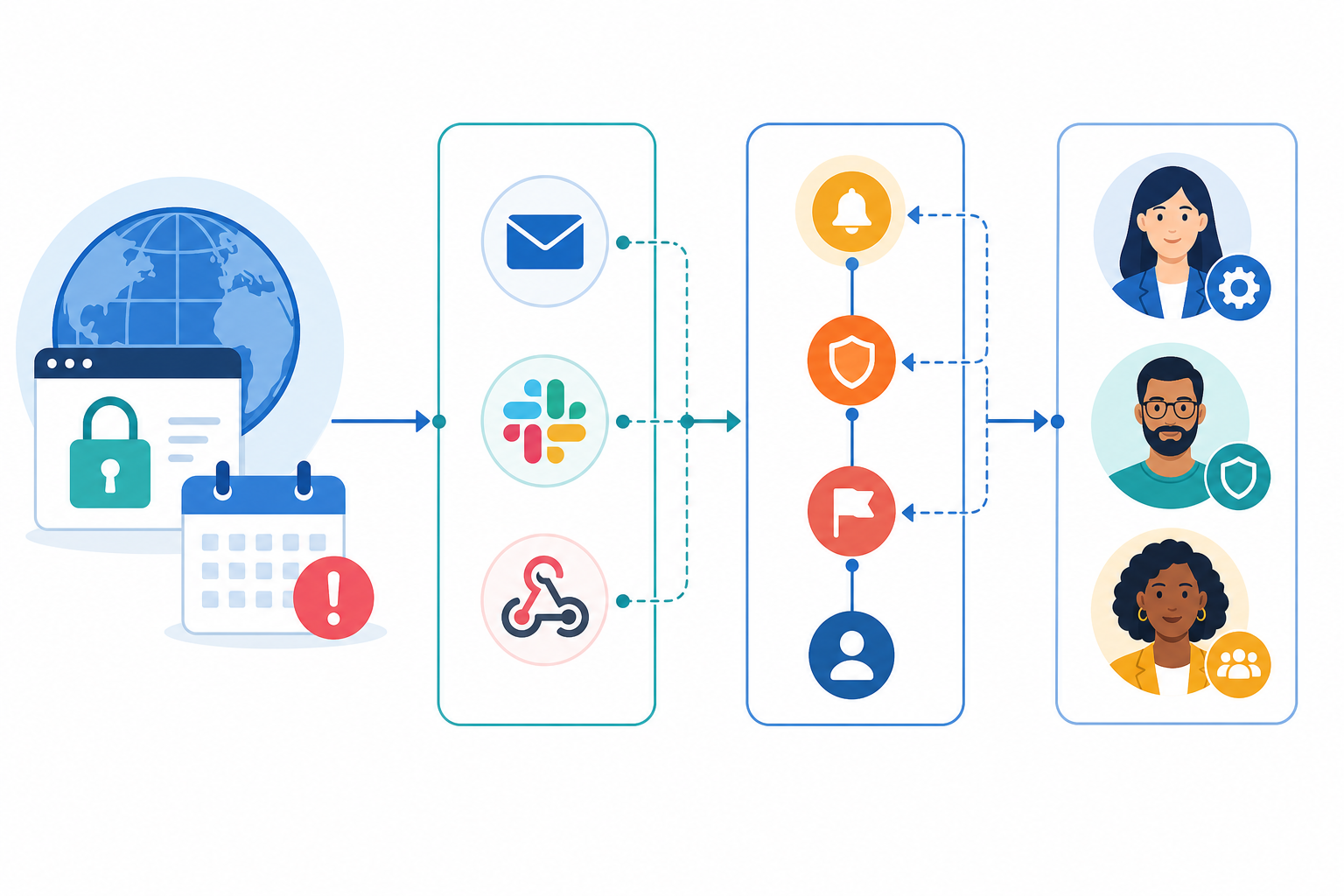
This routing piece is where a lot of the real value sits, honestly. An alert that reaches the right person, in the right channel, at the right time, with a clear next step, is what turns a potential weekend emergency into a routine Tuesday task.
Review and audit renewal monitoring every quarter
Once alerts are up and running, it's tempting to consider the job done. It isn't. New domains get added, certificates get swapped out, people change roles. Without a regular check-in, your monitoring coverage can drift away from your actual infrastructure without anyone noticing.
A quarterly audit works well for most teams:
- Confirm monitor coverage matches your inventory. Flag new assets that need monitoring and remove anything decommissioned.
- Check registrar and DNS account access. Confirm multi-factor authentication is set up, recovery details are current, and no account still depends on a former colleague's email address.
- Verify auto-renewal and payment status. If a domain is set to renew automatically, check the card or billing account behind it is still valid.
- Review missed and late alerts. Look for patterns in the alerting workflow before they turn into actual incidents.
- Verify ownership assignments. Make sure every owner is still the right person for that asset, and that backup contacts exist.
- Review response-time patterns. If one registrar consistently drags out renewals, it might be worth reconsidering the process, or the registrar.
- Remove unnecessary assets. Retire unused domains and certificates so you're not carrying dead weight in your monitoring setup.
Once your inventory is accurate, this whole review shouldn't take more than an hour or two. Treat it as routine maintenance, not a project.
Follow the complete certificate renewal workflow
"Set up monitoring" and "never have an expired certificate" aren't quite the same promise. A complete renewal workflow looks something like this:
- A monitor spots an approaching certificate or domain expiry.
- An alert goes to the named owner through the right channel.
- The owner, or an automated process like an ACME client, renews the certificate or domain.
- The renewed certificate gets deployed to whatever systems serve it.
- A monitor checks the live endpoint to confirm the new certificate is actually active.
- The task gets acknowledged and closed.
That last verification step matters more than people expect. Without it, a renewed certificate can be sitting in a registrar dashboard or certificate manager while the old, expiring one is still being served to your customers.
Bringing SSL, domain and DNS monitoring together in one dashboard makes this whole process easier to manage. When uptime monitoring, API monitoring and certificate tracking live in one place, your team isn't hopping between tools to figure out what's going on. Webhook alerts connect that to PagerDuty, Jira or your own internal automation, so renewal notifications become part of a workflow you already have, rather than a separate thing to remember.
Trust matters here too. Alerts that are accurate and low-noise are what keep a monitoring system useful over time. If alerts are right, your team responds fast. If they're noisy or unreliable, people start ignoring them, and you're back to the manual tracking problems you started with.
Moonitor offers SSL and domain expiration monitoring with multi-region checks and email, Slack and webhook alerting. A free trial is a decent way to test it against your own inventory before committing to a plan. Check the current pricing page for trial length and plan details, since these things change. Whichever tool you pick, automated renewal alerts are a small cost compared with the disruption of an expired certificate or domain.
Frequently asked questions about certificate renewal alerts
How do I automate SSL and domain renewal tracking?
Start with a complete inventory of every domain, subdomain and certificate your organisation owns or manages, including ownership, criticality, deployment and renewal details. Add each asset to a platform that supports SSL and domain expiration monitoring. Set several warning thresholds, such as 30, 14 and 3 days before expiry, and route alerts through email, Slack or webhooks to whoever actually owns that asset.
This automates the alerting, not the renewal itself. Renewal may still need a registrar action or an ACME client such as Certbot or cert-manager.
Who should receive certificate and domain renewal alerts?
Assign a named owner to each domain or certificate rather than sending alerts to a generic IT inbox. For critical customer-facing services, use escalation tiers: an early warning to the owner, then a team channel or backup owner if it goes unacknowledged for a set window, like 48 hours.
How often should I audit my certificate inventory?
Quarterly is a solid baseline for most organisations. Use it to check that monitoring matches your current infrastructure, that ownership and account access are up to date, and that previous alerts were actually handled. Teams growing fast or adding domains frequently might want to do this monthly instead.
Does monitoring automatically renew my certificate or domain?
No. Monitoring spots an approaching expiry and tells the right person to act on it. Renewal is a separate step, whether that's a manual registrar renewal, a payment through an auto-renewal subscription, or an ACME client reissuing a certificate on its own.
Can I monitor certificates behind a load balancer or CDN?
Yes. External monitoring checks the certificate actually being served at the public endpoint, which can differ from what's configured upstream if a deployment hasn't propagated properly. Checking the live endpoint is an important part of SSL expiration monitoring for exactly this reason.
What happens if a domain expires despite the alerts?
It depends on the TLD and registrar. Many domains move through a grace period and then a redemption period before they're released for general registration. For .uk domains, Nominet's own suspension and expiry process applies. Treat any missed renewal as urgent, since recovery can mean extra fees, delays, or in the worst case, losing control of the domain altogether.