
Incident Communication Templates for Your SaaS Status Page: A Practical Guide with Before-and-After Examples
Use these incident communication templates for clear status page updates at every stage, with before-and-after examples, tone tips and guidance on update cadence.
Incident Communication Templates for Status Page Updates (With Before-and-After Examples)
Most incidents move through four stages: investigating, identified, monitoring and resolved. At each one, a short, plain-English status page update should say what customers are experiencing, what you're doing about it and when they'll hear from you next. This guide gives you copy-ready templates for every stage, plus before-and-after examples that turn a vague update into a useful one.
Grab a cuppa. Let's make the next outage a little less painful to write about. ☕
Why clear status page updates matter during an incident 💬
It's 2am, an alert fires, and you roll out of bed to find the checkout endpoint returning errors. You're the only engineer awake. You're also the person who has to tell customers what's happening. Your brain is fully occupied with logs and rollbacks, and now you're supposed to write something calm and professional too.
This is exactly when status page updates go wrong. We write "We are experiencing issues" because it's fast and it feels safe. It's also nearly useless.
In my experience, customers are more patient with downtime when they're kept informed than when they're left in silence or fed spin. Everyone's software breaks eventually. What people remember is whether you were honest, prompt and clear. A good update saves you work too, because you get fewer support tickets and less of the "is it just me?" guesswork.
There's a trust angle as well. If your alerts are confirmed from several locations before anything is published, you're less likely to post about one-off blips. That helps, but it's evidence, not proof. You still need to check what customers are actually experiencing before you describe the impact.
Below you'll find templates for each stage, examples of weak updates made better, notes on tone and cadence, and a short checklist for getting ready. Adapt the wording to your own brand voice. If you're cheerful and informal everywhere else, don't turn into a legal department mid-outage.
The four stages of an incident update
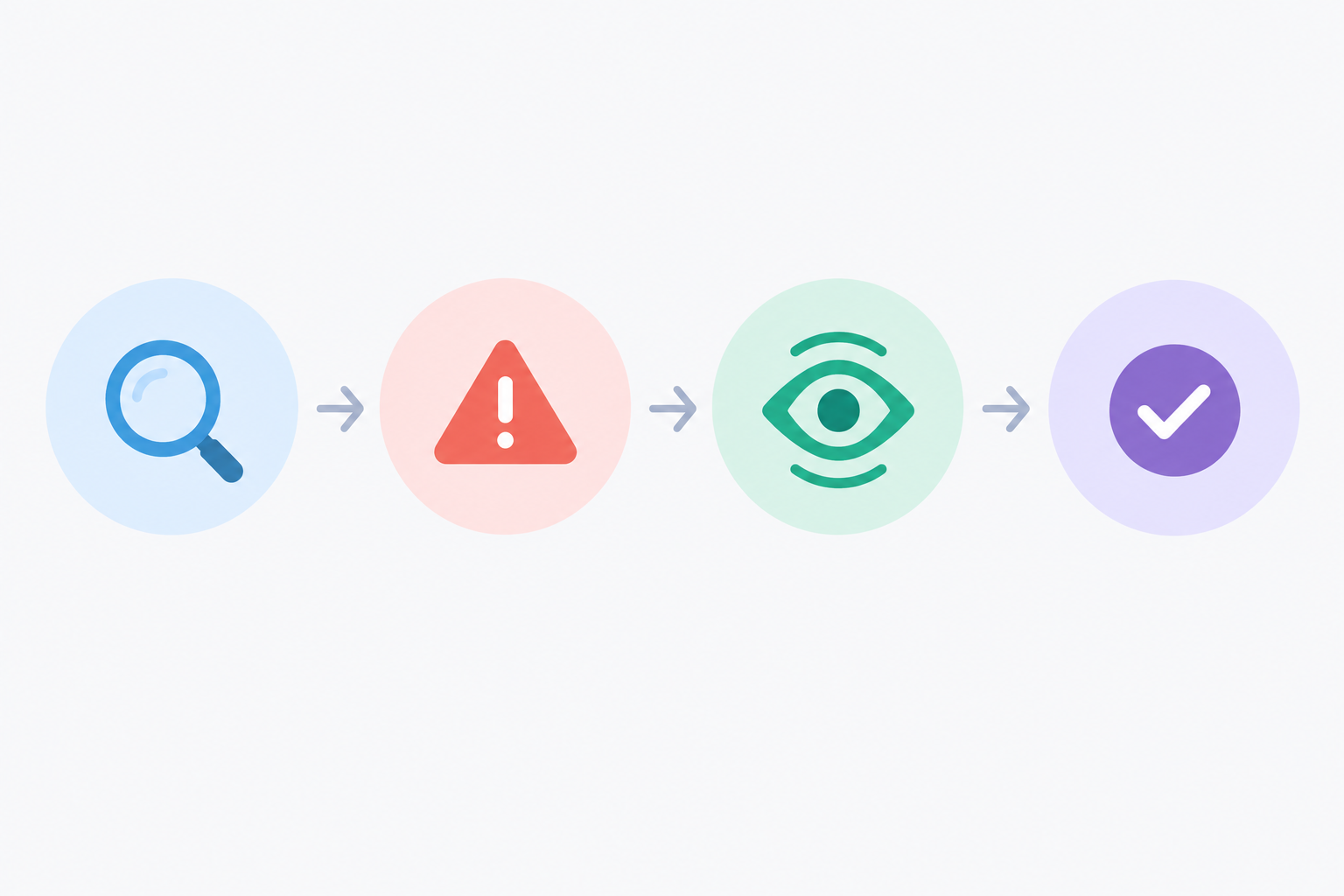
These four labels show up on most status pages, and they give customers a familiar shape to follow:
- Investigating: you know something is wrong, but not why.
- Identified: you've found the cause and are working on a fix.
- Monitoring: a fix is in place and you're watching to confirm it holds.
- Resolved: service is back to normal, with a short follow-up to come if needed.
Real incidents are messier than a tidy list. Some skip a stage, some loop back (a fix that doesn't hold sends you from monitoring to investigating), and some get reopened after you thought they were over. That's fine. Use the labels as a guide, not a script.
The three-part formula for useful status updates
Whatever the stage, every update should answer three questions:
- Impact: what are customers experiencing, and who is affected?
- Action: what are you doing about it right now?
- Next update: when will they hear from you again?
Impact, action, next update. It works at 2am because it's simple enough to hold in a sleepy brain. Every template below is built on it.
Matching incident stages to your status page
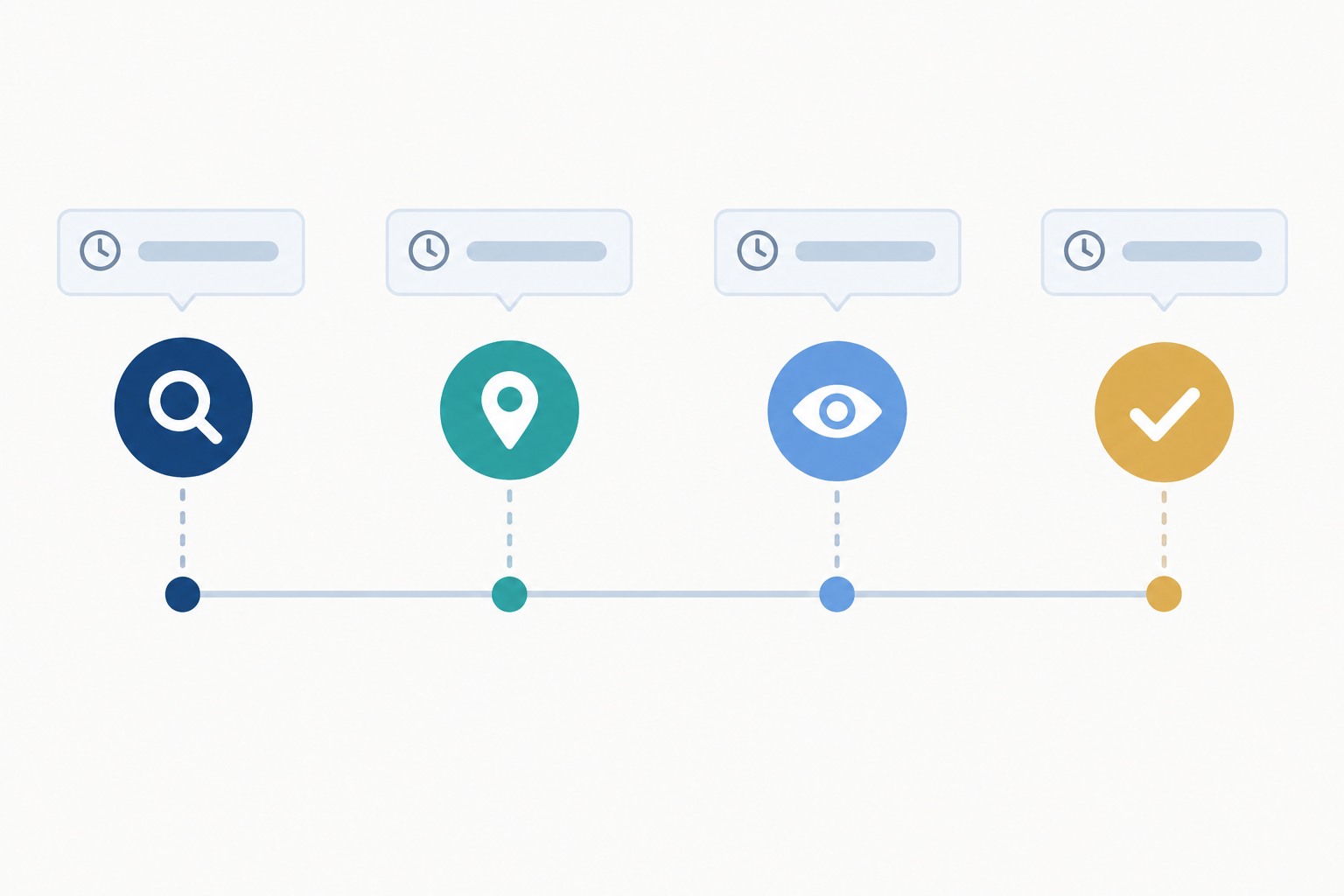
Most status tools record incidents as a series of timestamped updates. Tag each post with the status that fits the stage, so the timeline reads cleanly later. Future you, writing a post-incident summary, will be grateful.
Use clear time zones in status page updates
In the templates, I've used a placeholder like [time] UTC. If your customers are mostly in the UK, you can use GMT or BST instead, but label it every time. A bare "14:30" is ambiguous, especially for incidents that straddle a clock change or customers in other countries. If you serve an international audience, UTC is the safest choice.
Investigating templates: what to say when you don't know the cause
This is the stage people dread most, because you have the least to say. But "we don't know yet" is perfectly acceptable if you pair it with what you do know, what you're doing and when you'll next update.
Template 1: full outage
Investigating: [Service name] is unavailable
From [time] [UTC], customers may be unable to load [website/app]. We've confirmed this from more than one location and our team is investigating. We don't yet know the cause. We'll post another update by [time] [UTC], or sooner if anything changes.
Template 2: partial degradation
Investigating: slower than usual API responses
Since [time] [UTC], some customers may see slow responses or occasional errors when using [feature/API]. [Region/feature] appears to be most affected; we haven't seen problems elsewhere. We're looking into it now and will update you by [time] [UTC].
Template 3: background-service issue
Investigating: delayed scheduled tasks
Our monitoring detected that some scheduled jobs didn't run on time from [time] [UTC]. This may delay [reports/emails/exports]. [Choose one: "We've confirmed that customer data is not affected." / "We're checking whether any data is affected and will confirm in our next update."] We'll update you by [time] [UTC].
Only use the first data statement once someone has actually verified it. If you're not sure, the second version is the honest one, and it's far easier than retracting a reassurance later.
Background failures like this are easy to overlook because nothing visibly "goes down". Heartbeat or cron job checks can flag them, and telling customers about the delay before they notice it goes a long way.
Before and after: improve a vague incident update
Before: "We are experiencing issues."
After: "Since 02:10 UTC, some customers are seeing errors when logging in. Existing sessions appear unaffected. We're investigating and will post another update by 02:40 UTC."
The first version tells nobody anything. The second says who's affected, what they'll see, what's still working and when to check back. It took about twenty extra seconds to write.
Phrases to avoid when the cause is unknown
- Guessing at root causes. "It looks like a DDoS attack" is a hostage to fortune if it turns out to be a bad deployment.
- Promising quick fixes. "This should be sorted in a few minutes" will haunt you at minute ninety.
- Vague filler. "Some users may be experiencing intermittent issues" could mean anything.
An honest "we don't know yet" beats a confident guess every time.
Identified incident templates: explaining the cause and next steps
Once you know what's wrong, your updates get easier to write. You can say more, but resist the urge to say everything.
Template 4: cause identified, fix in progress
Identified: [Service] issue
We've found the cause of the problem affecting [feature]: [one-sentence plain-English cause]. Our team is working on a fix. We'll update you by [time] [UTC]. [Optional: We're aiming to restore service within [range], but we'll confirm as soon as we can.]
Plain-English examples for common incident causes
- Resource exhaustion: "One of our servers ran out of memory, which slowed down requests. We're adding capacity."
- Expired SSL certificate: "A security certificate expired, so some browsers are showing a warning. We're renewing it now."
- DNS change gone wrong: "A change to our domain settings sent some visitors to the wrong place. We're reverting it, and it may take a little while to reach everyone."
- Third-party outage: "A service we rely on, [provider], is having problems, which is affecting [feature]. We're working on a workaround and tracking their progress."
Before and after: replace jargon with customer-friendly language
Before: "Root cause is a connection pool exhaustion on the primary DB replica following a bad migration. Rolling back."
After: "We've found the cause: a recent database change slowed down our system under load. We're reversing it now. We expect things to improve within 30–45 minutes, and we'll update you by 15:00 UTC."
The engineering note is useful for your team's Slack channel. The status page version is useful for customers. You can write both. Just don't mix them up.
How to give time estimates without over-promising
Customers want to know how long this will take, and you don't want to guess wrong. Three habits help:
- Use ranges, not single times: "30–60 minutes" rather than "half an hour".
- Use conditions: "If the rollback completes as expected, service should return within an hour."
- Commit to "we'll update by" times. You control those, unlike resolution times.
If you genuinely have no estimate, say "We haven't confirmed a resolution time." That's better than an unverified guess.
Monitoring templates: confirm the fix holds
It's tempting to declare victory the moment the error rate drops. Don't. Check that recovery is genuine, ideally from more than one location and against real customer journeys, before you say it's over. Reopening an incident ten minutes after calling it resolved does far more damage than a few extra minutes in "monitoring".
Template 5: fix deployed, monitoring
Monitoring: fix in place
We've deployed a fix and [feature] is working again. We're now monitoring closely to make sure it holds. Some customers may need to [refresh/log in again]. We'll confirm once we're confident everything is stable, by [time] [UTC] at the latest.
Resolved and follow-up templates for status page updates
The resolved update is where a lot of teams fall down. They type "Issue resolved" and go back to bed. I get it, but this is your chance to close the loop properly.
Template 6: short resolved message
Resolved: [Service] is back to normal
Between [start time] and [end time] [UTC], [feature/service] was [unavailable/slow] for some customers. The issue has been fixed and everything is working normally. We're sorry for the disruption. [If relevant: We'll share a short summary of what happened by [date].]
Template 7: post-incident summary
Summary: [Service] disruption on [date]
What happened: [One or two sentences, plain English.]
Impact: [Who was affected, for how long, and what they experienced.]
Cause: [Brief technical explanation.]
Fix: [What we did to restore service.]
Prevention: [What we're changing so it's less likely to happen again.]
Template 8: direct email for customers with contractual commitments
Subject: Service disruption on [date]: summary and next steps
Hi [Name], on [date] between [start] and [end] [UTC], [service] was [unavailable/degraded]. We know this affects your [work/customers], and we're sorry. A summary of the cause and our prevention steps is on our status page [link]. If you have questions, reply here and [name] will pick this up personally. [If your contract includes service credits, explain how to claim them.]
Before and after: write a more useful resolved update
Before: "Issue resolved."
After: "Resolved: from 02:10 to 03:05 UTC, some customers couldn't log in. A faulty configuration change was the cause, and we've reversed it. Everything is working normally. We're sorry for the disruption and will publish a short summary by Friday."
The second version tells people what happened, how long it lasted, that it's actually over and what happens next.
Use incident data for an accurate summary
Your incident history and response-time records give you exact start and end times, and show how performance behaved before, during and after the incident. You don't have to rely on memory or Slack scrollback, and you can state the duration with confidence instead of a vague "about an hour".
Do you need a full post-mortem?
Not for every incident. A short resolved message is usually fine for minor blips. Consider a fuller post-mortem when an outage was long, affected many customers or involved data or security. The same goes for when customers (or contracts) expect an explanation of how you'll prevent a repeat.
Worked example: four status page updates for one incident
To see how the templates fit together, here's one imaginary incident from start to finish.
Investigating, 02:10 UTC: Some customers are seeing errors when logging in. Existing sessions appear unaffected. We're investigating and will update you by 02:40 UTC.
Identified, 02:35 UTC: We've found the cause: a configuration change made earlier this evening. We're reversing it now. We'll update you by 03:00 UTC.
Monitoring, 02:55 UTC: The change has been reversed and logins are working again. We're monitoring to make sure it holds and will confirm by 03:30 UTC at the latest.
Resolved, 03:05 UTC: Between 02:10 and 03:05 UTC, some customers couldn't log in. Everything is now working normally. We're sorry for the disruption and will publish a short summary by Friday.
Each message is short, and each one answers impact, action and next update.
Tone dos and don'ts for incident communication
Templates give you structure, but tone is what makes people feel looked after.
Should you apologise on the status page?
Usually, yes. Keep it brief and sincere, and put it in the resolved update. For major or lengthy outages, or where customers have contractual expectations, an earlier apology in the first update can be appropriate too. What you want to avoid is grovelling. Three paragraphs of "we're so, so sorry" make people feel worse, not better.
Do and don't
Do:
- Use plain language and short sentences.
- Own the problem.
- Stay factual about what you know.
- Put customer impact first, and the technical cause second.
- Name a third-party provider when their outage is confirmed, relevant and helps customers understand what's affected.
Don't:
- Speculate about causes.
- Shift blame. Naming a provider is fine, but pointing fingers reads as defensive, and you're still responsible for your customers' experience.
- Minimise with phrases like "a very small number of users" unless you can back it up.
- Over-apologise.
How much technical detail should a status update include?
Lead with what customers experienced. Then give the cause in a single sentence. Save the deep dive for a post-incident summary aimed at technical readers.
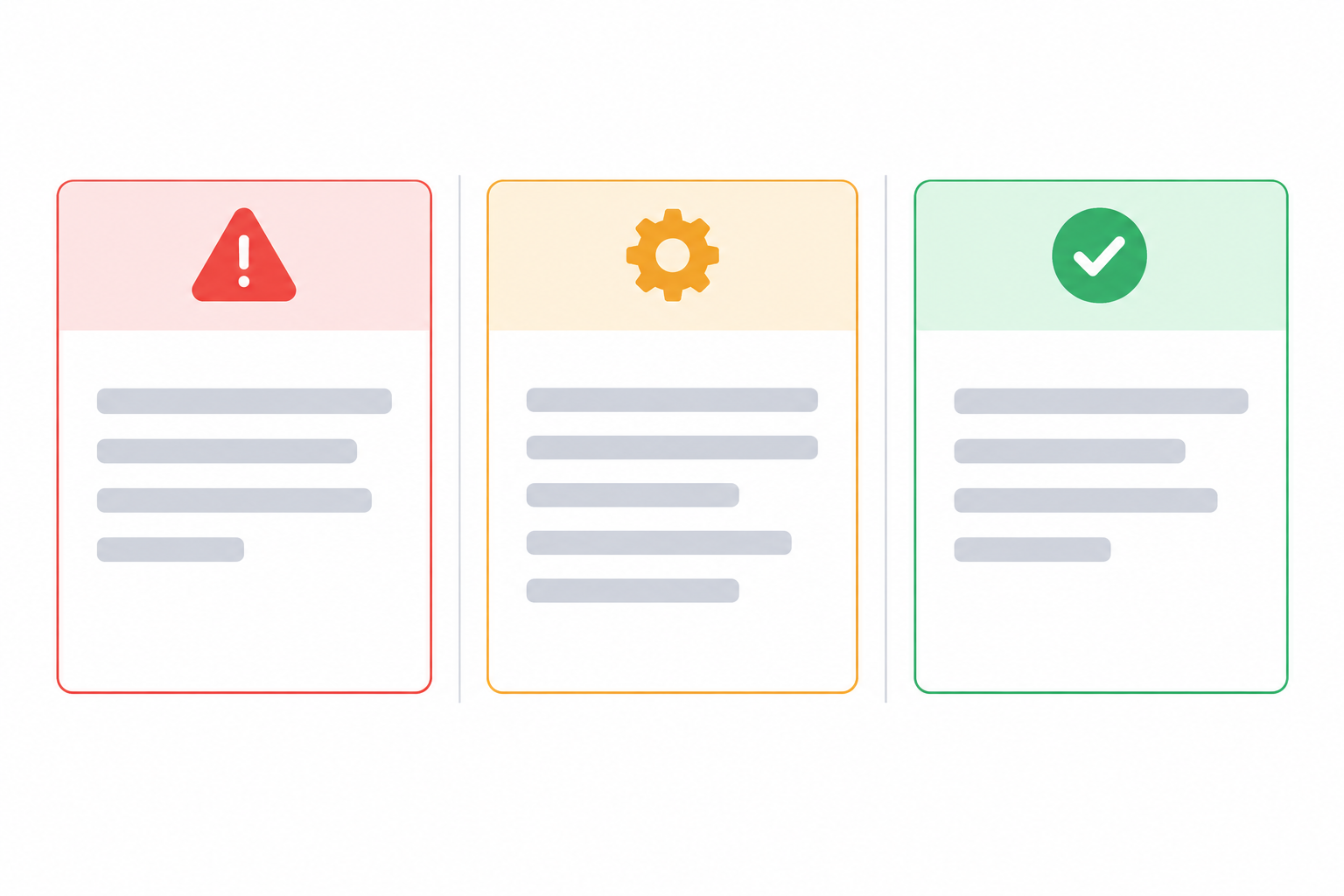
Here's the same update written three ways:
| Version | Example | Verdict |
|---|---|---|
| 🔴 Vague | "We're experiencing some issues with our service. We're working on it." | No impact, no scope, no next update |
| 🟠 Over-technical | "Elevated 5xx from the API gateway due to connection pool saturation on the primary Postgres replica; failover in progress." | Accurate, but meaningless to most customers |
| 🟢 Well-pitched | "Some customers are seeing errors when loading their dashboard. A database slowdown is the cause and we're switching to a backup. Next update by 15:30 UTC." | Impact, cause, action and timing |
Adapt incident updates for your audience
If your customers are developers, you can include more detail, like endpoint names, error codes and affected regions. They'll appreciate it. If you serve small businesses or non-technical teams, keep the cause to one plain sentence and focus on what they can and can't do right now.
How often should you update customers during an incident?
There's no universal rule here, so treat these numbers as starting points. Atlassian's Statuspage guidance, for example, suggests updating roughly every 30 minutes during a significant incident, even if all you can say is that you're still investigating. Adjust for severity, customer expectations and any commitments in your contracts. A reasonable starting point:
- Major outages: about every 30 minutes.
- Partial degradation: about every 60 minutes.
- Always: say when the next update is due, and revise the interval if circumstances change.
The first update matters most, because it sets the expectation. Once you've promised a time, keep it.
What to do when there's no news
Post a "no change" update. It feels awkward, but it's one of the most reassuring things you can do:
Update, 03:00 UTC: We're still working on the login errors. We haven't confirmed a cause or a resolution time yet. Our team is [reviewing recent changes / working with our provider]. Next update by 03:30 UTC.
It shows the incident hasn't been forgotten. Public pages like GitHub's are a good model: a clean sequence of timestamped updates that anyone can follow.
Long-running incidents and small teams
For incidents that run for hours, agree a handover. If the person who started the incident is shattered, someone else takes over the fix and the comms. Where you can, have one person fix and another write. On a tiny team that might be a founder who isn't hands-on with the code, or a support lead. If it all falls to one person, schedule a mental switch: fix for twenty minutes, then post.
A reminder helps, too. A recurring timer or a chat alert (Slack, Discord, Telegram or a webhook) can nudge you when an incident has been open a while, so the next update doesn't slip. Don't rely on memory at 3am.
Prepare incident communication templates before an outage
The best time to write your templates is when nothing is on fire. Here's how to get set up:
- Save your templates in a shared doc or internal runbook. Fill in your brand voice and keep placeholders obvious, so nobody starts from a blank page.
- Match status page components to what customers use. "API", "Dashboard" and "Scheduled jobs" mean more than "Server 3".
- Make the page recognisable. A logo, your brand colours and a custom domain help customers trust it's really you.
- Decide who's on comms. Route alerts to the right people, and make sure whoever receives one knows they're also responsible for posting.
- Run a practice incident. Post a pretend outage through all four stages. It takes about fifteen minutes, and it makes the real thing far less intimidating.
If you'd like a tool that covers these steps, Moonitor offers branded status pages, incident history and multi-region verified alerting. Check the current trial terms on their site before you sign up.
FAQ: incident communication templates and status page updates
What should I say when I don't know the cause yet?
Be honest about what you do know: what customers are experiencing, what's affected and that your team is investigating. Then give a time for your next update. You don't need a cause to be useful.
How often should I update customers during an incident?
A common starting point is every 30 minutes for a major outage and every 60 for smaller degradations. Adjust for severity and your customers' expectations, and always say when the next update is due.
Should I apologise on the status page?
Usually, yes, briefly and genuinely. A single apology in the resolved update is often enough, with an earlier one for serious or lengthy outages.
How much technical detail is right?
Lead with customer impact in plain English, then add one sentence on the cause if you know it. Developer audiences may want more, and a post-incident summary is the place for it.
Do I need to post about every small blip?
Not necessarily. Confirming an alert from several locations can help you separate real problems from false alarms, but post whenever customers are genuinely affected.
Get your incident communication templates ready
You don't have to be a brilliant writer to write good status page updates. This week, save the templates, fill in your placeholders and run one practice incident. Then, when the 2am alert comes, all you'll have to do is fill in the blanks. 💙