
What to Include on Your Public Status Page During an Incident (UK Guide)
Learn what to write on an incident status page, how often to update it, what to share publicly, and how monitoring can automate alerts.
Incident Status Page Guide: What to Write and When (UK Teams)
If you've ever refreshed a status page three times in ten minutes, waiting for literally any sign of life, you know exactly why this topic matters.
Here's the short version: a good incident status page tells customers four things, fast: what's broken, who's affected, what you're doing about it, and when they'll hear from you next. Post the first update within minutes of confirming the problem—not when it technically started—keep updating on a predictable schedule, even if the update is just "still investigating, next update in 30 minutes", and close the loop with a clear post-incident summary once everything's back to normal.
That's the whole formula. But getting the execution right, especially when you're mid-incident and your Slack is on fire, is where most teams fall down. Below, I'll walk through practical status page best practices, including the structure, cadence and ready-to-use wording you can adapt on the spot. I'll also cover a few UK-specific considerations, such as time zones and what's safe to say publicly under data protection rules.
What to Include in an Incident Status Page Update
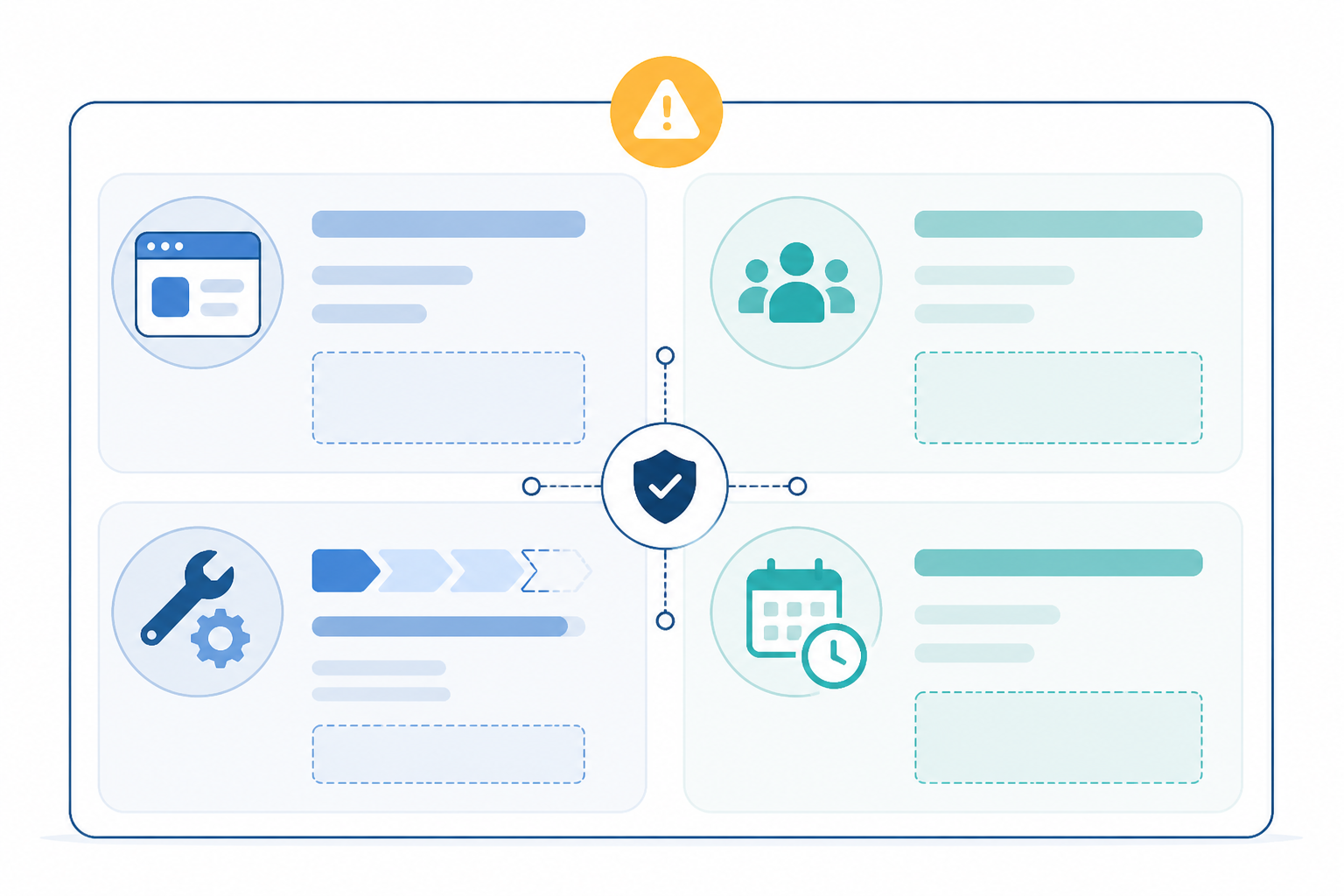
Every incident update, no matter how small the issue, should follow the same basic structure. Think of it like a template you fill in under pressure, rather than something you write from scratch each time.
- Plain-English problem description. "Some users are experiencing slow page loads" beats "we're seeing elevated p99 latency on the ingest service." Your customers don't know what a pod eviction is, and honestly, they shouldn't need to.
- Scope of impact. Be specific about which services, regions or features are affected. "UK and EU customers may see delayed email notifications" is miles more useful than "some customers may be affected."
- Current status label. Stick to a consistent set: Investigating, Identified, Monitoring and Resolved. This gives customers a mental model of where things stand without having to read every word.
- A realistic next-update time, in your customers' local time. If most of your base is in the UK, say "we'll post an update by 14:30 UK time" rather than a vague "soon" or an unconverted UTC timestamp.
- No vague corporate-speak. "We are aware of an issue and are looking into it" tells your customers nothing. It reads as stalling, even if you're genuinely working flat out behind the scenes.
The pattern here is simple: specificity builds trust, while vagueness erodes it. Every useful word you add is a support ticket you might not have to answer later.
Incident Status Page Templates for Each Status
Having pre-written skeletons ready means nobody's staring at a blank text box while customers are hammering refresh. Here are four templates you can adapt:
Investigating
We're currently investigating reports of [issue, e.g. delayed email notifications] affecting [who, e.g. UK and EU customers]. We'll post an update by [time, UK time] whether or not we have new information.
Identified
We've identified the cause of [issue] as [general, confirmed cause—e.g. a delay in our email delivery queue]. A fix is in progress. [Workaround, if any]. Next update by [time, UK time].
Monitoring
A fix has been applied for [issue] and we're monitoring the results to confirm full recovery. If you're still experiencing problems, please [contact method]. Next update by [time, UK time].
Resolved
This incident is now resolved. [Issue] affected [who] between [start time] and [end time, UK time]. A full summary, including root cause and follow-up actions, will be published within 48 hours.
Feel free to tweak the tone to match your brand, but keep the essentials: what's affected, who it impacts, what you're doing and when customers will hear from you again.
How Often Should You Update Your Status Page?
Cadence matters almost as much as content. A status page that goes quiet for two hours during a major outage sends a worse signal than one that honestly says "no new information yet" every half hour. In our own experience, silence during an incident tends to push more customers towards opening support tickets, so treat the guidance below as a sensible default rather than a universal law, and adjust it to what your own ticket data tells you.
Here's a practical rhythm to follow based on incident severity:
| Incident type | Suggested update frequency |
|---|---|
| Full outage / critical service down | Every 30–60 minutes, even with no new information |
| Partial degradation, moderate impact | Every 1–2 hours |
| Minor issue, small percentage of users affected | Every 2–4 hours, or on status change |
| Security incident or data exposure | Follow your incident response and legal process first—public cadence may be slower and more carefully worded, and may need sign-off before posting |
| Very large, multi-day outage | Consider daily summary updates alongside more frequent technical ones, so customers aren't overwhelmed |
A few additional status page best practices are worth building into your process regardless of severity:
- Post the first update within 5–15 minutes of confirming the incident—not when the outage started, but when you've confirmed it's real and not a blip. Automated, multi-region monitoring earns its keep here because you're not relying on a customer tweet to tell you something's wrong.
- Post immediately whenever the status changes. Moving from Investigating to Identified, or Identified to Monitoring, is always worth an update as soon as it happens, regardless of your regular cadence.
- Avoid long silences during business hours, and be upfront out of hours too. If your on-call process means updates slow down overnight (UK time), say so on the page, so customers aren't left guessing whether "no news" means good news or that everyone's gone to bed.
- Commit to the next update, not an uncertain resolution time. A reliable update schedule is often more useful than an optimistic ETA that may be missed.
A good rule of thumb: if you're wondering whether it's "too soon" to post another update, it probably isn't. Customers generally prefer hearing "nothing new yet" over hearing nothing at all.
What Details Should You Share on a Public Status Page?
This is where a lot of well-meaning engineers get it wrong—either by saying too little, which is frustrating, or too much, which can be confusing or legally awkward. Here's a quick reference for what belongs on a public incident status page versus what should stay internal.
| Share this | Avoid this |
|---|---|
| Affected services and features | Internal system or service names |
| Customer-facing impact, such as "checkout may fail intermittently" | Vendor names you haven't confirmed are at fault |
| Available workarounds, if any | Speculative causes before you're confident |
| Realistic timeline expectations | Stack traces, error codes or infrastructure jargon |
| A general root cause once confirmed | Promised fix times you're not sure you'll hit |
| That personal data may have been affected, if true, in general terms | Specific customer names, account details or other personal data |
| That you're following your data protection obligations, if relevant | Unconfirmed statements about data breaches—get legal and security sign-off first |
A good example of the "general root cause" approach is: "a database failover took longer than expected." This tells customers enough to understand what happened without exposing your architecture or pointing fingers at a third party you haven't fully confirmed is to blame. Save the detailed technical explanation—the one with the vendor name, specific query and exact failover duration—for your post-incident summary, once you've had time to verify it properly.
If there's any possibility personal data was exposed, loop in whoever owns data protection compliance at your company before you publish anything. Under UK GDPR, certain breaches need to be reported to the ICO within strict timeframes, and your public status page wording shouldn't get ahead of or contradict that process.
On timelines, under-promise, then over-deliver where you can. Saying "we expect this resolved within the hour" and missing it by 90 minutes tends to do more damage to trust than saying "we're working on a fix, no ETA yet" and resolving it in 40 minutes. Customers are generally forgiving of slow progress; they're less forgiving of broken promises.
How to Write a Post-Incident Summary
Once the incident's resolved, the temptation is to close the tab and move on. Resist that urge—the post-incident summary is one of the most valuable pieces of communication you'll write all quarter, and it's often part of what separates companies customers trust from ones they quietly start evaluating alternatives to.
It helps to think of this as two documents with two audiences, even if you only publish one of them:
- The customer-facing summary (public): a plain-language timeline, a general root cause and the follow-up actions you're taking. No internal jargon and no finger-pointing.
- The internal postmortem (private): the full technical detail—exact timestamps, the specific query or configuration change, logs, vendor correspondence and a blameless review of what went wrong in your process, not just your code.
For the public version, aim to publish within 24–48 hours of resolution, even if it's short. Include a simple timeline: when the issue started, when you detected it and when it was fully resolved. Explain the root cause in plain language, now that you've had time to confirm it properly rather than guess under pressure. Critically, list the concrete follow-up actions you're taking. Something like "we've added a second monitoring region to catch database failover delays faster next time" shows customers you're addressing the gap that allowed the incident to happen, not just patching the symptom.
Customer-Facing Post-Incident Summary Template
What happened: [Plain-language description] When: [Start time] to [end time], [date], UK time Impact: [Who and what was affected] Root cause: [General, confirmed explanation] What we're doing: [1–3 concrete follow-up actions]
Here's something I've noticed over time, though I'd stop short of calling it a universal rule: a thoughtful, honest post-incident summary often does more for trust than the incident itself did damage. Customers generally understand that things break—servers fail, APIs have bad days, and DNS propagation does weird things at 2am. What they're really judging you on is how you handle it. A clear, well-structured summary signals that you take reliability seriously, even when reliability briefly let you down.
How to Automate Status Page Updates from Monitoring Alerts
All of this gets easier when your status page isn't something you're manually babysitting during an incident—it's something your monitoring stack helps drive. This is where a tool like Moonitor can help, within reason, so let me be specific about what it does and doesn't do.
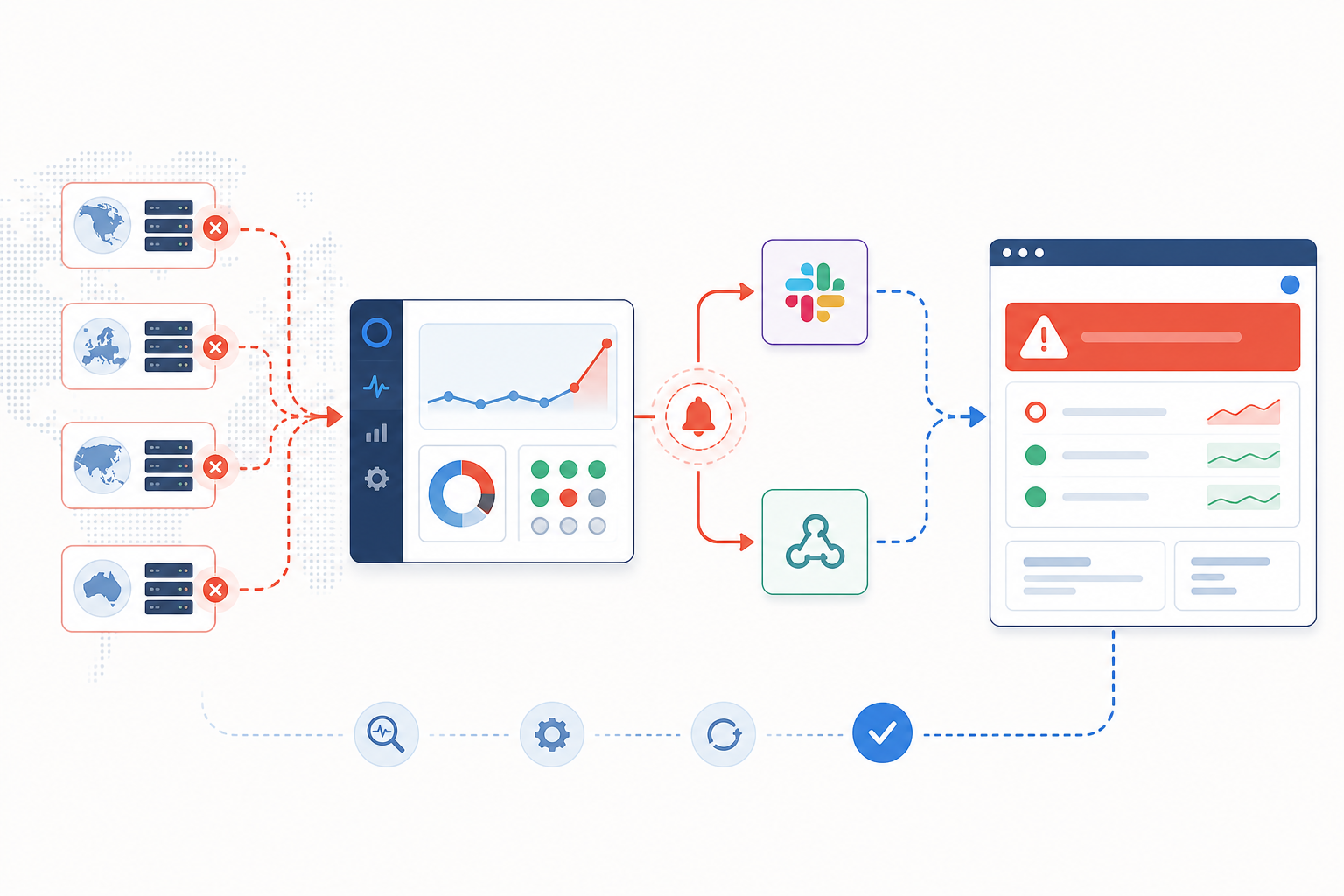
- Moonitor can alert you the moment downtime is confirmed, routing alerts to Slack, Discord, Telegram, email or webhooks, so whoever's on call gets pinged the second something's actually broken—rather than scrambling to notice the problem. From there, posting the first status page update is still a manual but fast step, unless you've built a webhook integration that pushes to your specific status page provider.
- Multi-region failure verification happens before any alert fires. One flaky check from a single location isn't an incident—it's noise. Confirming downtime from multiple regions before alerting means you're not crying wolf to your customers or your own team over a transient blip.
- Monitor everything from one dashboard—HTTP/S endpoints, API monitoring, server monitoring, SSL certificate monitoring, cron job monitoring and DNS monitoring—so you're catching quiet failures before a customer notices them.
- Use incident history and response-time analytics when you sit down to write your post-incident summary. Having an accurate timeline already logged saves you from reconstructing events from memory and Slack scroll-back at 11pm.
- If your status page provider supports incoming webhooks, you can wire Moonitor's alerts into that workflow to speed up how quickly a human posts the first update. Bear in mind this typically still involves a short integration step on your end rather than being fully automatic out of the box.
Setting up monitoring itself doesn't need to be a big project. Moonitor is built so you can get monitors running in under a minute, which matters when the whole point is catching problems before your customers do.
Incident Status Page Checklist
If you want a simple sanity check for your current setup, run through this list:
- A branded, easy-to-find status page URL—not something buried three clicks deep in a help centre that no one can locate during an actual outage.
- A clear current status indicator at the top of the page, so visitors don't have to scroll or read paragraphs to understand if things are fine right now.
- An update cadence promise stated somewhere visible, so customers know what to expect and aren't left guessing whether "no news" means good news or abandonment.
- Subscribe options—email, RSS or webhook—so customers can get notified automatically instead of refreshing the page every five minutes like it's a flight delay board.
- A historical incident log, because both existing customers and prospects evaluating your product will look at your track record. A status page with a thoughtful, honest history tends to build more confidence than one that's suspiciously, perfectly empty.
- A named incident communications owner, so there's no confusion mid-incident about who's allowed to post updates.
- Time zone shown clearly (UK time, or your customers' local time) on every timestamp, so nobody's doing mental maths during an outage.
- Pre-approved templates for each status—Investigating, Identified, Monitoring and Resolved—so the first update doesn't require drafting from scratch under pressure.
- A tested workflow—run a drill at least once, from "monitor fires" to "first public update posted," so you find the gaps before a real incident does.
Incident Status Page FAQ
What should I write during an active incident?
Keep it simple: explain what's affected, how it's affecting customers, what your team is doing and when you'll update again. Skip the internal jargon—customers care about impact, not root cause, until the incident is resolved. See the copy-and-paste templates above for each status stage.
How often should I update my status page?
For high-severity, full outages, aim for every 30–60 minutes, even if there's nothing new to report. For lower-impact issues, every one to two hours is usually fine. Security incidents are the exception: follow your incident response process and get sign-off before posting, since updates are often slower and more carefully worded.
Should I share root cause details publicly?
Share a general, honest explanation once you're confident in it—vague enough to avoid pointing fingers at unconfirmed causes, but specific enough to feel transparent. Save the deep technical detail, including vendor names and exact timings, for your internal postmortem or a technical post-incident write-up.
What should a resolved status update include?
Confirm that the issue is fixed, state the time window in which it affected customers in their local time zone, and explain that a fuller summary is coming within 24–48 hours. Keep it short and save the detail for the summary itself.
Should I publish an ETA during an incident?
Only if you're genuinely confident in it. "We expect this resolved within the hour" and missing it tends to damage trust more than "no ETA yet, next update in 30 minutes." If you're not sure, it's usually safer to commit to a next-update time rather than a resolution time.
Can I automate status page updates from monitoring alerts?
Partially. With Moonitor, you can connect your HTTP/S, API, server or cron job monitors to alerting channels such as Slack or webhooks, so your team gets notified as soon as multi-region checks confirm real downtime. Depending on your status page provider's webhook support, you can use that alert to speed up posting the first update—but in most setups, a person still confirms and publishes it.
At the end of the day, a great incident status page isn't about having perfect uptime—nobody does. It's about showing your customers, in real time, that you're on top of the problem. Get the structure right, keep the cadence honest and let your monitoring do the heavy lifting of telling you the moment something's actually wrong. Your support inbox will thank you.