
Status Page Best Practices During a Major Incident: A Crisis Communication Playbook
Learn what to post on an incident status page during an outage, how often to update customers, and how to write a trusted post-incident summary.
Incident status page best practices during a major incident: a crisis communication playbook
A practical guide to what you should actually post on your incident status page during a live outage, from the first five minutes through to the post-incident summary, with copy-and-paste examples for every stage.
During a major outage, your incident status page should be your fastest, most reliable customer-communication channel, often faster than support email and sometimes faster than social media. Customers can notice a problem within minutes, especially if your service sits in their critical path, so what you post in those first few minutes matters more than almost anything else you'll do during the entire incident. Here's the short version: update as soon as you've confirmed something's wrong, acknowledge the problem honestly even before you understand it fully, and never promise a fix time you can't guarantee. You don't need all the answers right away. You just need to show customers you're aware, you're on it, and you'll keep talking to them until it's resolved.
That sounds simple. In practice, it's the part most teams get wrong, usually because they're improvising incident communication while also trying to fix the actual problem. I've watched this happen more times than I can count. This playbook covers status page best practices step by step, with real examples you can adapt on the spot, so you're not making it up as you go.
Why your incident status page becomes your most important page during an outage
The moment something goes down, two things tend to happen at once. Your support inbox starts filling up, and somewhere a customer is posting about it publicly. You can't fully control either of those. But you can control your status page, and that makes it one of the most valuable pieces of real estate you own during a crisis.
Here's why: customers increasingly check an incident status page before they email support. For teams whose product sits inside someone else's critical workflow, it's become a near-reflexive habit. If that page is stale, showing green ticks while their dashboard is throwing errors, you've told them, without meaning to, that you either don't know what's happening or don't care enough to say. That erodes trust faster than the outage itself ever could.
A branded, real-time status page does double duty. It keeps customers informed without them needing to ask, which takes real pressure off your support team at the exact moment they're already stretched thin. I've watched teams move from a stale, unmaintained status page to consistent, timely updates and seen their incident-related support tickets drop noticeably. The exact number varies by product and customer base, so I won't pretend there's a universal percentage here, but the pattern shows up often enough that it's worth tracking yourself. Pull your ticket volume from before and after you tighten your update cadence, and you'll probably see something similar. That's not a nice-to-have. That's operational relief when you need it most.
What should you post on your incident status page in the first five minutes?
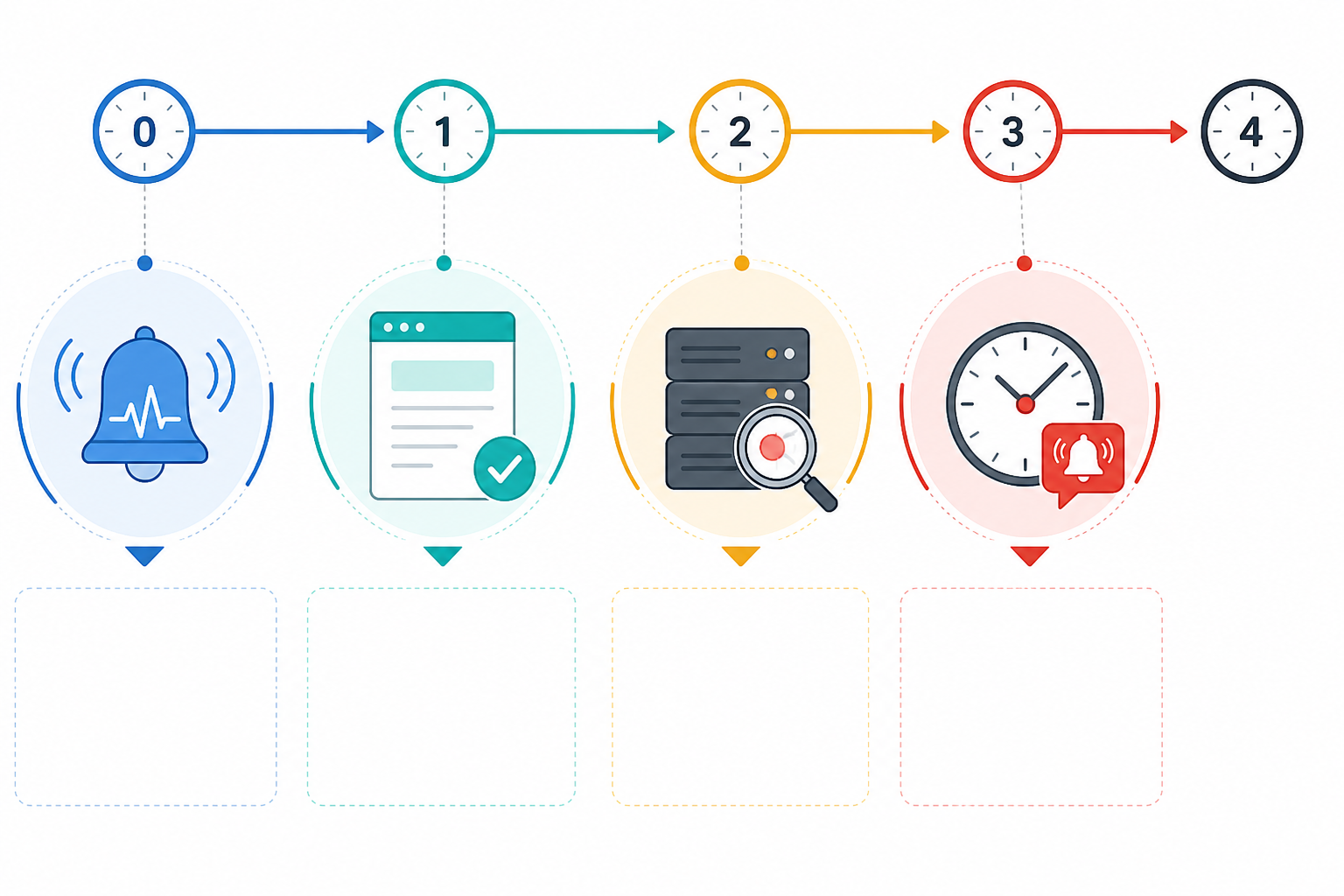
The moment your uptime monitoring confirms something's wrong, not when you're certain of the cause, but the moment it's confirmed, you need to post. Here's the sequence that works, along with wording you can adapt directly.
- Acknowledge the issue immediately. Even a short line buys you credibility and time. Silence in these first minutes is what customers remember, far more than the outage itself.
- Use plain language, not internal jargon. "Elevated error rates on our API" beats "5xx spike on the ingest service." Nobody outside your team needs the second version yet.
- Name the affected components. Tell customers specifically what's impacted (API, dashboard, webhooks, scheduled jobs) so they can quickly work out whether they're actually affected or just seeing something unrelated.
- Set the status to "Investigating" and commit to a follow-up window. Something like "Next update in 30 minutes" tells customers exactly when to check back, which reduces the temptation to email support in the meantime.
- Resist guessing at a resolution time. This is the one that trips people up most. Nobody's asking you to be a hero in minute three. They're asking you to be honest.
Here's a template for that very first post:
Investigating — We're investigating reports of elevated error rates affecting [component, e.g. "our API"] for some customers. We'll share our next update by [time].
And if you genuinely have nothing new to add by that window, which happens more often than you'd think, say so rather than going quiet:
Still investigating — This incident is still active. We haven't identified the root cause yet, and we're continuing to investigate. Next update by [time].
That second template matters more than people expect. "No change yet" is still information. Silence isn't.
Updating customers during an incident without overpromising
This is where a lot of otherwise well-run incident communication falls apart. Someone on the team feels pressure to reassure customers, so they post "Fix incoming, should be resolved within 10 minutes." Ten minutes pass. Nothing's fixed. Now you've got a frustrated customer base and a credibility problem that outlasts the actual outage.
The fix is straightforward, even if it takes discipline to stick to:
- Never commit to an ETA unless engineering has genuinely confirmed a fix is close. Not "probably," not "should be." Confirmed, full stop.
- Use hedged, honest language instead. "We've identified a likely cause and are testing a fix" tells customers real progress is happening without locking you into a promise.
- If a fix fails or the situation changes, say so immediately. Going quiet after a missed promise is worse than the delay ever was.
- Separate fact from speculation, and label it clearly. "We believe this is related to a recent deployment" is fine. Just don't present a theory as a confirmed diagnosis.
- Trust that honesty travels better than optimism. Customers forgive uncertainty. They rarely forgive broken promises, especially specific ones with a time attached.
A few templates worth keeping on hand:
Identified — We've identified the cause as [plain-language description]. We're working on a fix now and will update by [time].
Monitoring — A fix has been applied and metrics are returning to normal. We're monitoring closely before confirming full resolution. Next update by [time].
Mitigation failed — The fix we applied didn't resolve the issue as expected. We've rolled it back and are testing an alternative approach. Next update by [time].
That last one is the template teams most often skip writing in advance, and the one they need most when a fix doesn't land.
Balancing technical detail with clarity on a status page
Your status page has a mixed audience, and that's easy to forget when you're deep in the technical weeds of an incident. You've got non-technical customers checking whether they can log in, and you've got engineers on the other end who integrated your API and need to know if their production system is at risk. Write for the widest group first, then layer in detail for those who want it.
That means dropping internal shorthand entirely from your primary updates. Pod names, internal error codes, deploy IDs: none of that means anything to someone outside your team, and including it just makes the update feel like it wasn't written for them at all. Save deeper technical detail for further down the update, or better yet, in a linked incident history entry for customers who genuinely want to dig in.
A good gut check: could someone on your customer support team read this update aloud to a confused customer, word for word, without needing to translate any of it first? If the answer's no, simplify it before you post.
It's also worth remembering that a status-page update and an internal incident postmortem are two different documents, aimed at two different audiences. The update is for customers, in real time, and it should stay short and plain. The postmortem is for your team, is far more technical, and can wait until after the dust settles.
How often should you update customers during an incident?
One of the most common questions I hear from teams building out their status page discipline is simply: how often is enough? The honest answer depends on severity, customer impact, and sometimes your own contractual commitments, but the underlying principle doesn't change. Consistency beats frequency every time.
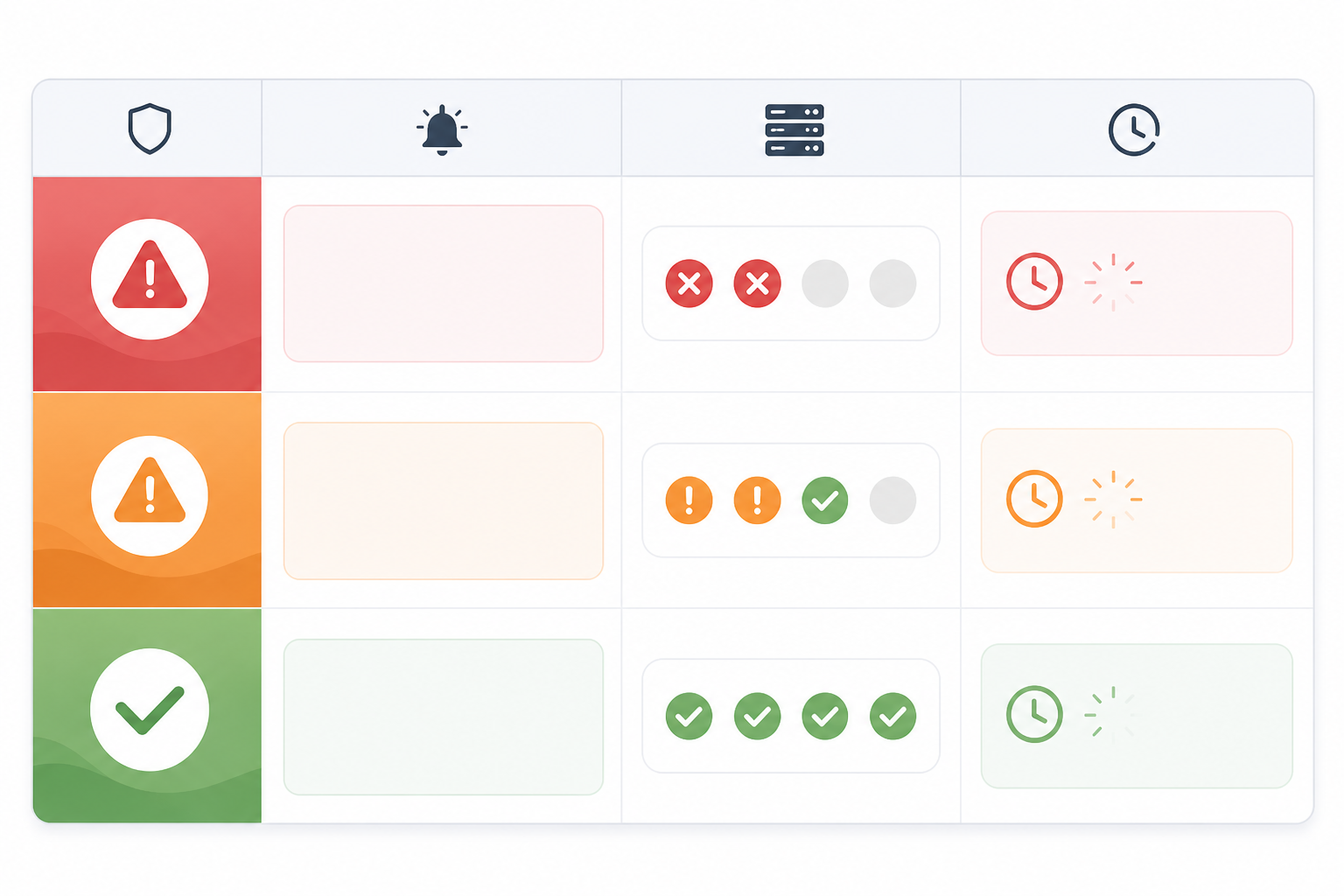
Think of the table below as a baseline, not a fixed rule. If impact widens, a mitigation fails, or there's a security dimension to the incident, update sooner than the guideline suggests. The moment something material changes is always worth an update, regardless of the clock.
| Severity | Baseline Update Frequency | Why |
|---|---|---|
| Critical outage (full service down) | Every 15–30 minutes | Customers are actively blocked; even "no change yet" is useful information |
| Partial degradation (some features affected) | Every 30–60 minutes | Impact is real but limited; steady updates maintain confidence |
| Minor issue (cosmetic or low-impact) | Every 1–2 hours or on status change | Low urgency, but still needs visible progress |
If you're a UK-based SaaS team, it's also worth checking your update cadence against any customer SLAs or support-hours commitments you've made contractually. Some enterprise contracts specify notification windows, and your status page cadence should meet or beat them, not quietly fall short.
Here's the rule of thumb worth pinning above your desk: it's almost always better to post "still investigating, no change yet" than to let an hour of silence pass. Customers don't expect constant breakthroughs. They do expect to know you haven't forgotten about them.
How to close out an incident status page update properly
There's a specific mistake I see teams make right at the finish line: marking an incident resolved the second metrics look normal again. It feels great in the moment, but it can backfire badly if the issue flickers back on within the hour, forcing you to walk back a "resolved" status you just posted.
Instead, follow this sequence:
Watch for a stabilisation window before declaring victory. Fifteen to thirty minutes of genuinely normal metrics is a reasonable starting point for most incidents, but treat it as a floor, not a fixed rule: longer or more customer-sensitive incidents may need more time, and quieter periods like overnight or weekends might call for extra caution before you commit to "resolved."
Confirm recovery through more than dashboards alone. Internal metrics can look healthy while customers are still affected. Where you can, check synthetic transactions, queue depths, error-rate trends over time, and, if feasible, a direct customer report or two, not just a single healthy-looking graph.
Post a clear resolution update. State plainly what was fixed and confirm that normal service has been restored: no ambiguity, no hedging at this stage.
Resolved — This incident is resolved. [Brief description of the fix] restored normal service at [time]. We're continuing to monitor and will share a fuller summary within [24–72 hours].
Thank customers for their patience, briefly. One honest sentence goes further than three paragraphs that start to sound performative.
Flag that a fuller summary is coming. Give a realistic window, 24 to 72 hours is standard, so customers know more detail is on the way.
Archive the incident into your incident history. This is what turns a single difficult incident into part of a transparent, searchable record rather than something customers only half-remember.
What should a post-incident summary include?
The incident itself is only half the story. What you publish afterward is often what customers actually remember, especially the ones who weren't glued to your status page in real time. A good public summary does a few specific things well:
- Give a plain-language timeline: when the issue started, when it was detected, and when it was resolved. No spin, just the sequence of events.
- State the root cause honestly, pitched at a level of technical detail that's appropriate for a public audience rather than an internal postmortem.
- Explain what you're actually doing to prevent it happening again. Customers aren't looking for an apology tour. They want to see accountability translated into concrete action.
- Note the total impact, including duration and which features or regions were affected, so customers can judge their own exposure.
- Publish it on the same incident thread, right there in your incident history, so it becomes a permanent part of the record rather than a one-off email that gets buried.
One thing worth building into your review process before you hit publish: check the summary for anything genuinely sensitive (confidential infrastructure details, personal data, unpatched security vulnerabilities, specifics about individual customers) and strip it out. Transparency is the goal, but it shouldn't come at the cost of security or someone else's privacy.

Building incident communication habits and tools before you need them
Here's the uncomfortable truth about crisis communication: it's nearly impossible to improvise well while you're also under pressure to fix the underlying problem. The teams that handle incidents gracefully are almost always the ones who drafted their update templates and escalation rules long before anything actually broke.
Before your next incident, it's worth having in place:
- Pre-written templates for each status (Investigating, Identified, Monitoring, Mitigation Failed, Resolved), so nobody's drafting from scratch under pressure.
- A clear owner for communications, separate from whoever's actually fixing the problem, since trying to do both at once is how updates get forgotten.
- Alert-to-incident automation, so detection doesn't rely on someone happening to notice and remembering to update a page manually.
- Multi-region verification before you trigger a public incident, so a single region's network blip doesn't become a false alarm that erodes trust in the other direction.
- An accessible incident history, so your track record is visible and searchable rather than scattered across old emails and forgotten Slack threads.
We built Moonitor with exactly this gap in mind. It ties uptime monitoring, API monitoring, and cron job monitoring into a branded public status page, and it verifies failures across multiple regions before flagging an incident, which helps avoid the false-alarm problem mentioned above. If you're evaluating tools for this, that combination (fast detection, multi-region verification, and a status page that's already wired up rather than bolted on afterward) is the thing worth checking for, whichever platform you land on.
Over time, a clean, consistently maintained incident history becomes an asset in its own right. It shows customers a pattern: how you detect problems, how honestly you communicate, how reliably you close the loop, rather than a string of isolated apologies that never quite add up to trust.
FAQ: incident status page best practices
What should I post on my status page during an outage? Post a plain-language acknowledgement of the problem and which parts of your service are affected, even if you don't yet know the cause. Avoid guessing at a fix time, and commit to a specific window for your next update so customers know when to check back.
How often should I update customers during an incident? For a full outage, aim to update every 15–30 minutes as a baseline, even if the update is simply that you're still investigating. Less severe or partial issues can be updated every 30–60 minutes or so. Consistency matters more than raw frequency, since silence, not slow progress, is what erodes trust fastest.
What should I say if there's no new information? Say exactly that, rather than staying silent. Confirm the incident is still active, note what you're currently investigating or monitoring, and give a specific time for your next update, something like "This incident remains active. We're continuing to investigate and will update by [time]."
What should a post-incident summary include? A good public summary includes a clear timeline of when the issue started, was detected, and was resolved; an honest explanation of the root cause in accessible language; the concrete steps being taken to prevent it happening again; and the overall scope of impact so customers can judge how it affected them, with anything genuinely sensitive removed before publishing.