
DNS Monitoring 101: How to Catch Unauthorized Record Changes Early
Learn how DNS monitoring and A record monitoring catch wrong or tampered DNS records, prevent downtime and help you respond to unexpected changes.

DNS monitoring means regularly checking important DNS records, such as A, MX, NS, CNAME and TXT, and alerting you when a value differs from what you expect. A single altered record can send visitors to the wrong server or quietly redirect your email without any obvious error. DNS change detection is one of the fastest ways to spot hijacks and honest mistakes before customers do. How quickly you find a change depends on how often you check. Pairing monitoring with a clear response checklist can shorten the time between "something is off" and "we know exactly what changed".
If you already track SSL certificate and domain expiry, you're ahead of most teams. This guide covers the next layer: knowing when something changes, not just when something lapses. No deep DNS expertise needed. ☕
Why DNS monitoring matters: the quiet single point of failure 🌐
Picture this. You renewed the certificate with a week to spare. The domain is paid up for three years. Your SSL certificate monitoring is green and your expiry reminders are tidy. And yet the site is serving a stale page, or nothing at all, because someone edited an A record last Tuesday and nobody noticed.
I've seen versions of this story more times than I'd like. Everything you were watching was fine. The thing you weren't watching was the phonebook.
That's essentially what DNS is: the phonebook that turns example.co.uk into the server addresses, mail routes and verification tokens behind it. When a server crashes, you usually find out fast, because pages stop loading and alerts fire. When a DNS record changes, the new value is perfectly valid. Nothing crashes. The internet simply starts following different directions, and a tool that asks "is the server up?" may carry on reporting happily, because it's checking a server, just not necessarily yours.
Here's how I think about the two jobs:
- Expiry tracking tells you when something is about to lapse.
- DNS monitoring tells you when something has been altered.
You need both. We'll look at common failure scenarios first, then build a practical monitoring setup.
What can go wrong with DNS records? Five common scenarios
The US National Institute of Standards and Technology puts the risk plainly in its DNS deployment guidance (SP 800-81-2): tampering with DNS data can send users to attacker-controlled destinations. In practice, a changed A record can redirect visitors, a changed MX record can redirect email, and a changed NS record can hand control of a much wider set of records to someone else. Here are five scenarios I'd walk any team through.
Scenario 1: A wrong A record redirects website traffic
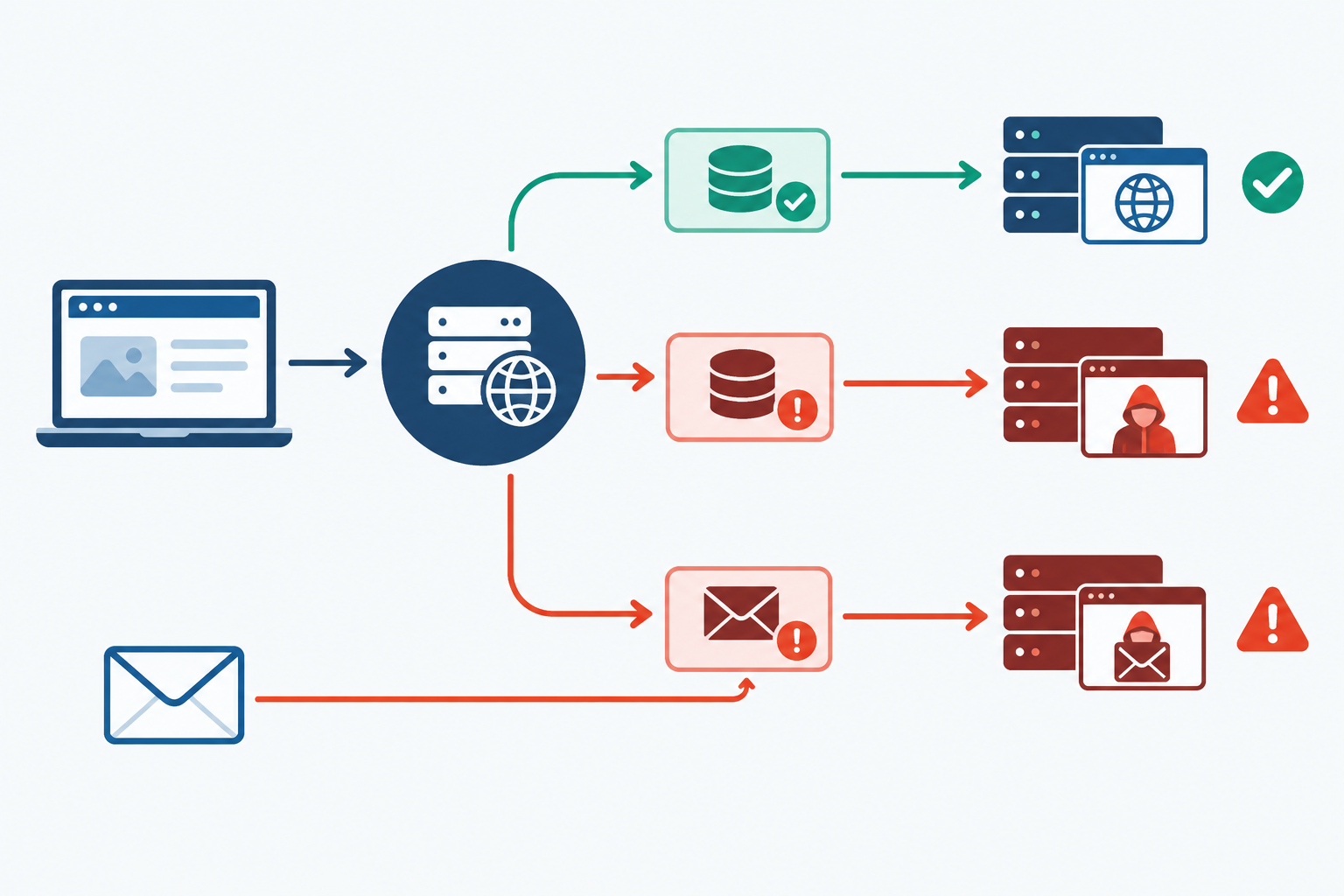
Someone migrates hosting and points the apex record at the new box before it's ready. Or an old A record gets restored from a backup and points at a decommissioned server or a staging environment. From your desk, with a cached answer, the site looks fine. For users elsewhere, it's broken or showing last year's content.
Scenario 2: A tampered MX record diverts email
This one is nasty because it's silent. If your MX records are changed to point at a third party, inbound mail flows to them. There's no bounce, no error and no warning. Your customers think you're ignoring them, and meanwhile someone else may be reading password resets.
Scenario 3: An NS record change affects the whole DNS zone
Nameserver records say who is in charge of your zone. Change them, and whoever runs the new nameservers can publish whatever they like for every record under the domain. It's the master key.
Scenario 4: A dangling CNAME can enable a subdomain takeover
You set up help.example.co.uk to point at a third-party service, then cancel the service but forget the CNAME. If someone else can claim that service hostname, they can serve content on your subdomain. This is the classic subdomain takeover, and it can linger for months.
Scenario 5: A deleted or altered TXT record disrupts email or verification
TXT records carry your SPF, DKIM and DMARC policies, plus verification tokens for SaaS tools. Lose or break one and your outbound email may start landing in spam, or a connected service quietly stops working.
Why DNS record changes often fail silently
Notice the pattern. None of these throws an error on your side. Pages load (just the wrong ones), mail goes somewhere (just not to you), and the first people to notice are usually customers. DNS problems tend to be reported by users rather than discovered by teams.
Can DNS changes cause downtime?
Yes. A wrong A record can point visitors at a server that's offline or outdated, and a bad NS record can take the whole domain off the internet. The twist is that the damage is often patchy. Recursive resolvers (the lookup services run by ISPs, companies and public providers) may cache an answer for up to the record's TTL, or time to live. But caching behaviour varies, so after a bad change some users may see the new value straight away while others keep seeing the old one, and it differs by network and region.
Recovery is patchy too. Fixing the record doesn't instantly clear answers already cached elsewhere, and lowering the TTL after a change won't evict them. If you're planning a migration, lower the TTL beforehand.
DNS hijacking versus honest mistakes
When people hear "unauthorised DNS change", they picture a hooded hacker. In reality, most incidents are mundane. A colleague migrates hosting. A contractor tidies up what looks like old records. A provider resets defaults. A Terraform or other infrastructure-as-code apply goes half-wrong.
But malicious changes are real. CISA's January 2019 advisory, AA19-024A, documented a campaign in which attackers got into DNS accounts or infrastructure and changed records to redirect traffic, with risks including interception of credentials. Cisco Talos reported that the related Sea Turtle campaign had targeted at least 40 organisations across 13 countries. And in 2013, attackers linked to the Syrian Electronic Army compromised a registrar reseller account and changed DNS settings for The New York Times, redirecting visitors. That last one happened at the registrar level, not in the DNS host's dashboard.
Here's a quick way to compare the two:
| Honest mistake | Malicious change | |
|---|---|---|
| Typical cause | Migration, tidy-up, provider default reset, failed IaC apply | Compromised or phished registrar/DNS account, no MFA, rogue insider, registrar social engineering |
| Typical record affected | A/AAAA, CNAME, TXT (often as a side effect) | NS, MX, A, sometimes account recovery settings |
| How it usually surfaces | Site oddities, failed deployments, spam-foldered mail | Often silent: intercepted mail, redirected logins, discovered by customers or third parties |
| How urgent | Fix promptly, once confirmed | Treat as an incident immediately |
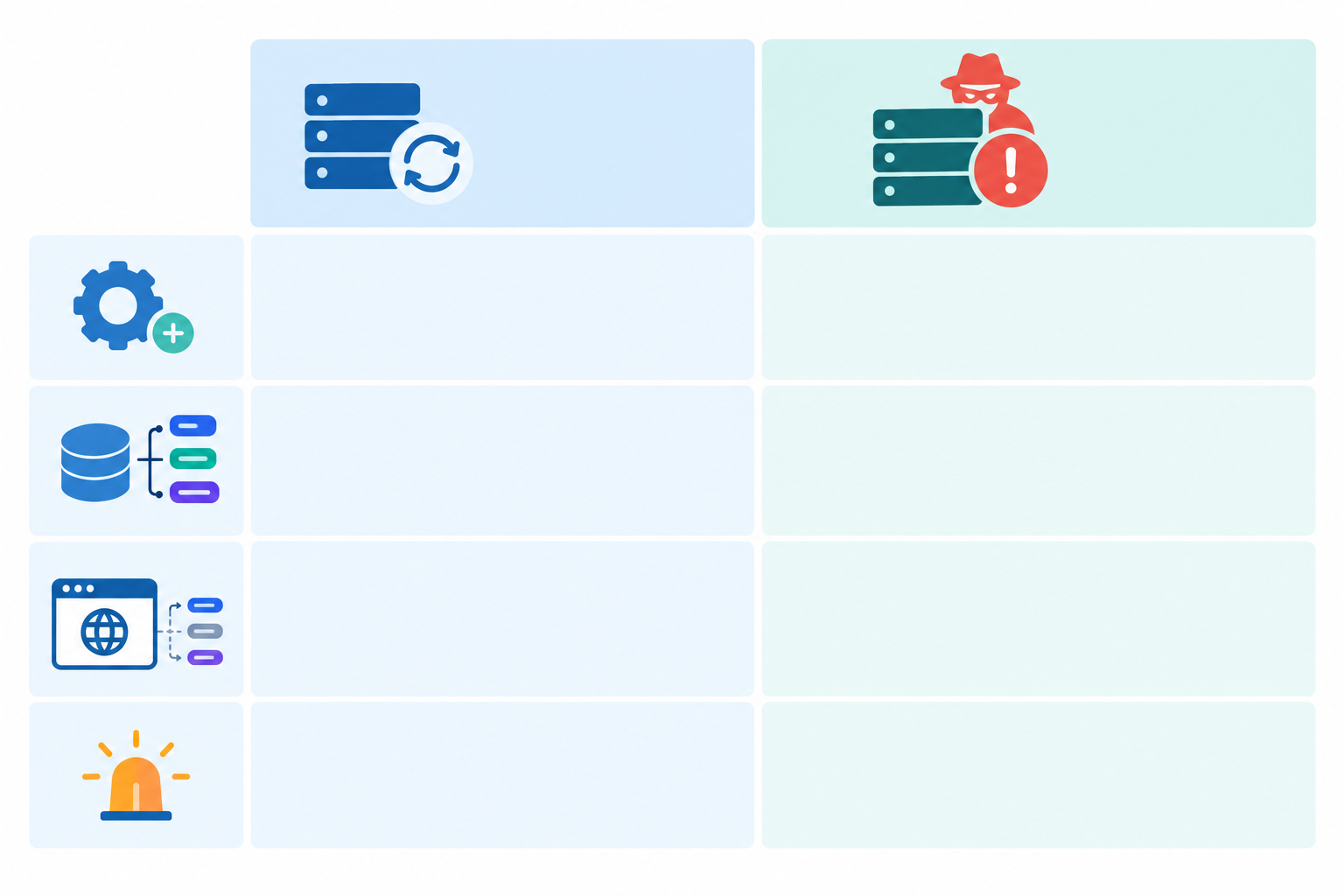
DNS monitoring doesn't need to know intent. Detecting the change is step one; working out why it happened is step two. CISA's guidance makes the same point: compare the change with an approved change request, the expected person, the timing and the intended destination. A mismatch is a reason to escalate, but attribution comes from investigation, not from the record value alone.
So take a relaxed but sensible stance. Most alerts will turn out to be someone doing their job. Still, treat every unexpected change as suspicious until proven otherwise. It costs you a couple of minutes of checking.
Which DNS records should you monitor?
This is the question I get most. The honest answer: start with the records that would hurt most if they moved, then expand.
Highest priority:
- A and AAAA records for the apex domain and key hostnames. This is where A record monitoring pays off straight away, because these records decide where your website and API traffic goes.
- MX records for email routing. A silent diversion here is one of the hardest things to spot any other way.
- NS records for zone control. These should almost never change, so any change is worth a look. One caveat: the NS records inside your zone aren't the whole story. The delegation that actually tells the internet which nameservers to ask is held at the registrar and parent zone (for example
.co.uk), and a change there may not show up in your zone's own NS answer. So check the delegation as seen from the parent too, and keep an eye on registrar account activity, such as login alerts and change notifications.
Next tier:
- CNAME records for
www,app,apiand any subdomain pointing at a third-party service. - TXT records for SPF, DKIM, DMARC and verification tokens.
A simple DNS monitoring starting set
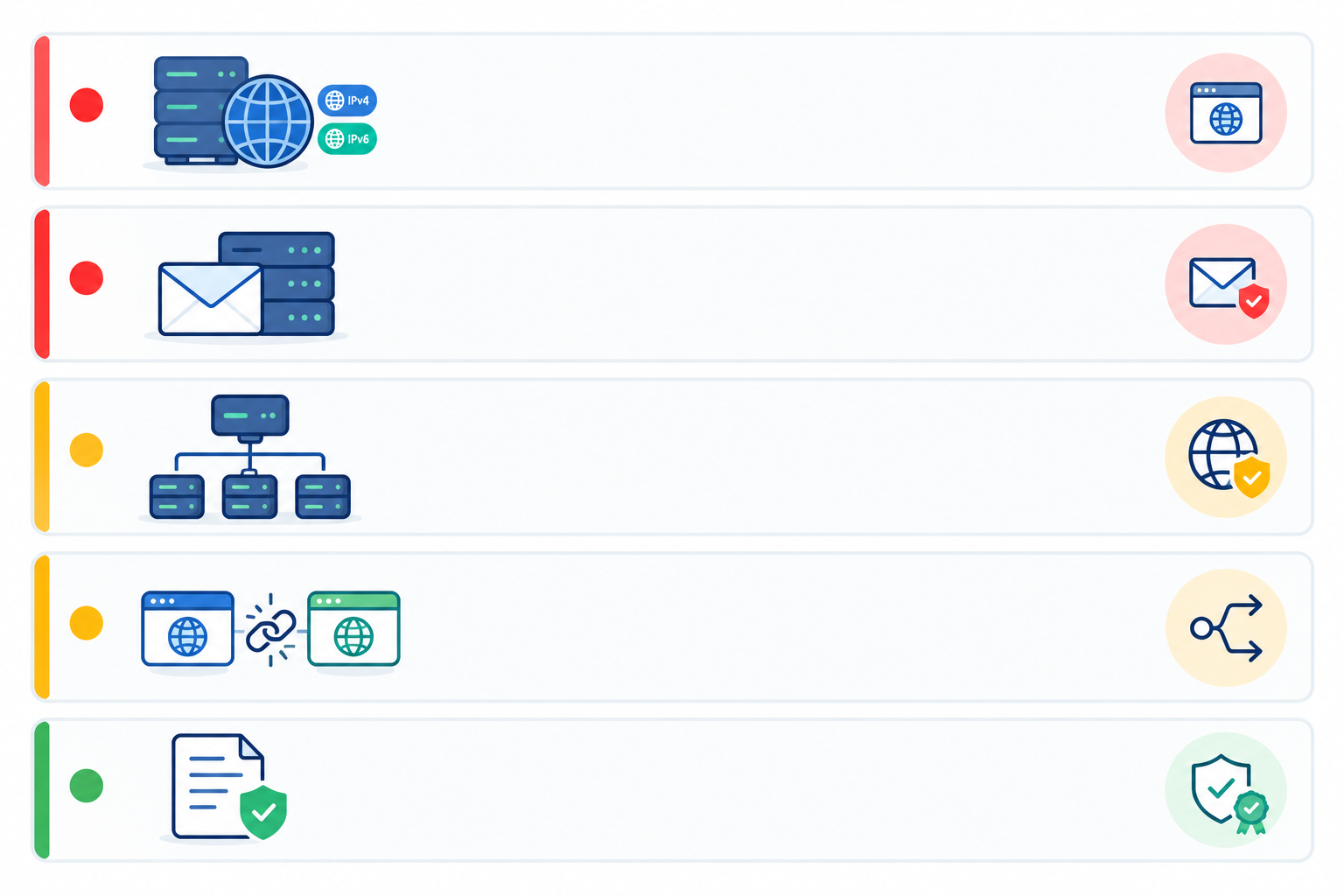
If you want something you can finish before your tea goes cold, begin with five monitors per domain:
- Apex A record
wwwrecord- MX records
- NS records
- SPF TXT record
From there, add your main subdomains, then CNAMEs pointing at third-party services, then DKIM and DMARC. Don't forget AAAA if you publish IPv6.
One tip: monitor the records tied to the services you already watch with website, API and SSL certificate monitoring. If the A record for api.example.co.uk changes and your API monitor goes red in the same minute, the alerts tell their own story.
A quick word on DNSSEC, since people sometimes ask. It helps resolvers verify that DNS data wasn't tampered with in transit, but it won't stop someone with legitimate access to your registrar or DNS account from publishing a change, and that change may be properly signed. It complements DNS change monitoring and account security rather than replacing them.
How DNS change detection works
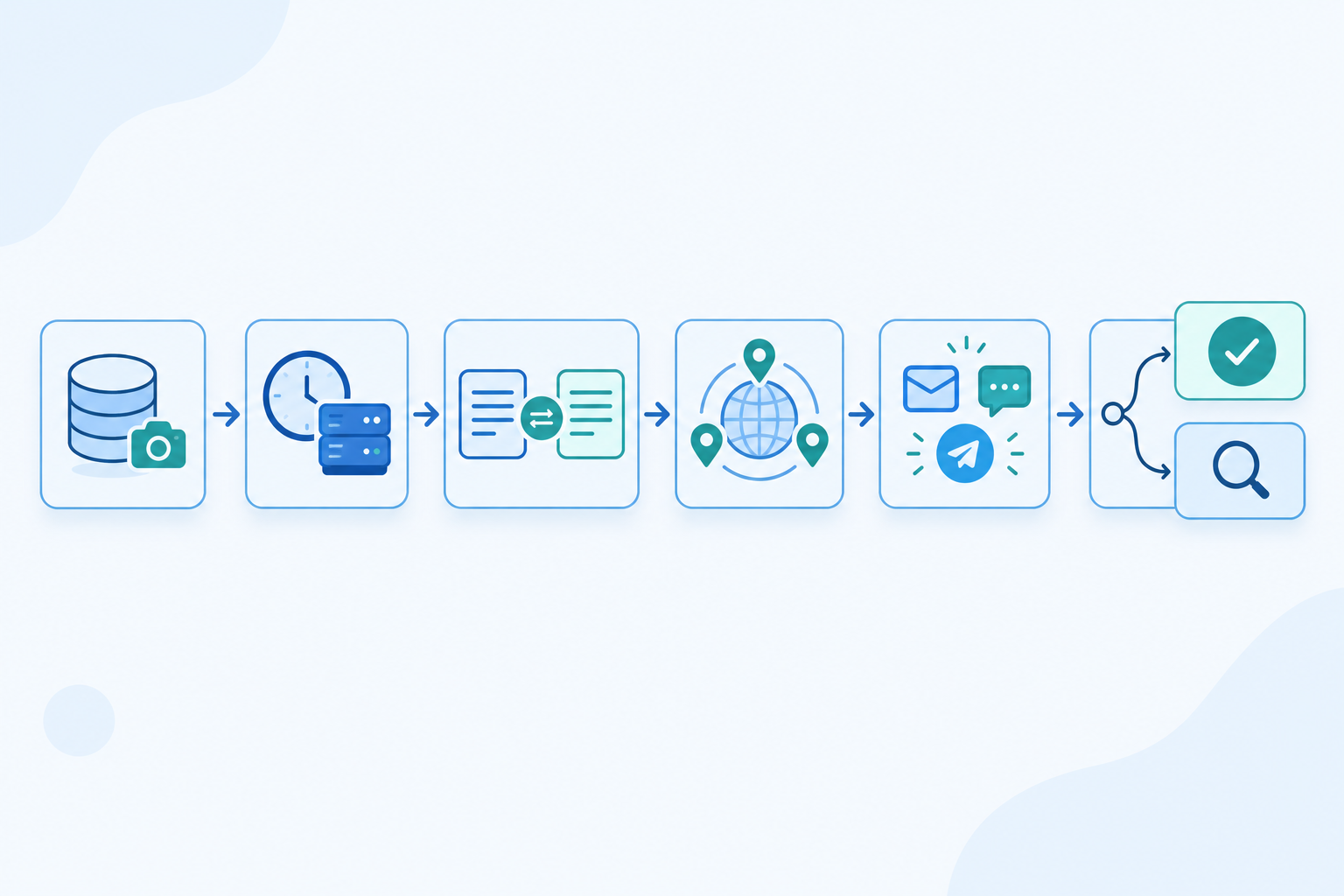
The idea is simple, but the details separate a useful monitor from a noisy one. Here's the cycle.
- Record a baseline. Write down the expected values for each record type and hostname. This is your approved "known good".
- Query on a schedule. The monitor asks for each record regularly. Checking the authoritative nameservers tells you what the zone really says, while checking through public resolvers tells you what users are likely to get.
- Compare with the baseline. Round-robin A records can come back in a different order each time, and a record may legitimately have several values. Good detection compares the set of values, not the sequence.
- Verify from more than one region. Resolvers have hiccups, and a single timeout shouldn't wake someone at 3am. Multi-region verification confirms a change from several locations before alerting, which cuts false alarms.
- Send an alert with the details. A useful alert shows the old value, the new value and the time detected, delivered by email, Slack, Discord, Telegram or webhook.
- Accept or investigate. If the change was planned, accept the new value as your baseline. If not, move to the response checklist below.
Why DNS monitoring frequency matters
It helps to keep two clocks apart. Your polling interval decides how long a change can sit unnoticed. Check once a day and a bad record could be live for up to a day before you hear about it; check every few minutes and that window shrinks to minutes. TTL is separate. It influences how long resolvers may keep serving a cached answer, but it isn't a universal timer for when a change reaches users, and it doesn't guarantee a fixed propagation time.
So for critical records, frequent checks (every few minutes) make sense. Just don't read that as "we'll catch every change before it spreads". An alert arrives after the next scheduled check, and some users may already have seen the new value by then.
What DNS monitoring doesn't do
I want to be straightforward: monitoring tells you a change happened. It doesn't prevent it. That's why it works best alongside registrar locks, MFA on registrar and DNS accounts, least-privilege access and provider audit logs. The UK's NCSC publishes guidance on securing your domain name that covers these basics. Think of monitoring as the smoke alarm and those controls as the fire doors.
Setting up DNS monitoring in Moonitor
You can build this yourself with scripts and cron jobs, or use a tool. As one example, here's how the setup looks in Moonitor, which is what we build. The same logic applies to any monitor you choose.
- Add a DNS record change monitor for your domain and choose the record type. Start with the A record, since that protects where your traffic goes.
- Add MX and NS monitors for the same domain, so email routing and zone control are covered too.
- Choose your alert channels. I like email for the audit trail and Slack or Telegram for whoever is on call.
- Link it with your SSL and domain expiration monitors, so everything about that domain sits in one dashboard.
- Optionally pair it with HTTP/S and keyword monitors. That way you can see whether a DNS change has affected the live site, and a branded status page helps you communicate if it has.
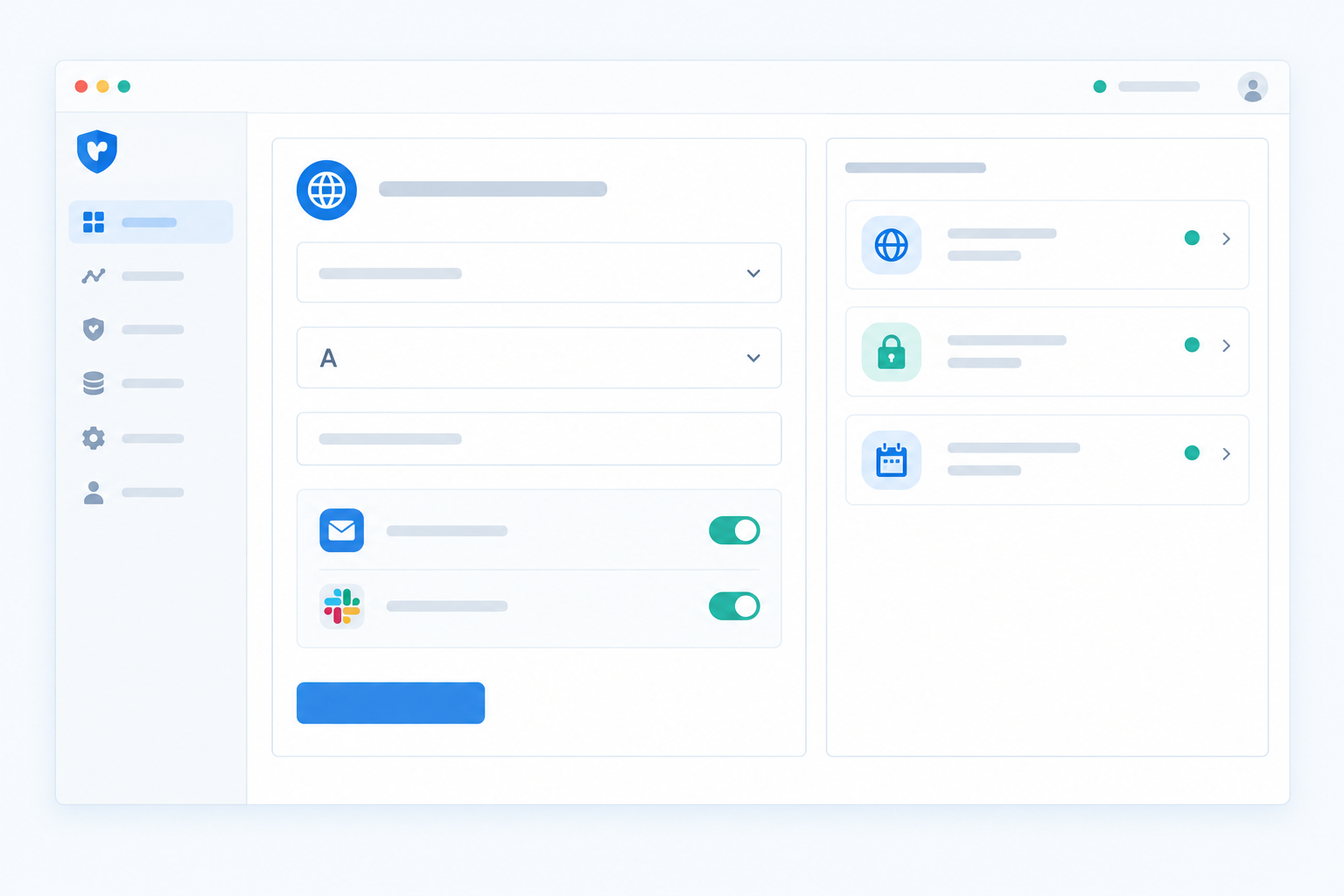
A basic set takes a few minutes; add a little more time to check that each baseline is correct. At the time of writing there's a 7-day free trial with no credit card, and the Solo plan is listed at $14/month for 20 monitors. Plans, pricing and taxes can change or vary by region, so check the current pricing page before you decide. There's also an API and data export if you want change history in your own tooling.
What to do after an unexpected DNS change
So the alert has fired, and you're wondering what to do about a suspicious change. Take a breath. Here's a calm, ordered checklist, based on CISA's guidance and a fair bit of practical experience.
- Confirm the change. Query the record from a couple of independent resolvers and compare with your DNS provider panel. Look beyond the A record: NS, MX, CNAME, TXT and CAA too. Also check the delegation at your registrar, since attackers sometimes change nameservers or mail settings rather than the website address.
- Check the audit trail and ask your team. Look at the provider's change log and post a quick message in your team channel. Many changes have innocent explanations. Before you change anything, capture evidence: query results, timestamps, TTLs and the previous known-good zone.
- If it's unauthorised, restore the correct record. Note the TTL so you know roughly how long cached answers may linger. Reverting doesn't guarantee every resolver stops returning the bad answer straight away, so test from several resolvers and keep watching.
- Lock down access. Rotate passwords and API keys, revoke suspicious sessions, enforce MFA and review who has access at both the registrar and the DNS host. Do this from a trusted device. Verizon's 2024 Data Breach Investigations Report found the human element involved in 68% of breaches in its dataset. It isn't a DNS-specific figure, but it's a fair reminder that account security matters as much as the records themselves.
- Check email flow and certificate issuance. A hijacked record may have been used to intercept mail or to obtain a certificate for your domain. Send test emails, and review recently issued certificates for your hostnames.
- Communicate. Update your status page, keep the right people in the loop, and record the incident so nothing lives only in someone's head.
- Run a short post-incident review. What did we miss? Add monitors for any gaps you uncovered.
How long all this takes varies enormously. A planned change takes minutes to confirm; a compromised account, cache expiry and a proper investigation can stretch it out much further. The checklist won't promise a quick fix, but it should stop you losing time to guesswork.
A UK-specific note: if mail or personal data may have been exposed, you may have data protection obligations, such as considering whether the incident is reportable to the ICO under UK GDPR. I'm not a lawyer, so check your own requirements and involve your data protection lead early.
Building a DNS monitoring habit that sticks
The good news is that this doesn't need to become a big project. Treat DNS change alerts the way you already treat expiry reminders: small, boring, trusted. When one lands, you glance at it, accept it or investigate it, and move on.
A few habits make it stick:
- Review your baseline whenever you migrate hosting, change email providers or onboard a new SaaS tool.
- Fold DNS checks into your regular infrastructure review, alongside server, cron job and heartbeat monitoring.
- Keep your registrar and DNS accounts locked down, with MFA and a short list of people who can make changes.
If you take one thing from this guide, make it this: pick one record today. Your apex A record is a great choice. Set up A record monitoring, point the alert at a channel someone actually reads, and you've closed the quietest gap in your domain coverage. You can add MX and NS tomorrow. 🙂
DNS monitoring FAQ
How do I know if my DNS records were changed?
Without monitoring, you usually find out when something breaks. With DNS change detection, a monitor checks your records on a schedule, compares them with the values you expect and alerts you after the check that spots a difference, showing the old and new values.
Can DNS changes cause downtime?
Yes. A wrong A record or a bad NS record can make your site or even the whole domain unreachable, and because of resolver caching the impact can be patchy. See the downtime section above for the detail.
How often should DNS records be checked?
For critical records like the apex A record, MX and NS, every few minutes is a sensible starting point. Less critical records, such as old verification TXT entries, can be checked less often. Shorter intervals mean a shorter window before you find out.
Is A record monitoring enough on its own?
It's a great first step because it protects where your website traffic goes, but it leaves email and zone control uncovered. Add MX, NS and key TXT records, and keep an eye on registrar-level delegation too.
What do I do after a suspicious DNS change?
Confirm the change from more than one resolver, check with your team, restore the correct record if it's unauthorised, then secure your registrar and DNS accounts with new credentials and MFA. Finish by checking email flow and recently issued certificates, and record the incident for review.
SEO CONTENT CONTRACT
- Primary topic: DNS monitoring
- Supporting concepts: A record monitoring
- Dominant search intent: informational
- Target search market: United Kingdom
- Content angle: Beginner-friendly primer using real failure scenarios such as a wrong A record or a tampered MX record, ending with a monitoring setup.
- Suggested sections: What can go wrong with DNS records; Hijacking versus honest mistakes; Which records deserve monitoring; How change detection works; Responding to an unexpected DNS change
- Reader questions: How do I know if my DNS records were changed?; Which DNS records should I watch?; Can DNS changes cause downtime?; What do I do after a suspicious change?
Treat these as reader and topic guidance, not a phrase quota. Never force exact phrases, repeat keywords mechanically, or sacrifice clarity to a density target.