
SSL Certificate Expiration: How to Stop Surprise Outages
SSL certificate expiration can still cause outages despite auto-renewal. Learn how certificate inventories, automated renewals and SSL certificate monitoring prevent surprises.
SSL certificate expiration: how to prevent surprise outages
An expired SSL certificate triggers browser security warnings, breaks API connections and can make a site effectively unusable, even when auto-renewal is switched on. The reliable fix has layers: keep a complete certificate inventory, automate renewals where you can, and run independent SSL certificate monitoring with alerts at 30, 14 and 7 days as your safety net.
That's the short version. Grab a cuppa and let's walk through the longer one, because the details are where teams get caught out.
How SSL certificate expiration catches teams out
Picture a team I'll call the careful ones. They've moved to Let's Encrypt, certbot is installed, and there's a neat note in the wiki saying 'certificates renew automatically'. Everyone's happy. Then one Monday morning, the first customer message lands: 'Your site says it isn't safe.' Within minutes there are ten more, and the API your partners depend on is throwing handshake errors.
What happened? Months earlier, someone had moved DNS to a new provider and tightened a firewall rule. The renewal challenge quietly started failing, the failure message went to a log nobody read, and the certificate ran out over a bank holiday weekend. Nobody did anything wrong, exactly. They just couldn't see the problem forming.
Here's what I really want you to take from this: SSL certificate expiration is rarely about competence. It's about visibility. Certificates are set-and-forget right up until the moment they aren't, and when you're juggling dozens of hostnames, a few legacy boxes and a couple of forgotten marketing microsites, something will slip.
So what actually happens when one expires?
What happens when an SSL certificate expires?
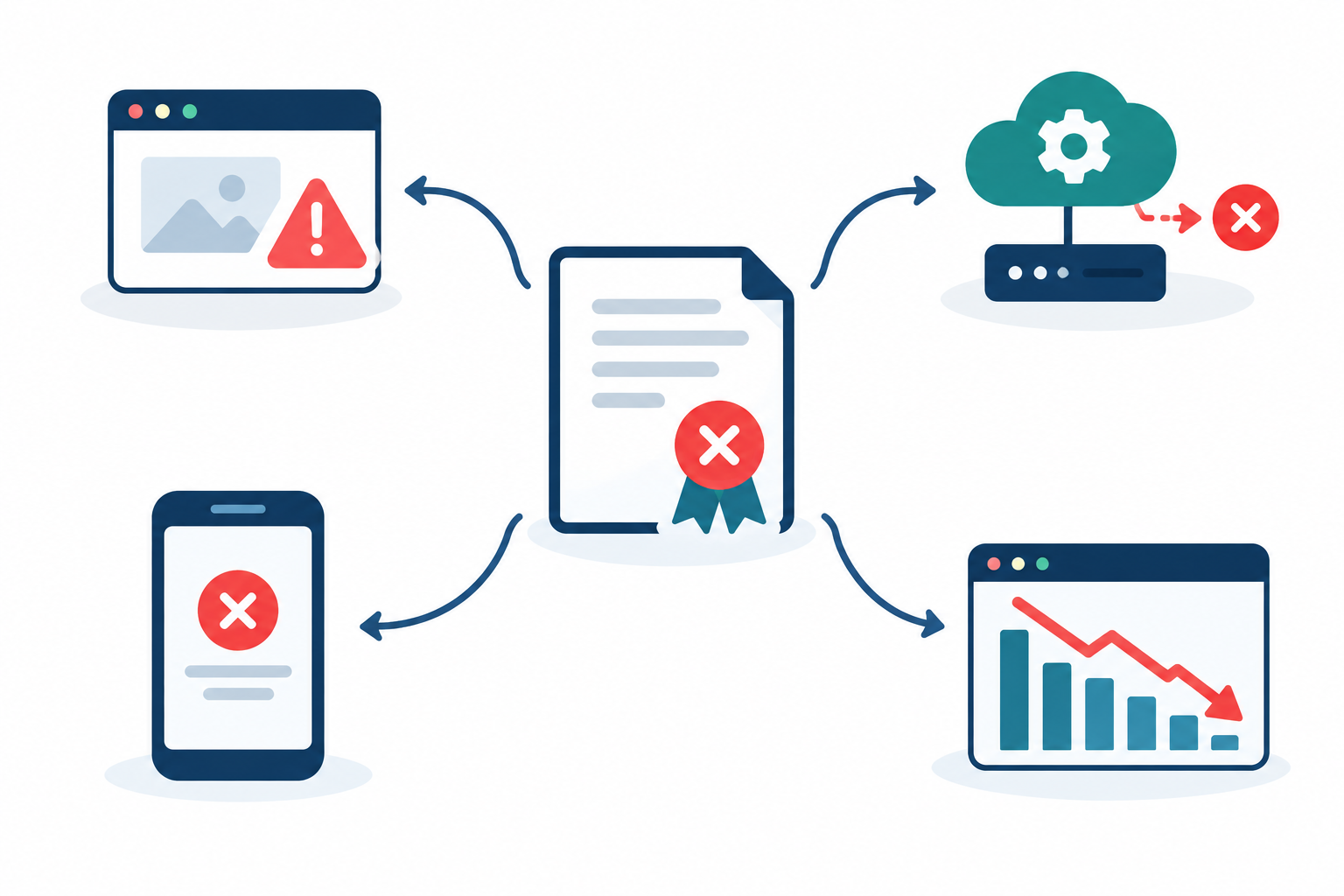
Once a certificate passes its 'Not After' date, clients that validate it treat it as invalid during the TLS handshake. That's how the X.509 standard (RFC 5280) expects it to work. In practice, it looks like this:
- Browsers show full-page warnings. Messages like 'Your connection is not private' put a big red wall between visitors and your content. Most people won't click past it, and frankly, they shouldn't.
- APIs, webhooks and service-to-service calls fail hard. Machines don't get a 'proceed anyway' button, so you'll often find unhelpful certificate verification errors buried in someone else's logs.
- Mobile apps and IoT clients can break silently. Apps with strict validation simply stop working, with no visible error page at all. Your support inbox ends up being the monitoring system.
- Email, VPN and internal tools can go too, if they share the certificate or have one expiring at the same time. The blast radius grows quickly.
Your web server doesn't stop running when the certificate expires, and the server itself is fine. It's the clients that refuse to trust it. For your users and integrations, though, that's the same as being down.
This isn't just a small-team problem. In February 2020, Microsoft Teams users lost normal access to the service, and news coverage (including the BBC and The Verge) attributed it to an expired certificate. If a company with Microsoft's resources can get caught, it can happen to any of us.
The real cost of an expired SSL certificate
The certificate itself costs next to nothing. What hurts is the lost traffic, the lost sales, the flood of support tickets, and the frantic scramble to work out why things broke. If you run an ecommerce site or take card payments, customers who see a 'not secure' warning on a checkout page will often leave. A visible warning on a page that handles personal data also raises uncomfortable questions about how well your security is being looked after, which matters under UK GDPR. It isn't a compliance failure in itself, but it's not the impression you want to give customers or auditors.
Does an expired SSL certificate hurt SEO?
This is one of the questions I hear most, so here's a straight answer. A short outage is unlikely to cause a lasting ranking problem, but it isn't harmless.
Google has described HTTPS as a lightweight ranking signal, and when it announced this in 2014 it said the signal affected fewer than 1% of global queries. Google doesn't say an expired certificate triggers an automatic penalty. The concrete risks are these:
- Crawl access. If Googlebot hits certificate errors while your certificate is invalid, it may not be able to fetch affected URLs. They could be crawled less reliably until the problem is fixed.
- Lost trust and conversions. Visitors who hit the warning page often leave, which wastes any paid traffic you're sending there. That hurts your business even if it doesn't move your rankings.
The longer or more frequent the outage, the greater the risk. If it does happen, restore a valid certificate first, then check that your important HTTPS URLs load and that Google can crawl them. The HTTPS and Page indexing reports in Search Console are handy places to look. You don't need a special SEO recovery ritual.
Why SSL certificate auto-renewal still fails
So, does Let's Encrypt auto-renewal always work? No. It works until something in the chain changes.
Let's Encrypt issues 90-day certificates, but it doesn't renew them for you. Renewal depends on an ACME client such as certbot, a scheduled task, and a successful proof that you control the domain. Any link can break. Here are the usual culprits:
- Failed HTTP-01 or DNS-01 challenges. A firewall rule, CDN setting or DNS migration means the certificate authority can no longer reach your challenge response or update your DNS record. Outdated DNS API credentials cause the same grief.
- A silent scheduler. The cron job or systemd timer stopped running, or it was never migrated when the server was rebuilt.
- Renewed but never reloaded. The new certificate sits happily on disk while nginx, Apache, the load balancer or the proxy keeps serving the old one from memory. This one is sneaky, because the renewal command reports success.
- Commercial CA billing. An expired payment method or unpaid invoice stops a paid certificate from being reissued.
- Old clients. An outdated ACME client can stop working when the ecosystem moves on.
- Hosts outside automation. Appliances, legacy systems and one-off servers with manually installed certificates. Everyone forgets these.
- Multi-domain certificates. One forgotten name that no longer validates can block the whole renewal.
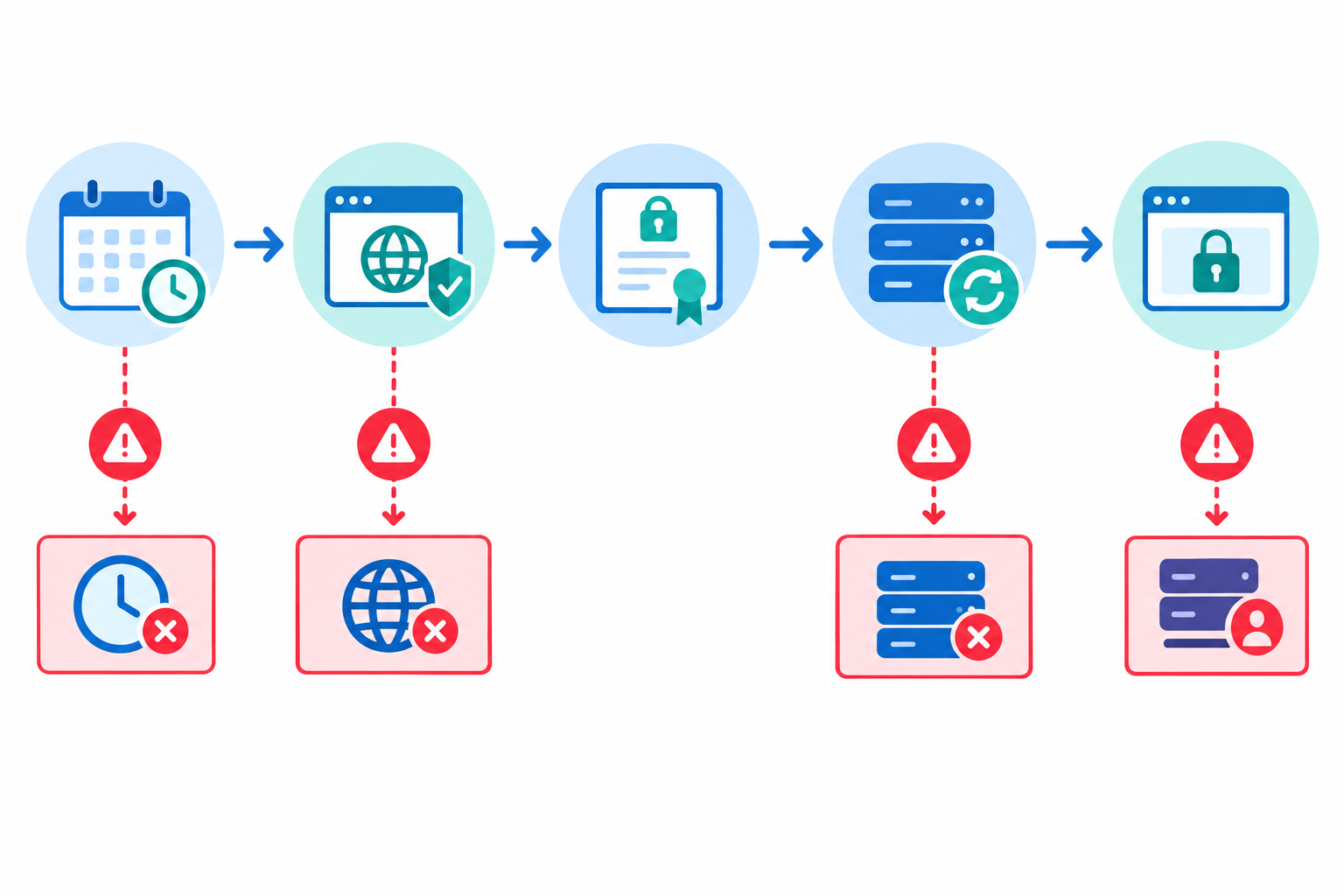
ACME clients typically attempt renewal once a certificate enters a configured renewal window. Certbot, for example, commonly renews when 30 days or fewer remain. But that's client behaviour. It doesn't guarantee that the job runs, validation passes, or the new certificate goes live.
Use a heartbeat to catch silent renewal failures
Add a line to your renewal script that pings a heartbeat URL on success. If the ping doesn't arrive on schedule, you get an alert weeks before the certificate is anywhere near expiry. With heartbeat monitoring, 'the timer silently stopped' becomes a calm Tuesday ticket instead of a Monday-morning incident.
How to build a reliable SSL certificate inventory
You can't monitor what you don't know exists. An inventory sounds dull, but it's probably the most useful thing you can do, and it doesn't take long. Here's how I'd go about it:
- Discover every public hostname. Include subdomains, APIs, staging environments, admin panels and those forgotten microsites. Check DNS zones, load balancer configs, CDN dashboards and your cloud provider's certificate manager. Certificate transparency logs are also a great way to find hostnames you'd forgotten about.
- Record the essentials: issuer, expiry date, renewal method (automatic or manual) and owner.
- Track domain registration expiry alongside certificates. A lapsed domain takes your site down and your certificate validation with it. That applies to .co.uk names too, so keep both in the same list.
- Flag anything manually managed as high risk. Manual means 'depends on someone remembering', and memory is not a monitoring strategy.
- Assign a named owner or team. Alerts sent to a shared inbox nobody reads are the same as no alerts at all.
- Review quarterly, and after any infrastructure migration. Migrations are exactly when automation quietly gets left behind.
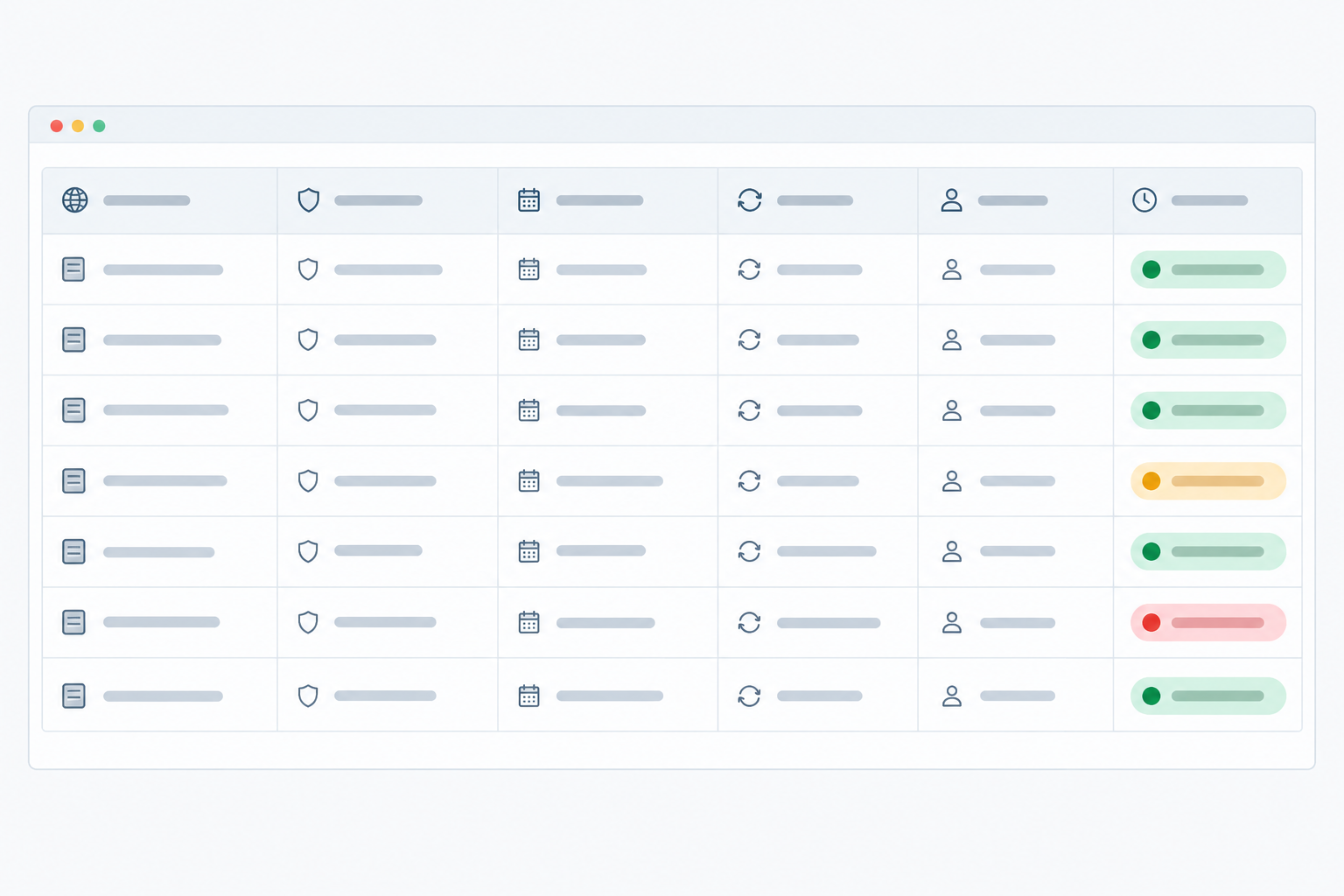
Not sure where to start? Copy these columns into a spreadsheet:
| Hostname | Issuer | Expiry date | Renewal method | Owner | Days remaining | Risk |
|---|---|---|---|---|---|---|
| www.example.co.uk | Let's Encrypt | 2025-03-14 | Auto (certbot) | Platform team | 42 | Low |
| legacy-portal.example.co.uk | Commercial CA | 2025-02-01 | Manual | J. Patel | 9 | High |
Once you have this, you've done the hardest part. Everything else is about keeping it honest.
What to monitor besides SSL certificate expiry
The expiry date is only one of the ways a certificate can fail you. A solid SSL certificate monitoring setup looks at the whole picture:
- Validity from the outside. Check what users actually see on the live endpoint, not what's sitting in a file on disk. If you only take one idea from this article, make it this one.
- The certificate chain. A missing intermediate certificate can break some clients (often older Android devices or API libraries) while looking perfectly fine in your desktop browser.
- Hostname match. A certificate issued for the wrong name, or missing a name you need, will throw errors even when it's in date.
- Domain expiration and DNS changes. A lapsed registration takes everything with it, and unexpected DNS record changes can point traffic at a host presenting the wrong certificate.
- HTTP/S and API checks. After a renewal and reload, confirm the endpoint responds with the expected status code or keyword.
- A heartbeat for the renewal job, so you catch the failure at the source, as above.
Check from multiple regions too. A single regional network blip shouldn't wake anyone at 3am. Multi-region failure verification confirms a problem from several locations before an alert fires, which keeps false alarms down and your team's trust in the pager up.
How early should SSL certificate expiry alerts be sent?
A good baseline for expiry alerts is 30, 14 and 7 days before expiry, with optional extra alerts at 3 and 1 day for critical production certificates. Each threshold has a different job:
- 30 days is the early warning. You've got time to investigate and fix automation without any pressure.
- 14 days is escalation. If your automation is meant to renew at around 30 days, a certificate still unrenewed now needs real attention.
- 7 days is urgent. Page the owner and treat it as an incident.
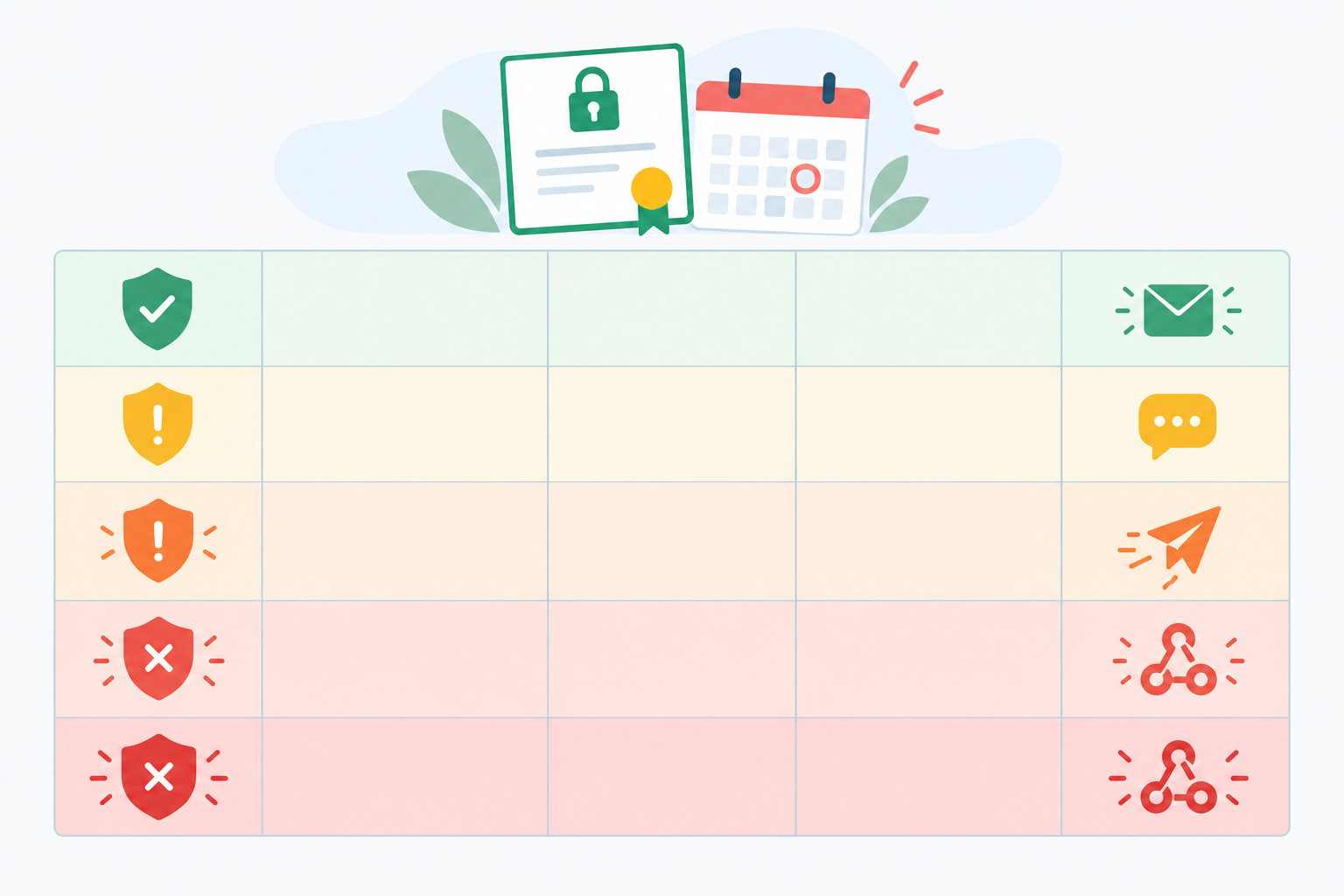
| Threshold | Urgency | What it means | Suggested channel |
|---|---|---|---|
| 30 days | Low | Early warning; check automation | |
| 14 days | Medium | Renewal is overdue if you renew at 30 days; investigate now | Slack or Discord |
| 7 days | High | Treat as an incident | Telegram or webhook into on-call |
| 3 days | Critical | Manual renewal likely needed | On-call page plus team channel |
| 1 day | Emergency | Act immediately | On-call page, escalate to manager |
A note on Let's Encrypt renewal timing
These alerts are an independent safety net. They don't depend on your renewal schedule, which is exactly why they're useful. But you should read them against your own setup.
Let's Encrypt certificates last 90 days, and Let's Encrypt recommends renewing them every 60 days, which leaves about 30 days of margin. Certbot's default window is similar, but other ACME clients and managed platforms vary, so check yours. If you renew at 30 days remaining, a 30-day alert may fire around the same moment renewal kicks in, so treat it as a gentle nudge. The 14-day alert is then your real signal that something is stuck. If your client renews earlier, shift your expectations accordingly.
Longer-lived certificates need watching too. The CA/Browser Forum currently caps publicly trusted certificate validity at 398 days, with shorter limits scheduled in the coming years, so renewals will only get more frequent. A long lifetime never removes the need to watch.
How to avoid SSL monitoring alert fatigue
Alerts only help if people trust them. A few habits keep the noise down:
- Route alerts to named owners, not a catch-all inbox.
- Deduplicate, so one expiring certificate doesn't create ten messages.
- Remove certificates you've retired, or you'll train everyone to ignore the alerts.
- Match channel to urgency: quiet channels early, loud ones late.
A layered SSL certificate expiration prevention plan
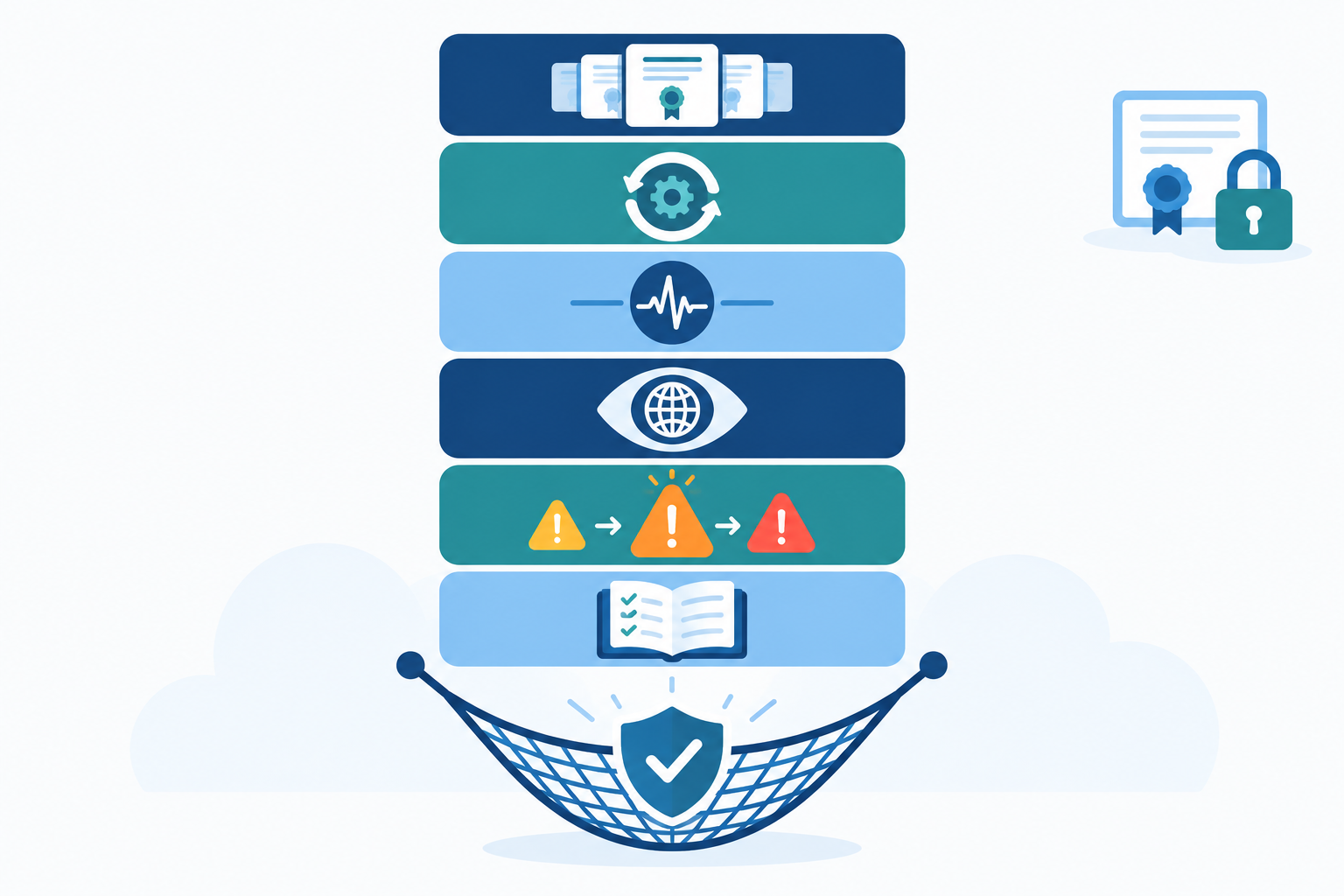
No single control is enough. Automation fails, humans forget and monitoring can be misconfigured. Stack them, though, and the gaps mostly close:
- Inventory every certificate and domain, with an owner.
- Automate renewal with ACME clients, or managed certificates from your cloud provider or CDN.
- Monitor the renewal job with heartbeat checks.
- Check the live endpoint independently, from outside your network.
- Alert in tiers, routed to the right people on the right channels.
- Keep a documented runbook, so nobody works out manual renewal for the first time at 2am.
What to do if an SSL certificate expires: recovery checklist
Even with every layer in place, you may one day be on the wrong end of an expired SSL certificate. Don't panic. Work through it in order:
- Confirm the scope. Which hostnames and services are affected? Check APIs and internal tools too, not just the main site.
- Renew or reissue the certificate, and install the full chain, including intermediates.
- Deploy and reload the web server, load balancer or proxy. If you use a CDN or other edge service, check which certificate is configured there and confirm the change has propagated. Only purge cached content if stale pages are also a problem, as certificate presentation is controlled by edge configuration rather than the page cache.
- Verify from outside your network and from more than one region. Your laptop on the office VPN isn't proof.
- Update your status page and talk to customers honestly. A short, clear message goes a long way towards keeping trust.
- Run a short, blameless review. Why did automation fail? Why didn't the alerts land? Focus on the system, not the person, and add the missing check so it can't happen the same way twice.
That last step matters most. Every incident is a free lesson in where your visibility had a hole.
Where Moonitor fits
A quick product note, since it's our tool. We built Moonitor to cover several of the layers above in one dashboard. It has SSL and domain expiration monitors, uptime and API checks, DNS record change detection, and cron/heartbeat monitors for renewal jobs. Alerts can go out by email, Slack, Discord, Telegram or webhook, and multi-region failure verification helps keep false alarms down. There's also a branded public status page for when you need to tell customers what's happening.
If you'd like to try it, there's a free trial with no credit card required. Please check the current plans, monitor limits and pricing on our website, as they can change. Whatever tool you choose, start with your most critical hostnames.
Frequently asked questions about SSL certificate expiration
What happens when an SSL certificate expires?
Browsers show a security warning that blocks most visitors, and APIs and other TLS clients usually refuse to connect. The server may technically be running, but for users and integrations it's effectively down until a valid certificate is installed.
Does Let's Encrypt auto-renewal always work?
No. It's reliable when set up well, but changed DNS or firewall rules, a stopped timer, or a server that never reloaded the new certificate can all cause an expiry. Treat automation as your first line of defence and monitoring as the backup.
How early should I be alerted about an expiring certificate?
A good baseline is 30, 14 and 7 days before expiry, with extra alerts at 3 and 1 day for critical systems. Adjust the first two to match when your own renewal is meant to happen.
Does an expired certificate hurt SEO?
A brief lapse is unlikely to cause a lasting ranking penalty, but it can stop Googlebot fetching your pages and cost you visitors and trust while it lasts. Fix it quickly and check crawling afterwards.
Do I need to monitor domain expiration as well as SSL certificates?
Yes. If a registration lapses, your site, email and certificate validation can all fail at once, so track both together.
One last thought
Certificates are small things that quietly hold up big things. You don't need a perfect system. You need an honest list, a bit of automation, and something independent watching the live endpoint, so you hear about problems before your customers do. This week, pick your five most important hostnames, find out who owns each one, and check when each is due to renew. It's a small job that could save you a very bad Monday. ☕