
White-Label Status Pages: Why Agencies Need Them (And How to Set Them Up)
See how agencies use white-label status pages to build client trust, reduce support tickets, and sell branded uptime monitoring as a premium service.
White-Label Status Pages for Agencies: Build Client Trust and Sell a Better Service
If you run an agency managing websites, APIs or servers for multiple clients, you've probably had this moment: something goes down, and within minutes your inbox is full of "Is the site broken?" messages.
Here's the fix. A white-label status page lets your agency show each client's uptime and incident data under their own branding and custom domain, instead of pointing them to a generic third-party report. It cuts down on panicked emails, builds trust and gives you something concrete to show during client renewals, all while you keep managing everything from one dashboard.
Let's look at why branded status pages matter so much for agencies, and how you can set them up without adding hours to your week.
The Problem with Generic Uptime Reports
I'll be honest: nothing kills client confidence faster than a screenshot. You know the one. It's 2am, something's broken, and you fire off a quick dashboard screenshot from your monitoring tool with a message like "we're on it." The client sees a logo they don't recognise, graphs they don't understand, and gets a general sense that their website is being handled by someone else's software.
That's the core issue. When your monitoring setup is visibly "powered by" a third-party tool, it quietly tells the client their care has been outsourced to a stranger. Even if you're doing all the work behind the scenes, the presentation says otherwise.
There's another wrinkle too. If you're managing several clients through one visible monitoring account, it can start to look like a one-size-fits-all operation rather than dedicated attention for each client. Nobody wants to feel like just another row in your spreadsheet, even if that's technically what's happening on the backend. It's simply how agencies scale.
And then there's the support ticket problem. Without a self-service way to check status, every hiccup, even small ones, turns into a flood of "Is this just me?" messages. That's time spent reassuring people instead of fixing things. A generic uptime report doesn't solve any of this. A properly branded, client-facing status page does.
What Does a White-Label Status Page Offer?
A white-label status page takes all your behind-the-scenes monitoring work and presents it like a native part of your client's own product or service. Here's what that looks like in practice:
- A custom domain, like
status.clientname.com, so it feels like part of the client's infrastructure rather than a bolt-on service - Full branding control: the client's logo, colours and tone of voice, not yours and definitely not the monitoring vendor's
- Clear incident history and response-time data, without exposing internal tools or dashboard clutter
- No visible mention of the underlying monitoring platform, so the client sees their brand front and centre
- Real-time status updates that help head off "Why didn't anyone tell me?" conversations before they start
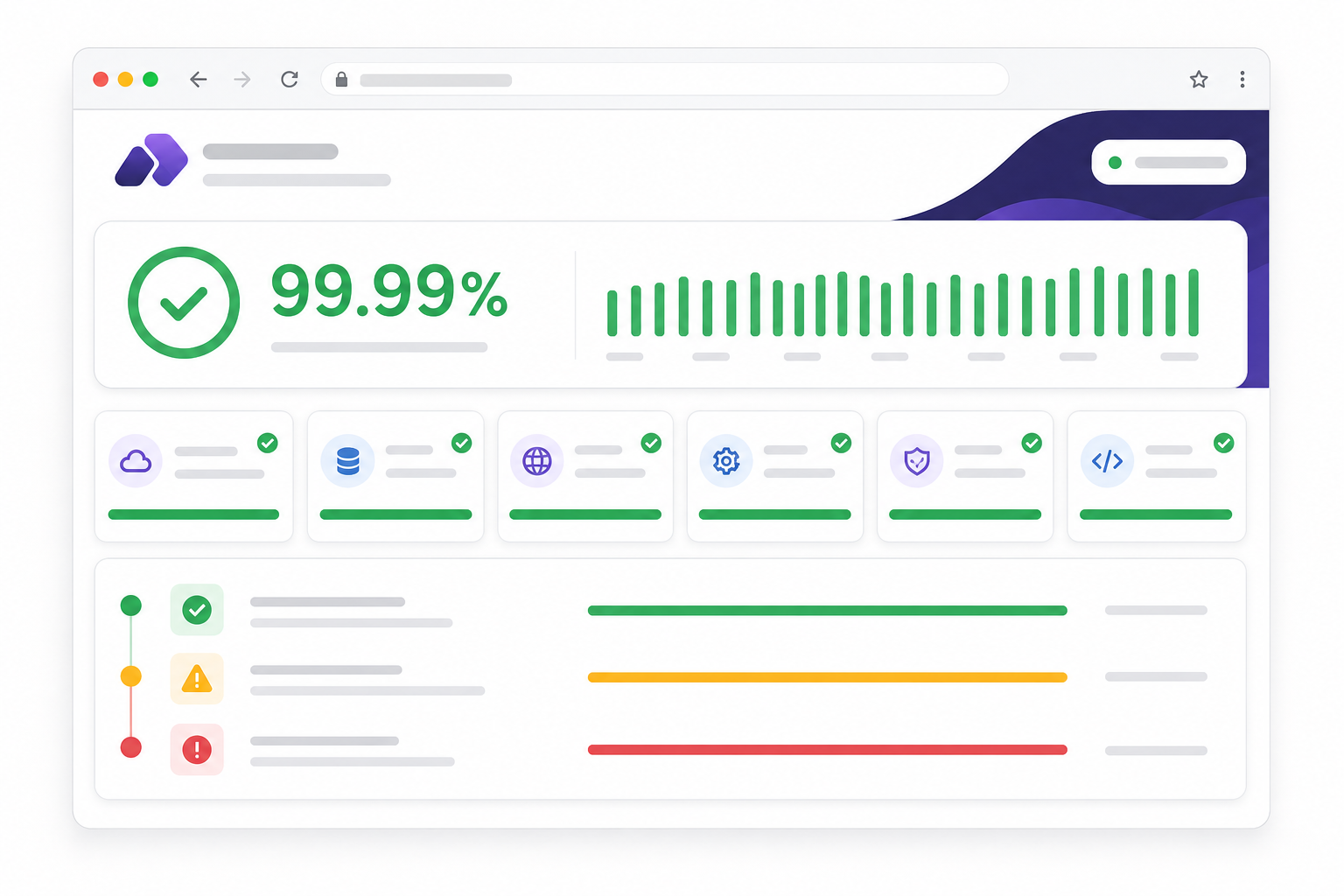
Think about the difference between sending a client a link to a page that says "Acme Corp Status" in their own brand colours versus forwarding a screenshot from your monitoring dashboard. One feels like a feature of their service. The other feels like administrative overhead. Clients notice the difference, even if they can't always say why.
How Custom Branding Builds Client Trust
Here's something I've noticed over the years: trust isn't really built during a crisis. It's built in the quiet moments before one. A well-branded status page does its best work when nothing is wrong at all. It just sits there, quietly reassuring clients that someone is watching.
When a client sees a polished, branded status page, it tells them something specific: you've invested time into their business, not just added them to a monitoring list alongside 50 other accounts. That distinction matters more than most agencies realise.
In my experience, small agencies rarely lose clients because something went down. Downtime happens, and clients generally get that. What actually damages the relationship is how poorly the downtime gets communicated. Silence, vague updates, or a client hearing about an outage from their own customers before you've said a word — that's what erodes trust.
Picture two scenarios. In the first, a client notices their site is slow, checks the custom domain status page, sees "investigating — response times elevated, team notified," and feels informed. They close the tab and get on with their day. In the second, that same client has no status page to check, so they send a slightly panicked email, wait an hour for a reply, and start wondering if they need a more responsive agency.
Same incident. Wildly different experience. That's the real value of a branded status page: it changes the emotional temperature of an outage.
How to Set Up a Branded Status Page for Each Client
How do you actually make this happen without turning it into a huge project? Here's the process, step by step:
- Create a monitor for each client's website, API or server. Use the right monitor type depending on what you're tracking: HTTP/S monitoring for general uptime, keyword monitoring to catch content issues, port and ping monitoring for servers, SSL certificate monitoring so certificates don't expire on you unannounced, cron job monitoring for scheduled tasks, or DNS monitoring to catch unexpected record changes.
- Group monitors by client within your dashboard so each client's infrastructure stays organised. This is what makes managing everything centrally actually manageable — you're not hunting through a flat list of 50 monitors trying to remember which belongs to whom.
- Generate a branded status page for that client and connect it to their custom domain. This is usually a quick CNAME setup, minutes rather than hours.
- Upload their logo, set their brand colours, and adjust the messaging tone so the page genuinely feels like theirs, rather than a template with a logo pasted on top.
- Decide what to show publicly. Some clients want full incident history and response-time charts. Others just want a simple current-status indicator. Ask them, or set a sensible default and adjust based on feedback.
- Repeat for each client, managed from a single account. No switching tools, no separate logins, no losing track of which client is on which platform.
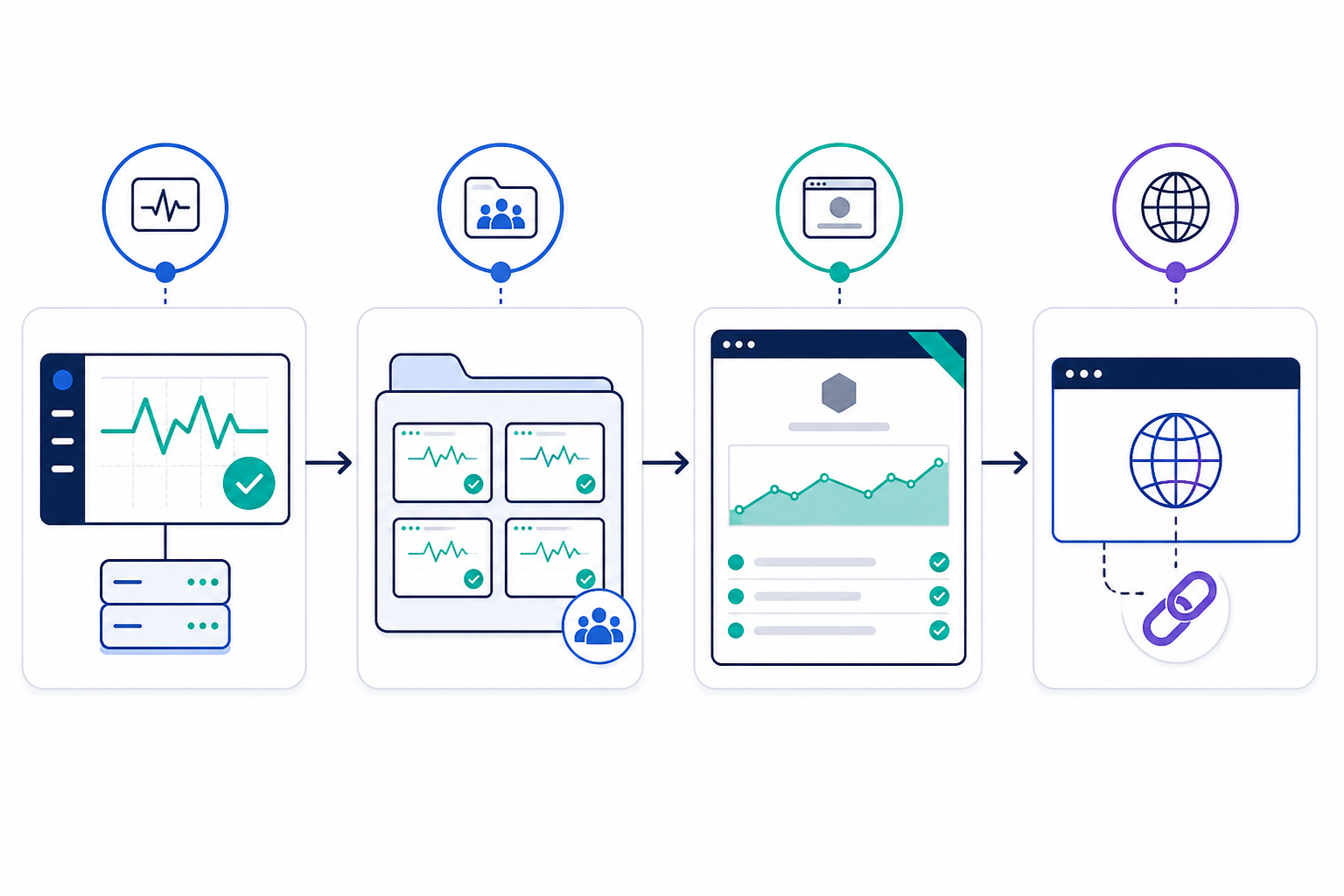
Once you've done this once or twice, it becomes almost mechanical. The first client might take 20 minutes while you work out your branding template. After that, each new client status page takes a fraction of the time.
Use White-Label Status Pages as a Value-Add Service
Here's where this gets interesting from a business angle, not just a technical one. White-label status pages aren't just a nice-to-have; they're something you can actually sell.
When you're pitching a new client or renewing an existing contract, position the branded status page as part of your managed hosting or support package. It's a visible, referenceable deliverable. You can pull it up during a renewal call and say, "Here's what we're monitoring for you, and here's how we keep you informed." Try doing that with a spreadsheet of uptime logs — it doesn't land the same way.
You can also fold it into a premium tier. Basic monitoring might come with every package, while proactive alerting through Slack, email, Discord, Telegram or webhooks becomes the upgrade. At that point, clients aren't really paying for uptime checks. They're paying for peace of mind and a faster response when something breaks.
This also works as a genuine retention tool. Clients who see ongoing, visible value from your agency, not just the website you built 18 months ago, are far less likely to go shopping for a cheaper option. A branded status page is a constant, quiet reminder that you're actively looking after their infrastructure.
That's hard for a competitor to undercut on price alone, especially freelancers or smaller agencies offering only basic monitoring with no client-facing polish.
Getting Started with Multiple Client Status Pages
If this sounds worthwhile, here's a practical way to roll it out without overwhelming yourself:
- Audit your client list. Work out who'd benefit most from a white-label status page. Client-facing SaaS products, ecommerce sites and anything heavily dependent on APIs are strong candidates, since downtime hits them — and their customers — hardest.
- Choose a pilot client. Pick your highest-value or highest-risk account to test with first. Use it to refine your branding templates and messaging before rolling out further.
- Set up multi-region monitoring for each client. This matters more than people expect: a single-region check can trigger false alarms from local network blips, and nothing kills trust in a status page faster than repeated false alerts.
- Choose a plan that scales with your client roster. Managing a handful of clients? A Solo plan covering 20 monitors might be plenty. Running a larger agency? A Max plan with unlimited monitors means you're not juggling accounts or upgrading mid-project.
- Test the service with a free trial first. A seven-day trial with no credit card required should give you enough time to set up two or three client status pages, gather feedback and refine your approach before rolling it out agency-wide.
Starting small and proving the concept with one or two clients gives you real feedback to work with, rather than guessing at what clients actually want to see.
White-Label Status Page FAQ
Can I create a separate branded status page for each client?
Yes. You can set up an individual branded status page for each client, with its own custom domain, logo, colours and visible incident history. Everything can still be managed centrally from one dashboard, so you're not juggling separate accounts or tools per client.
How do white-label status pages help retain clients?
They turn uptime monitoring from an invisible background task into a visible, branded touchpoint. Clients see consistent, professional communication during incidents, which builds confidence in your agency and makes it harder to justify switching providers at renewal time.
What's involved in setting up a custom domain status page?
Generally, you'll point a subdomain such as status.clientname.com to your monitoring provider using a CNAME record. You then verify the domain and apply the client's branding. It typically takes only a few minutes per client and doesn't require code.
Will clients know I'm using a third-party monitoring tool?
No — that's the whole point of white-labelling. The status page shows the client's branding without mentioning the underlying platform, so it feels like a native part of their service.
Can I monitor multiple monitor types under one client's status page?
Yes. You can combine HTTP/S, API, server, SSL certificate, DNS and cron job monitoring under a single client's status page, giving them one unified view of their infrastructure's health.
Final Thoughts
A white-label status page takes very little time to set up but can genuinely change how clients see your agency's reliability. It's a small piece of polish that does a surprising amount of work: fewer panicked emails, more trust, and a feature you can actually point to in your next renewal conversation.