
A Complete Guide to Cron Job Monitoring and Heartbeat Checks
Learn how cron job monitoring and heartbeat checks catch silent failures. Includes grace period advice and ping examples in bash, Python and Node for

The most reliable way to know whether a cron job ran is to flip your monitoring around. Instead of checking the job, have the job check in. With heartbeat monitoring, your task sends a quick ping when it finishes, and you get alerted if that ping doesn't arrive within the expected schedule plus a sensible grace period. It's a dead man's switch for your scheduled work, and it takes only a few lines of code to set up.
That's the short version. The rest of this guide covers why scheduled jobs fail so quietly, how to choose grace periods that don't cry wolf, and copy-and-paste ping examples for bash, Python and Node. Grab a cuppa and let's dig in. ☕
Why do cron jobs fail silently?
Here's a story I've heard in a dozen different forms. A small team has a nightly database backup, set up two years ago by someone who has since moved on. Everything feels fine. Then one afternoon a developer drops the wrong table, someone says 'no worries, we'll restore from last night's backup', and the newest file turns out to be three weeks old. The job quietly stopped, nothing complained, and nobody looked.
That's the core problem with cron. It's brilliant at starting things and hopeless at telling you when something didn't happen. There's no built-in alerting. If a job doesn't start, hangs halfway, or exits with an error, the failure sits in a log file nobody is reading.
The usual causes of silent cron job failures are:
- The server rebooted or crashed, and the job never got its turn.
- The crontab was overwritten during a deploy or a configuration management run.
- Credentials expired, whether that's an API token, a database password or a cloud key.
- The disk filled up, so the dump or export failed halfway through.
- Environment variables or PATH changed. Cron runs with a minimal environment, so a script that works in your terminal can fail under cron.
- Timezones and daylight saving shifted. If you're in the UK, the BST/GMT changeover can make a job run twice, skip a run or drift by an hour.
Why website uptime monitoring won't catch a failed cron job
You might be thinking, 'But I already have uptime monitoring.' Good, keep it! But a website check only tells you the site is responding. Your homepage can be perfectly healthy while the invoice run, data sync or weekly report email is completely dead. Nothing on the public internet reflects those jobs, so an external check won't notice when they stop.
The same blind spot applies to background job monitoring more broadly. Queue workers, schedulers and long-running consumers fail in exactly the same way: quietly, with no visitor to notice. If the work happens out of sight, the monitoring has to come from the work itself.
What is heartbeat monitoring? The dead man's switch explained
A heartbeat monitor is a check that waits for your job to report in. If the expected signal doesn't turn up on schedule, it raises an incident. Think of a dead man's switch on a train: the driver has to keep signalling that all is well, and if the signal stops, the alarm goes off. No news is bad news.
Active vs passive monitoring
Most monitoring is active: we poll your service. We request your website, hit your API or try a port, and judge the response. That's perfect for anything with a public endpoint.
Scheduled jobs usually have no endpoint to poll. A backup script on a private server isn't listening for visitors. So we use passive monitoring instead: your job pings us, and we watch for silence. It works behind firewalls, on laptops, in containers and on machines with no inbound access at all.
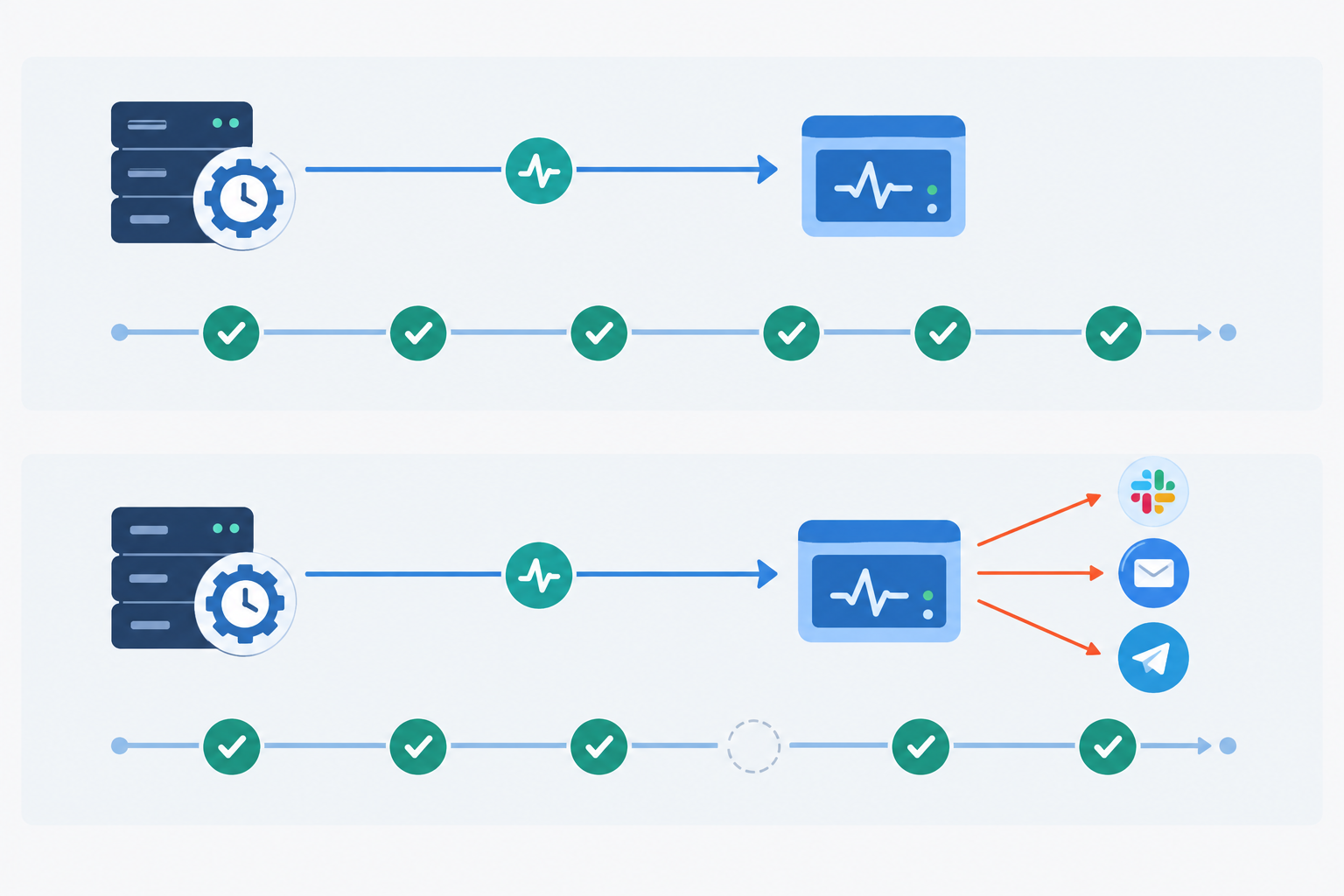
How heartbeat monitoring works in four steps
- You get a unique ping URL for the job.
- You tell the monitor the expected interval (say, every night at 02:00).
- Your job pings the URL when it succeeds.
- If the ping doesn't arrive in time, the silence triggers an incident and your alerts fire.
How cron monitoring fits with other monitoring
Heartbeat checks sit alongside your other monitoring rather than replacing it. Uptime monitoring tells you your site is reachable. API monitoring confirms your endpoints respond correctly. Server monitoring watches the machine itself. Heartbeat monitoring covers the scheduled work that none of those can see. In Moonitor, the cron/heartbeat monitor sits next to the other monitor types (HTTP/S, keyword, port and ping, SSL and domain expiry, DNS change detection) in a single dashboard, so your whole stack lives in one place rather than five tabs.
How does heartbeat monitoring work, step by step?
Setting one up is less work than reading this section. Here's the typical process for setting up cron job monitoring:
- Create a heartbeat monitor and copy its unique ping URL. Treat it a bit like a password, because anyone with the URL can send a ping.
- Set the expected schedule. Use a fixed interval (every 5 minutes) or a cron expression (
0 2 * * *), and choose the timezone the schedule is written in. - Choose a grace period, the extra time allowed beyond the schedule before the job counts as missed. More on this in a moment.
- Add a ping to the end of your job. If you like, add a start signal at the beginning and a fail signal for errors, so you can track duration and catch explicit failures.
- Wait for the first ping. Run the job once manually and confirm the monitor flips to active. That's your proof the URL and network path work.
- Connect your alert channels: email, Slack, Discord, Telegram or webhooks.
The whole thing should take about a minute per job, and that matters. The easier it is, the more likely you are to cover every job rather than just the one that bit you last time.
How long should a cron job monitoring grace period be?
This is the question I get asked most: how long should the grace period be?
My rule of thumb is that the grace period should cover the normal variation in start time and run time, plus a little buffer. It should not be a multiple of the whole interval. Giving an hourly job a three-hour grace period because 'it might be slow' just means a real failure hides for three hours.
Suggested grace periods for common scheduled jobs
| Job | Typical behaviour | Suggested grace period |
|---|---|---|
| Every 5 minutes (queue cleanup) | Finishes in seconds | 2 to 3 minutes |
| Nightly backup at 02:00 | Takes 10 to 40 minutes | 45 to 60 minutes |
| Weekly report | Runs for a while, depends on data volume | A few hours |
Take the nightly backup. The longest normal run is 40 minutes, so 45 to 60 minutes of grace covers it without leaving you blind until breakfast.
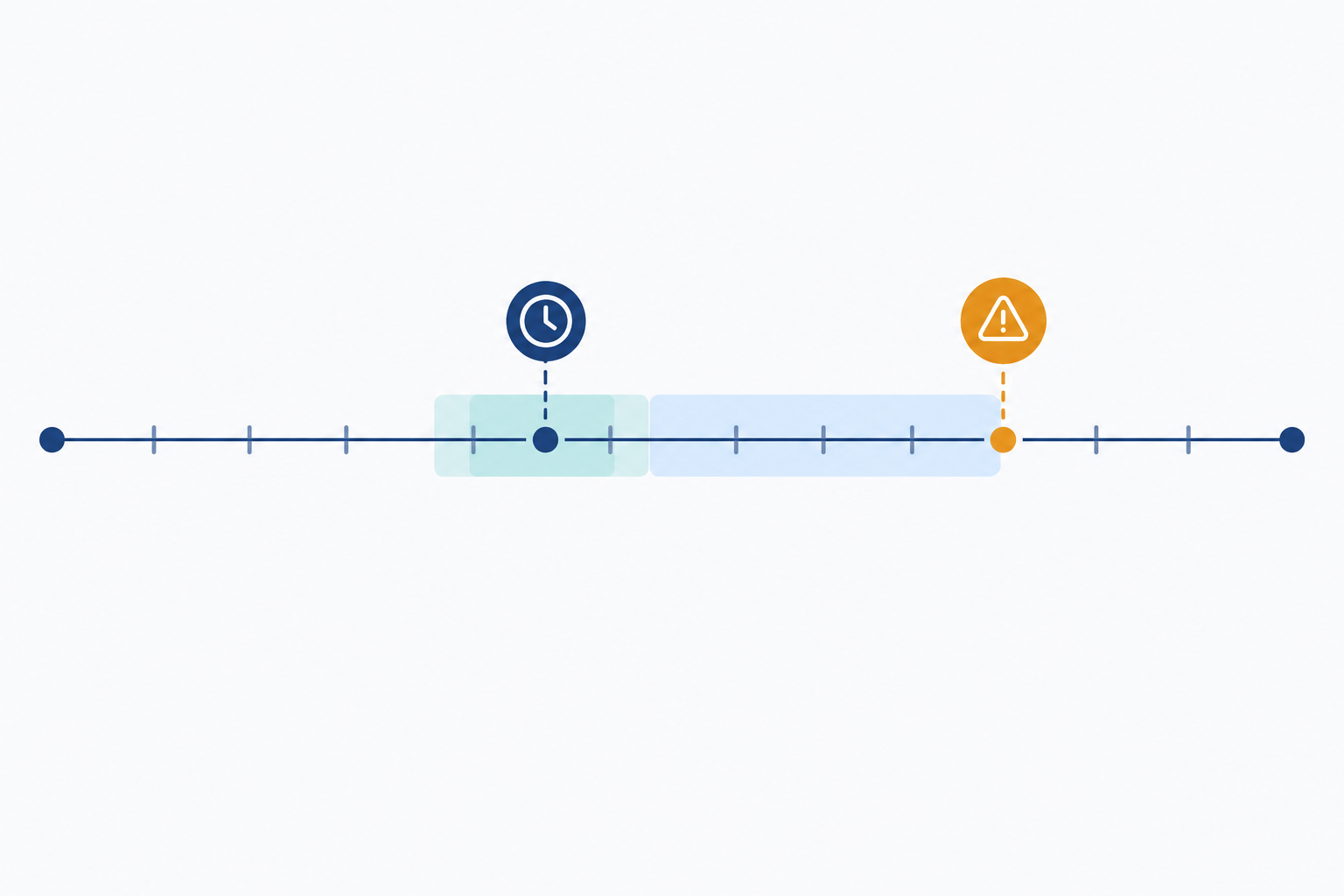
Tune the grace period using real run data
Your first guess will be a bit off, and that's fine. Once the monitor has a few weeks of history, look at how long runs actually take and how far they drift. Tighten the grace period if every run lands comfortably early, and loosen it a touch if you're getting nuisance alerts on the one slow Sunday each month.
Set the correct timezone for cron schedules
If your schedule is 0 2 * * * on a server running UTC but your monitor thinks in Europe/London, you'll get an hour of mismatch for half the year. Match the monitor's schedule and timezone to the way the cron expression is actually interpreted. Pay particular attention around the last Sundays of March and October, when UK clocks change. A job scheduled in the skipped or repeated hour is the classic trap, so if you can, avoid scheduling anything important between 01:00 and 02:00 local time.
Reduce false alarms without hiding real failures
A missed heartbeat is only useful if you trust it. Moonitor's multi-region failure verification is there to keep false alarms down across the platform, so a short network blip doesn't wake someone at 3am. Pair that with a well-judged grace period and your alerts start to mean something.
How to ping from bash, Python and Node
Now for the fun bit. Each example below uses an environment variable called HEARTBEAT_URL, because the ping URL shouldn't live in source control. Keep it in an environment variable or a secrets manager.
Two principles apply to all three languages:
- Ping after the real work completes, not at the start. You want to measure success, not launch.
- A failed ping should never crash your job, and a hanging ping should never stall it. Always set a timeout, and handle errors from the request itself.
One note on URLs: the /start and /fail suffixes in these examples are placeholders for the optional start and fail signals. Check your monitor's setup page for the exact endpoints it provides.
Bash cron job heartbeat example
The simplest approach is to chain a curl call onto your crontab line with &&, so the ping only fires if the job exits successfully:
0 2 * * * /usr/local/bin/backup.sh && curl -fsS --retry 3 --max-time 10 -o /dev/null "$HEARTBEAT_URL"
The -f flag makes curl fail on HTTP error responses (a plain curl wouldn't), -sS keeps it quiet but still shows errors, --retry 3 handles brief hiccups, and --max-time 10 stops it hanging. Remember that cron doesn't load your shell profile, so define HEARTBEAT_URL at the top of the crontab or source it from a file.
For something sturdier, use a wrapper script with start and failure signals:
#!/usr/bin/env bash
set -euo pipefailping() {
  curl -fsS --retry 3 --max-time 10 -o /dev/null "${HEARTBEAT_URL:?not set}$1" || true
}
trap 'ping /fail' ERR
ping /start
/usr/local/bin/backup.sh
ping ""
The || true means a failed ping won't kill the job, while the trap sends a failure signal if anything in the script errors. Only after the backup completes does the success ping go out.
Python cron job heartbeat example
This version uses only the standard library, so there's nothing extra to install. The try/except means a flaky network can't take your job down:
import os
import urllib.request
import urllib.errordef ping(suffix=""):
    url = os.environ["HEARTBEAT_URL"] + suffix
    try:
        with urllib.request.urlopen(url, timeout=10):
            pass
    except (urllib.error.URLError, TimeoutError) as exc:
        print(f"Heartbeat failed: {exc}")
if name == "main":
    ping("/start")
    try:
        run_job()
    except Exception:
        ping("/fail")
        raise
    ping()
HTTP error responses arrive as HTTPError, which is a subclass of URLError, so one except clause covers both. Note that we re-raise the job's own exception, so the job's exit status still reflects what really happened.
Node.js cron job heartbeat example
Node's built-in fetch does the job, with AbortSignal.timeout bounding the request:
const base = process.env.HEARTBEAT_URL;async function ping(suffix = "") {
  try {
    const res = await fetch(base + suffix, {
      signal: AbortSignal.timeout(10000),
    });
    if (!res.ok) throw new Error(Heartbeat HTTP ${res.status});
  } catch (err) {
    console.error("Heartbeat failed:", err.message);
  }
}
async function main() {
  await ping("/start");
  try {
    await runJob();
  } catch (err) {
    await ping("/fail");
    throw err;
  }
  await ping();
}
main();
The res.ok check matters because a fulfilled fetch promise doesn't mean the request succeeded. A 404 or 500 still resolves, so you need to inspect the status yourself.
One last tip: give each independently scheduled task its own monitor. If five jobs share one ping URL, a single success from any of them hides the other four failing.
How to alert on late, missed and failed cron job runs
Not every problem is the same, and your alerts shouldn't treat them as if they were. A heartbeat monitor can tell three states apart:
- Late: the schedule has passed, but you're still inside the grace period.
- Missed: the grace period expired with no ping.
- Failed: the job explicitly reported an error via a fail signal.
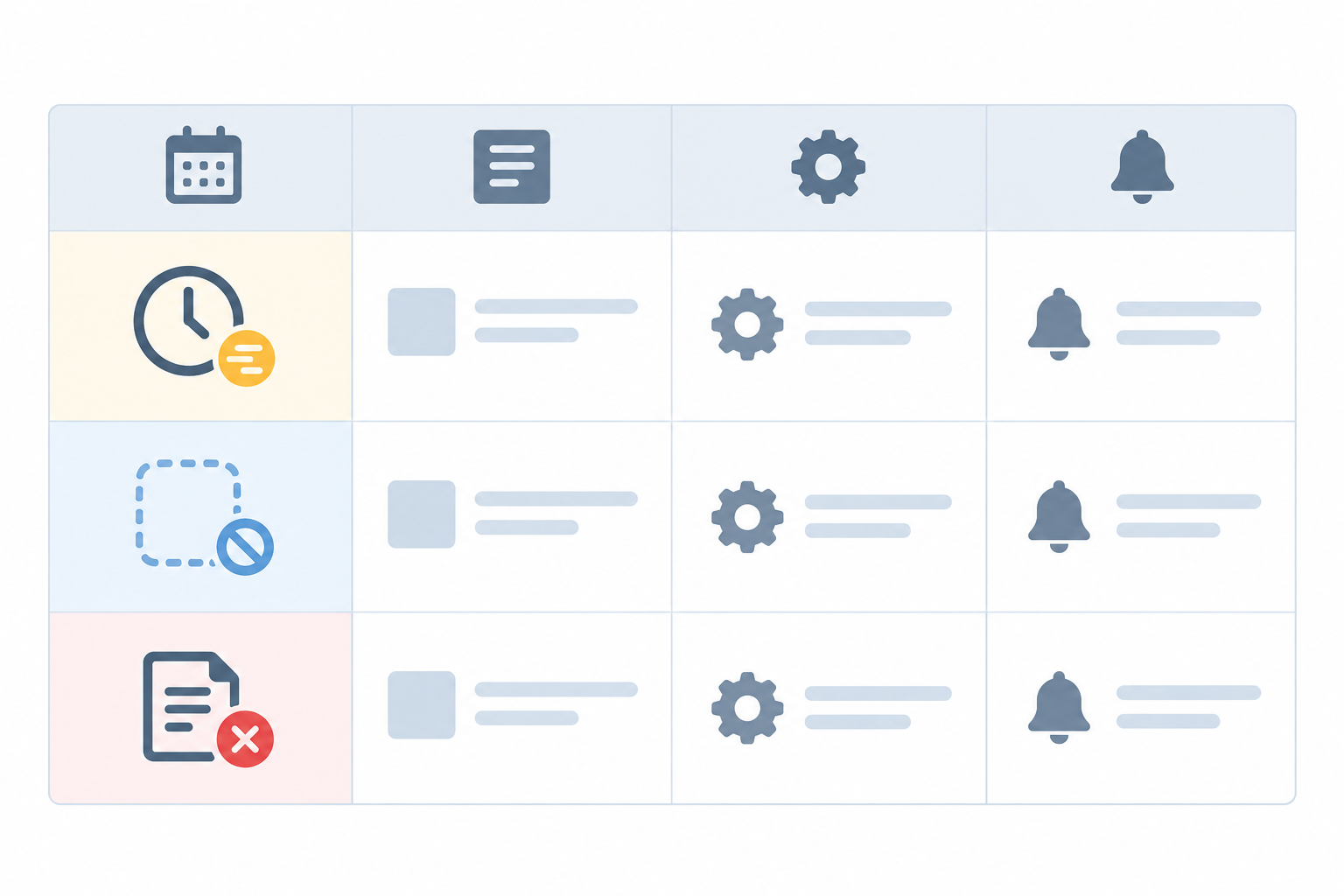
| State | What it means | Typical cause | Suggested channel and urgency |
|---|---|---|---|
| Late | Past the expected time, still inside grace | Slow run, busy server, heavy data day | Low urgency: email or a quiet Slack channel |
| Missed | Grace expired, no ping received | Server down, crontab wiped, job hung or never started | High urgency: Slack plus Telegram for a phone-friendly nudge |
| Failed | Job sent an explicit failure signal | Expired credentials, full disk, bad data, script error | High urgency for critical jobs; email for low-priority ones |
Route cron alerts by job importance
Backups and billing runs deserve loud alerts: Slack for the team, plus Telegram so it reaches a phone. The job that tidies temporary files can happily go to email. If everything shouts at the same volume, people learn to ignore all of it.
Use start signals to catch jobs that hang
A single end-of-job ping can't tell a slow run from a job that never started. Send a start signal and then a success signal, and you get run duration plus a way to spot jobs that start but never finish. That's a very common failure for anything that talks to a database or a third-party API.
Connect heartbeat alerts to your other tools
Webhooks let you pass incident alerts into on-call tools or trigger automated remediation, such as restarting a worker. And don't ignore incident history, because that's where patterns show up. A job that always slips on Monday mornings is telling you something about load, deployments or a competing task. You'll only spot that if you can look back.
Can I monitor background workers and jobs that run irregularly?
Yes, mostly. The trick is to find something predictable to listen for. Here's how I'd approach the common cases:
- Event-driven or queue workers: send a heartbeat from the worker's main loop on a fixed internal timer, independent of whether there's any work. If the process crashes or deadlocks, the timer stops and the silence triggers an alert.
- Jobs that only run on demand: set a generous maximum-silence window based on the longest gap you'd consider acceptable. If nobody triggers the job for longer than that, you want to know.
- Long-running daemons: send periodic heartbeats while healthy. A crash or hang means the heartbeats stop.
- Batch jobs with variable duration: use start and finish signals so you can alert when a run goes on far longer than usual.
One honest caveat: if a job genuinely has no expected cadence, a heartbeat may not be the right tool. In that case, monitor its output (did the file appear, did the row count change) or watch queue depth instead.
Common cron job monitoring mistakes to avoid
I've made a fair few of these myself, so no judgement here. 😅
- Pinging at the start instead of on success. You've proved the job launched, not that it worked.
- Letting a failed ping crash the job, or running curl with no timeout so a network stall hangs the whole task.
- Forgetting timezones and daylight saving, then wondering why alerts arrive an hour off twice a year.
- Getting the grace period wrong. Too tight and you get noise; too loose and real failures hide for hours.
- Monitoring the wrapper, not the work. A script that exits 0 even though the database dump was empty will happily send a success ping. Check the file size or row count before you ping.
- Never testing the alert. Pause the job, wait for the notification, and confirm it reaches the right person. An untested alert is a hopeful guess.
- Leaving old monitors running after a job is retired, or never adding monitors for new jobs. Both erode trust in the dashboard.
- Sending alerts to one person. Route them to a shared channel so they survive holidays and sick days.
Cron job monitoring checklist for scheduled tasks
If you take one thing from this guide, make it this checklist. Work through it once and you'll be well ahead of most teams:
- Inventory everything: every cron job, scheduler task and background worker, including the ones nobody remembers setting up.
- Rank them by business impact. Backups, billing and data syncs come first.
- Create one heartbeat monitor per job, with its own schedule, timezone and grace period.
- Add pings on success, and start and fail signals where they're useful.
- Wire up alerts to the right channels and test them.
- Cover the rest of the stack with website monitoring, SSL certificate monitoring and DNS monitoring, so an expired certificate or a changed record doesn't catch you out either.
- If it suits you, publish key services on a status page, so customers and colleagues can see what's healthy without having to ask.
If you'd like to try this without a big commitment, Moonitor's cron/heartbeat monitor lives alongside HTTP/S, keyword, port and ping, SSL and domain expiry, and DNS change detection in one dashboard. There's a 7-day free trial with no credit card needed, and plans start from $14 a month (pricing is quoted in USD). Set up your most important job first.
FAQ
How do I know if my cron job did not run?
Cron itself won't tell you. The dependable approach is heartbeat monitoring: your job pings a unique URL when it finishes, and you get an alert if no ping arrives by the expected time plus a grace period. Checking logs after the fact works too, but only if someone remembers to look.
What is a heartbeat monitor?
A heartbeat monitor is a passive check that waits for your job or service to report in. If the expected signal doesn't arrive on schedule, it raises an incident. It's often called a dead man's switch.
How long should the grace period be?
Long enough to cover normal variation in start time and run duration, and short enough that a genuine failure is noticed quickly. Start with the longest typical run time plus a modest buffer, then refine using your run history.
Can I monitor workers that run irregularly?
Yes, in most cases. Have the worker send a heartbeat on its own timer while healthy, or set a maximum acceptable silence window for on-demand jobs. If there's truly no predictable pattern, monitor queue depth or output instead.
Should the ping go at the start or the end of the job?
At the end, once the work has genuinely succeeded. You can also send an optional start signal so you can track duration and catch jobs that hang.
Will a heartbeat check catch a job that runs but produces bad results?
Only if you make the ping conditional on a meaningful success check, such as verifying a backup file size or row count before pinging. Otherwise the heartbeat only confirms that the job ran to completion.