
DNS Monitoring 101: How to Catch Unauthorized Record Changes Before They Cost You
Learn how DNS monitoring detects unauthorised DNS record changes, exposes hijacking risks, and alerts you before websites and email are disrupted too.
DNS Monitoring 101: How to Detect Unauthorised DNS Record Changes Before They Cost You
You'd typically only find out about unauthorised DNS changes when something breaks: email stops arriving, your site redirects somewhere odd, or a client calls asking why your domain looks "off." By then, the damage is often already done. DNS monitoring closes that gap. It checks your records on a schedule, say every few minutes, and alerts you the moment an A, MX, NS, or TXT record changes without your approval.
Paired with the SSL certificate monitoring and domain expiration monitoring you're likely already running, DNS monitoring gives you a much fuller picture of your domain's health: who controls it, where traffic goes, and whether the connection is secure.
Let's get into why DNS security matters, how DNS hijacking actually happens, and how to set up DNS record change alerts that catch trouble before your customers do.
Why DNS Monitoring Matters: DNS as a Common Attack Vector
Here's something I've noticed working with IT teams across the UK and beyond: everyone's got uptime monitoring dialled in. Most have SSL certificate monitoring covered too, because nobody wants that dreaded "Not Secure" warning showing up in a client's browser. But DNS monitoring? It's often the forgotten middle child of domain security.
That's a problem, because DNS was designed in an era when the internet ran on trust rather than verification. The protocol itself has no built-in mechanism to confirm that a record change actually came from you. If someone gets into your registrar or DNS provider account, they can point your domain wherever they want, and nothing about the DNS protocol will stop them or flag it as suspicious.
It's worth being precise here: this isn't a flaw in DNS as a technology so much as a gap in how account access is protected. The UK's National Cyber Security Centre (NCSC) has repeatedly flagged registrar and DNS account security as a basic hygiene issue that's easy to overlook, particularly for smaller organisations and charities managing their own .co.uk or .org.uk domains without dedicated security staff.
Think about it this way: your registrar login is essentially a master key. Compromise that one password, and you control where all traffic for that domain goes: your website, your email, your APIs, your identity systems, all of it. NIST's guidance on DNS security puts it plainly: an unauthorised change to a single record can redirect traffic, intercept email, or break authentication without touching your actual application code. Your servers stay healthy. Your uptime monitor shows green. Meanwhile, visitors are being quietly funnelled somewhere else entirely.
That quietness is exactly what makes DNS attacks so dangerous. A changed A record doesn't throw a 500 error or trip a firewall alert. It just works. For the attacker. Cisco Talos documented this in their research on the Sea Turtle campaign, where attackers compromised DNS-related accounts across telecom and government targets, then redirected victims to convincing fake login pages using stolen credentials and fraudulent certificates. The organisations affected had legitimate domains and often legitimate-looking certificates. Nothing about the URL bar screamed "danger."
The scale of this risk is bigger than most teams assume. A 2024 EfficientIP and IDC survey found that 87% of organisations had experienced at least one DNS attack in the preceding year, with an average cost of roughly $1.1 million and about nine hours of downtime per incident. Those are survey figures rather than a full census, so treat them as a strong signal rather than gospel, but they make clear this isn't a fringe concern reserved for large enterprises.
DNS-level attacks bypass almost everything your endpoint security and network monitoring are built to catch. You can have solid server hardening, tight patch management, and strict firewall rules, and none of it matters if someone simply logs into your DNS provider's dashboard and edits a record.
Types of Unauthorised DNS Changes to Monitor
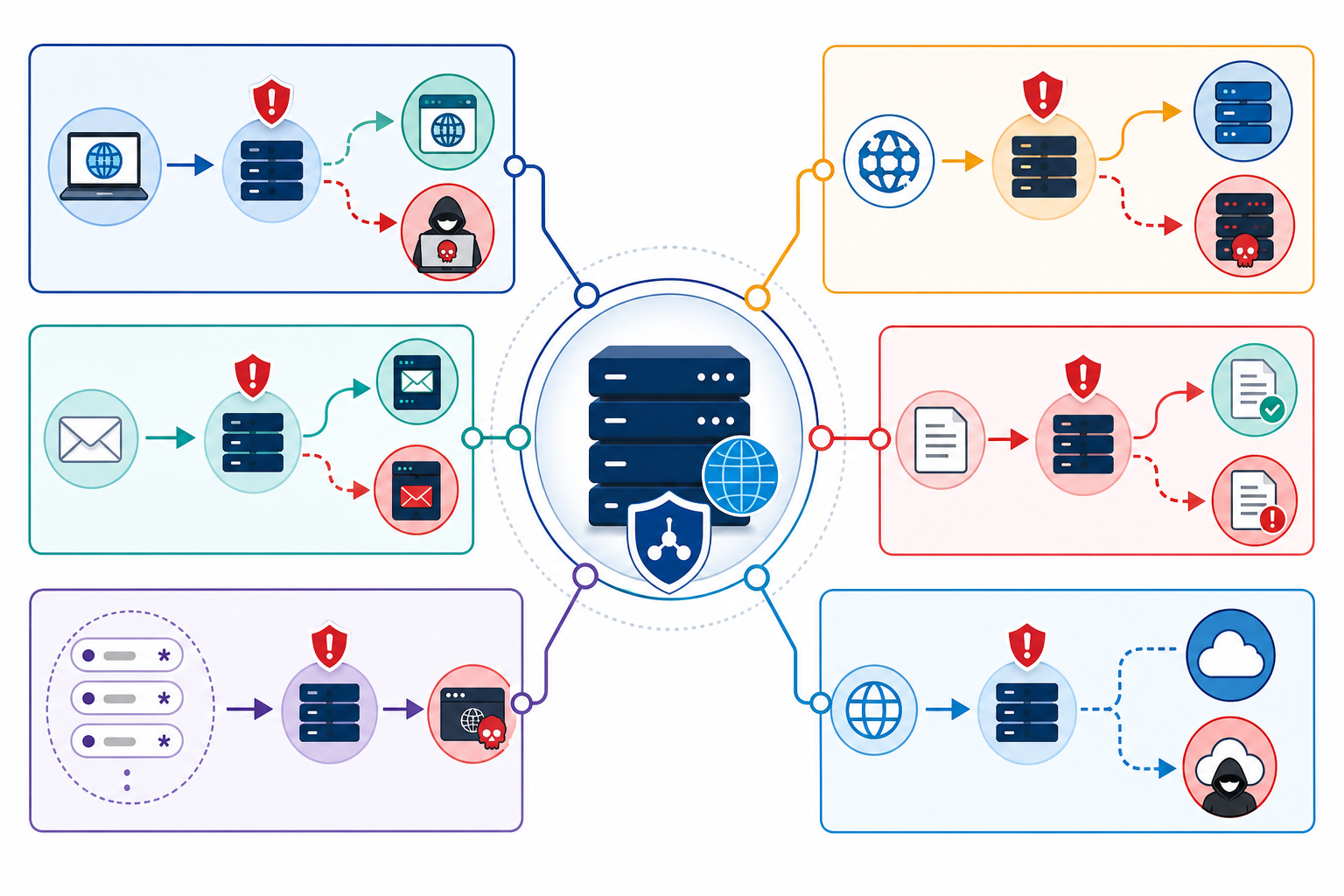
Not all DNS tampering looks the same, and the mechanism behind each type affects what you should actually be watching for. Here's what to keep on your radar:
- A/AAAA record hijacking: Your domain gets pointed to an attacker-controlled server instead of your real hosting. Visitors land on phishing pages or malware-serving infrastructure while typing in your legitimate domain name. This requires the attacker to have write access to your DNS zone.
- NS record takeover: Someone changes your nameservers entirely. This is the more severe end of the scale; it hands over full control of your domain's DNS zone to whoever made the change, not just a single record.
- MX record rerouting: Email gets silently redirected through attacker-controlled mail servers. This can let attackers intercept invoices, password reset emails, and sensitive client communications without anyone noticing right away.
- SPF/DMARC record tampering: Weakening or removing SPF and DMARC TXT records doesn't hand attackers your domain, but it does make it easier for spoofed emails "from" your domain to slip past recipient filters. DKIM abuse is different again: that generally requires the attacker to control your signing keys, not just edit a TXT record, so it's less common but still worth watching for unexpected changes.
- Wildcard subdomain abuse: Rogue subdomains like login.yourdomain.co.uk get created to run convincing phishing campaigns that borrow your domain's trust and reputation. This requires DNS zone access, the same as A/AAAA hijacking.
- CNAME dangling and subdomain takeover: This one's a bit different from the others, because it's not really an "unauthorised change" in the same sense. It's an abandoned resource. Old CNAME records still point at cloud services you've since decommissioned, and an attacker who finds that dangling reference can claim the resource on the provider's side and effectively take over the subdomain, without ever touching your DNS account.
How DNS Hijacking Happens
It's worth separating out the different mechanisms here, because how an attack happens shapes exactly what controls, and what DNS monitoring, will actually catch.
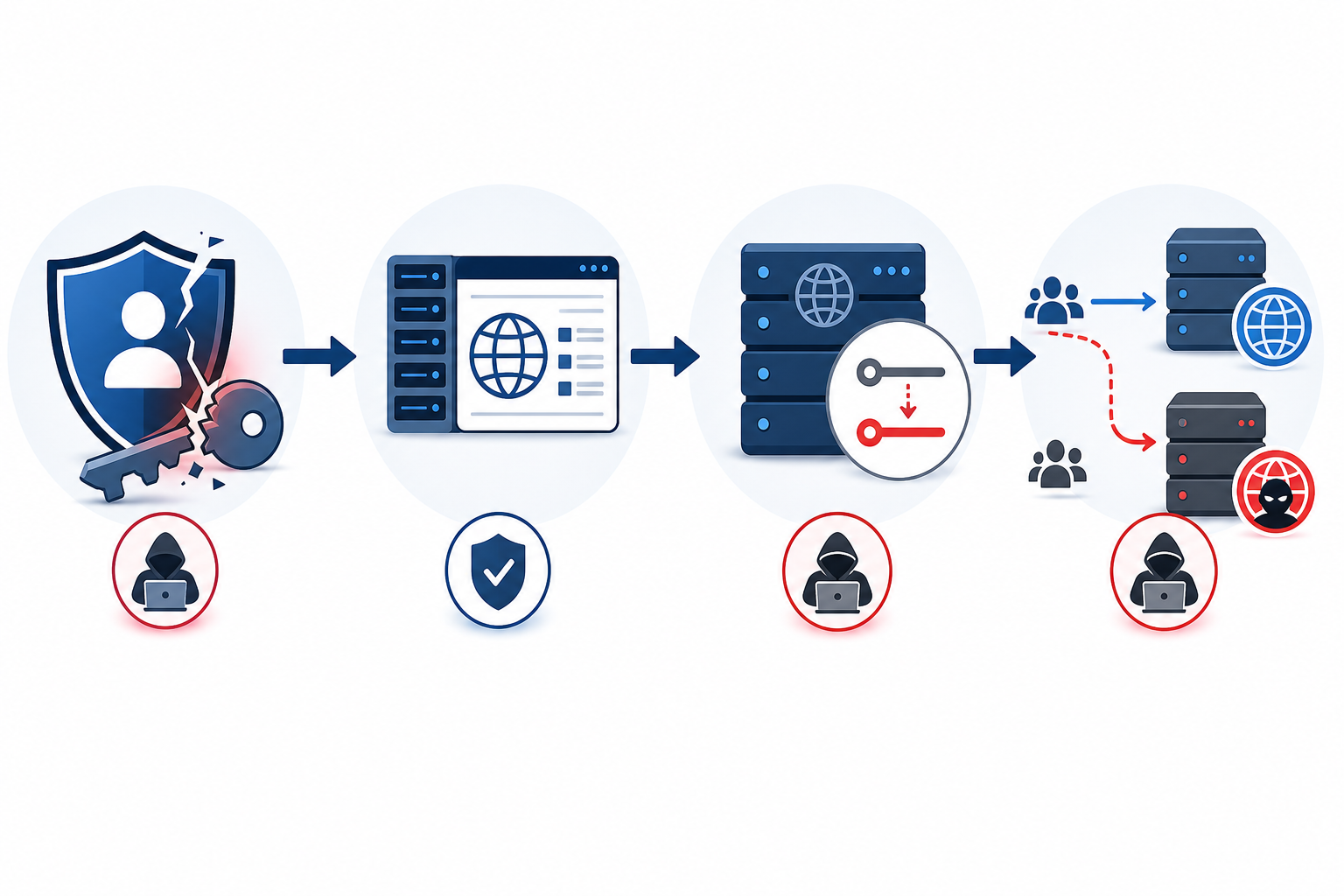
Registrar or DNS Provider Account Compromise
The most common entry point is straightforward: weak or reused passwords, no two-factor authentication, and you've got a door practically left open. CISA's Emergency Directive 19-01, issued after widespread DNS infrastructure tampering was discovered affecting government domains, specifically called out registrar credential security as a gap agencies needed to close immediately. The NCSC has issued similar guidance for UK public sector and critical national infrastructure organisations, and the underlying advice is the same regardless of jurisdiction: treat your registrar account like the master key it is.
Social Engineering Against Support Teams
Attackers also go after the humans, not just the systems. Convincing a registrar or DNS provider support representative that you're the account owner is a well-documented tactic. Done successfully, it bypasses the need to guess a password at all.
On-Path and Resolver-Level Attacks
This is a different category altogether from account compromise. Man-in-the-middle interception of unencrypted DNS queries, or cache poisoning at a resolver, can redirect users without ever touching your actual DNS records. This is exactly what DNSSEC is designed to help prevent, by cryptographically signing DNS responses so a resolver can verify they haven't been tampered with in transit.
It's an important distinction, though: DNSSEC protects the integrity of DNS responses on the wire. It does nothing to stop someone who's legitimately logged into your registrar account from changing a record. That's a separate problem, and DNS monitoring is what catches it.
Subdomain Takeover Through Stale DNS Records
Finally, there's the dangling CNAME scenario mentioned above. Attackers scan the internet for exactly this kind of abandoned reference and claim the resource, instantly gaining a foothold on a subdomain that still resolves under your trusted domain name, again without needing your registrar credentials at all.
The real-world examples here are sobering. In 2018, attackers redirected MyEtherWallet users to a cloned site by exploiting weaknesses in the DNS delivery path, not by hacking MyEtherWallet's actual servers, and made off with roughly $150,000 in stolen cryptocurrency, according to KrebsOnSecurity's reporting. The Sea Turtle campaign that Cisco Talos tracked affected at least 40 organisations across 13 countries, again by targeting DNS-related accounts rather than application vulnerabilities.
The common thread running through these incidents is that none of them required breaching the victim's actual servers. Traditional server monitoring and uptime checks were never built to catch this category of attack. Your infrastructure can be completely untouched while your domain's trust is thoroughly compromised.
How to Set Up DNS Record Change Alerts
Okay, so how do you actually build a defence against this? The good news is that DNS monitoring is one of the more straightforward pieces of infrastructure monitoring to set up. Here's how I'd walk through it:
- List every record type that matters to your domain. At minimum, that's A, AAAA, MX, NS, and TXT records, plus any CNAME entries pointing at third-party services.
- Establish a known-good baseline. Document your current, verified DNS configuration in writing. This becomes your reference point for spotting deviations later, and your fastest path back to normal if something goes wrong.
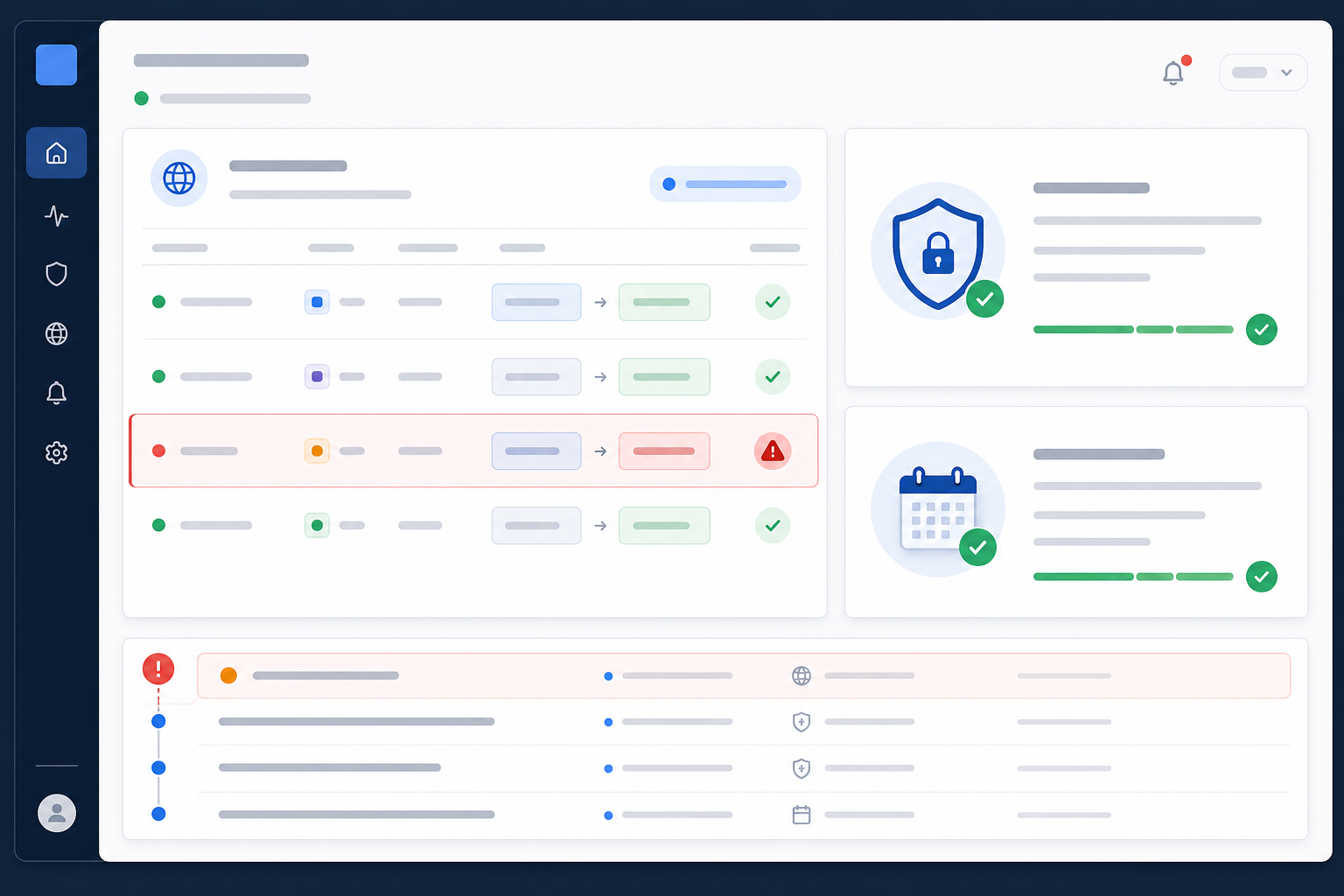
- Set up an automated DNS monitor that checks on a schedule. A dedicated DNS monitoring tool queries your authoritative nameservers at a set interval, typically every few minutes, and compares what it finds against your baseline. It can flag changed values and entirely new records that shouldn't exist. It's worth being realistic about what this catches: a monitor can only alert you after its next scheduled check, so a very short-lived change made and reverted between checks could slip through. Checking from multiple locations also helps you avoid being fooled by propagation delays or a resolver holding a stale cached value.
- Configure real-time alerting through a channel your team actually watches. Email, Slack, Discord, Telegram, webhook, whatever gets eyes on the problem quickly rather than sitting unread until the next morning.
- Route DNS alerts to a separate channel from routine uptime notifications. DNS changes are rare and high-stakes; burying them in a busy #uptime-alerts channel means someone might scroll right past the one message that actually matters.
- Build in an allowlist or maintenance window for planned changes. CDN migrations, new mail providers, and verification TXT records are legitimate changes. A quick way to mark a change as expected saves your team from alert fatigue and false alarms.
- Combine DNS monitoring with your existing SSL and domain expiration monitors. When all three live in the same dashboard, you get a much fuller view of your domain's trust lifecycle instead of three disconnected data points scattered across different tools.
- Test the DNS alert pipeline periodically. Make a deliberate, planned record change and confirm the notification actually arrives, in the format you expect, to the people who need to see it. An alerting system nobody's tested is really just a hope.
This is the kind of setup Moonitor was built to make easy. DNS monitoring sits alongside SSL certificate monitoring, domain expiration monitoring, HTTP/S checks, and the rest, all on one dashboard, with checks run from multiple locations, and a setup process that usually takes a few minutes rather than an afternoon.
Responding to an Unauthorised DNS Change: First Steps
Let's say your DNS monitoring alert fires. Records have changed, and it wasn't you. Speed matters, but so does not destroying evidence you'll need later. Here's a practical sequence to work through:
- Confirm the change is real. Rule out false alarms first: DNS propagation delays, a CDN update someone forgot to mention, or a legitimate change made by a teammate who didn't loop you in.
- Preserve evidence before you touch anything. Screenshot the current (bad) records, note the exact timestamps your monitor flagged, and if your registrar or DNS provider offers audit logs, pull them now. They may not be available for long, and you'll need them for the investigation.
- Escalate to your registrar or DNS provider immediately. Most have an emergency or security contact process for exactly this scenario. They can often help lock the account, confirm what changed on their end, and sometimes freeze further changes while you investigate.
- Lock down your registrar and DNS provider accounts. Reset passwords, enforce two-factor authentication if it isn't already on, revoke active sessions you don't recognise, and, importantly, review and rotate any API keys or tokens tied to DNS management, since those are easy to overlook.
- Check for fraudulent certificates. If A records were changed, check certificate transparency logs for any certificates issued for your domain that you didn't request. Attackers often need a working certificate to make a phishing page convincing.
- Revert to your documented known-good baseline once you've captured what you need for investigation. This is exactly why you documented it during setup.
- Check MX records and your email accounts specifically. If email was redirected, assume password reset emails or sensitive correspondence may have been intercepted, and check for suspicious inbox rules or forwarding set up during the incident window.
- Notify affected stakeholders where impact warrants it. Update your public status page if customers are affected, loop in support teams internally, and if personal data may have been exposed, assess whether you need to report to the ICO under UK GDPR. That's a judgement call based on scope and impact, not an automatic step for every DNS incident.
- Document the full timeline for a post-incident review: when the malicious records went live, how long they stayed active, and what traffic they may have intercepted during that window.
- Review registrar audit logs in full to understand exactly how the change was made. This is the step that lets you close the specific gap rather than just patching the symptom.
DNS Security Best Practices Beyond Monitoring
DNS monitoring catches problems fast, but a bit of upfront hardening means fewer problems to catch in the first place. Worth building these into your standard domain security hygiene:
- Enable a registrar transfer lock, and registry lock where available. These aren't quite the same thing: a transfer lock reduces the risk of your domain being moved to another registrar without consent, while registry lock is a stronger, provider-assisted control that typically requires manual verification (often a phone call) before any change to your domain is processed. It's more friction, but for a business-critical domain, that's the point.
- Choose a registrar that enforces two-factor authentication on all account access, not just as an optional extra.
- Enable DNSSEC wherever your provider supports it, to help prevent tampering with DNS responses in transit, while remembering it doesn't protect your registrar account itself.
- Keep a written, version-controlled record of your known-good DNS configuration, so recovery isn't a scramble.
- Limit who has access to DNS management accounts, and review that access list quarterly. People change roles, and old permissions linger.
- Clean up unused subdomains and CNAME records pointing to decommissioned services, closing off subdomain takeover opportunities before they're found.
- Pair DNS monitoring with SSL certificate and domain expiration monitoring so you're covering every angle of domain trust, not just one slice of it.
DNS Monitoring vs SSL Certificate and Domain Expiration Monitoring
I get asked sometimes whether DNS monitoring is really necessary if you're already tracking SSL certificates and domain expiration. Short answer: yes, each one protects a different piece of the puzzle.
| Monitor Type | What It Detects | What It Protects Against |
|---|---|---|
| DNS monitoring | Unauthorised changes to A, MX, NS, and TXT records | Hijacking, traffic redirection, and email interception |
| SSL certificate monitoring | Expiring or misconfigured certificates, and (where supported) unexpected new certificates via certificate transparency logs | Browser security warnings, broken HTTPS, and fraudulent certificates issued in your name |
| Domain expiration monitoring | Domains approaching their renewal date | Accidental lapses and domain squatting |
Together, these three cover the full trust chain of your domain: who controls it, how traffic reaches it, and whether the connection along the way is secure. Skip any one of them, and you've got a blind spot. A domain with a valid SSL certificate and years left before renewal can still be silently hijacked at the DNS layer, and nobody notices until email starts bouncing.
This is exactly why Moonitor runs all three from a single dashboard, alongside HTTP/S monitoring, keyword monitoring, port and ping checks, cron/heartbeat monitoring, and branded status pages. One place to configure alerts, one place to check when something looks off, with checks run from multiple regions to reduce false alarms from local blips.
Frequently Asked Questions About DNS Monitoring
How would I know if someone changed my DNS records without my permission?
Without DNS monitoring, you'd usually find out the hard way: a client reports your site looks wrong, email bounces, or your status page starts throwing incidents. With DNS monitoring in place, a scheduled check compares your live records against your baseline and alerts you via email, Slack, or whichever channel you've configured, typically within minutes of a deviation, well before customers notice anything.
Just bear in mind this is check-interval detection, not instant detection. A very brief change made and reverted between checks could theoretically be missed.
What is DNS hijacking and how common is it?
DNS hijacking is when an attacker changes your DNS records, often by compromising your registrar or DNS provider account, to redirect traffic, intercept email, or serve phishing pages under your own domain name. It's more common than most IT teams assume, partly because it doesn't require breaching your servers at all, just your domain management account, which for many organisations is protected by nothing more than a single password.
Can DNS monitoring prevent DNS-based attacks, or just detect them after the fact?
DNS monitoring itself doesn't stop an attacker from making a change. It can't block a login or reject an unauthorised edit at the registrar level. What it does is dramatically shrink the window between the moment a malicious change happens and the moment you know about it, turning what might otherwise be days of silent damage into a much shorter incident.
Combined with preventative measures like two-factor authentication, registrar locks, and DNSSEC, DNS monitoring becomes the safety net that catches whatever slips past your other defences.