
Free vs Paid Uptime Monitoring: What Small Businesses Actually Get
Free uptime monitoring may be enough for one site, but false alarms and limited alerts can hurt. Compare paid plans, pricing and free trials before upgrading.

Free uptime monitoring is a perfectly sensible place to start, especially if you run one simple website. But free plans tend to show their limits when it matters most. Checks are slower, there are fewer alert channels, and sometimes there's no status page or you get more false alarms. If your site earns you money or brings in customers, paid uptime monitoring can be worth it. It only is if it spots a problem sooner, the alert reaches someone, and that person can act. The easiest way to find out is a trial that doesn't ask for a card, and I'll walk you through how to run one below.
Is free uptime monitoring good enough for a small business?
Picture a founder on a Friday afternoon. She has just launched her site, so she signs up for a free monitor, pastes in her homepage URL, sees a reassuring green tick and gets on with her weekend. Nothing goes wrong for weeks. She forgets the monitor exists. Then one night an expired certificate or a stalled server takes the site down, and the only alert is an email she doesn't see until Monday morning.
That isn't a story about a bad tool. It's about the gap between having monitoring and having monitoring that fits what's at stake.
So let me be plain: free is fine for a hobby site, a side project or the first week of testing a tool. Plenty of people never need more. The real question isn't what the tool costs. It's what an outage would cost you.
In this post I'll look at three places where free plans tend to struggle: false alarms that teach you to ignore alerts, alert channels that don't reach you where you actually are, and what happens with customer communication when something does go wrong.
I want this to be a fair look. I'll point out where free genuinely wins, because it does, and where paid uptime monitoring can earn its keep. One thing up front: I work on the Moonitor team, so I use Moonitor as a worked example later on. Treat it as one example of a paid tier, not a neutral verdict. 🙂
What free uptime monitoring plans usually include
Free plans vary a lot between providers, and they change often, so treat this as a general pattern and check each provider's current plan page before you commit. As examples, UptimeRobot's free plan (see uptimerobot.com/pricing) and StatusCake's free tier (see statuscake.com/pricing) have both been listed with roughly the allowances below. I haven't treated those listings as permanent, and you shouldn't either.
- A small-to-moderate number of monitors. Past listings have shown around 50 monitors on UptimeRobot's free plan and around 10 uptime tests on StatusCake's free tier.
- Basic HTTP/S website monitoring. Is the page responding, yes or no?
- Email alerts, often the main notification route, though some free plans add a few more.
- Slower check intervals. Both providers above have listed a five-minute interval on their free plans.
- Limited history and basic response-time data. That's enough to see recent checks, but not always enough to spot patterns.
Why does the interval matter? With a five-minute check, an outage that starts just after a check can go unnoticed for nearly five minutes, and that's before the alert has been delivered. A short blip between checks might not be seen at all.
Where free uptime monitoring genuinely wins
I don't want to undersell free tiers. They're a good fit for:
- A single brochure or portfolio site where a few minutes of delay costs you nothing
- Side projects and personal experiments
- Learning how monitoring works before you spend a penny
There are also free self-hosted tools you can run yourself. They can be powerful, but they come with upkeep: updates, storage, and the awkward risk that the monitor lives on the same server as the thing it's watching. If that server goes down, so does your alarm.
One more honest caveat. A basic check on your homepage tells you the homepage responds. It won't tell you that checkout, login or your API is working. Uptime checks are one layer of monitoring, not a full diagnosis of why something broke.
Where free uptime monitoring limits hurt in a real outage
Feature lists are easy to skim past. So let's walk through a 2am outage and see where each limit can add delay or noise.
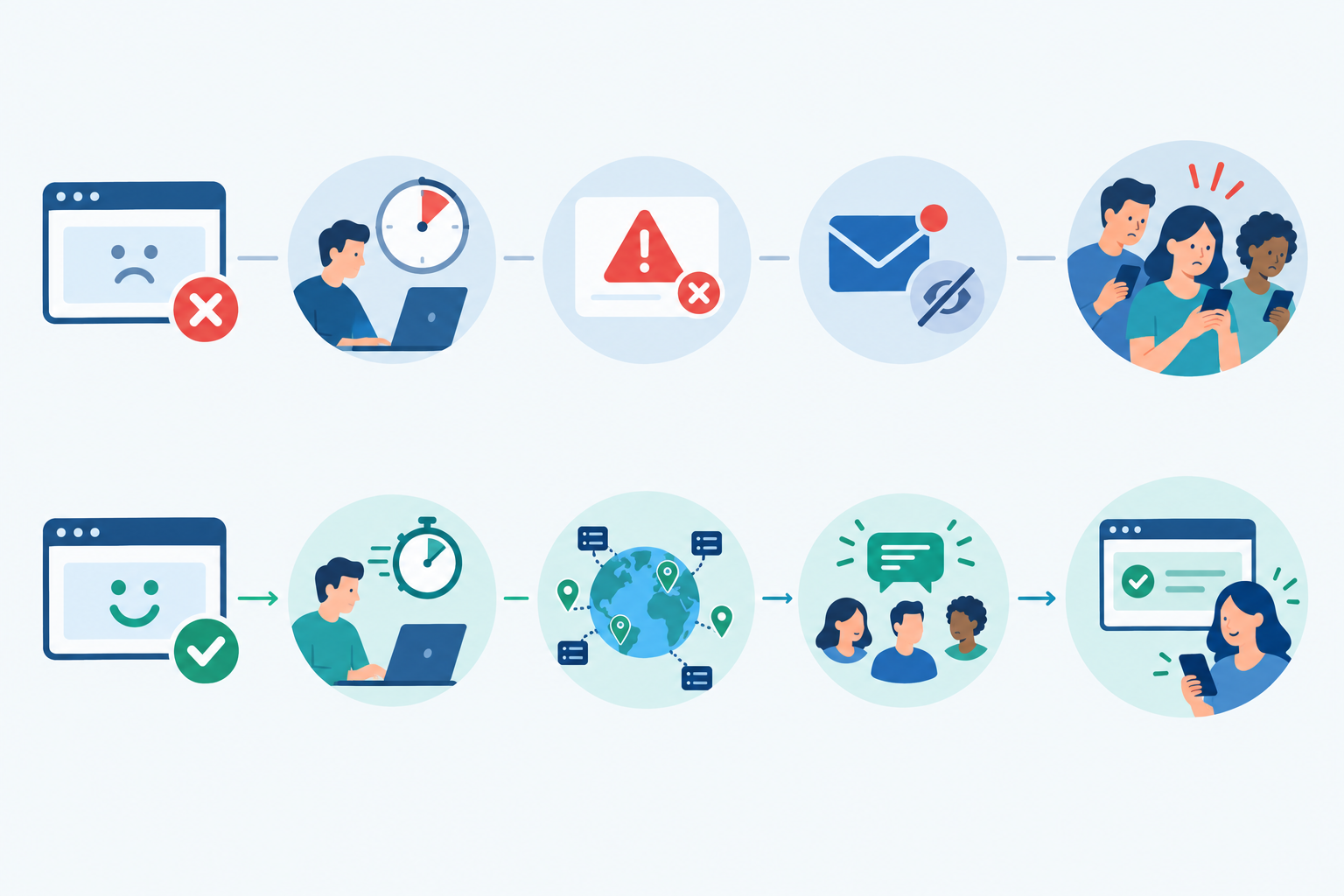
False alarms train you to stop caring. A single-location check can mistake a hiccup on the monitor's own network for your site being down. You get an alert, check, find everything fine, and shrug. After a few of those, the real alert gets the same shrug. Multi-region failure verification helps by asking several locations to confirm a problem before anyone gets woken up. It reduces noise, though it doesn't eliminate it, because a problem that only affects one region, or one that your site handles badly for some visitors, can still be real. Even so, this is the feature I'd weigh most heavily. Noisy alerts quietly destroy trust in the whole system.
Slow checks mean customers may notice first. With a five-minute gap, your first sign of trouble might be a customer message rather than a notification. For a brochure site, no problem. For a shop in the middle of a promotion, that's a long few minutes.
Email-only alerts are easy to miss. At 2am, nobody is refreshing their inbox. Alerts that land in Slack, Discord or Telegram, or fire a webhook into your existing tools, are more likely to reach you where you already are. An alert nobody sees has no value at all.
No public status page can leave customers guessing. When your site is down, people want somewhere to check. Without a status page they may email you, message you and add to your support queue just when you're trying to fix the problem. A status page can ease that, though it won't stop every enquiry.
Missing monitor types let quiet failures slip through. With no SSL certificate monitoring, an expiring certificate can surprise you. With no DNS monitoring, a changed record may go unnoticed. With no cron job monitoring, a failed backup or invoice run can stay silent. None of these show up as your homepage being down, until suddenly they do.
Thin incident history makes the aftermath harder. When a customer asks what happened last Tuesday, or you want to see whether outages cluster around deployments, you need a record. Short retention leaves you guessing.
Outages are a normal operational risk, not a freak event. Industry bodies such as the Uptime Institute publish annual outage analyses worth reading, though their data skews towards larger data-centre and enterprise operators, so I wouldn't treat any headline figure as a small-business average. The practical point is simpler. If you run something customers rely on, assume it will go down at some point and plan for how quickly you'd find out.
What paid uptime monitoring adds
Paid plans vary too, and some providers include things like status pages or extra alert channels on free tiers, so always check live plan details. The table below is a generic pattern, not a guarantee about any specific provider. I've used Moonitor as one example of a paid tier because I know it best, and because I can't speak with the same confidence about every competitor's current plans.
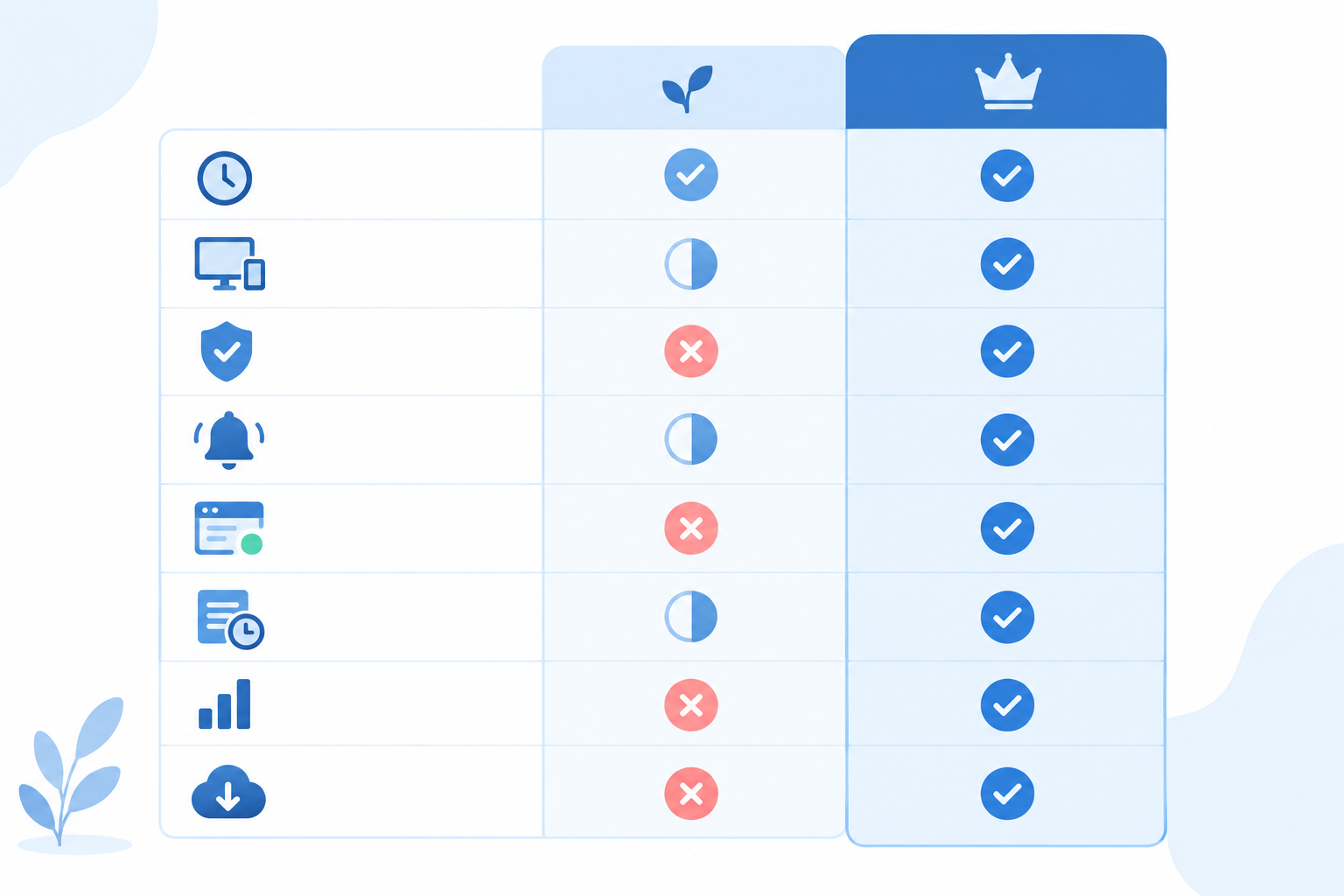
| Feature | Typical free plan (varies by provider) | Typical paid plan (e.g. Moonitor) |
|---|---|---|
| Check frequency | Often 5 minutes or slower | Faster intervals |
| Monitor count | Small allowance | Higher limits, up to unlimited on top tiers |
| Monitor types | Mostly basic HTTP/S, sometimes more | Wider range (see below) |
| False-alarm protection | Often single-location checks | Multi-region failure verification |
| Alert channels | Mainly email, sometimes a few extras | Email, Slack, Discord, Telegram, webhooks |
| Status page | Varies: limited, basic or absent | Branded public status page |
| Incident history | Often short | Full incident history |
| Response-time analytics | Often basic | Detailed analytics |
| Data export / API | Varies widely | API and export (check this on any provider) |
How to compare uptime monitoring providers
If you're shortlisting tools, put each one through the same checklist, and write down the date you checked:
- Check interval on the plan you'd actually buy
- Number and type of monitors included
- Alert channels, and whether any cost extra
- Whether failures are verified from more than one location
- Status page features and branding
- History retention, API access and export
- Price in your currency, with and without VAT
That way you're comparing like with like rather than trusting anyone's marketing, including mine.
A wider range of things to watch
The biggest shift isn't speed, it's coverage. Moonitor, for instance, offers a range of monitor types in one dashboard (check the current list on its site):
- HTTP/S and keyword checks for website monitoring. Keyword checks can catch a page that loads but shows an error message.
- API monitoring, to make sure your endpoints respond properly.
- Port and ping checks for server monitoring.
- SSL and domain expiry monitoring, so renewals don't sneak up on you.
- DNS monitoring, which detects record changes.
- Cron and heartbeat monitoring for scheduled jobs.
Why cron job monitoring is different
This one is easy to overlook, so it's worth a moment. Normal monitoring works by asking, 'Are you there?' A heartbeat works the other way round. Your scheduled job, like a nightly backup, pings the monitor when it finishes. If the ping doesn't arrive on time, you get an alert. A website check can't catch that, because nothing is down. The job simply never ran. For many small teams, this is the failure that causes the most quiet damage.
Status pages and customer trust
A branded status page plus proper incident alerting does two things. It cuts the 'is it down?' emails, because people can see for themselves. And it builds trust, because customers can see you're on top of things. API access and data export matter more than they sound, too. They mean your history is yours, so you're not trapped if you change tools later.
Uptime monitoring pricing: what does it actually cost?
Most uptime monitoring pricing is tiered by how many monitors you get, how often they check, and which features come along. Entry-level paid plans from various providers tend to sit somewhere between single-digit and low double-digit pounds or dollars per month, though that varies and changes, so check current pricing pages.
As a concrete example, Moonitor's Solo plan has been listed at $14/mo for 20 monitors, and the Max plan at $49/mo for unlimited monitors. Please confirm both on the provider's pricing page, along with the trial terms, before you rely on them.
Uptime monitoring pricing in pounds, and VAT
If you're in the UK, those prices are in US dollars, so you'll pay in whatever currency the checkout offers. At recent exchange rates, $14 comes to roughly £11 and $49 to roughly £38 a month, but rates move, so treat those as ballpark figures only. Also check whether the price shown includes VAT. Many software prices are quoted ex-VAT, and if you're VAT-registered you can usually reclaim it. That depends on your circumstances, though, so confirm at checkout or with your accountant.
Estimating how many monitors you need
It's easy to underestimate. Count up:
- Your main site and a few key pages, like pricing, checkout and login
- API endpoints your product or customers rely on
- SSL certificates and domain expiry dates
- DNS records you'd hate to see changed unexpectedly
- Servers (port and ping checks)
- Scheduled jobs that need heartbeat monitoring
For a small business, that can add up to a dozen or more surprisingly fast, which is why free monitor allowances can run out sooner than you'd think.
Watch for hidden uptime monitoring costs
A low headline price isn't always the final price. Some cheaper plans charge extra for SMS alerts, status pages or faster checks, or limit team members. Compare monitor limits, check interval, alert channels, history and status page features side by side, not just the monthly number.
How to compare monitoring costs with an hour of downtime
Here's a simple way to sense-check whether paid is worth considering. Start by estimating what one hour of downtime costs you:
Hourly revenue + staff time + support load + reputation risk
Reputation is the fuzzy one, so be conservative. Then comes the part people often skip. The cost of an hour of downtime isn't the same as the benefit of monitoring, because a monitor doesn't stop outages. What it can do is shorten the time before you find out. So the more useful estimate is:
Incidents per year × minutes saved per incident × cost per minute
All the figures below are illustrative and in pounds, so swap in your own. I've used the approximate £11 and £38 monthly conversions from above.
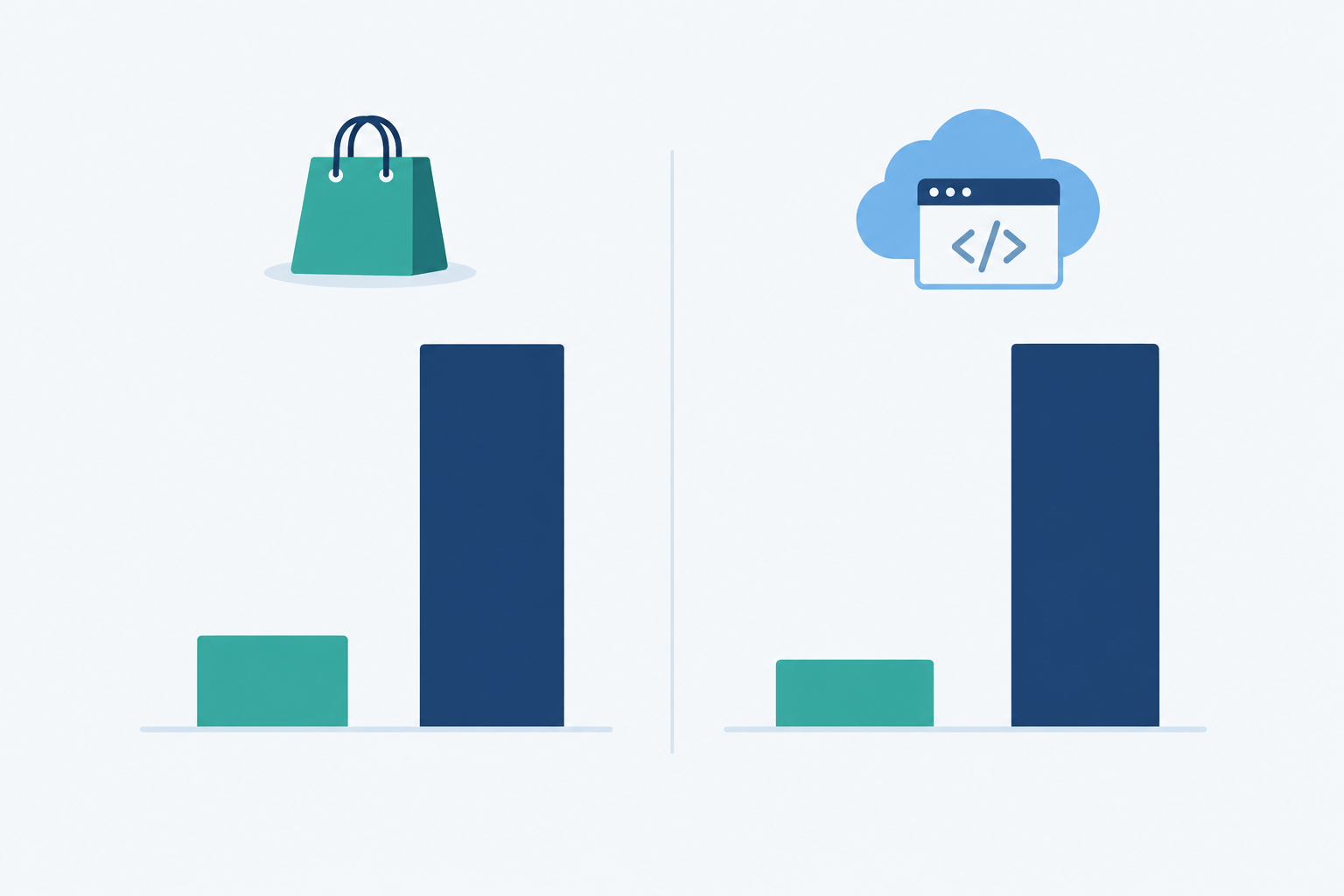
Example 1: a small UK online shop (illustrative). Say an hour offline costs about £400 in lost margin and staff time, which is roughly £6.67 a minute. A plan at about £11/mo is around £132 a year, which equals about 20 minutes of downtime at that rate. Now the realistic question: how many minutes might faster, better-targeted alerts save you? If you typically have three incidents a year and earlier detection saves about 10 minutes each, that's 30 minutes, or around £200 of avoided cost against £132 of spend. If you only have one incident and your customers would have reported it within minutes anyway, the sums look much weaker.
Example 2: a B2B SaaS startup (illustrative). Say an hour of downtime costs about £1,200 once you count missed usage, support tickets, a nervous customer or two and the engineer pulled off other work. That's £20 a minute. The same £132 a year equals about 6.6 minutes of downtime. A top-tier plan at about £38/mo is roughly £456 a year, or around 23 minutes. The higher your hourly cost, the less time a monitor needs to save to cover its price, but you still need to be honest about how much time that is.
Three caveats. First, these break-even figures compare costs only. They don't prove a plan will prevent or shorten an outage by that amount. Second, a monitor detects and reports problems, and it only helps if the alert is accurate, reaches someone who can act, and that person has what they need to fix things. Third, if your site is a portfolio with no revenue attached, free is probably enough. Don't pay for peace of mind you don't need.
How to trial paid uptime monitoring properly
The best way to judge any tool is to use it for real. Here's how I'd run a trial. I'd lean towards trials with no card required, simply because predictable terms make it easier to evaluate calmly. Moonitor, as one example, has listed a 7-day free trial with no credit card needed, but check the current terms on whichever provider you're testing.
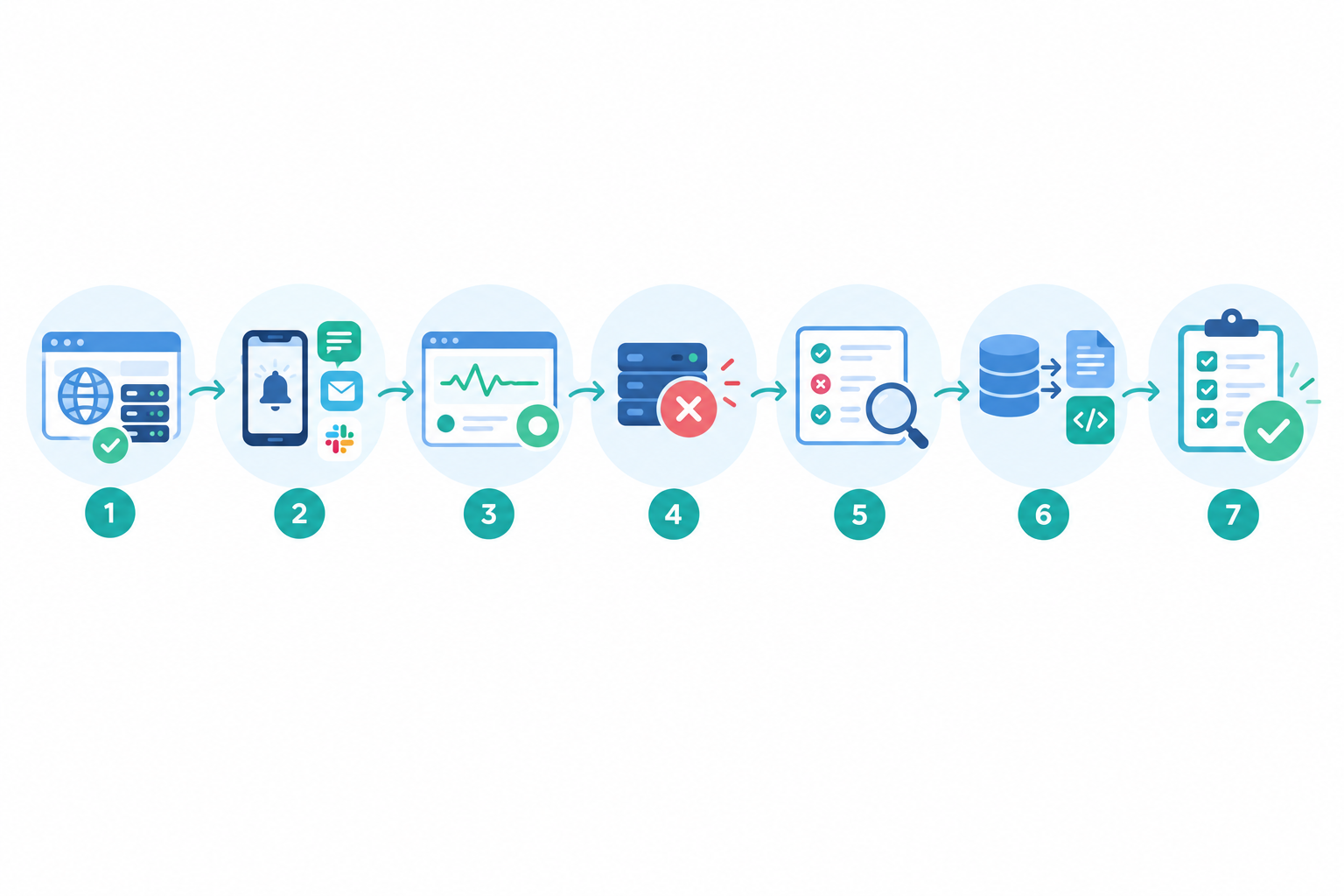
- Check the trial terms first. Is a card required? What happens when the trial ends? Which features are included? A clear answer here makes the rest easier.
- Add your real monitors on day one: website, API, SSL, and any cron jobs. Setup should take minutes, not an afternoon. If it doesn't, that tells you something.
- Connect the alert channel your team actually reads and send a test alert. Make sure it arrives somewhere you'd see it at 2am.
- Create a status page and look at it the way a customer would. Is it clear? Does it look like your brand?
- Simulate a failure safely. Use a staging site or a dedicated test endpoint rather than pausing a live production service. Or skip a heartbeat from a test job. Then time how long the alert takes to reach you.
- Watch for false alarms across the week. Check whether multi-region verification keeps the noise down, and note any alerts that turned out to be nothing.
- Test the API and data export before you commit, so you know you're not locked in.
- Decide with a short checklist. Did it alert quickly? Did it stay quiet when it should? Does it fit my budget, including VAT?
If you can tick all three, you have your answer. If not, you've lost nothing, and you know exactly what to look for next.
Free or paid uptime monitoring: which should you choose?
Stick with free if:
- You have one simple site
- There's no revenue at stake
- You're happy to check manually when alerts are slow
Consider paid if:
- Customers depend on you
- You run APIs, servers or scheduled jobs
- You need a status page
- You're tired of noisy alerts
A sensible path is to start free, trial a paid plan before your next launch or busy period, then decide with real data rather than guesswork.
And remember, you don't need an enterprise setup. You just need a monitor you trust and an alert you'll actually see. Whichever provider you try, use the same checklist, and if you'd like to include Moonitor in your comparison, its trial is a no-card way to do it. ☕
Frequently asked questions about free and paid uptime monitoring
Is free uptime monitoring good enough for a small business?
It can be, if you run one simple site and a short delay in alerts wouldn't cost you much. Once customers, revenue or an API depend on your service, the limits start to matter.
What do free uptime monitoring plans leave out?
Commonly missing items include fast check intervals, multi-region verification, chat and webhook alerts, public status pages, SSL and DNS monitoring, heartbeat monitoring and longer history. Some free plans do include a few of these, so check each provider's current plan.
How much does paid uptime monitoring cost?
It depends on monitor count, check frequency and features. As one example, Moonitor's Solo plan has been listed at $14/mo (roughly £11 at recent rates) and Max at $49/mo (roughly £38). Confirm current prices and whether VAT is added at checkout.
Can I try paid uptime monitoring without a credit card?
Some providers allow it. Moonitor has listed a 7-day trial with no card required, but terms change, so confirm on the provider's site before signing up.
Do I need a status page?
If customers regularly ask whether something is down, a status page is worth having. It gives them one place to check, which can reduce support enquiries during an incident.