
Heartbeat Monitoring Explained: How to Catch Silent Cron Job Failures Before They Cost You
Heartbeat monitoring explained: learn how cron job monitoring catches silent scheduled-job failures, missed runs and bad output before they cost you.
Heartbeat Monitoring Explained: Catch Silent Cron Job Failures Before They Cost You
Meta description: Learn how heartbeat monitoring catches silent cron job failures that uptime checks miss. A practical guide to cron job monitoring for backups, syncs and scheduled tasks.
Heartbeat monitoring flips the usual monitoring model on its head: instead of a monitor pinging your service to see if it's alive, your job pings the monitor to prove it ran. If that ping doesn't arrive within an expected window, you get alerted. This makes it the right tool for cron job monitoring — catching silent failures in backups, syncs and scheduled tasks that don't have a URL you can poll.
If you've ever discovered that a backup script quietly stopped running three weeks ago, you already know why this matters. I've been there myself — a disk full of "backups" that turned out to be the same stale file, copied over and over after the real job died silently following a server update. Nothing crashed. Nothing threw an error. It just stopped, and nobody noticed until it mattered. That's the exact gap heartbeat monitoring is built to close.
What Makes Scheduled Jobs Fail Silently?
Websites and APIs fail loudly, in a sense. They return error codes, they time out, they show a blank page. You can point an uptime monitor at them and get an immediate answer to "is this working right now?"
Cron jobs don't play by those rules. A scheduled task doesn't "go down" the way a website does — it just quietly stops running, or it runs and crashes somewhere in the middle without producing any output anyone would notice. There's no visitor complaining about a broken page. There's no dashboard flashing red. The job simply doesn't happen, and everything looks completely normal from the outside. This is exactly why cron job monitoring needs a different model from website uptime checks.
There are a handful of usual suspects behind these silent failures:
- The scheduling layer disappears. A container restarts, an instance gets replaced, or a deploy overwrites the crontab — and the job that was scheduled correctly yesterday simply isn't scheduled today. Nobody touched the actual code; the schedule itself just vanished.
- A deploy breaks the script. Someone ships a change to a shared library or updates a dependency, and the job that ran fine yesterday throws an exception today.
- A dependency times out or credentials expire. An external API the job relies on goes slow or becomes unavailable, or an authentication token quietly expires, and the script hangs or exits early.
- Disk space fills up or a permission changes. The job needs to write a file, can't, and fails partway through with no one watching.
Traditional uptime monitoring simply can't see any of this, because there's nothing to poll. A nightly backup script running at 2am doesn't expose a URL that says "I'm healthy." HTTP monitoring, port checks and even ping monitors all assume something is sitting there, listening and ready to answer a request. A cron job that runs for eight seconds and exits doesn't fit that model at all.
The real cost of this blind spot is what makes it painful. Teams often don't discover a job has been failing for days or even weeks — until a customer complains that their data looks wrong, or until someone actually needs that backup and finds out it hasn't updated since the migration. By then, the damage is already done. That's the exact scenario heartbeat monitoring exists to prevent.
How Does Heartbeat Monitoring Work?
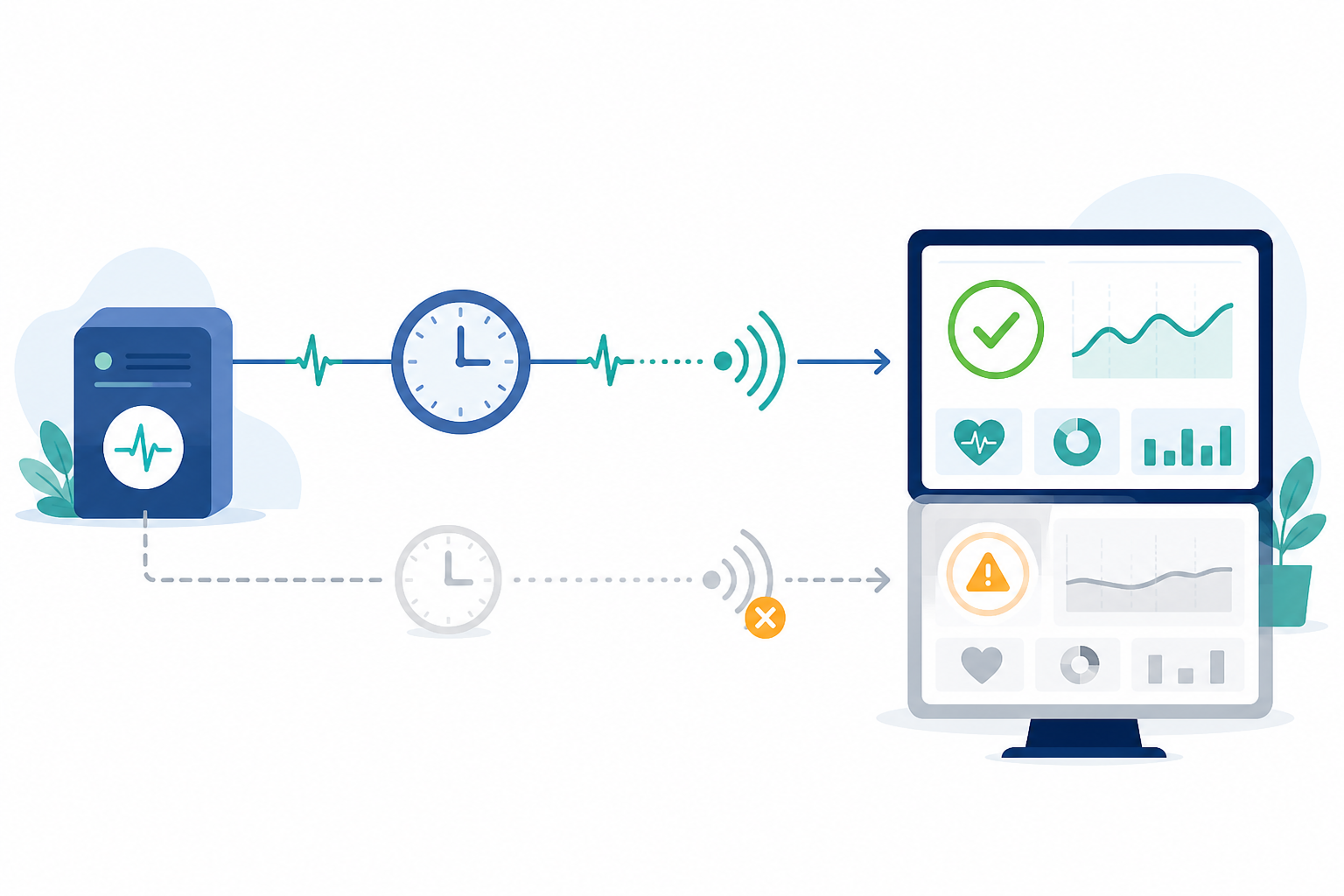
The mechanics are refreshingly simple — no agent to install, no daemon running in the background and no complicated configuration file. Here's the basic flow:
- You create a heartbeat monitor in Moonitor and get a unique monitoring URL for the job you want to track.
- Your script sends a ping — a simple GET or POST request — to that URL once it's confirmed a successful run.
- Moonitor watches for that ping to arrive on schedule, based on the expected interval you've set, such as every 24 hours or every 15 minutes.
- If the ping doesn't show up in time, Moonitor treats it as a missed heartbeat and fires an alert.
- That's it. No agent installation or extra software is needed — just a single request added to the end of your script.
A bare curl command at the end of a script is the quickest way to get started, but it's worth building in a little more resilience once you're monitoring anything that actually matters. Here's a slightly more robust example:
#!/usr/bin/env bash
set -euo pipefail

## Run the actual job
/usr/local/bin/run-backup.sh

## Validate the output before declaring success
if [ ! -s /var/backups/latest.tar.gz ]; then
  echo "Backup file missing or empty — not sending heartbeat" >&2
  exit 1
fi

## Only ping if the job succeeded AND the output looks right
curl --fail --silent --show-error --max-time 10 \
  "https://moonitor.io/ping/${MOONITOR_HEARTBEAT_ID}"
A few details are worth calling out. Keep the monitoring ID in an environment variable or secrets manager rather than hardcoding it in a script that might end up in version control — anyone who obtains that URL could send fake pings and mask a real failure. Use --max-time so a hanging network call doesn't become its own silent failure, and --fail so a non-2xx response from Moonitor doesn't get swallowed quietly. I'd also avoid wrapping the ping in its own retry loop — a retry can mask a genuine connectivity problem between your server and Moonitor, or occasionally send a duplicate signal. A single attempt with a sensible timeout is usually the safer choice.
If the script reaches that final line, Moonitor knows the job ran and validated cleanly. If it doesn't — because the script crashed, hung or the validation step failed — the ping never arrives, and Moonitor knows something's wrong before you do.
Heartbeat Monitoring vs Polling Checks: What's the Difference?
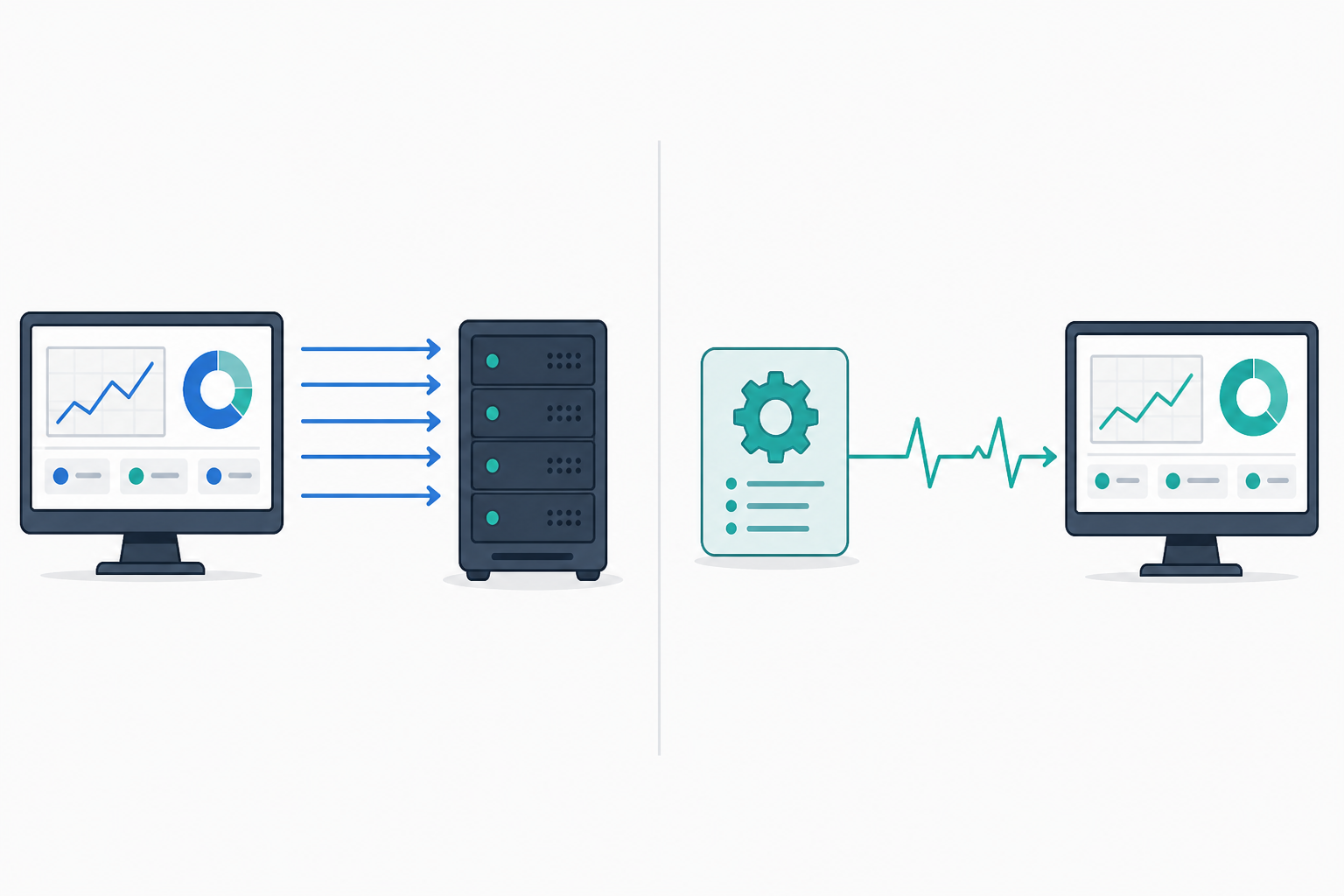
It helps to think about these two approaches as mirror images of each other. Polling checks — the HTTP, port and ping monitors most people are already familiar with — work by having Moonitor reach out to your server on a schedule and ask, essentially, "are you up?" Heartbeat checks work the opposite way: your job reaches out to Moonitor and says, "I just ran successfully."
Neither one is better across the board — they're simply built for different jobs, and knowing which one fits your situation saves a lot of headaches.
| Polling checks | Heartbeat checks | |
|---|---|---|
| Who initiates contact | Moonitor reaches out to you | Your job reaches out to Moonitor |
| Best suited for | Websites, APIs and servers with a persistent public endpoint | Cron jobs, backups, batch processes and ETL pipelines |
| What it confirms | The service is responding right now | A ping arrived — usually because the job completed |
| False alarm risk | Network blips can cause false positives | Lower, but not zero — a missed ping can also mean the ping itself couldn't reach Moonitor |
| Verification method | Multi-region checks to rule out regional outages | Not applicable in the same way — the main risk is on your side of the connection, not Moonitor's |
That last row is worth pausing on. With polling checks, a single failed request from one location doesn't necessarily mean your site is down — it might just mean there's a network hiccup between that particular region and your server. That's exactly why multi-region verification matters so much for HTTP and ping monitoring: it rules out false alarms before they reach your inbox.
Heartbeat monitoring reduces this ambiguity considerably, but it doesn't eliminate it entirely. The ping still has to travel across the network to reach Moonitor. If your server loses outbound internet access, or a firewall rule blocks the request, the job could complete perfectly and the ping still wouldn't arrive — and you'd see that as a missed heartbeat even though the job itself was fine. It's a narrower failure mode than asking whether a website is currently responding, but it's worth knowing about, especially for business-critical jobs where you might want a separate check on outbound connectivity.
How Do You Configure a Grace Period for Irregular Jobs?
Here's something that trips people up when they first set up cron job monitoring: jobs almost never finish at exactly the same second every time. Network lag, server load, a busy queue and a slightly larger dataset than usual can all add variance to how long a job takes to complete. If you set your expected interval too rigidly, you'll get alerts for perfectly healthy jobs that just ran a few minutes later than usual.
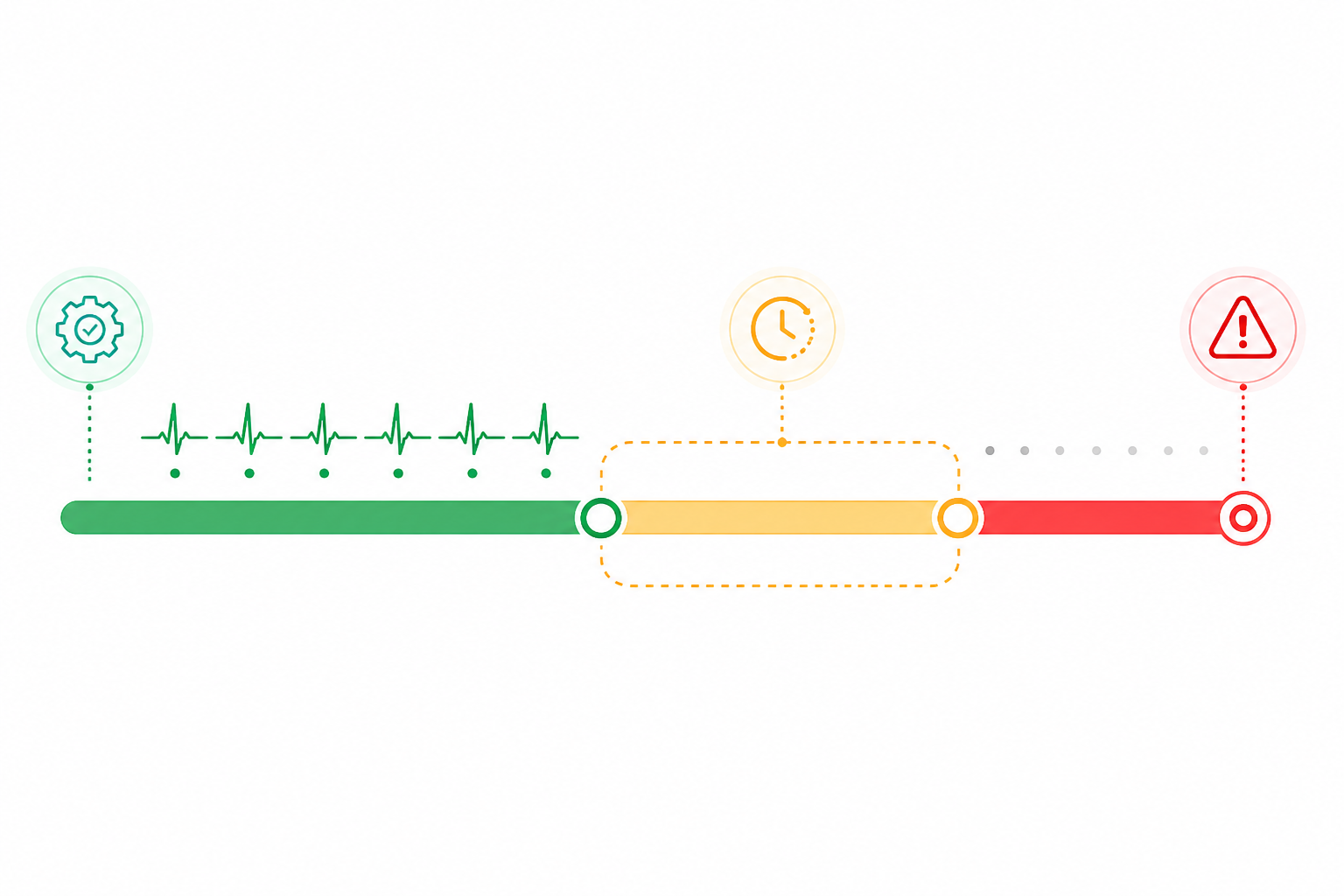
That's what a grace period is for: extra buffer time added on top of your expected interval before an alert actually fires. The expected interval is when the job is supposed to check in; the grace period is how much later than that you're willing to tolerate before treating the silence as a real problem.
Here's a concrete example. Say your backup job starts at 2am and, based on a few months of run history, usually finishes by 2:04am but occasionally stretches to 2:12am when the dataset is larger. Set your expected interval to 24 hours with a 15-minute grace period, and Moonitor won't alert until 2:15am — comfortably past your slowest normal run, but tight enough to catch a genuine failure within about 15 minutes of when it should have finished.
A few practical guidelines are useful when setting one up:
- Look at your job's historical run-time variance before picking a number. If your "daily at 2am" backup job usually finishes within a couple of minutes but occasionally takes ten, a 10–15-minute grace period covers most normal hiccups without masking a real failure.
- Use a rolling interval for jobs without a fixed time slot, where your monitoring tool supports it. If your job doesn't run at a consistent time of day — perhaps it's triggered by an event or runs "every six hours" rather than at a specific clock time — configure it to expect a ping every X hours instead of pinning it to an exact minute.
- Don't set the grace period too tightly. This is the most common mistake. A grace period that's too aggressive causes alert fatigue, and alert fatigue trains your team to start ignoring notifications altogether — which defeats the purpose of monitoring.
- Revisit your grace periods periodically. As datasets grow or infrastructure changes, run times shift too. A grace period that made sense six months ago might be too tight — or too loose — today.
Alerting on Missed Heartbeats
Once your grace periods are dialled in, the next step is making sure the right people find out when something actually goes wrong. Moonitor can route missed-heartbeat alerts through the channels your team already uses — email, Slack, Discord, Telegram or a webhook into your own incident tooling — although it's worth checking which channels are included on your specific plan.
Low-noise alerting matters here more than it does with typical uptime checks, in my experience. A single missed ping on a website monitor might simply mean a brief blip. But a single missed heartbeat on a nightly backup job could mean you're one hard-drive failure away from losing data with no recovery point. The stakes per alert tend to be higher, even if the alerts themselves are less frequent.
A couple of habits make these alerts more useful in practice. Send yourself a test alert when you first set up a monitor, so you know the channel works before you need it — there's nothing worse than assuming Slack notifications are firing and discovering months later that they weren't. For anything business-critical, consider a simple escalation path: an immediate notification to the team channel, followed by a page or SMS if nobody has acknowledged it within, say, 30 minutes. If a job is prone to occasional one-off delays, see whether your tool can wait for a second consecutive miss before escalating loudly, so a single late run doesn't page someone at 3am unnecessarily.
It's also worth spending time in your incident history once you've been running heartbeat monitoring for a while. Patterns tend to emerge — perhaps one particular job is flaky during your provider's weekly maintenance window, or a sync job consistently runs late on the first of the month when data volumes increase. Spotting these patterns early lets you fix root causes instead of simply reacting to symptoms.
Finally, where your plan supports it, connecting your heartbeat monitors to a public or internal status page is a useful way to build trust without extra effort. Stakeholders — whether that's your own leadership or a client relying on a data pipeline — can check job reliability themselves instead of contacting your team every time they're curious.
What Happens If a Cron Job Runs but Produces Bad Output?
This is an important distinction, and one that catches people off guard: heartbeat monitoring confirms that a ping arrived, not that the job did the right thing. A script can reach the final line, send its ping and still have written incorrect data or produced a corrupted file along the way. A successful HTTP response from your monitor is evidence that the request was received — it isn't evidence that the underlying job succeeded unless you've explicitly built that check in yourself.
The fix is straightforward: build validation into the script and only send the success ping after that validation passes. A few examples include:
- For a backup job, check that the resulting file size is within a reasonable range before pinging.
- For a data sync, verify the API response and check that row counts match expectations.
- For a report generator, confirm that the output file actually opened and parsed correctly.
In practice, this is just a conditional exit before the curl call:
if ! psql -c "SELECT count(*) FROM records;" | grep -q '[1-9]'; then
  echo "Validation failed — heartbeat not sent" >&2
  exit 1
fi

curl --fail --silent --max-time 10 "https://moonitor.io/ping/${MOONITOR_HEARTBEAT_ID}"
If validation fails, don't send the ping. Let Moonitor treat the silence as a missed heartbeat, the same as it would if the job had crashed outright. Some teams take this further and send a distinct failure signal if their tooling supports it, which can help differentiate "didn't run" from "ran but failed validation" in the incident history. Either way, this small addition turns heartbeat monitoring from a basic "it ran" check into a genuinely useful correctness check.
Real-World Heartbeat Monitoring Examples
A few illustrative scenarios — composites drawn from common patterns rather than a single documented case — show why this matters:
- A nightly database backup that silently stopped after a server migration — the old crontab never made it onto the new machine. With heartbeat monitoring in place, the missed ping was caught within the hour, rather than being discovered during an actual disaster recovery attempt weeks later.
- A data sync job between two systems that started failing after an API token expired. The heartbeat alert flagged the issue the same day, well before customers noticed stale data on their end.
- A weekly report generator with an irregular, business-days-only schedule. A rolling interval and a generous grace period meant bank holidays and long weekends didn't trigger false alarms, while a genuine failure still got caught.
- A queue-processing worker that crashed immediately after a deploy. The missing heartbeat caught the regression within minutes of release — far faster than any polling check could have, since the worker had no public endpoint to poll in the first place.
Each example has the same shape: a job that would have failed invisibly was caught early because something was watching for its absence rather than waiting to see it break.
Frequently Asked Questions About Heartbeat Monitoring
What is heartbeat monitoring, and how is it different from uptime checks?
Uptime checks — such as HTTP or ping monitoring — work by having Moonitor reach out to your server on a schedule to see if it responds. Heartbeat monitoring works the opposite way: your script sends a ping to Moonitor when it finishes running successfully. This makes it a natural fit for cron job monitoring, since cron jobs and scheduled tasks don't have a persistent, publicly reachable endpoint to poll.
How do I set a grace period for a job that runs irregularly?
For jobs without a fixed time-of-day schedule, use a rolling interval instead of an exact time expectation, where your monitoring tool supports it — expecting a ping every X hours rather than at a specific minute. Add a grace period based on how much your job's run time typically varies, so a normal delay doesn't trigger a false alert.
What happens if my job runs but produces bad output?
Heartbeat monitoring only confirms that a ping arrived — it doesn't inspect what your job actually did. Build validation into the script and only send the success ping after that validation passes. If the job produces bad output, skip the ping and let Moonitor flag it as a missed heartbeat.
What if my server loses internet access? Will heartbeat monitoring still work?
No, and it's worth knowing this upfront. If your server can't reach the internet, the ping can't arrive even if the job itself completed successfully. Moonitor will treat that as a missed heartbeat. For business-critical jobs, it's worth monitoring outbound connectivity separately so you can distinguish between the two failure modes.
Is my heartbeat monitoring URL secure?
Treat it like a secret. Anyone with your unique ping URL could send fake heartbeats and mask a real failure, so store it in an environment variable or secrets manager rather than hardcoding it in a script that ends up in version control.
Do I need to install anything to use heartbeat monitoring?
No agent or software installation is required. You add a single HTTP request — usually a curl command — to the end of your script that pings your unique Moonitor URL. Setup typically takes just a couple of minutes per job.
Can I use heartbeat monitoring alongside other monitor types?
Yes. Most teams combine heartbeat monitors for cron jobs with HTTP/API monitors for web services, SSL certificate monitoring for expiration tracking and DNS monitoring for record changes, all managed from a single dashboard.
If you're running any scheduled job that matters — backups, syncs, reports or queue workers — it's worth setting one up rather than waiting for the silence to become a problem. Start with your highest-stakes job, add a simple validation step if it doesn't have one already and set a grace period based on that job's actual run history rather than a guess. Moonitor offers a free trial to get started, and setup for a single job usually takes just a few minutes — a small effort for the peace of mind that comes from knowing your critical jobs actually ran.