
How to Choose the Right Uptime Monitoring Tool for Startups (A No-Nonsense Checklist)
Picking an uptime monitoring tool shouldn't feel like a second job. Here's the founder-friendly checklist for evaluating any vendor—plus honest pricin
How to Choose the Right Uptime Monitoring Tool for Startups
Meta description: Choosing an uptime monitoring tool for a startup? Use this UK founder's checklist to compare features, alerting, pricing, multi-region checks, and vendor red flags before you buy.
If you're a startup founder shopping for an uptime monitoring tool, here's the short version: the right one covers your actual stack (websites, APIs, servers, cron jobs, SSL certificates), alerts you quickly through channels your team already uses, and doesn't punish you with confusing pricing or noisy false alarms. You don't need enterprise bells and whistles. You need reliability, clarity, and a setup process that takes minutes, not days. Everything below is the checklist I wish someone had handed me before I spent a weekend comparing eleven different uptime monitoring vendors.
One note before we dive in: I'll mention Moonitor throughout because I've used it and tested it against the criteria below. Where I state a fact about Moonitor's pricing or features, I've checked it against current documentation at the time of writing. Pricing and plans change though, so verify anything that matters to your decision on the vendor's site before you commit.
Why Uptime Monitoring Matters for Early-Stage Startups
Here's a composite scenario built from a few real conversations I've had with founders, because it captures a pattern I've seen more than once: a two-person SaaS startup lands its first enterprise customer. Three weeks later, the API goes down during an unsupervised demo the customer's own engineering team is running. No alert fires. Nobody knows until the customer emails, politely but pointedly, asking if this is "typical." It wasn't typical. It was just unmonitored.
That's the trap with "we'll add monitoring later." Downtime doesn't wait for you to be ready. And here's the uncomfortable truth: as a young company, you're already fighting an uphill battle for trust. A customer who hits an outage before you've built any track record with them doesn't give you the benefit of the doubt. They just assume you're unreliable.
To make this concrete: if your API returns errors for even 20 minutes during a customer's evaluation window, and that window only happens once, you don't get a second impression. Compare that to the cost of a monitoring tool, typically £10-£40 a month for a startup-sized setup. The maths isn't close.
It's also worth remembering that uptime monitoring isn't only about your homepage loading. It's your API silently returning 500 errors. It's an SSL certificate quietly expiring on a Sunday because nobody remembered to renew it. It's a cron job that's supposed to run your nightly billing reconciliation but has been failing silently for a week. These things don't announce themselves. They just fail, and you find out from a customer or an invoice discrepancy instead of a dashboard.
Here's the real reason this matters so much for small teams: you can't afford a dedicated ops person watching dashboards all day. Your uptime monitoring tool is your ops person. It needs to do the watching so you can do the building.
Key Uptime Monitoring Features to Look For
When you're comparing tools, it's easy to get distracted by flashy dashboards. Ignore those for a minute and focus on what actually protects your business. There are roughly six categories of monitoring worth checking for, though some vendors split these further into named sub-types:
- HTTP/S monitoring: checks that your site or endpoint returns a successful response, ideally with configurable expected status codes (not just "is it up," but "is it returning what I expect").
- Keyword monitoring: checks that a page actually contains the text it should, catching cases where a server returns a 200 but shows an error page or a stale cache.
- Port and ping checks: useful for servers and infrastructure that don't speak HTTP, like databases or internal services.
- SSL and domain expiration monitoring: flags certificates and domains before they lapse, not after.
- Cron/heartbeat monitoring: confirms scheduled jobs actually ran, rather than just checking if a server is reachable.
- DNS record change detection: alerts you if your DNS gets modified unexpectedly, which matters more than founders expect if you're using third-party DNS or have had a domain hijacking scare.
Beyond the type of check, ask about the details that determine whether it actually works for you: check intervals (30 seconds vs 5 minutes matters for revenue-critical endpoints), retry logic before an alert fires, timeout settings, and whether you can authenticate against APIs that require a token or header. These configuration details decide whether you get a useful signal or constant noise.
Also worth asking:
- Setup speed. If adding a monitor takes more than a couple of minutes, that's a signal. Busy founders don't have time to fight with configuration screens.
- Response-time analytics. Downtime rarely arrives out of nowhere. It usually creeps: response times get slower over days or weeks before something breaks completely. A good tool shows you that creep before it becomes a crisis.
- Incident history and retention. You want to learn from downtime, not just survive it. Ask how long incident history is retained. Some tools cap it at 30 or 90 days on lower tiers.
- A real API with data export. If you can't export your own incident history and monitor configurations, you're locked in. That's a real risk, not a theoretical one.
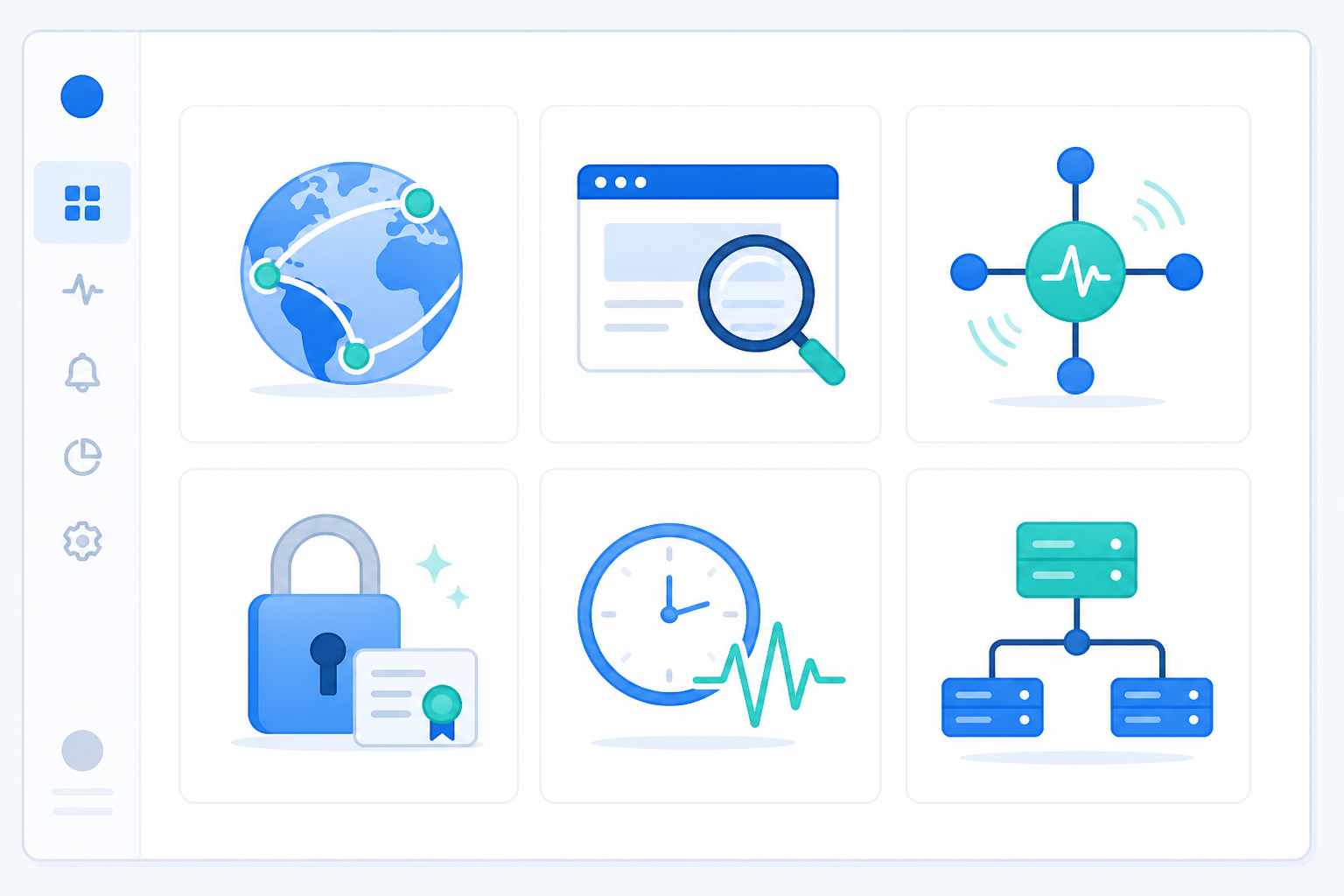
As one data point rather than a universal recommendation: Moonitor covers all six of these monitor categories from a single dashboard at the time of writing. That kind of consolidation is genuinely useful for a small team, one login, one view of your whole infrastructure, instead of juggling separate tools for your API, your SSL certificates, and your cron jobs. Check the current feature list on their site to confirm this still holds when you're reading this, since feature sets do change.
Alerting Speed and Channels: Where an Uptime Monitoring Tool Earns Its Keep
Here's something I've come to believe firmly: detection without notification is useless. A monitoring tool that quietly logs an outage in a dashboard nobody's watching hasn't actually monitored anything. Alerting is the feature. Everything else is supporting cast.
This is where distributed, multi-region checking is worth understanding properly, not as a magic fix, but as a trade-off you should evaluate deliberately. A single monitoring location checking your site can get a false read from a flaky network hop that has nothing to do with your server. If that single check triggers an alert, your team gets paged for nothing, and the next time a real alert comes in, someone's thumb hovers a little longer before they react.
Multi-region setups address this by requiring some form of confirmation before an alert fires: checking from two or more geographic locations and requiring agreement (a "quorum") before declaring an incident real. This genuinely reduces false positives caused by regional network blips. But it's not free of trade-offs: requiring confirmation from multiple regions adds a small delay before you're alerted, and if your quorum rule is strict, a real regional outage that only affects users in one part of the world might get diluted by checks from unaffected regions. The right setup depends on your risk tolerance. Before buying, ask a vendor specifically: how many regions do they check from, what's the confirmation delay, is the quorum threshold configurable, and can you adjust retry count and timeout yourself? Vague answers to these questions are themselves a red flag.
The other piece is meeting your team where they already work. Email is fine as a backup, but if your team lives in Slack, Discord, or Telegram, that's where the alert needs to land, ideally with a webhook option for anything custom you want to build later, and support for on-call escalation if the first person doesn't acknowledge within a set window. A tool that only does email is asking your team to context-switch during an emergency, which is the worst possible time to ask anyone to check a different app.
Moonitor's approach uses region-based confirmation before alerts reach your channels, which is one way to cut false alarms. As above, ask about the specific delay and region count for your plan tier rather than assuming a fixed number, since this can vary and change over time.
Uptime Monitoring Pricing Models Compared: What Should You Pay?
Pricing for uptime monitoring tools generally falls into a few buckets, and each one behaves differently as you grow:
| Pricing Model | How It Works | Best For | Watch Out For |
|---|---|---|---|
| Per-monitor | Pay based on number of monitors | Stable, small setups | Costs climb fast with staging/preview environments |
| Usage-based | Pay based on check frequency/volume | Teams needing high-frequency checks | Looks cheap at low volume, can balloon with scale |
| Flat-tier | Fixed price for a bundle of monitors + features | Predictable budgeting | Check what's actually included before assuming "unlimited" |
![Comparison: A clean comparison table graphic showing pricing tiers side by side with monitor counts, features, and price points as of the article's publish date. Alt text: "Table comparing per-monitor, usage-based, and flat-tier pricing models for uptime monitoring tools, with example price points." Note: if you reuse this graphic, add a visible "prices correct as of month/year for How to Choose the Right Uptime Monitoring Tool for Startups" caption, since vendor pricing changes.]
A useful exercise: calculate your cost per production endpoint, then separately calculate what happens when you add five more monitors, a second team member, or SMS alerts. Here's a worked example: say a tool charges £10/month for 10 monitors but £2/month per monitor beyond that, plus £5/month for SMS alerts and £8/month for a status page. If you start with 8 monitors and grow to 15 over a year while adding SMS and a status page, your £10/month plan becomes roughly £33/month. That's more than triple, and easy to miss if you only look at the entry price.
"Unlimited monitors" matters sooner than most founders expect. If you're running production, staging, and a handful of preview environments, plus separate checks for your API, SSL, and cron jobs, you can chew through a 10-monitor limit embarrassingly fast.
Free trials are worth testing thoroughly, but only if they let you actually try the product. A trial that requires a credit card upfront, or a free tier so limited you can't test real monitor types, isn't really a trial. Look for something like a 7-day free trial with no credit card required, which lets you genuinely stress-test setup speed and alerting before committing.
If you're billing in the UK, check whether quoted prices include VAT. Many SaaS tools quote in USD or exclude VAT by default, which changes your actual monthly cost. Also check whether you're billed in GBP directly or converted from another currency at checkout, since currency conversion fees add up over a year.
For reference, Moonitor's published pricing at the time of writing starts with a Solo plan around £11/month for 20 monitors, scaling up to a Max plan around £39/month for unlimited monitors, with SMS alerts, status pages, and API access included rather than sold as separate add-ons. I'd encourage you to confirm current pricing and inclusions directly on their pricing page before budgeting, since plans and prices are revised periodically.
Red Flags to Avoid When Evaluating Uptime Monitoring Vendors
Rather than just listing warning signs, here's how to actually test for each one during a trial:
- Single-region checks only. Ask directly how many regions they check from and whether confirmation logic is configurable. If the answer is vague, that's the flag, not the region count itself.
- No status page option, or a paywalled one. During your trial, try to actually create a status page. If it's locked behind a higher tier you didn't expect, note that before you commit.
- Opaque pricing. Add five monitors, an SMS alert, and a second teammate in your trial account and watch what happens to the quoted price. If you can't find this information without contacting sales, that's often intentional.
- No API or export tools. Try exporting your monitor configuration and incident history during the trial itself. If there's no export option, or it only exports a partial CSV without incident detail, you're not really choosing a vendor. You're marrying one.
- Slow support. Send a real support question during your trial, not a sales question, and time the response. If it takes more than a few hours on a paid plan, imagine that same wait during a live outage.
- No maintenance window support. Deliberately schedule a maintenance window and confirm alerts pause during it. If you can't suppress alerts for planned downtime, you'll get paged for changes you made on purpose.
Do You Need Multi-Region or Distributed Uptime Checks?
The honest answer is: it depends on what's actually at stake if you get a false alarm versus a missed real outage.
If you run a low-traffic marketing site or an internal tool with no revenue impact, a single well-configured region with sensible retry logic is probably fine. You're optimising for simplicity, not for shaving seconds off detection time. But if you're running a revenue-critical API, serving customers across multiple geographies, or operating with a small on-call team that can't afford to be paged for noise, distributed confirmation earns its cost. A five-person startup can't afford to have its lead engineer jolted awake at 3am for a false alarm, because that engineer is also shipping features tomorrow. But you also don't want confirmation delays so long that a real regional outage sits unflagged for ten minutes.
The practical move: ask any vendor what their confirmation delay actually is in seconds or minutes, not just whether they "do" multi-region checks. A five-second delay to rule out a network blip is a reasonable trade. A five-minute delay to build consensus across regions might not be, depending on your tolerance.
Quick Uptime Monitoring Tool Checklist Before You Buy

- List every system you need monitored: website, APIs, servers, cron jobs, SSL certificates, DNS records. Don't assume; write it down.
- Ask about check intervals, retries, timeouts, and confirmation delay, not just whether multi-region checking exists.
- Check alerting channels and escalation: Slack, Discord, Telegram, webhooks, and whether unacknowledged alerts escalate to a second person.
- Compare pricing against your monitor count today and in 12 months, including SMS, status pages, and API access as line items, and confirm VAT/GBP billing if you're in the UK.
- Test the setup time yourself during a free trial. If it's clunky now, it won't magically improve later.
- Ask about data export, API access, and retention periods before you commit, not after you've built a year of incident history you can't take with you.
- Run a 15-minute trial test: deliberately break a test endpoint (return a 500, use an expiring test certificate, or pause a cron job) and confirm the alert fires through your actual Slack/Discord channel within the time you expect.
Frequently Asked Questions About Uptime Monitoring Tools
What features should a startup prioritise in an uptime monitoring tool? Focus on breadth of monitor types (website, API, server, cron, SSL, DNS), configurable check intervals and retries, fast multi-channel alerting with escalation, and clear confirmation logic to reduce false alarms. Fancy dashboards and extra integrations are nice to have but not essential when you're small.
How much should I expect to pay for uptime monitoring as a UK startup? Most startup-friendly tools range from roughly £10-£15/month for a starter tier covering 15-20 monitors up to £35-£50/month for unlimited monitors and full features. Watch for VAT treatment, currency conversion if pricing is quoted in USD, and add-on charges for SMS alerts, status pages, or API access. Those can quietly double your bill over a year.
Do I need multi-region or distributed checks as a small business? It depends on what's at risk. If a false alarm just annoys someone, single-region checking with good retry logic is often enough. If you're revenue-critical, serve customers across regions, or run a small on-call team that can't tolerate noisy pages, distributed confirmation is worth the small delay it adds. Ask vendors for their confirmation delay in actual seconds or minutes rather than a yes/no answer.
Can I switch monitoring tools later without losing my incident history? Only if the tool offers a proper export, and only if the export includes what you actually need. Ask specifically whether export covers incident timestamps, response times, and monitor configuration, not just uptime percentages, and what format it's delivered in (CSV, JSON, or API-only). Some tools export summary stats but not raw incident logs, which limits what you can rebuild elsewhere.
How often should uptime checks actually run? For revenue-critical endpoints, look for check intervals of one minute or less. For lower-priority internal tools, five-minute intervals are usually fine and cheaper. Match the interval to how quickly you need to know, not to whatever the vendor sets as default.
Choosing an uptime monitoring tool really comes down to finding a setup with the right check intervals, honest alerting, and transparent pricing for where your business actually is right now, not the flashiest dashboard on the market. Run through this checklist with any vendor you're considering, test the specifics rather than taking marketing claims at face value, and you'll make a decision you won't need to revisit in six months.