
How to Reduce Alert Fatigue in Your On-Call Rotation
Alert fatigue threatens reliability, not just morale. Learn how smarter incident alerting, verified failures and clear routing cut noise and protect response.

Alert fatigue happens when your team gets so many pings that the important ones get lost. It's a reliability problem as much as a morale one. The fix is to page only for issues a human must act on now, confirm failures with more than one piece of evidence before anyone is woken, and send everything else to quieter channels. Then review your incident alerting regularly so the noise doesn't creep back in.
That's the whole idea in a paragraph. The rest of this post is the practical bit: how to audit your alerts, decide what should page and what shouldn't, and follow a 30-day plan you can start this week.
A quick note on transparency: I'm part of the team at Moonitor, an uptime monitoring tool. Most of this advice applies whatever you use, so I've kept it vendor-neutral and labelled the few places where I mention our product.
Why alert fatigue makes outages worse
Picture this. It's 3.07am and your phone lights up: Website down. You stumble to your laptop, squint at the dashboard, and everything is fine. A blip. A single network hiccup somewhere between a monitoring probe and your server. You go back to bed, not really sleeping.
It happens again on Wednesday. And Friday. By the following week, someone quietly mutes the channel because they need to function at work. Then, three weeks later, a real outage hits at 2am, and nobody sees it for forty minutes.
I've seen versions of this story in lots of small teams, and it's never about laziness. It's the cry-wolf effect. When most pages need no action, people learn (rationally!) that the next page probably won't either. Acknowledgement times creep up. Notifications get snoozed. Channels get ignored.
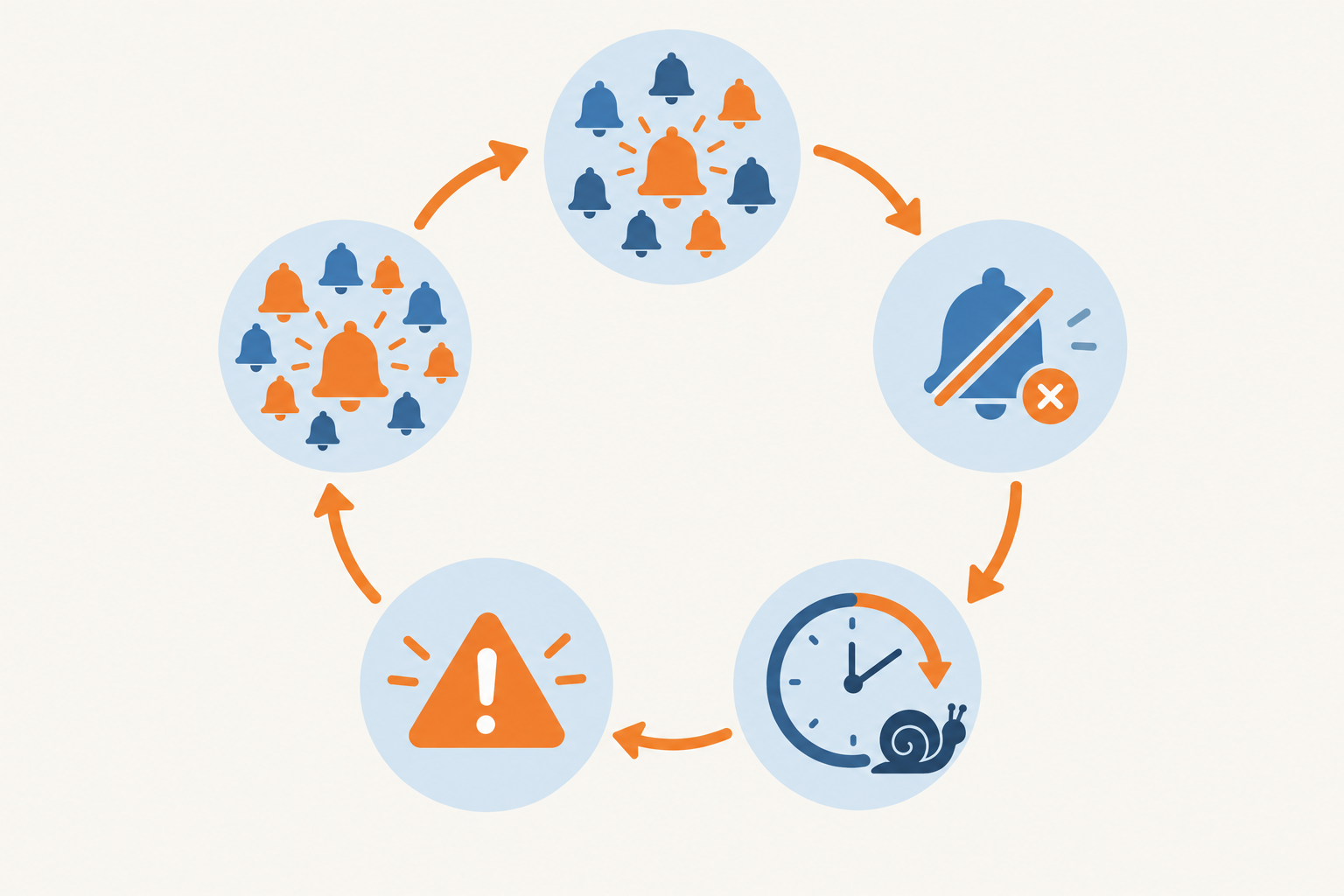
Why noisy incident alerting is a reliability risk
Google's SRE book sets out the principle in its chapter on monitoring distributed systems: a page should be urgent, important, actionable and real. Alerts that are merely informative, or that routinely need no action, add noise and make the pages that matter harder to pick out.
Noise can also make a live incident harder to handle. Imagine you're mid-diagnosis on a customer-facing problem and your phone keeps buzzing about a harmless latency spike somewhere else. That pulls your attention away from recovery, and it chips away at your confidence that the next page matters. To be clear, this is a plausible mechanism based on how on-call work tends to go, not a precisely measured effect.
There's a human cost too, and I'd frame it as a reasoned risk rather than a statistic. Broken sleep is widely understood to affect concentration and judgement, and the person who was up at 3am is often the same person reviewing a pull request or making a production change at 10am. Over months, constant interruption is likely to wear on retention, because people tend not to stay on rotations that treat their nights as free. If you want hard numbers for your own team, your acknowledgement times and rotation turnover are a good place to look.
So here's what we'll fix by the end of this post: fewer pointless pages, fewer false alarms, clearer incident alerting, and a lightweight habit to keep it that way.
How many alerts are too many on an on-call shift?
Let's answer the question directly: there's no magic number. Alert volume depends on how critical your service is, how your on-call coverage works, and how long a shift lasts.
But there are useful reference points. The Google SRE book's chapter on being on-call describes a target of at most two incidents per 12-hour on-call shift, so that engineers have time to follow up properly, including writing up what happened. Note the context. It's about incidents (events that need real handling), not every notification, and it comes from large teams running big services. Treat it as a prompt to investigate rather than a pass/fail standard. If you regularly blow past it, the question isn't 'why is our system so fragile?' so much as 'what are we paging on that doesn't need a human?'
Warning signs your alert volume is too high
- Alerts are routinely acknowledged without anyone doing anything
- Alerts auto-resolve before anyone has even looked
- People have muted a channel, or quietly turned off push notifications
- The same page repeats night after night with the same non-fix
- Engineers describe on-call as something to dread rather than a normal duty
Count pages separately from tickets, notifications and informational messages. A low total can still hide alert fatigue if the pages cluster in one awful night, or if most of them are unactionable.
A quick alert fatigue self-check
Here's my favourite test: if you'd be unhappy to be woken for it, it probably shouldn't page. Not 'would I like to know?' but 'would I genuinely want to be dragged out of bed for this, knowing what I know?'
Keep your context in mind, too. A solo developer running a handful of client sites has a very different tolerance from a six-person rotation sharing nights. If it's just you, be stricter about what is allowed to wake you, because there's no one to hand over to.
Audit your alerts for actionability
Before you change any settings, look at what's really happening. An alert audit sounds heavy, but a focused one takes an afternoon.
- Export the last 30 days of alerts. Pull them from your monitoring tool, chat history and incident records. Even a rough spreadsheet is fine. (If you use Moonitor, incident history is available in the dashboard and through the API, which makes this easier. Check the docs for what's currently exportable.)
- Tag each alert. Use four simple labels: actioned, ignored, duplicate or auto-recovered. Be honest. Nobody's marking your homework.
- Ask of each one: what would someone actually do when this fires? If the answer is 'look at it and shrug', you've found a candidate for deletion or downgrading.
- Delete or downgrade anything with no clear action, and merge duplicates. If one outage fires a website check, an API check and a port check, that's three pages for one incident. Decide which monitor is the real signal and send the others somewhere quieter.
- Write a one-line runbook note for every alert that survives. Something like 'Check the app server; if healthy, restart the worker and tell #ops.' Even one line makes a 3am page far less frightening.
You'll likely find that a small number of monitors create most of the noise. That's good news, because a few changes can make a big difference.
Verify failures before paging anyone
This is where a big share of false alarms can be removed. A single-location check can't tell the difference between 'your site is down' and 'the path between one probe and your site had a bad second'. Network blips, routing issues and transient timeouts can all look like outages from where the probe is sitting.
Multi-region failure verification helps with that. Instead of alerting the moment one probe fails, the system looks for corroboration from other independent locations, or from a second consecutive failed check, before it raises an alert. That cuts down on false positives caused by the probe's own network path.
There's a caveat, though, and it's easy to get wrong. Verification is evidence for a decision, not an automatic 'dismiss it' rule. A failure seen from only one region can still be a genuine regional problem, such as a CDN node misbehaving or a routing fault that affects real customers in that part of the world. If your users are concentrated in the UK, a failure visible only from a London or Western Europe probe matters far more than one seen from a distant region.
So set your policy deliberately:
- Use probes that are genuinely independent of each other.
- Decide what counts as agreement. Is it two regions, a majority, or any region that covers a big share of your users?
- If a single region keeps failing, route it to a lower-urgency channel for investigation rather than throwing it away.
- Escalate straight away if you have other evidence of user impact, such as support tickets or error rates.
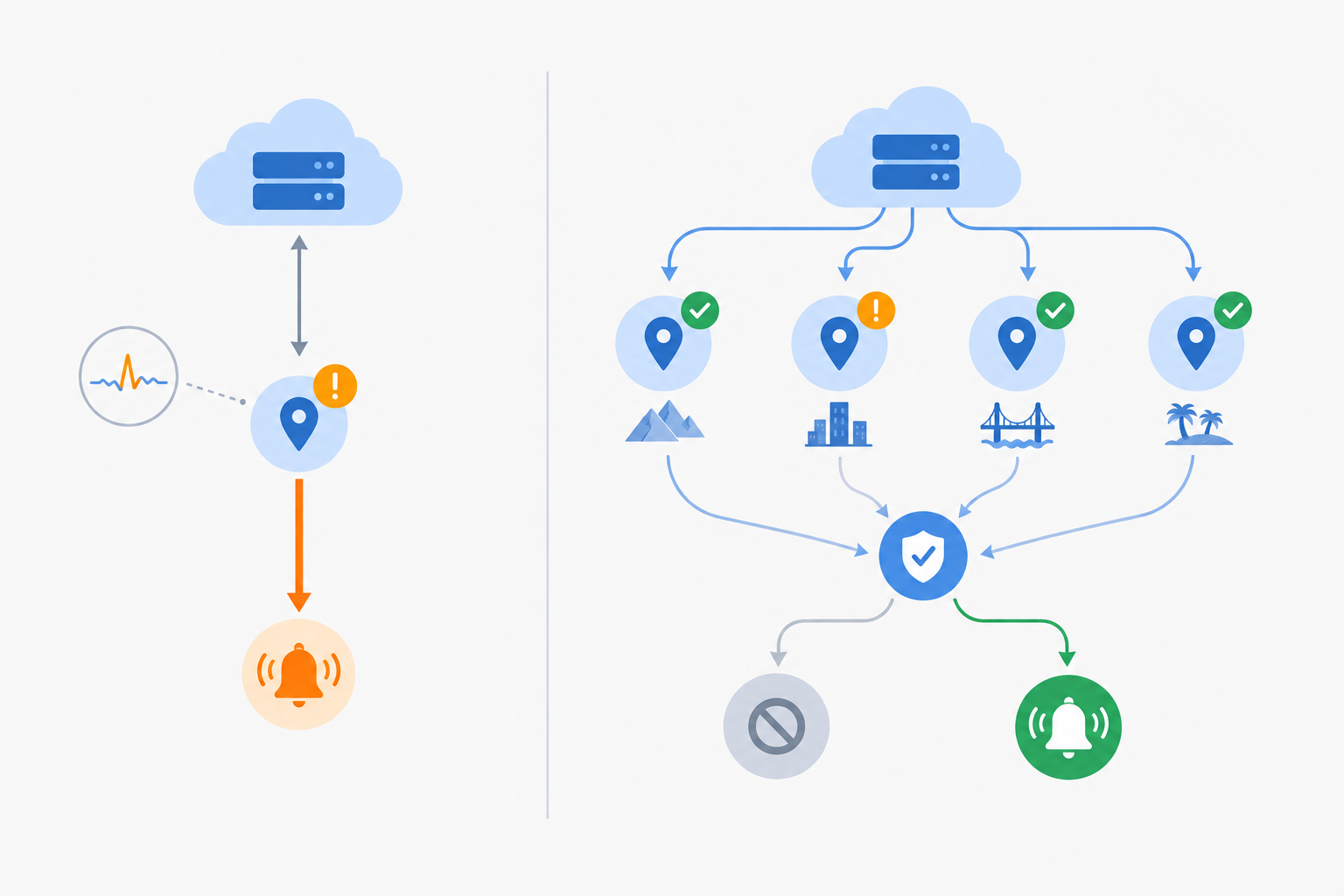
In Moonitor, multi-region failure verification applies to website monitoring, API monitoring and port checks, so a failure is confirmed before incident alerting kicks in. If you use another tool, look for the equivalent setting and check how it defines 'confirmed'.
How to reduce false alarms at night
Verification isn't free. Confirmation thresholds and retry intervals mean you trade a little detection speed for a lot less noise. Requiring a couple of consecutive failures adds a minute or two before an alert. For most sites and APIs, that's an excellent deal. For a payment endpoint where every minute counts, you might tune it tighter. Choose deliberately rather than accepting the defaults.
Catching 'up but broken' pages
A server can return a happy 200 while the page itself shows an error message or an empty product list. Keyword monitoring catches those cases by checking that specific text is present (or absent). It's a precise signal, so it adds very little noise while catching problems that a plain up/down check would miss.
And if you're wondering about false alarms at night specifically: verification tackles the cause, while quiet hours (covered below) only manage the symptom. You'll want both, in that order.
Which alerts should page someone?
Here's a simple rule: page when users are affected now and a human can do something about it. If either half is missing, it probably belongs in a quieter lane.
The SRE guidance also leans towards alerting on user-visible symptoms rather than every internal cause. That keeps you from getting six pages for one underlying incident.
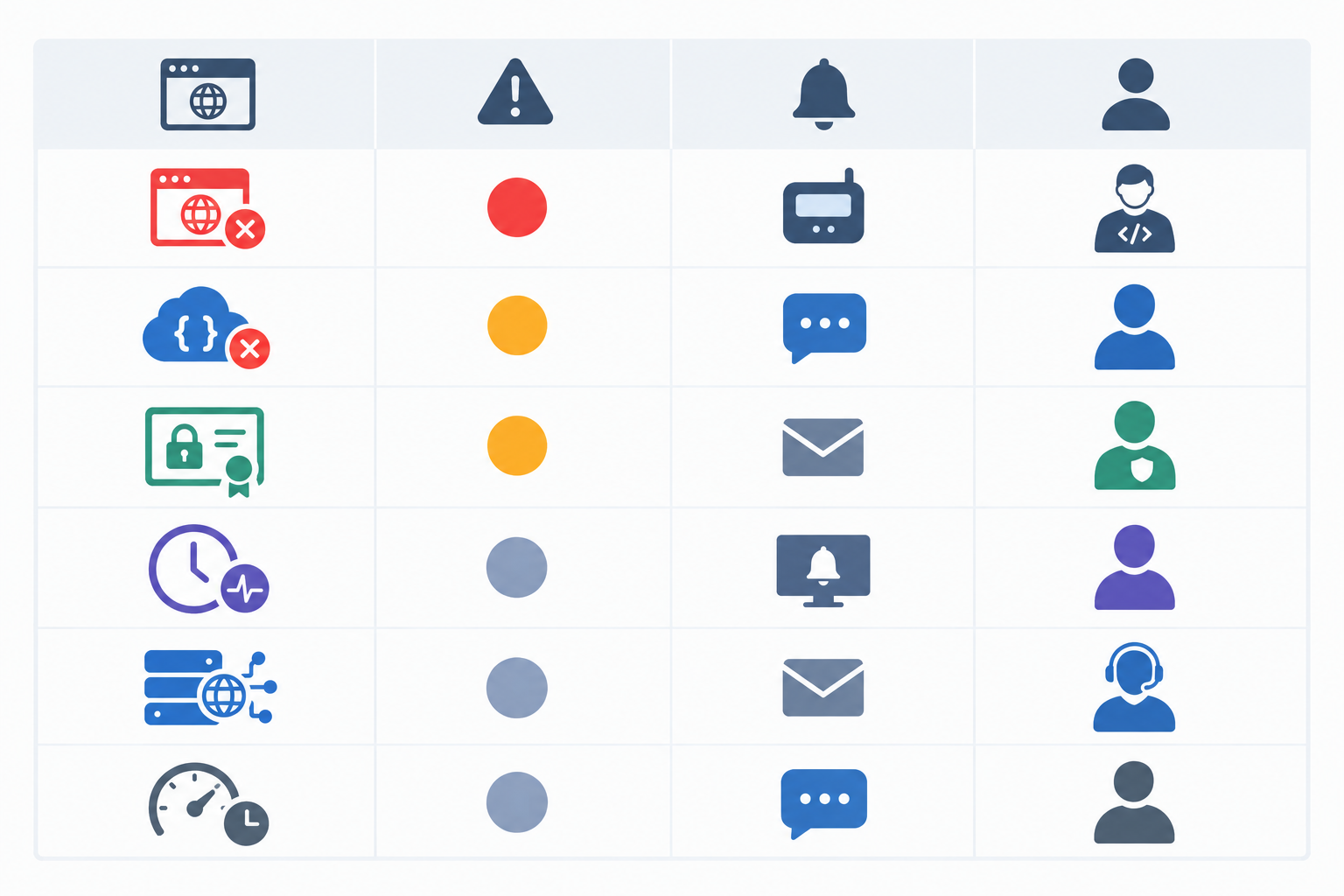
The table below is a starting point, not a rulebook. The right urgency always depends on user impact, how time-sensitive the problem is, and whether someone can realistically act on it.
| Alert type | Usual urgency | What can change it | Suggested channel | Who gets notified |
|---|---|---|---|---|
| Production site or API down (verified) | Page now | Lower it if it only affects a non-critical feature | Phone/push, plus Slack | Primary on-call, escalating to secondary |
| Checkout or payment endpoint failing | Page now | Consider your error budget or SLO and how many customers are affected | Phone/push, plus Slack | Primary on-call |
| Server unreachable for a sustained period | Page now if a user-facing service depends on it | Lower it if redundancy means users aren't affected | Phone/push, plus Slack | Service owner, then secondary |
| Confirmed unauthorised DNS change on a production domain | Page now | Needs confidence it wasn't a planned change | Phone/push, plus Slack | On-call, team lead and whoever owns security |
| Unexpected DNS change, not yet confirmed as unauthorised | Check promptly | Escalate if it can't be matched to a planned change | Slack or push | Domain owner and on-call |
| Slow response times | Notify, don't wake | Page if it breaches an agreed SLO or visibly hurts users | Slack or Discord | Service owner |
| SSL certificate expiring in weeks | Notify, don't wake | Escalate if expiry is within hours | Slack or email in working hours | Service owner |
| Domain expiry reminder | Notify, don't wake | Escalate close to the deadline | Account or infrastructure owner | |
| Missed cron or heartbeat on a non-critical batch job | Review in working hours | Escalate if the job feeds billing, backups or customer data | Email or team channel | Job owner |
| DNS change on a non-production domain | Review in working hours | Escalate if it could affect production | Email or team channel | Domain owner |
A few notes on the trickier rows.
Cron job monitoring and heartbeat monitoring depend on what the job does. A missed nightly report can wait until morning. A missed backup or billing run might deserve a faster response. Treat each job on its merits.
SSL certificate monitoring is the classic example of something people over-alert on. A certificate expiring in three weeks is a calendar task, not an emergency. Send early warnings during working hours and they'll be handled long before they matter.
DNS monitoring can run the other way. An unexpected record change on a production domain is rare, and it's worth looking at quickly because it can indicate hijacking or a serious misconfiguration. But I'd separate 'unexpected' from 'confirmed unauthorised'. Check it against your change log first. If nobody can account for it, treat it as a security incident and escalate.
Route incident alerts by severity and channel
Once you know what deserves urgency, match the channel to it. This is where a lot of small teams quietly win back their evenings.
- Match channel to urgency. Phone or push for critical, Slack or Discord for important, email for informational.
- Plug into the tools you already use. Most monitoring tools can send to a paging or ticketing system through webhooks, so you don't have to replace what already works.
- Don't alert everyone. 'Should every monitor alert the whole team?' Usually not. Assign an owner for each service or monitor, and let escalation bring others in if nobody responds. Broadcasting everything to everyone teaches people to tune out.
- Separate production from staging. Staging breaks constantly, and that's fine. Give it its own channel so it never competes with production for attention.
- Use a public status page. A status page lets customers see what's happening without messaging your on-call engineer. During an incident, that's one fewer thing to juggle.
Product example: Moonitor sends alerts by email, Slack, Discord, Telegram and webhooks, and offers status pages, so you can mix channels by urgency. If you're evaluating any tool, check its documentation for the exact integrations and limits on your plan.
A practical example of severity-based alert routing
Imagine a small UK agency looking after twelve client websites. (This is an illustrative scenario, not a customer case study.) At first, every alert goes into one shared channel and everyone gets everything. Over a typical month that might mean around 150 notifications, of which perhaps ten need any action. Within weeks, people stop reading it.
The fix is simple. Each client site routes to the developer who maintains it, with a shared fallback after fifteen minutes without acknowledgement. Slow-response and certificate warnings move to a daytime Slack channel. Each client's status page handles the 'is it down?' emails. The same month might now produce a handful of pages, and nearly all of them need action. A page now means 'this one is yours', and people respond.
Use quiet hours and escalation wisely
Quiet hours are useful, but they need some care. Here's how I'd set them up.
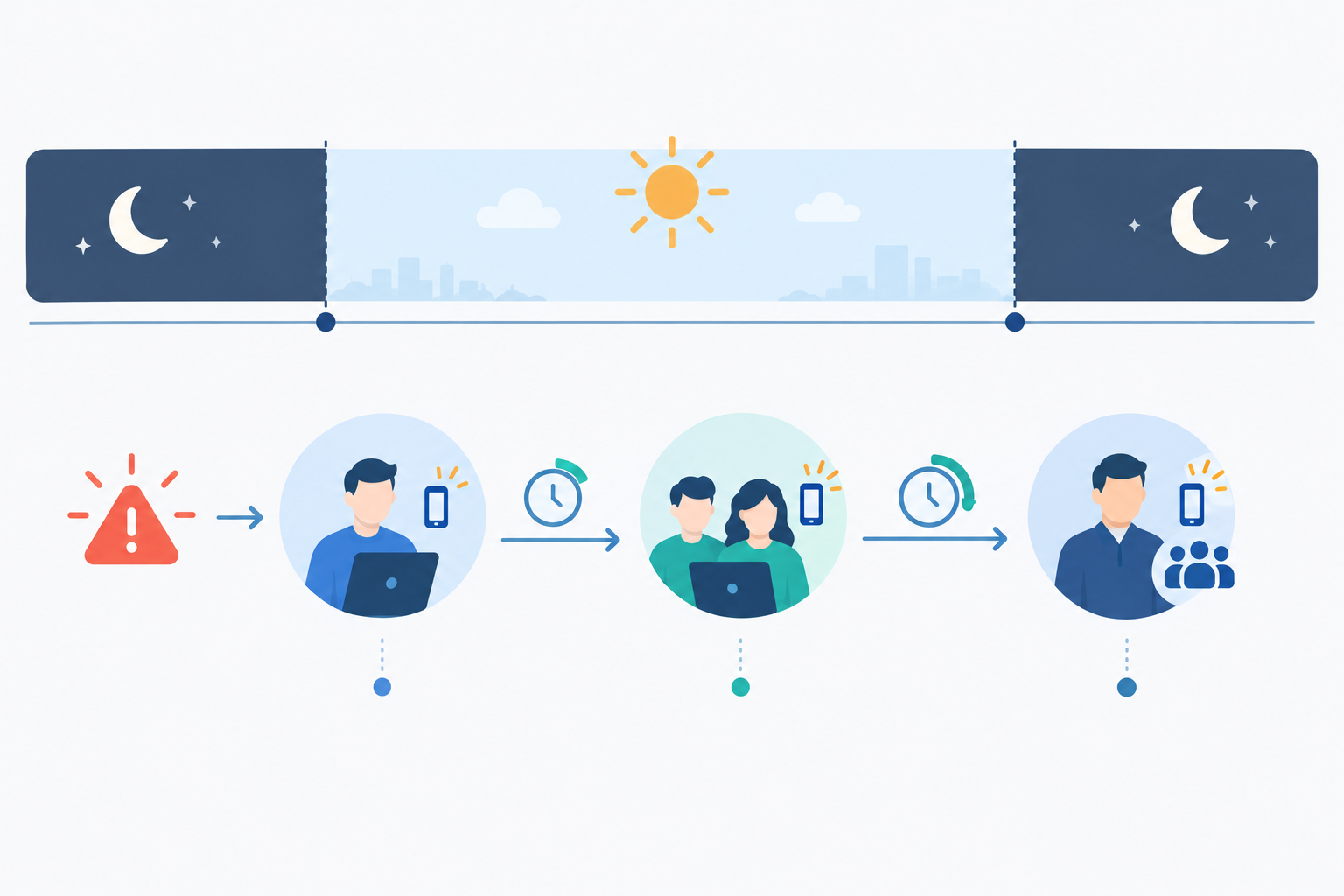
- Define what 'quiet' means. Non-critical alerts are held or batched until morning. Critical ones still get through. If you can't clearly say which is which, go back to the table above.
- Set a simple escalation path. Primary on-call first, then secondary after a defined number of minutes without acknowledgement, then perhaps a team lead. Ten to fifteen minutes is a common starting point. Tune it to your risk and how quickly your users would notice.
- Mind your calendar. If you're in the UK, remember that bank holidays differ between England, Scotland and Northern Ireland, and that the clocks change in March and October, which can quietly shift a schedule you set months ago. If your team is distributed, a 'quiet' period that makes sense in London might land in the middle of someone else's afternoon.
- Be strict if you're a solo developer or tiny team. When there's no secondary, what's allowed to wake you matters even more. Page only for verified, user-affecting problems.
- Pair quiet hours with a morning review. The trap is that quiet hours can hide real problems. A short morning digest or a five-minute scan of overnight incident history means held alerts still get seen.
- Rotate fairly and review handovers. Share the load, and read handover notes at the start of each shift. Nobody should carry the pager alone indefinitely. If on-call is part of anyone's contract, check how rest time and any on-call pay or time off in lieu are handled. A quick chat with HR or your legal adviser is sensible here.
Measure alert quality and incident alerting over time
You can do all of the above and still drift back into noise within a few months. New monitors get added, thresholds go stale, and a flaky dependency appears. A few simple measures will catch the drift early, and they don't need to be heavy.
- Alert-to-incident ratio: how many alerts led to genuine action? If it's low, you have noise.
- False positive rate: how many pages turned out to be nothing?
- Time to acknowledge: if this is creeping up, people may already be tuning out.
- Pages per on-call shift: compare against your own baseline, with the SRE book's two-incidents-per-shift target as a reference point.
- Flapping monitors: these repeatedly fail and recover within a short time, often because of a borderline threshold or an unstable dependency. Response-time analytics and incident history help you spot them, and they're usually the loudest offenders.
Numbers only tell part of the story, so also ask your on-call engineers how the last rotation actually felt. 'Fine, but the Tuesday night thing is driving me mad' is the kind of feedback no dashboard will give you.
Hold a short monthly alert review, thirty minutes at most, and make it a habit rather than a project. And celebrate when pages go down. Fewer pages is a win, not a sign you're under-monitoring. Your monitors are still running. They're just speaking up only when it matters.
A simple 30-day plan to reduce alert fatigue
You don't need to do this all at once. Here's a gentle four-week plan.
- Week 1: audit and categorise. Export 30 days of alerts, tag them, and sort them into page, notify and review lanes.
- Week 2: verify and de-duplicate. Turn on multi-region or consecutive-failure verification, agree what counts as confirmation, and remove or merge duplicate monitors.
- Week 3: route and escalate. Set severity-based routing, assign owners per service, and define your escalation path and quiet hours.
- Week 4: review and tune. Look at your metrics, talk to your on-call engineers, and adjust thresholds where things still feel off.
If you'd like a low-risk way to try this on real monitors, Moonitor has a free trial that covers websites, APIs, servers, SSL certificates, DNS records and cron jobs. Check our website for the current trial length and terms before you sign up. Whichever tool you choose, trying it on a few real monitors is a good way to see how verification and routing behave before you commit.
Quieter alerting is a gradual win. Every alert you remove or reroute makes the remaining ones louder and more trustworthy, and that's exactly what you want at 3am.
FAQ: alert fatigue and incident alerting
How many alerts per on-call shift is too many?
There's no universal number. The Google SRE book suggests aiming for no more than two incidents per 12-hour shift, but that comes from large teams and counts incidents rather than every notification. Use it as a prompt, and treat acknowledged-but-ignored or auto-resolving alerts as stronger warning signs.
Should every monitor alert the whole team?
Usually not. Give each service an owner and let escalation bring in others. The exception is a major outage affecting many users, where a wider heads-up makes sense.
Do SSL and domain expiry alerts need to page someone?
Usually not, unless expiry is only hours away. Early warnings in working hours are enough for most teams.
Can I reduce alerts without missing real outages?
Yes, as long as you keep your monitors running and change what triggers a page rather than what you watch. Add verification, but don't automatically discard failures seen in only one region, because those can still be real regional problems. Route lower-priority issues to quieter channels so genuine incidents stand out.