
Alert Fatigue Is Real: How to Stop False Downtime Alarms From Wearing Out Your Team
Tired of 3am pings for a site that's actually fine? Learn why alert fatigue hits small teams hardest and the exact monitoring settings that cut false
Alert Fatigue Is Real: How to Stop False Downtime Alerts Wearing Out Your Team
Alert fatigue happens when your monitoring tool cries wolf so often that you start ignoring it—right up until it's telling the truth. The fix isn't fewer alerts overall; it's smarter verification before an alert fires, using multi-region checks, sensible retry counts and thresholds tuned to how your infrastructure actually behaves. That way, every ping in Slack or Telegram means something.
If you've ever silenced your phone at 3am because you were 90% sure it was “just another blip”, you already know exactly what I'm talking about. And here's the uncomfortable part: that 90% confidence is exactly how real outages slip through. I've spoken with UK founders—running everything from Manchester to Shoreditch—who've built genuinely great products, only to watch a real incident go unnoticed for two hours because their brain had already learned to tune out the noise.
Let's fix that.
The Hidden Cost of Noisy Monitoring
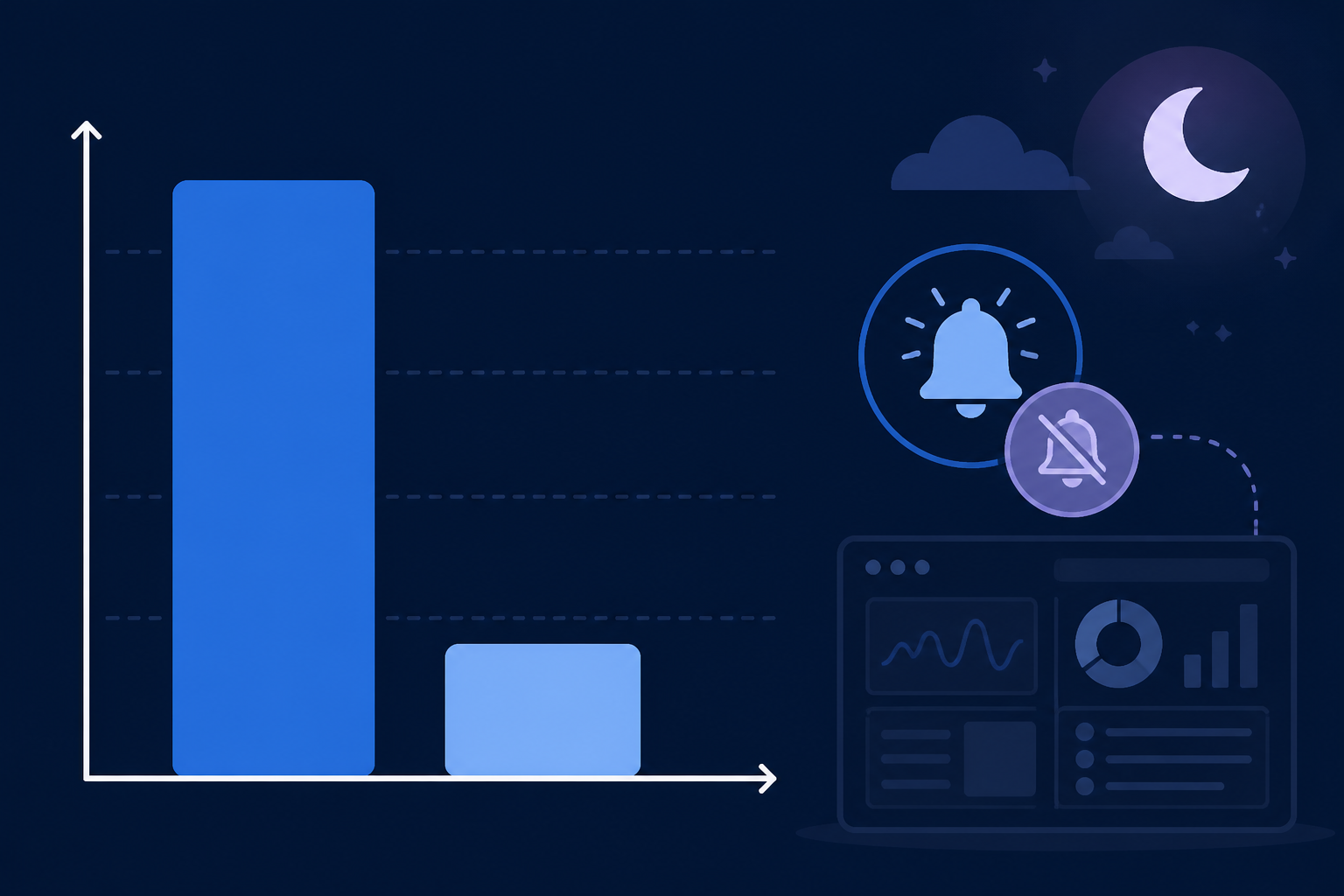
Alert fatigue isn't really about volume. It's about the signal-to-noise ratio. Google's Site Reliability Engineering team describes something similar in its publicly available SRE workbook: when responders get too many low-value or non-actionable notifications, they can become desensitised over time. They delay responding, mute alerts and risk missing the one notification that actually matters. It's worth noting that this pattern is widely discussed in operations literature generally, rather than being a precise, measured statistic—but most engineers I talk to recognise it instantly.
Think about what that looks like for a two-person startup team. There's no on-call rotation to spread the burden and no backup engineer waiting in the wings. It's just you, your co-founder and a phone that won't stop buzzing at 2am GMT—or 3am if you're in BST. Every false alarm chips away at trust, not just in the monitoring tool but in each other's ability to rely on it.
That trust erosion has a sneaky side effect: people quietly go back to manually refreshing dashboards “just to be sure”. That defeats the entire point of having monitoring in the first place.
There's a parallel in healthcare that I think about, with some caution. The Joint Commission, a US hospital accreditation body, has publicly discussed alarm-related sentinel events where excessive, non-actionable alarms contributed to serious harm—not because clinicians didn't care, but because their attention had adapted to filter out constant noise. Clinical alarms and infrastructure alerts aren't the same thing: lives and legal frameworks differ enormously. But the underlying psychological mechanism—desensitisation to repeated low-value signals—shows up in both settings and is worth taking seriously.
The productivity cost is real too, even if it's hard to pin to one exact number for on-call engineers specifically. Research on workplace attention, including studies by Gloria Mark at UC Irvine, has found that people can take well over 20 minutes to fully return to a task after certain kinds of interruptions. That figure comes from general knowledge-work research rather than a study of DevOps alerting specifically, so treat it as an illustrative range rather than gospel. Even so, multiply almost any meaningful recovery time by every false alarm your team gets in a week and it adds up to a genuine tax on the work you're trying to do.
Why Small Teams Are Most at Risk of Alert Fatigue
Here's the thing nobody tells you when you're bootstrapping: the smaller your team, the more brutal alert fatigue becomes. Bigger companies can absorb noise across a rotation of engineers. You often can't. A few reasons small teams get hit hardest:
- No dedicated on-call rotation. When there's no rotation, the same one or two people absorb every false alarm, night after night, with no relief valve.
- Lower-cost tools sometimes offer fewer verification options. Not every budget monitoring service does this, but some check from a single location and alert on the first failed ping. That sounds fine until you realise how often a single network hiccup gets misread as a full outage.
- Everyone's wearing five hats. When you're the founder handling support tickets, writing code and keeping the lights on infrastructure-wise, there's little time left to fine-tune alert thresholds properly.
- Smaller infrastructure footprints paradoxically feel scarier. A large company with hundreds of servers gets natural statistical smoothing—normal fluctuations are averaged out. When you've got three servers, one API and perhaps a database hosted with a UK or EU provider, every blip looks like it might be the whole business falling over.
I say this with real empathy: you didn't sign up to become an alerting expert. You signed up to build something people want. But a bit of upfront tuning pays for itself many times over in sleep and sanity.
Common Sources of False Downtime Alerts
Before discussing fixes, it helps to know what's setting off false alarms and how to tell different causes apart. In my experience, false positives usually fall into a handful of categories.
Network-path issues
- Single-region checks. If your monitoring server checks from just one location and that location has a brief network wobble, it looks exactly like your site is down—even if it's perfectly fine everywhere else. Diagnostic clue: the failure clears on its own within seconds and doesn't repeat from other regions.
Application-level blips
- Transient CPU or memory spikes. A few seconds of slowness during a deploy or cache warm-up can trigger server monitoring alerts that resolve themselves before you've even opened your laptop. Diagnostic clue: the event correlates with a deploy timestamp or scheduled job.
Third-party dependency issues
- CDN, DNS or payment gateway hiccups. Your CDN or payment provider has a 30-second wobble, or a DNS change is still propagating, and suddenly it looks like your own site is the problem. Diagnostic clue: your own logs show no errors, but the monitor times out on an external call.
Scheduled-job timing
- Cron jobs finishing a little late. A backup job that usually completes in 58 seconds takes 63 seconds one day, and heartbeat monitoring flags it as a failure. Diagnostic clue: the job completes successfully, just slightly outside the expected window.
Certificate and expiry warnings
- Early SSL certificate warnings. SSL certificate monitoring firing 30 days before expiry is genuinely useful. However, if it's treated with the same urgency as a live outage, it adds to the noise. This isn't a false alarm exactly; it's a severity-labelling problem.
None of these mean your monitoring tool is “broken”. They're the natural texture of running infrastructure on the internet. The trick is building a system that can tell the difference between texture and trouble—and routing each category to the right level of urgency.
Using Multi-Region Verification to Reduce Alert Noise
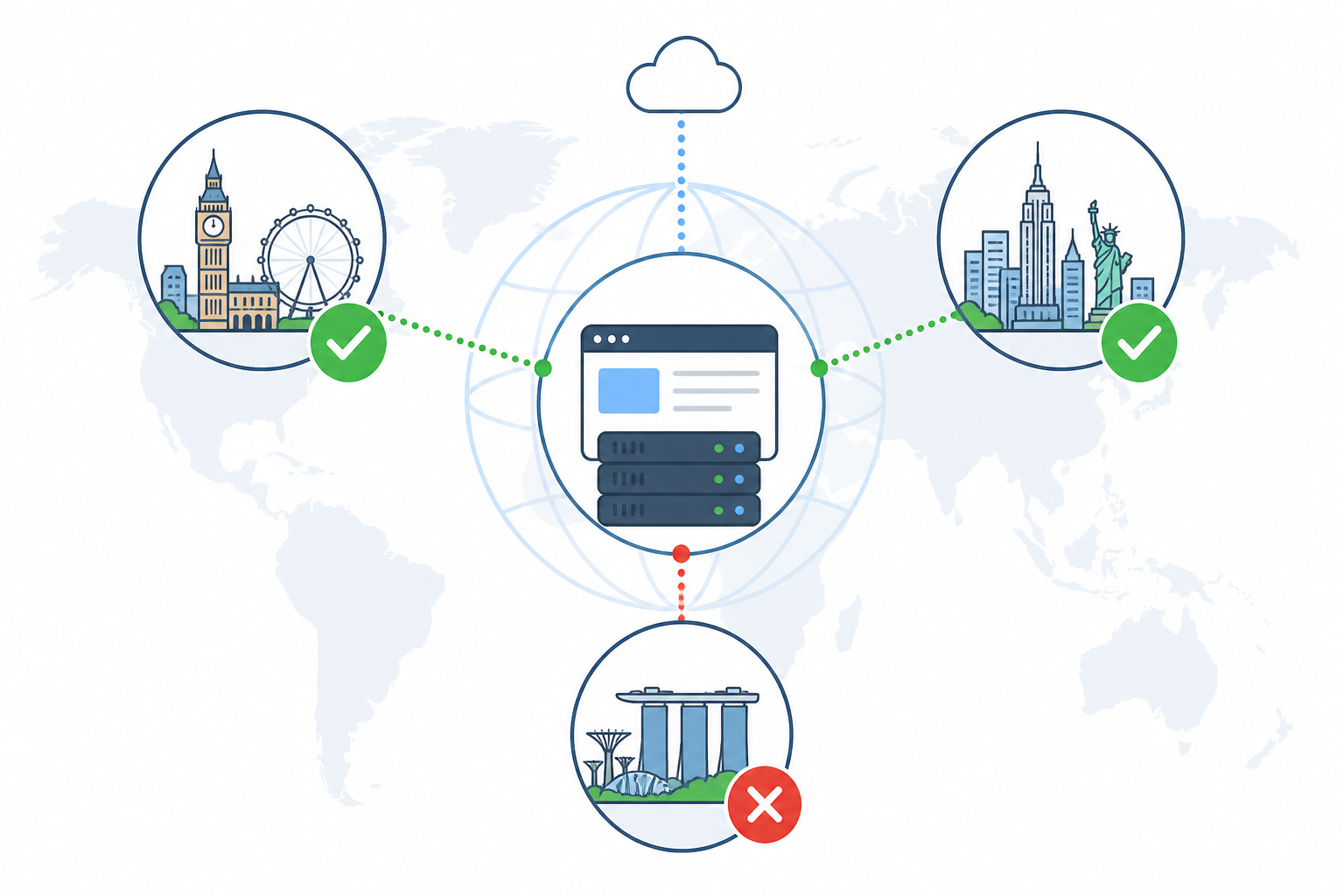
One of the biggest levers for reducing false downtime alerts is multi-region verification, and it's something many budget monitoring tools skip. The idea is straightforward: before an alert fires, the monitoring service double-checks the failure from two or three separate geographic regions—not just the one that first noticed the problem.
Here's why that matters: a large share of “downtime” that isn't actually downtime is a routing or network issue somewhere between the monitoring server and your infrastructure. It's not your site failing; it's one path to your site having a bad moment. If you're only checking from a single region, you have no reliable way to tell the difference. If London sees a failure and then New York and Singapore independently confirm it, you can be much more confident that the outage is real.
It's worth being honest about the limits here too. Multi-region confirmation reduces false positives caused by a single bad network path, but it isn't a complete safety net. A genuine regional outage affecting users in, say, Ireland or mainland Europe might not show up if your checking regions happen to sit outside the affected area. For services where regional performance matters, pairing multi-region checks with real-user monitoring or region-specific probes gives you a fuller picture.
Let's play out a quick scenario. Imagine your API has a 30-second network blip that only affects traffic routed through a specific European backbone provider:
- With single-region monitoring: Your monitor, checking exclusively from the affected region, sees the failure, retries once, still fails and fires an alert. You wake up, panic, check your API manually from your phone, find everything's fine and go back to bed frustrated.
- With multi-region verification: The London check fails, but before anything is sent to you, the system checks with New York and Singapore. Both come back clean. No alert fires. You sleep through it because the underlying service was fine—even though one path to it briefly wasn't.
How Moonitor handles this: as one example of this principle in practice, Moonitor applies multi-region verification by default across HTTP/S, port, ping and keyword monitors, so you're not configuring region logic yourself. It's one way to implement the idea above, not the only way. The underlying principle of confirming failures from multiple vantage points is what matters, regardless of which tool you use.
Tuning Alert Thresholds, Retries and Confirmation Delays
Multi-region checks handle a large share of false positives, but there's more you can do to make your alerting genuinely trustworthy. The key is understanding how retry count, confirmation delay and check frequency work together. The right settings depend on how critical the service is and how much delay you can tolerate.
- Set a retry count that matches the stakes. Requiring two or three consecutive failed checks before alerting filters out many momentary blips. But consider the time cost: if your check interval is 60 seconds and you require three failures, you've accepted up to a three-minute detection delay. For a payment API, that might be too slow. You may want a shorter interval with region confirmation instead of a high retry count. For a marketing page, a longer delay is usually fine.
- Add a short confirmation delay proportionate to criticality. Giving brief issues 60–90 seconds to resolve can eliminate transient network noise for non-critical services. For anything where two minutes of genuine downtime is costly, a shorter delay paired with multi-region confirmation is usually safer than a long delay alone.
- Match check frequency to criticality. Your core payment API probably deserves a check every 30–60 seconds. Your marketing landing page may only need checking every five minutes. Treating everything with the same urgency is part of what burns teams out.
- Use response-time thresholds thoughtfully. A traffic spike that slows response times for two minutes isn't the same as your service being down. Set response-time alerts as a separate, lower-severity signal rather than lumping them in with hard downtime.
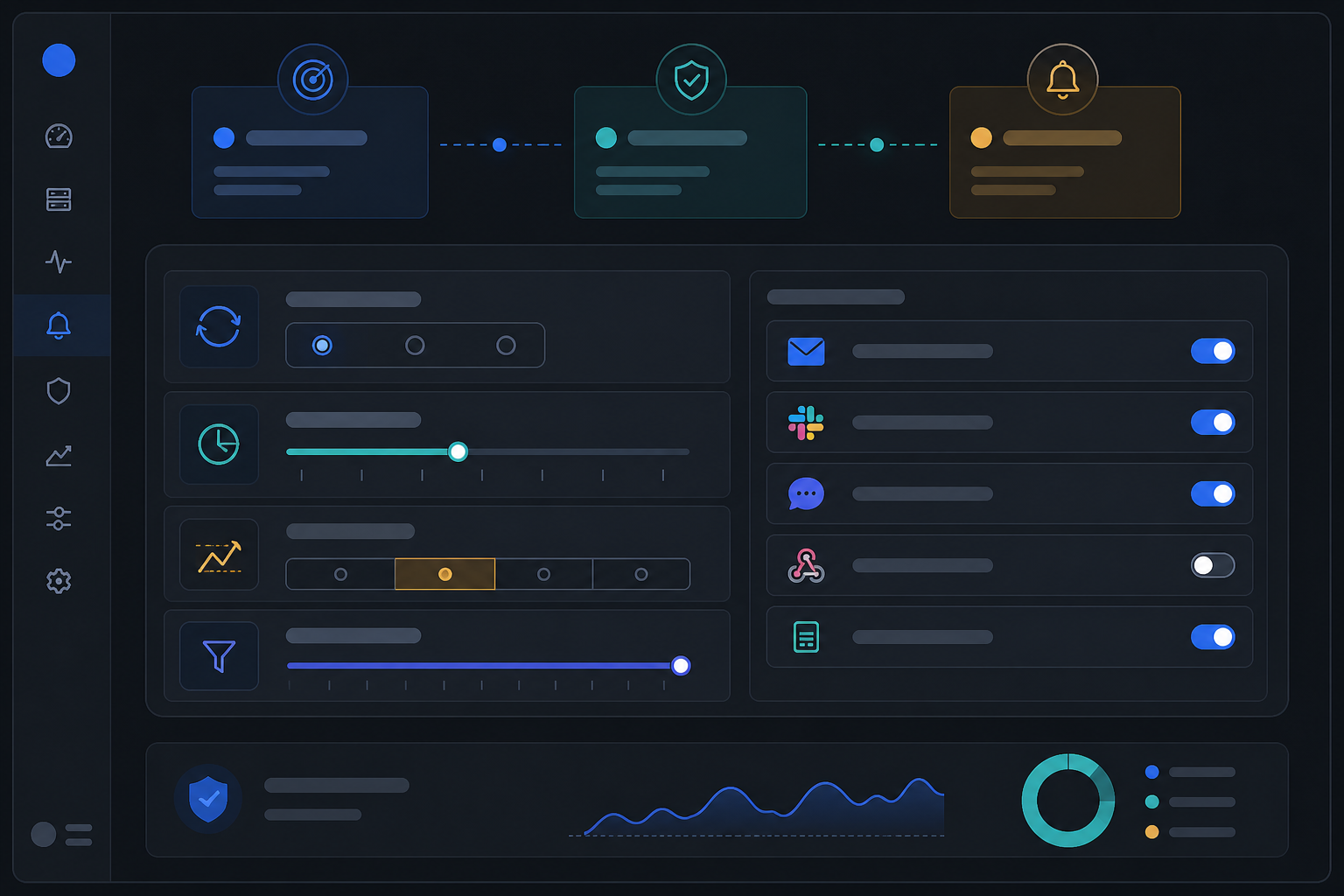
- Route alerts by severity to different channels. Low-priority notices can go to a Slack or Discord channel that people check when they have a moment. Genuinely critical incidents should go somewhere harder to ignore—Telegram, phone alerts or a dedicated webhook that triggers your escalation process.
As a rough starting point, critical, revenue-affecting services suit shorter intervals, lower retry counts and multi-region confirmation over long delays. Lower-stakes services can afford longer intervals, a couple of retries and a longer confirmation window. Adjust from there based on what your own incident history tells you.
Building a Low-Noise Monitoring Setup
Once you've tuned individual alerts, zoom out and think about your monitoring setup as a whole system rather than a pile of individual checks. This practical checklist can help:
- Match monitor types to the layer they're watching. Website monitoring, API monitoring, server monitoring and cron job monitoring each catch different failure modes. Trying to use one generic HTTP check for everything means you'll either miss real problems or get alerted for the wrong reasons.
- Set up incident escalation instead of endless repeat pings. If an alert goes unresolved for 10 minutes, it should step up in urgency—perhaps from Slack to a phone call—rather than repeating the same notification into the void.
- Use a public status page to deflect the “is it just me?” panic. A branded status page absorbs a huge amount of pressure. Instead of five customers contacting you individually during a hiccup, they can check the page, see you're already working on it and move on with their day.
- Review incident history monthly. Sit down once a month, perhaps on the first working day, and look for patterns. If the same monitor keeps producing near-misses at the same time each week, that's a clue your threshold or check frequency needs adjusting.
- Export your monitoring data periodically. Having a full API and data export means you can audit alert accuracy over time and hold your own tool accountable, without worrying about being locked into a platform you've outgrown.
As one example of this philosophy in practice, Moonitor brings several monitor types under one dashboard with incident history, response-time analytics and a data export API. It's built so a small team can set it up quickly and then mostly leave it alone until it actually needs to speak up. The principles above matter more than the specific tool, though: they'll improve your signal-to-noise ratio whatever you're using.
Alert Fatigue FAQ
Why do I keep getting downtime alerts for a site that's actually fine?
This often comes down to single-region checks reacting to a temporary network hiccup between the monitoring server and your site, rather than an actual outage. If your monitoring tool checks from just one location and doesn't retry or verify from elsewhere before alerting, you'll see this fairly often. Multi-region verification, where a failure is confirmed from two or three separate regions before an alert fires, can substantially reduce this type of false positive. It won't catch every edge case, particularly genuine outages limited to one region.
How can a small team reduce alert fatigue without missing real incidents?
The goal isn't to silence alerts; it's to make each one trustworthy. Set retry counts and confirmation delays that match how critical each service is, route alerts by severity to the right channels and use multi-region checks where a single bad network path could otherwise cause a false alarm. This keeps your signal-to-noise ratio high without giving up genuine incident coverage. It does mean spending an hour or two upfront setting these values rather than accepting defaults.
What settings reduce false positive alerts the most?
In rough order of impact for most small teams: multi-region failure verification; a retry count matched to check interval and criticality; a confirmation delay sized to how much detection lag you can tolerate; and check frequency matched to how important the resource actually is. Together, these reduce many false alarms caused by brief network or server blips. None is a substitute for reviewing incident history to see what's actually triggering alerts.
When should I not increase retry counts or confirmation delays?
For anything genuinely critical—payment processing, core APIs and authentication—be cautious about stacking a high retry count on top of a long confirmation delay. The two settings compound. Three failed checks at a 60-second interval plus a 90-second delay could mean nearly four minutes before you're notified.
In these cases, favour a shorter check interval combined with multi-region confirmation over a long wait-and-see period. You could also consider a separate, more sensitive monitor for your most business-critical endpoints.
Final Thoughts on Alert Fatigue
At the end of the day, alert fatigue isn't a personal failing. It's a predictable outcome of monitoring tools that alert first and verify never, combined with settings that were never properly reviewed.
Fix the verification step, tune your thresholds to match how critical each service really is and you'll find yourself trusting your alerts again. And honestly? That trust is worth more than any dashboard.