
Server Monitoring Without the Overhead: A Practical Guide to Ping and Port Checks
Learn how server monitoring with ping and port checks helps small teams spot outages, check SSH, database and mail services, and avoid agents.

For most small teams, agentless external checks catch the failures that matter: a server that's unreachable, or a service that has stopped listening. Ping monitoring tells you whether something at your server's IP address answers on the network. Port monitoring tells you whether the service you care about (SSH, a database, mail) is accepting connections. Put the two together, run them from more than one location, and you can have dependable server monitoring up and running quickly. No agents, no dashboards full of metrics you'll never read.
Let's walk through how ping and port monitoring work, where these checks fall short, and how to build a sensible setup for a handful of servers.
How to tell if your server is down: start with what your customers would see
Picture a Monday morning. You're making your first coffee, and an email lands from a customer: 'Is your system down? I can't log in.' Your stomach drops, because you had no idea. Your own tooling said nothing. The server had been quietly unreachable since Saturday night.
I think most of us have either lived this or come close. It points at the idea behind good server monitoring: start with the outside view. If a customer, a partner's system, or your own team can't reach something, that's the failure that matters. So the most honest test is to check from outside your network, the way they would.
There's a second reason to look from the outside. A server can't reliably report its own total failure. If the machine has lost power, crashed hard, or dropped off the network, it can't tell you anything. Any monitoring that lives on the server goes silent at exactly the moment you need it most.
The good news is that most small-team outages are refreshingly simple:
- The machine is unreachable (crashed, powered off, or a provider problem).
- A service has stopped (the database process died, or SSH stopped listening).
- Something in the network changed (a firewall rule, a routing issue, an upstream blip).
You don't need a full observability stack to catch those. A few well-chosen outside-in checks will do it, and that's what the rest of this guide covers.
What ping monitoring tells you (and what it doesn't)
Ping is the oldest trick in the book. Your monitoring system sends a small ICMP 'echo request' to your server's IP address and waits for an echo reply. It's basically shouting 'Are you there?' across the network and listening for 'Yep!'
When that reply comes back, you learn a few useful things:
- An endpoint at that IP address responded to ICMP from that monitoring location. In most setups that's your server, though it could be a router, load balancer or firewall answering on its behalf.
- It's responding at the network layer.
- You get round-trip time (latency) and packet loss, which are handy for spotting trends over time.
What a ping can't tell you is whether anything useful is running. A server can answer ping happily while its web server is stopped, its database has crashed, or its HTTPS port is unreachable. The reply only proves that something at that IP responded to that probe.
There's also the reverse problem. A failed ping doesn't always mean a server is down. Some hosts and firewalls filter ICMP on purpose, and cloud providers often drop ping by default (AWS security groups are a common example, since they only allow what you explicitly permit). I've seen setups where the website worked perfectly for users while a ping monitor shouted 'DOWN' all day, simply because ICMP was blocked. If you're running IPv6, be careful not to block ICMPv6 wholesale either, as parts of it are essential to the network working at all.
Is ping monitoring enough on its own?
Honestly? No. Ping is a great first signal and a poor only signal. Think of it as checking that someone's home by looking for a light on, rather than knocking on the door and getting an answer.
Here's how the three most common external checks compare:
| Ping check | Port check | HTTP check | |
|---|---|---|---|
| What it proves | An endpoint at that IP answered ICMP from the monitoring location; gives latency and packet loss | A specific TCP port accepted a connection from the monitoring location | The web service returned a response (status code, and optionally expected content) |
| What it misses | Whether any service is running; fails if ICMP is filtered | Whether the service behind the port is healthy, authenticates users or returns correct data | Anything not served over HTTP, like SSH, databases or mail |
| Best used for | A first 'is anything answering?' signal and latency trends | SSH, databases, mail and custom services | Websites and APIs where user experience matters |
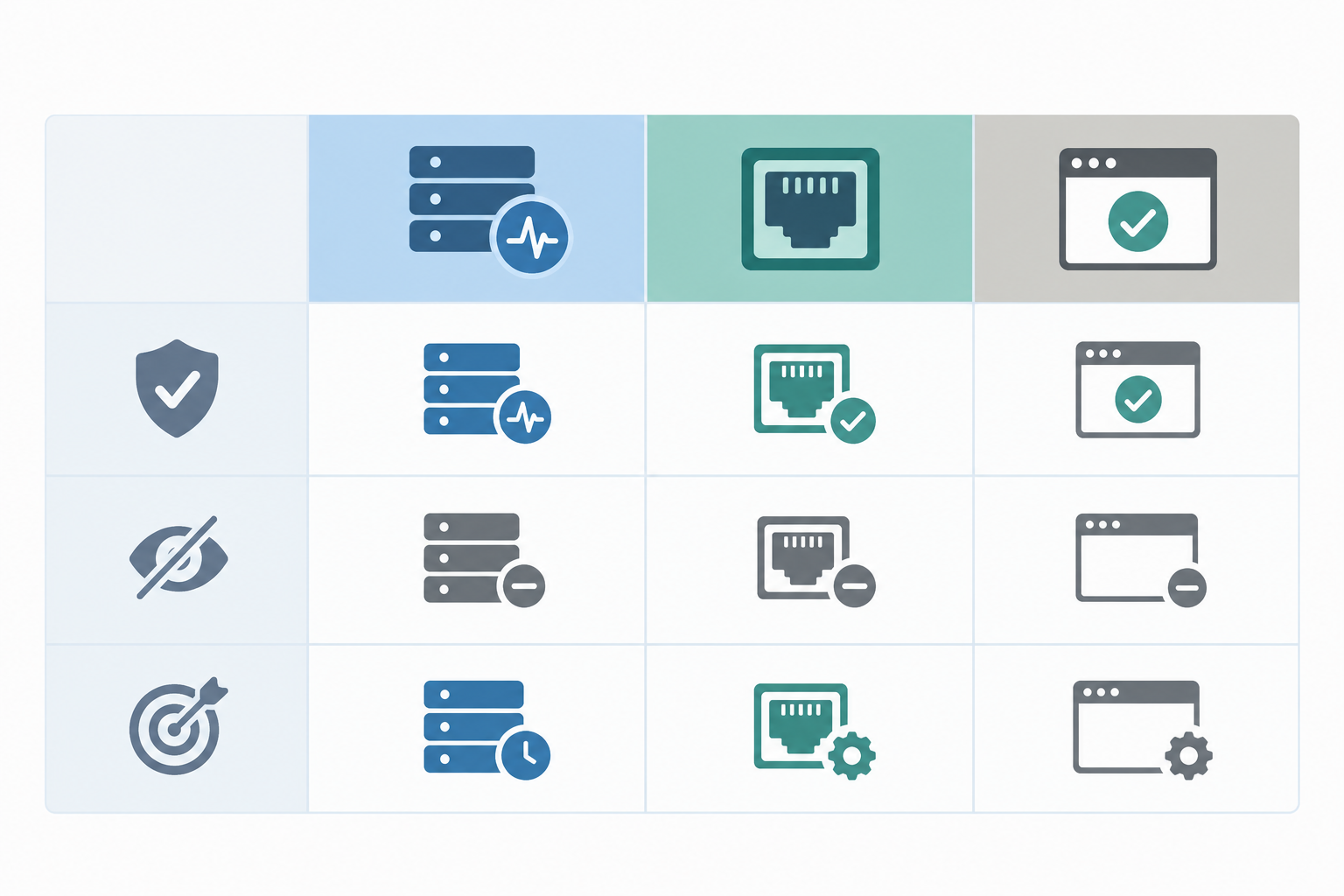
One more thing worth knowing: ping results are specific to the path between the monitoring location and your server. A hiccup on one route can look like an outage from a single vantage point. That's one reason checking from several locations can help, and we'll come back to it in the noise section, trade-offs included.
Port monitoring for SSH, databases, and mail
If ping asks 'are you there?', a port check asks 'are you listening?' It attempts a TCP connection to a specific port and confirms that something accepted it. It doesn't log in, send queries or read mail. It just checks that the door opens.
This is where you catch many of the failures ping misses. A web server that replies to ping but refuses connections on port 443 points to a stopped listener, a firewall change or a routing problem. A ping-only monitor would show green the whole time.
A caution before we go through the services: an accepted connection shows that something is listening, not that the intended service is healthy. A hung process can still accept connections, and a load balancer or proxy can accept them on behalf of a backend that's down. Treat a port check as a strong first-level signal, not proof that everything works.
SSH (port 22)
SSH is your own way in. If it's unreachable, you can't fix anything else. A failed check could mean the SSH service has crashed, someone changed a firewall rule, or your provider has a problem. It's better to learn that before you urgently need to log in. Bear in mind a port check only confirms the port is reachable, not that your keys or credentials work. And if you've moved SSH to a non-standard port (many people do), monitor that one instead.
There's a security catch, too. For an external check to work, the monitoring location needs a permitted network path to the port. If your security policy doesn't allow SSH to be reachable from outside your network, don't loosen it just for monitoring. Lean on ping, application-level checks or a private monitoring approach instead.
Database port monitoring (PostgreSQL 5432, MySQL 3306)
A port check on your database shows that something accepted a connection from the monitoring location. It doesn't prove queries are succeeding, connections aren't exhausted, or the data is healthy. For the things users actually feel, you'll want an application-level check alongside it, like an HTTP check on a health endpoint that touches the database.
So, can you monitor a database port safely? Often yes, but only if the network path is already safe. A TCP connect check doesn't send credentials or queries, so there's nothing sensitive in the check itself. The risk is in how reachable the port is, and you should never expose a database to the internet solely to make an external check possible. Some safer options:
- If the database is already reachable from specific addresses, restrict access by IP allowlist so only your monitoring locations and your own systems can connect.
- If it's private, use a private monitoring location, a VPN or a tunnelled path, or run the check from inside the network.
- Monitor the application that depends on the database through a health endpoint. For many highly sensitive systems, that's enough.
- Follow your organisation's security policy. If the database holds personal data, UK GDPR expects appropriate security measures, so it's worth a quick word with whoever owns security before changing any firewall rules.
- Keep passwords and secrets out of check definitions and alert messages.
Mail port monitoring (SMTP 25/587, IMAPS 993)
Mail servers fail quietly. Nobody gets an error page; messages just stop arriving. Port 25 is typically for server-to-server transfer, 587 for message submission, and 993 for encrypted IMAP access, so pick the port that matches the mail flow you care about.
Here's a scenario that plays out more often than you'd think. A small business runs its own mail relay. After a routine update, the service stops accepting connections. Nothing crashes visibly, the server is up, and the website is fine. Hours later, a customer mentions that their order confirmation never arrived. A simple port check on 587 would have flagged it within a few minutes, depending on your check interval. Keep in mind that a connection check won't verify delivery, TLS configuration or mailbox access, so an occasional end-to-end test message is still worthwhile.
A note on unexpected open ports
It's tempting to think port monitoring will also tell you when something new becomes exposed. It won't, at least not by itself. A port check looks only at the ports you've chosen, so it can't notice a port you never listed.
Spotting unexpected exposure takes something different: an up-to-date inventory of what should be reachable, an authorised port scan of your own addresses, or monitoring of firewall and cloud configuration changes. Only scan systems you own or have permission to test. For a small team, even a periodic review of your firewall rules and security groups is a worthwhile habit.
Agentless vs agent-based server monitoring: do you need to install anything?
Do you need to install an agent? Not for basic availability monitoring. That's the short answer.
Let's define terms:
- Agentless monitoring uses external checks. A monitoring service sends pings and connection attempts from elsewhere. Nothing is installed on your server, though your firewall may need to permit the probes.
- Agent-based monitoring means running software on each server that reports from the inside: CPU, memory, disk, processes, logs.
Both have a place. Here's how they stack up:
| Agentless (external checks) | Agent-based | |
|---|---|---|
| Setup time | Usually minutes | Hours to days across a fleet |
| Maintenance | Little or none on your servers | Installing, updating, configuring, patching |
| Visibility depth | Outside-in: reachable or not, how fast | Deep: per-process, disk and memory trends, logs |
| Cost | Typically low | Often higher, and may scale with hosts or data volume |
| Best fit | Small fleets, quick wins, anything with an IP | Larger or more complex environments, performance debugging |
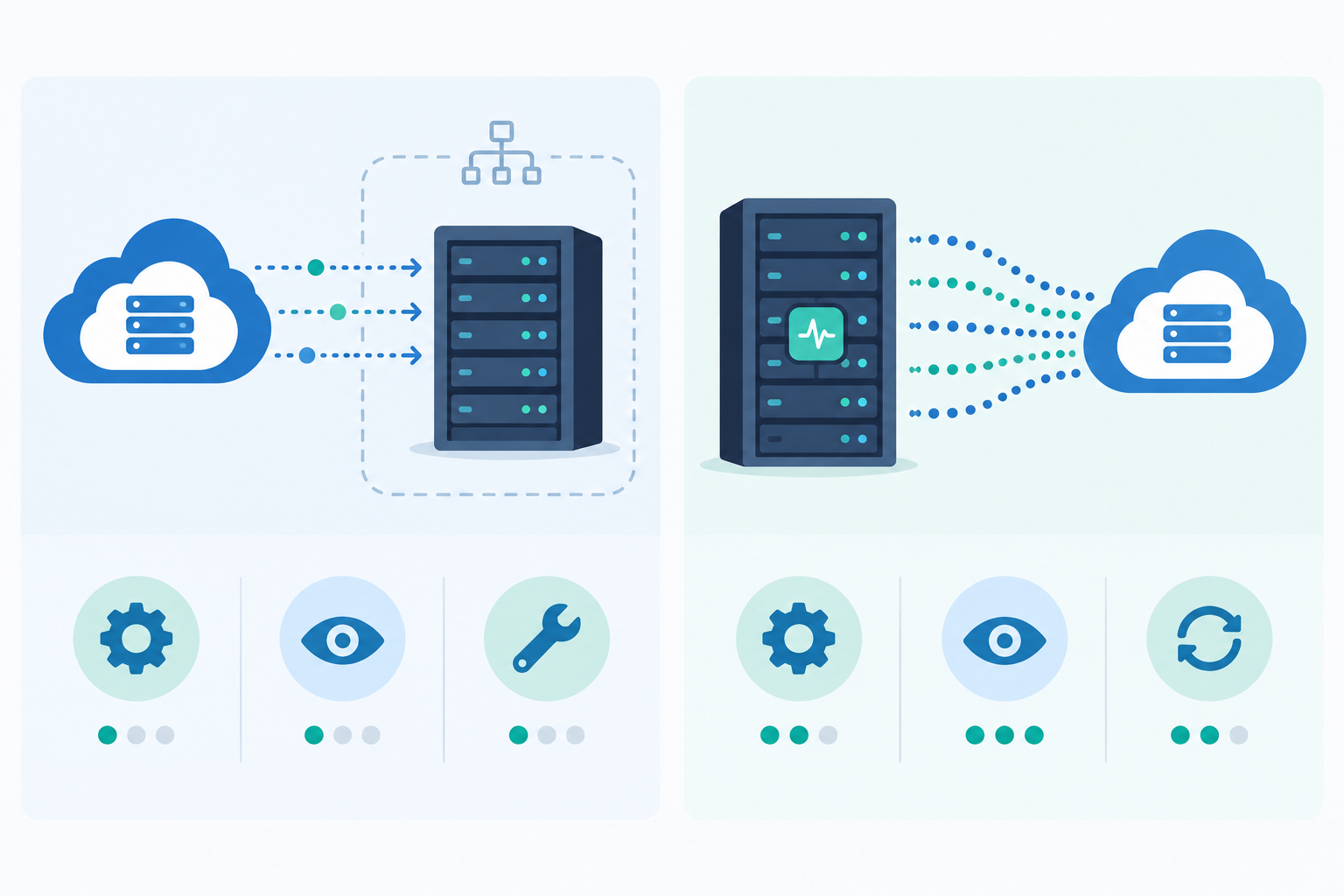
The advantages of going agentless are real. There's no installation or patching, the load on your servers is negligible, it works on anything with an IP address, and there's nothing to break during upgrades. For a small team with limited time, that simplicity is worth a lot.
But let's be honest about the downsides. Agentless checks can't see inside the box. They won't tell you a disk is 95% full or a runaway process is eating memory. Agents can, but they bring maintenance, a larger security surface and more cost. (Even 'agentless' protocols like SNMP need a service enabled and secured on the device, so it's not always zero-touch.)
My take: for a small fleet, start agentless. You'll cover the outages your customers would actually notice, and you can add agents later, only where you need them.
What to monitor on a small server fleet: a sensible starter setup
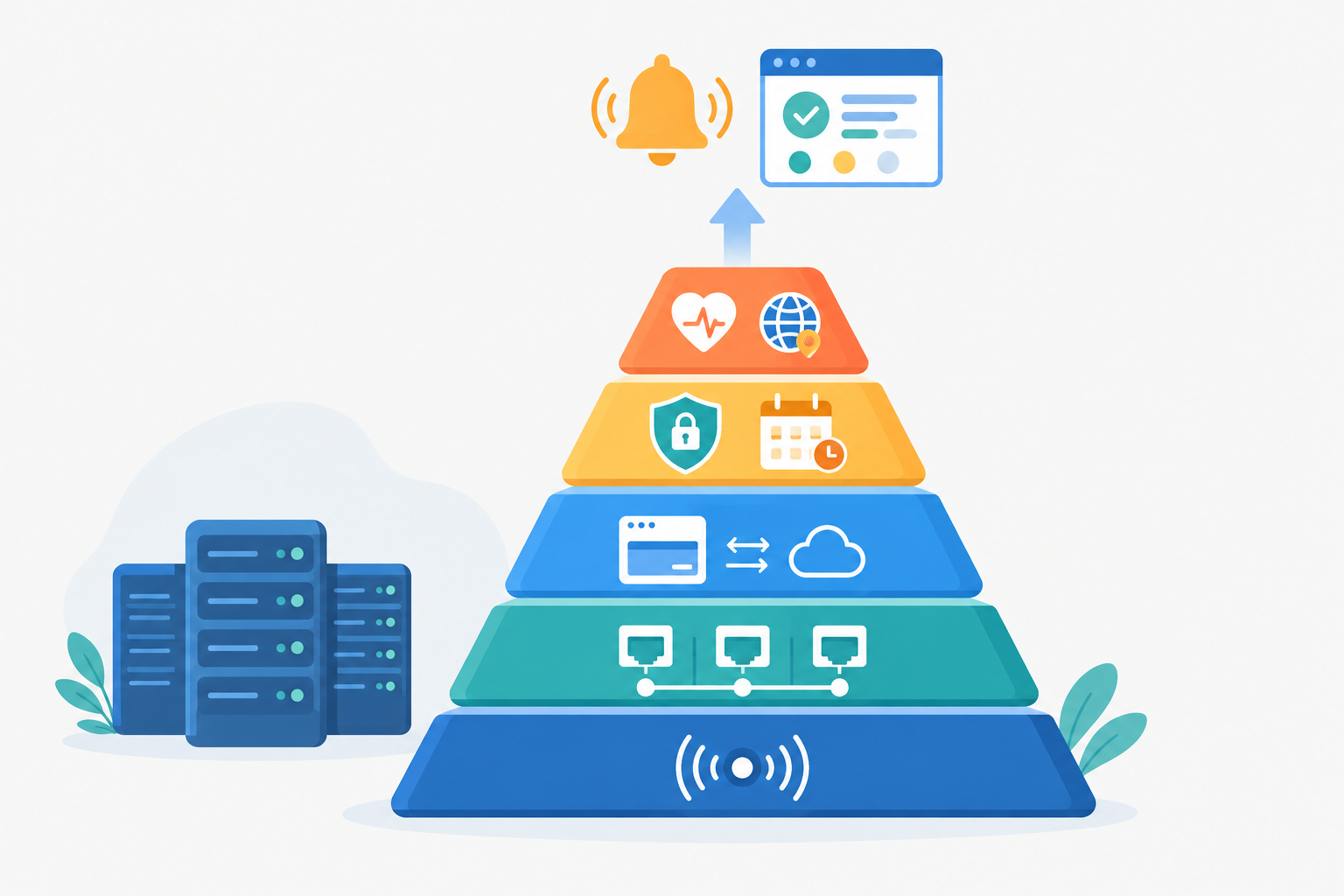
Not everything below is a ping or port check, and you don't need all of it on day one. I'd split it into the core checks that answer 'is it up?' and a set of optional add-ons that tackle neighbouring problems. Build the core first, then add what your situation calls for.
Core server availability checks
- Add a ping monitor for each server. This catches many full outages and tracks latency. If your provider blocks ICMP, skip to the next step and rely on port checks.
- Add port monitors for the services that matter. That means SSH, your database, mail, or any custom service your business depends on, provided there's a safe network path for the check (see the database section above).
- Add website and API monitoring. HTTP/S or keyword checks verify the application layer, not just the machine. A keyword check can confirm a page contains what it should, which catches the 'server is up but the page is an error' situation.
- Route incident alerts to where your team already works. Slack, Discord, Telegram or email, whichever you actually read. Decide who gets what, and set sensible escalation.
Optional server monitoring add-ons
- SSL certificate and domain expiry alerts. An expired certificate is an avoidable, embarrassing outage. Get a warning weeks ahead, not at 9am on the day.
- Heartbeat monitoring for cron jobs. For backups and other scheduled tasks, the job pings a URL when it finishes. If the ping doesn't arrive on schedule, you're alerted. This is how you find out your backup silently stopped running three weeks ago, rather than when you need to restore it.
- DNS monitoring. Unexpected record changes can quietly redirect traffic or break mail, so you'll want to know when something shifts.
- A public status page. When customers can check for themselves, they email you less and trust you more.
What a small-team server monitoring setup looks like
Imagine a UK startup with a web server, a database server and a mail relay. Its monitor list might be:
- 3 ping monitors (one per server)
- 4 port monitors (SSH, PostgreSQL, SMTP submission, IMAPS), with the database and SSH checks run only over a path its security policy allows
- 2 HTTP checks (the marketing site and the API health endpoint)
- 2 expiry monitors (SSL certificate and domain)
- 1 heartbeat monitor (nightly backup)
- 1 DNS monitor
That's around a dozen monitors, which most providers' entry-level plans should be able to accommodate, though limits vary, so check before you commit. If you can, choose a service with a UK or nearby European check location, since that's closer to what your UK customers experience.
Moonitor, for example, keeps all of these monitor types in a single dashboard. Whichever tool you pick, the goal is the same: a short list you can build in one sitting and keep tidy.
Reducing server monitoring alert noise: intervals, thresholds and false alarms
Here's something people don't tell you about simple monitoring: the real cost isn't the setup, it's the false alarms. When a tool cries wolf a few times, people start muting channels and ignoring alerts. Then a real outage turns up and nobody reacts. That's how good monitoring goes bad.
Multi-region verification (and its trade-offs)
One common defence is to require agreement between locations. With multi-region failure verification, a failure is confirmed from more than one location before an alert fires. If one region sees a timeout but two others connect fine, that's probably a route problem rather than your server, so you avoid a pointless alert.
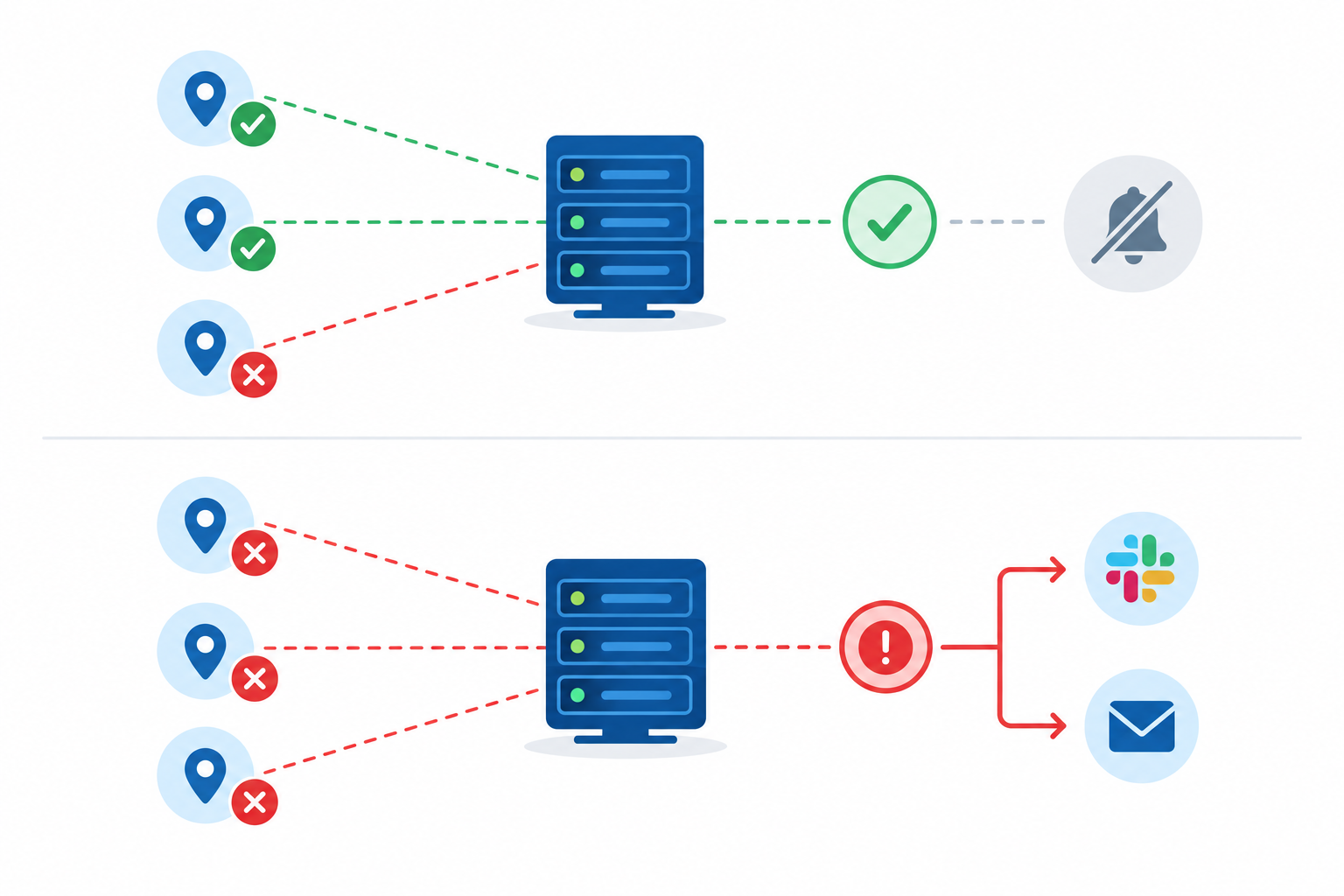
The diagram shows one model, though, not a universal rule. Providers differ in how many locations they use, how many retries they allow and how long they wait before alerting, so check how your own tool decides when to send an alert.
There are two trade-offs to weigh up. The first is detection delay: waiting for confirmation or extra retries means a real outage is detected a little later. The second is masked regional problems. If a failure affects only one region (a regional network fault, or geo-blocking rules, say), a rule that needs several locations to agree may stay quiet even though some of your customers can't reach you.
This follows a broader principle from site reliability practice: don't page someone on a single missed response. Requiring several failed observations before alerting is a standard way to filter out transient glitches. For most small teams that's a sensible trade, as long as you know it's there.
Choosing server monitoring check intervals
Faster checks mean faster detection, but also more potential noise. A reasonable starting point:
- Every minute for critical, customer-facing services (your main site, API, primary database port).
- Every five minutes for less critical systems (staging servers, internal tools, secondary mail checks).
There's no universal right answer. Ask yourself: how quickly would I need to know, and could I realistically act on it?
Learn from monitoring patterns
Response-time analytics and incident history are underrated. Say you notice a server gets slow every night around 2am. Line that up with your backup schedule, and you may have found the cause without any agent at all. Reviewing incident history monthly also shows which alerts are repeat offenders worth tuning or fixing properly.
Keep your team sane
Not every alert deserves the same urgency. A failed check on your main API is worth an immediate notification. A short-lived blip on a non-critical host can go to a quieter channel. For a small team, consider rotating who gets the urgent alerts, and make sure the person on the receiving end has a clear idea of what to check first. Nobody does their best work after a third pointless 3am wake-up.
Knowing when you need more than external server monitoring
Here's the reassuring bit: outgrowing external checks isn't a failure. It usually means your business is growing. You might be ready for agent-based or full-stack tooling when:
- You keep hitting resource exhaustion, with CPU, memory or disk problems that recur.
- You need to know why something is slow, not just whether it's up.
- Compliance or audit requirements call for detailed logging.
- Your architecture gets complicated, with many microservices and dependencies.
Even then, keep your external checks. They're your independent outside view, and they'll still tell you when the deeper tooling itself is down or the whole network path has failed.
My suggestion is to go gradually. Add internal metrics only for the servers where problems keep recurring, rather than rolling an agent out everywhere because it feels like the 'proper' thing to do.
And if you're just starting, try the simple version first. Most monitoring services, Moonitor included, offer a free trial, so you can set up pings, ports, SSL checks and a status page and see how much of your risk is already covered before spending on anything more complex. Trial terms, plan limits and prices change, so check the current details (including whether prices include VAT and are quoted in pounds) on the provider's own site before you decide.
Server monitoring FAQ
Is ping monitoring enough on its own?
Usually not. A successful ping shows that something at that IP address answered from the monitoring location, but it doesn't prove your website, database or mail service is working. Pair ping monitoring with port checks or HTTP checks for the services your business depends on.
Can port monitoring affect my server's performance?
Not in any meaningful way. A port check simply opens a TCP connection and closes it, which is a tiny amount of traffic. Sensible check intervals (every minute or every few minutes) won't put noticeable load on a properly configured server.
Do I need to open my firewall to monitor my servers?
You need a permitted network path between the monitoring location and whatever you're checking, but that doesn't have to mean public exposure. You can allowlist the monitoring service's IP ranges, use a private monitoring location or VPN, or check an application health endpoint instead. Never open a database or SSH to the whole internet purely for monitoring, and follow your own security policy.
Why does my server show as down when it seems fine?
Common causes include a firewall or security group blocking ICMP or the port, a brief network blip on one route, or the service restarting. Multi-region verification and retries can help filter out one-location glitches, though how alerts are confirmed varies between providers, so check yours.
How often should I check my servers?
For critical servers, one-minute checks give fast detection. For less important systems, five-minute intervals are often plenty. Choose based on how quickly you'd need to know and act on an outage.