
Uptime Monitoring vs. APM: Which Does Your Team Need?
Uptime monitoring vs APM: compare what each tool detects, costs and suits. Find out what to set up first and when your UK team needs both.

Uptime monitoring checks whether your website, API, or server is reachable and working from the outside. APM (application performance monitoring) helps explain why your code is slow or failing from the inside. If you're a small team, start with uptime monitoring. It's quick, fairly affordable, and catches the outages your customers actually notice. Add APM when you're chasing performance problems you can't explain from the outside.
This guide compares the two, shows where each one earns its keep, and covers what to look for when you're comparing products and what to set up first.
Uptime monitoring vs. APM: the short version
Picture it: it's 2am, and a customer emails to say your checkout is down. You open your dashboard and it's a wall of tidy graphs. CPU is fine, memory is fine, and the app's internal metrics look serene. Nothing paged you, because nothing inside the app knew anything was wrong. The customer found out before you did.
I've seen this happen to plenty of teams, and it's rarely because they lacked data. They had the wrong kind of data for that particular question.
Here's the cleanest way to separate the two:
- Uptime monitoring asks: "Is it up and responding correctly right now?"
- APM asks: "Why is it behaving the way it is?"
So, is uptime monitoring the same as APM? No, and they aren't really competitors either. One is a smoke alarm. The other is the investigation kit you use after the alarm goes off. They show up at different points in an incident and suit different team sizes.
What questions do uptime monitoring and APM answer?
The easiest way to choose is to write down the questions you need answered on a bad day.
Uptime monitoring typically answers questions like:
- Is my website, API, or server reachable right now?
- Is the page returning the content it should, not just a 200 status code?
- Is my SSL certificate about to expire?
- Did my nightly cron job actually run?
- Did a DNS record change when nobody planned it?
APM typically answers questions like:
- Which database query is slow?
- Which endpoint has the highest error rate?
- Where in the stack is latency creeping in?
The first list is about whether the thing works for a user. The second is about why it does or doesn't work well on the inside. Product scopes vary, and some APM tools also offer availability or infrastructure signals, but application-level diagnosis is where APM is strongest.
Here's a side-by-side comparison of the two categories in general terms:
| Uptime monitoring | APM | |
|---|---|---|
| Primary question | Is it working? | Why is it slow or failing? |
| What it typically measures | Availability, status codes, content, response time, certificate and domain expiry, DNS records, job heartbeats | Traces, errors, slow queries, code-level performance, resource use |
| Where it runs | Outside, from external locations | Inside your application, usually via agents or SDKs |
| Who typically uses it | Developers, DevOps, agencies, freelancers, small businesses | Engineering teams running larger or more complex applications |
| Typical alert | "Your API has been down for 2 minutes, confirmed from three regions" | "Error rate on /checkout rose to 4% after the last release" |
| Time to value | Often minutes for a first monitor | Often days to weeks, depending on instrumentation and tuning |
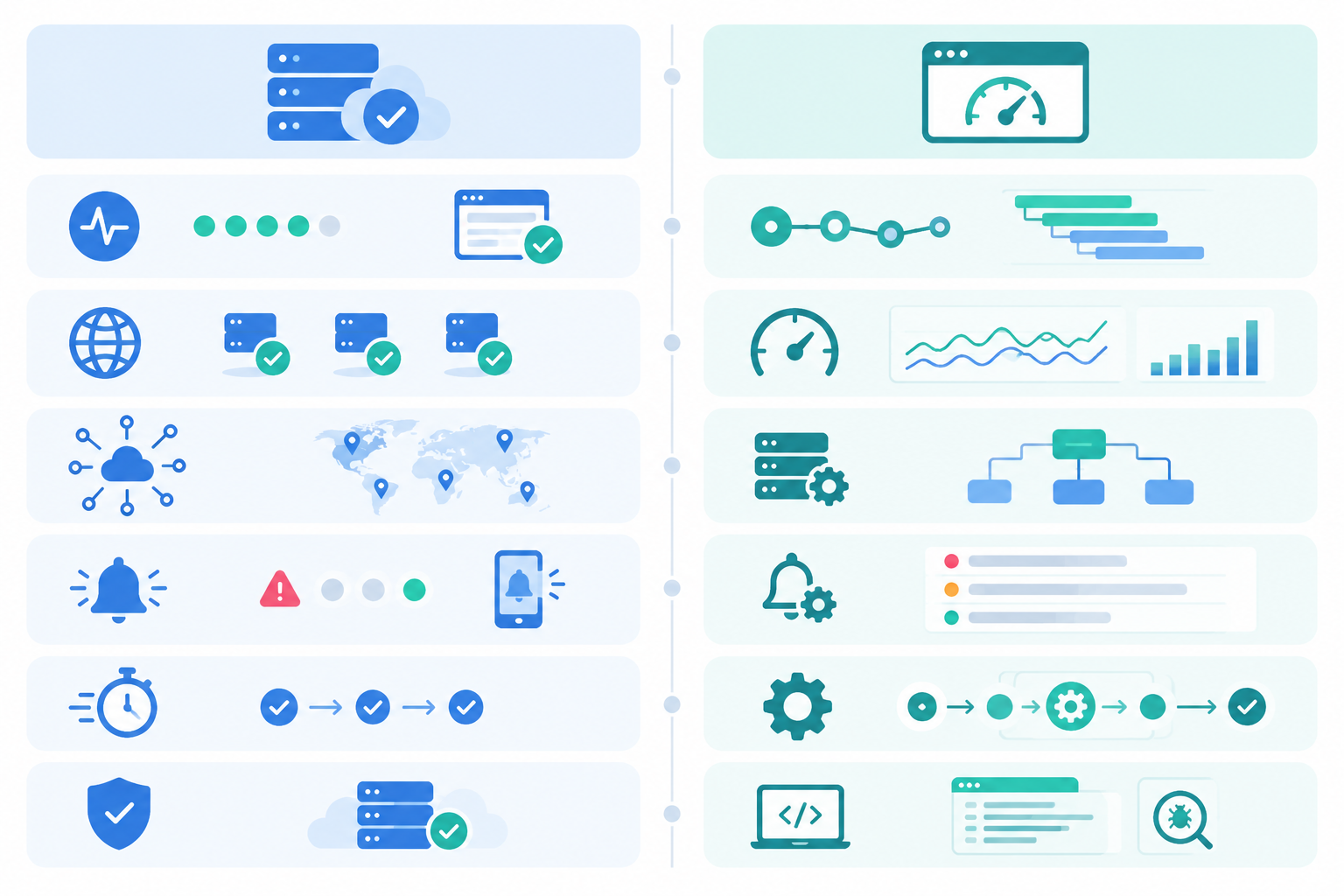
All of Moonitor's monitor types sit on the "is it working?" side of that table: HTTP/S, keyword, port, ping, SSL and domain expiry, heartbeat, and DNS change detection. That's deliberate. They're the checks that catch what customers notice first, and you manage them from a single dashboard.
Outside-in vs. inside-out monitoring
This is the part that surprises people, so let's slow down.
How outside-in uptime monitoring works
Uptime monitoring checks your service roughly the way a user reaches it, from external locations. A request has to get through DNS, a CDN, TLS, a load balancer, and then your application before anyone sees a page. An external check can exercise that public route to the endpoint you've configured. That's why it can catch DNS failures, expired certificates, CDN issues, and network problems that internal tooling typically won't surface.
It has limits, though. A check tests the URL, content rule, or port you set up, from the probe locations you chose. It won't reproduce every user's journey, and anything behind a login needs deliberate configuration. Coverage is only as good as what you point it at.
How inside-out APM works
APM agents live inside your application. They trace requests, profile code, and surface errors with stack-level detail. That's brilliant when you need to know that a particular function is hammering the database. It's far less helpful when the problem happens before a request ever reaches your code.
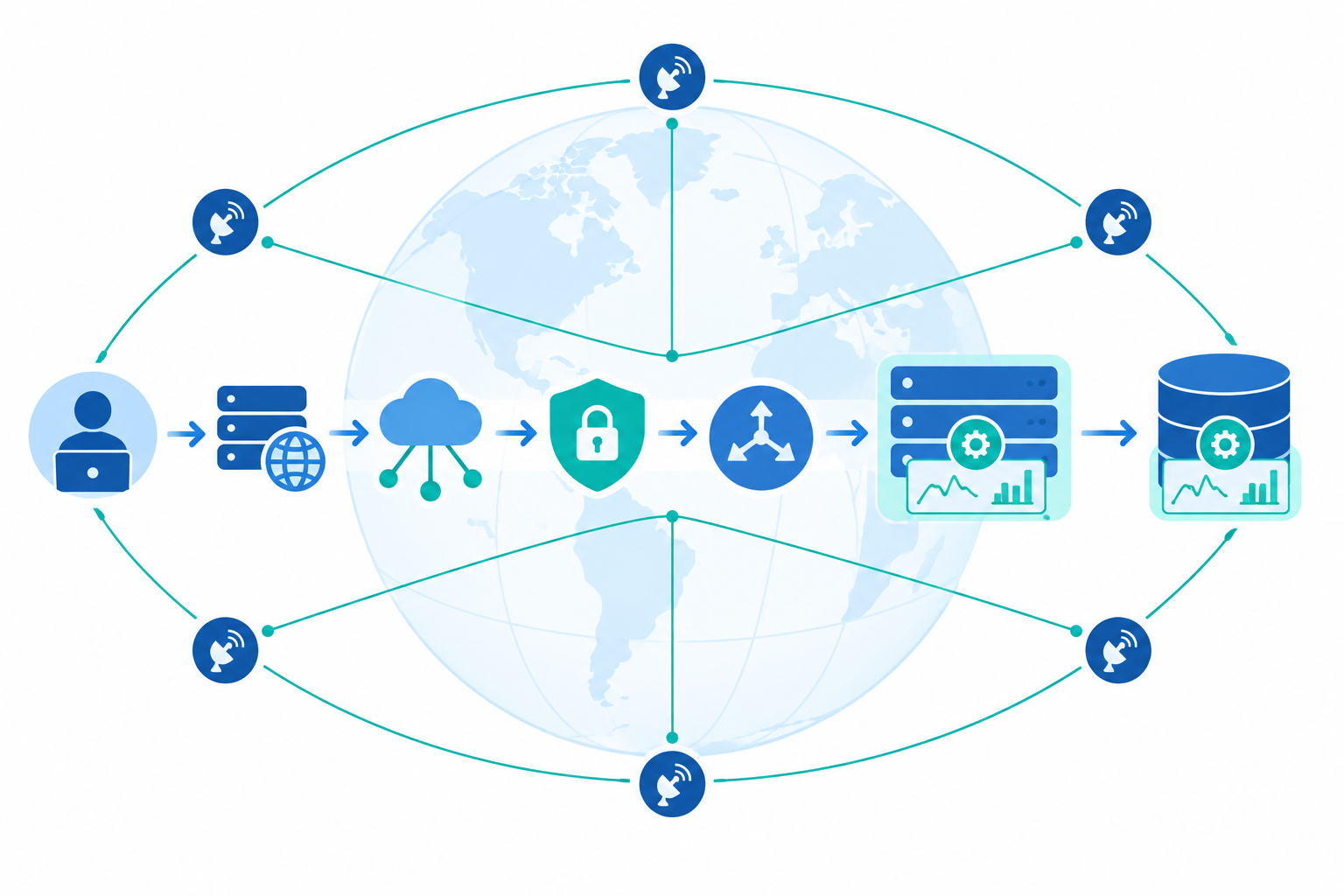
Will APM tell me if my site is down?
Sometimes, but not reliably on its own. Capabilities vary by vendor, and some platforms add synthetic checks or infrastructure alerts. But a classic APM agent reports from inside the app. If the app or server is fully down, it may have nothing to send, and silence looks a lot like "no errors". APM also typically can't diagnose upstream problems like a DNS misconfiguration or an expired certificate, because those happen before traffic reaches your code.
Here's a story that's depressingly common. A team's SSL certificate expires on a Saturday. Browsers start showing scary warnings and most visitors bounce. Meanwhile the application server is healthy, handling the few requests that get through, with normal latency and no errors. The first the team hears of it is a customer message on Monday morning. An external SSL certificate monitor would have warned them weeks earlier. A DNS record change works the same way: one quiet edit, and your site is offline for some users while everything inside looks fine.
Why uptime monitoring uses multi-region verification
There's a catch with outside-in checks. A single probe can hit a transient network blip and cry wolf. Do that a few times and your team learns to ignore alerts, which is exactly when a real incident slips by. Moonitor confirms a failure from several regions before it alerts you, so the signal stays trustworthy. A quiet alert that people believe is worth more than a noisy one they mute.
Uptime monitoring vs. APM: cost and complexity
Let's be honest about the practical side, because for a small team this often decides things. I'll keep the comparison general rather than quoting other vendors' figures, since pricing changes often and you should check current numbers yourself.
| Uptime monitoring | APM | |
|---|---|---|
| Setup effort | Typically a URL and an alert channel; a first monitor often takes a few minutes | Agent or SDK installation, instrumentation, sampling and dashboard tuning |
| Pricing model | Often driven by the number of monitors and check frequency; flat tiers are common | Often based on hosts, telemetry volume, retention, or users, so it can grow as you add data |
| Ongoing overhead | Generally low: choose channels, tune a few thresholds | Generally higher: dashboards, sampling decisions, data retention, alert rule upkeep |
| Footprint in your app | Does not require an agent in the monitored application; checks run from outside | Agents run inside your app and can add some overhead |
| Data privacy | Checks typically see only public responses | Traces can contain personal data, which matters for UK GDPR |
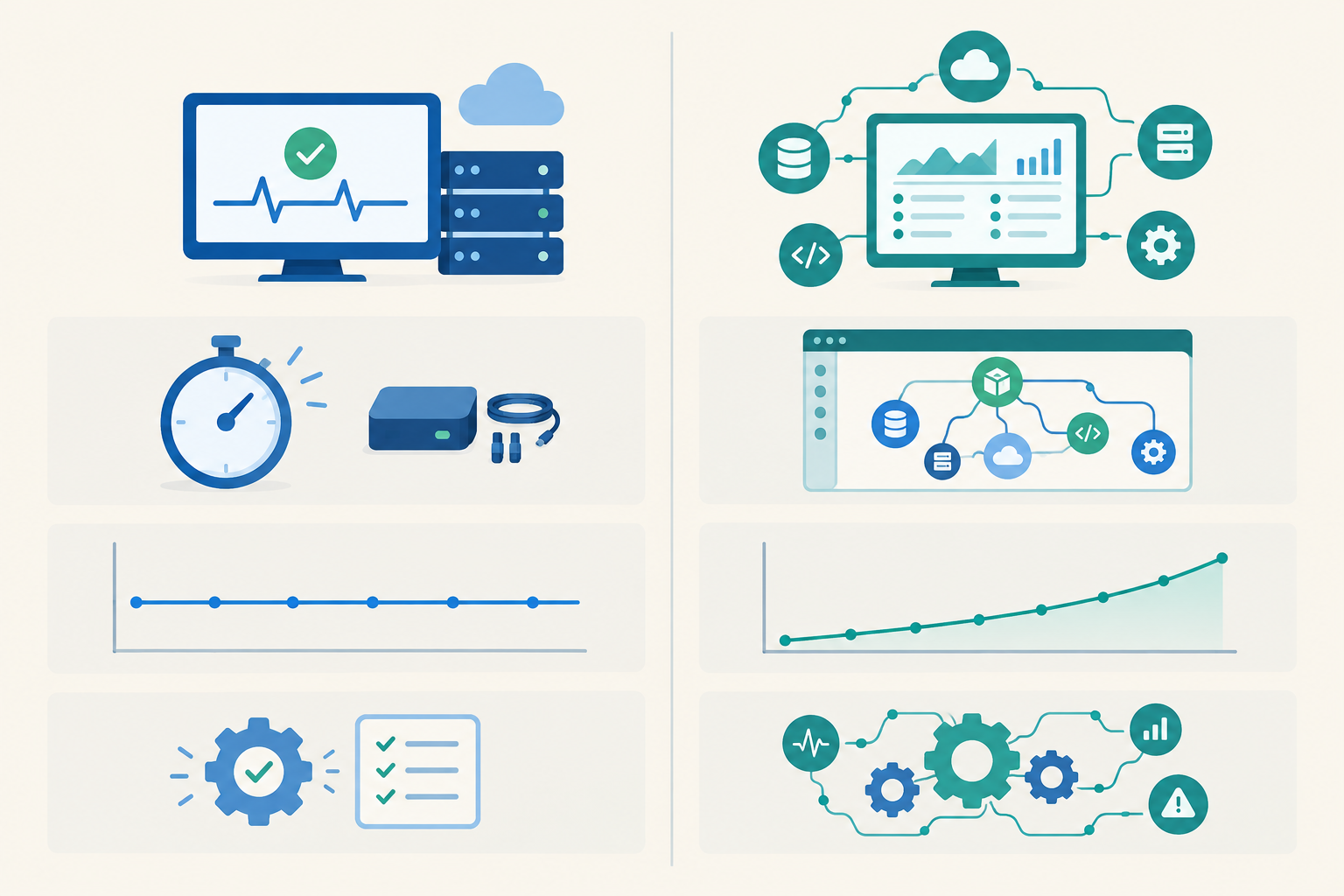
Predictable uptime monitoring pricing vs. usage-based APM pricing
Uptime monitoring tends to be easier to budget for. Moonitor, for example, lists its Solo plan at $14/mo for 20 monitors and its Max plan at $49/mo for unlimited monitors. Those are US dollar prices and they can change, so please check Moonitor's pricing page for the current plans, currency, and limits before you decide. If you're budgeting in pounds, work from the price you're actually quoted at checkout, including any VAT, rather than a rough conversion.
APM is a different shape. Many APM products price on hosts, data volume, or events, which can climb as you add services, traces, and logs. When you compare, look at each vendor's pricing units against your expected usage, not just the headline plan price. A cheap-looking entry tier can behave very differently once your traffic grows.
The hidden cost: attention
The invoice isn't the whole story. APM needs instrumented services, managed telemetry volume and sampling, useful service views, and maintained alert rules. Tools like OpenTelemetry offer vendor-neutral instrumentation, which can make switching backends easier, but they don't remove the work of collecting, governing, and interpreting the data. It's an ongoing commitment, not a one-off install.
How to compare uptime monitoring and APM tools
Whichever category you're shopping in, these questions help cut through feature lists:
- What exactly does it check or collect? For uptime, that means protocols, keyword rules, and certificate, domain, DNS, and heartbeat checks. For APM, it means languages, frameworks, and how much you have to instrument by hand.
- How are false alarms handled? Look for confirmation from more than one location before an alert fires.
- Which alert channels are included? Check that your team's real tools, such as email, Slack, or webhooks, are supported.
- What are the pricing units and limits? Monitors and check intervals, or hosts and data volume, and what happens when you go over.
- How long is data kept, and can you export it? This matters for spotting trends and avoiding lock-in.
- Is there a status page? It's handy to have customer-facing communication for incidents in the same place.
A note for UK teams: data privacy and UK GDPR
If you handle personal data, remember that traces and logs can capture things like user IDs, email addresses, or request bodies. Under UK GDPR you'll want to know what a tool collects, where it's stored, and how long it's kept. Ask any vendor about data location, retention terms, and their data processing agreement, and read their documentation rather than assuming. Uptime checks against public endpoints rarely raise the same questions, which makes them a lighter starting point.
Why uptime monitoring and APM matter
Outages can be expensive. Uptime Institute's Annual Outage Analysis 2024 reported that 54% of respondents said their most recent significant outage cost more than $100,000. The survey covers operators of data centres and digital infrastructure, often much larger than a typical small team, and the figure says nothing about any one product's ability to prevent outages. Monitoring doesn't stop failures. It shortens the time between something breaking and you knowing about it. If you cite this figure yourself, check the report directly for the survey definitions.
When is uptime monitoring enough?
Can you skip APM as a small team? Usually, at least at first. Uptime monitoring is likely all you need if:
- You run a marketing site, a simple web app, a handful of APIs, or a portfolio of client sites as an agency or freelancer.
- Your main risks are downtime, expired certificates, missed cron jobs, or silent DNS changes rather than subtle code performance issues.
- You want a trend line for speed without instrumenting anything. Response-time analytics from regular checks show when things start to drift.
- You want customers to trust you during incidents. A branded public status page and incident history do a lot of work for little effort.
One tool can cover a lot of ground:
- Website monitoring with HTTP/S and keyword checks, so you catch a "200 OK" page that's actually showing an error message
- API monitoring for your key endpoints
- Server monitoring via ping and port checks
- Cron job and heartbeat monitoring for backups and scheduled tasks
- SSL certificate monitoring and domain expiry alerts
- DNS monitoring for unexpected record changes
For example, a small API with a handful of endpoints might need one HTTP check on a health endpoint, one keyword check on a key response, a certificate monitor, and a heartbeat for its nightly job. That's the whole setup, and it doesn't touch your codebase.
There is a limit, though. Response-time data tells you when something got slower, not why. When you can see the drift but can't explain it, that's your cue for the next section.
When should you add APM?
APM is a great tool. It just needs the right moment. These are the signals I'd look for:
- Uptime checks are green but users say the app feels slow. The service is up, yet something inside is dragging.
- You're running microservices and can't tell which service is causing a slowdown.
- Error rates or latency spikes are hard to reproduce locally. Traces let you see what actually happened in production.
- You have engineers who will use traces and profiles regularly.
- You release frequently and need to spot performance regressions quickly.
APM only pays off if someone has time to look at it. Don't buy it just because it feels like the "grown-up" option. A beautifully instrumented system that nobody opens is an expensive screensaver. If you do start, begin with your most critical or most troublesome service rather than everything at once.
How to use uptime monitoring and APM together
You want one loud, trustworthy alarm, then good tools to work out what burned.
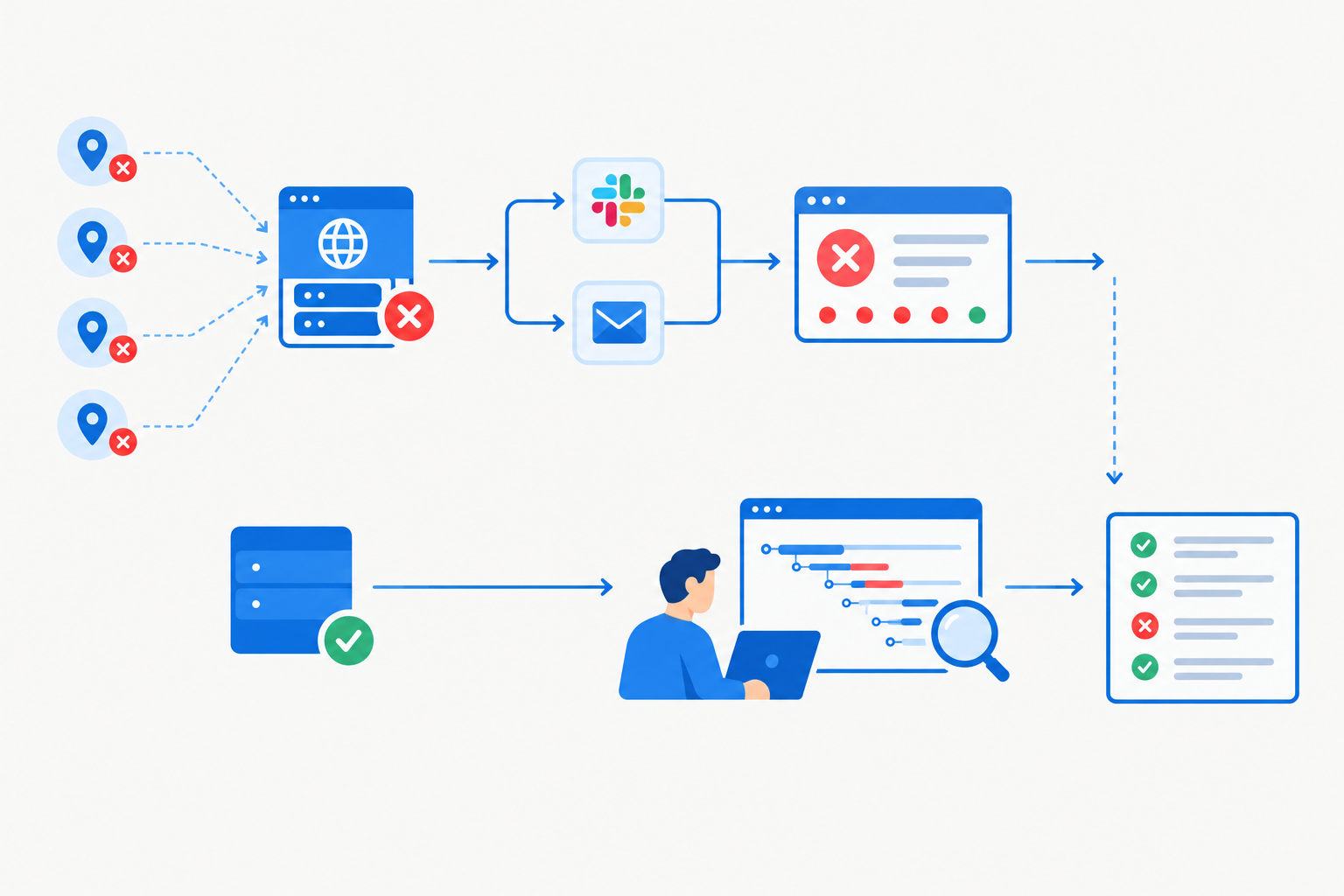
A few principles keep this from turning into alert soup:
- Let uptime monitoring own "is it down?" Alerts through email, Slack, Discord, Telegram, or webhooks give you a single, trusted signal.
- Use APM for the deep dive after the alert, and for proactive performance work.
- Decide which tool pages you. If both fire for the same problem, you'll get duplicate noise. Pick one to page, and let the other be for investigation.
- Keep your data portable. APIs and data export mean your monitoring history isn't trapped with one vendor.
Here's what that looks like in practice. Say an online shop's checkout starts failing:
- The uptime check fails, and multiple regions confirm it.
- An alert lands in Slack and your inbox.
- You update the public status page so customers aren't guessing.
- You open your APM traces and follow a failing request through the services, finding that a slow payment service is timing out.
- You fix it, resolve the incident, and the incident history records what happened for next time.
Detection and diagnosis are two separate jobs, and treating them that way is what makes the pairing work. (This is an illustrative scenario rather than a specific company's setup, but it's a pattern you'll probably recognise.)
What should you set up first? A simple uptime monitoring roadmap
If you're staring at a blank dashboard, here's the order I'd go in:
- Add HTTP/S or keyword monitors for your key pages and API endpoints, with multi-region verification on.
- Add SSL and domain expiration monitors, plus DNS record change detection, so quiet failures don't ambush you.
- Add heartbeat monitors for cron jobs, backups, and scheduled tasks. These fail silently by nature, so they're easy to forget until they matter.
- Connect your alert channels and set up a branded status page.
- Review response-time analytics for a few weeks to get a feel for normal.
- Add APM when you hit questions uptime data can't answer, such as why a healthy-looking service is slow, or which component is behind recurring incidents.
If you'd like a low-risk way to get step 1 done, Moonitor offers a free trial (currently 7 days, no credit card required; do check the current terms on the site). It's an easy way to see what outside-in visibility feels like on your own stack.
FAQ: Uptime monitoring vs. APM
Is uptime monitoring the same as APM?
No. Uptime monitoring checks from the outside whether your website, API, or server is reachable and responding correctly. APM runs inside your application and shows why it's slow or throwing errors. They answer different questions and work best together.
Can I skip APM as a small team?
Often, yes. If your biggest risks are outages, expired certificates, failed cron jobs, or DNS changes, uptime monitoring covers them. Add APM later, when performance problems appear that you can't explain from the outside.
Will APM tell me if my site is down?
Not reliably on its own. If your app is completely unreachable, an agent may have nothing to report, and APM typically can't diagnose external issues like DNS failures or expired SSL certificates. Some vendors bundle availability checks, so look at what your specific product includes. An external uptime check is the dependable way to catch these problems.
What should I set up first?
Start with uptime monitoring on your most important pages and API endpoints, then add SSL, domain, DNS, and heartbeat checks. The roadmap above has the full order.
Do uptime monitoring tools show response times?
Yes, most record response times on every check, so you can spot slowdowns and trends over time. They won't pinpoint the line of code responsible, but they will tell you when something has started to drift.