
Why Public Status Pages Are a Trust Signal, Not a Risk
Discover the public status page benefits: build trust, cut support chaos and show operational maturity with branded status page—not hidden failures.
Public Status Page Benefits: Why It’s a Trust Signal, Not a Risk
A public status page doesn't advertise your failures. It proves you're on top of them. The core public status page benefits are simple but powerful: faster incident communication, less support chaos during an outage, and visible proof of operational maturity to anyone evaluating your product. Here's the thing most founders get backwards: customers already assume things break sometimes. Servers hiccup, APIs time out, and DNS records get fat-fingered during a deploy. Nobody's expecting perfection. What they're actually judging is something completely different: will you tell them the truth when it happens, or will you leave them guessing?
I've watched this play out enough times to know the pattern. Companies that hide incidents behind vague support tickets and radio silence tend to lose more trust than the ones who put up a clean, branded status page and just... show their work. The outage usually isn't the trust-killer. The silence around it often is.
The Fear of Public Transparency
Let's name the worry, because it's a real one. I hear it constantly from founders: "If we show our downtime publicly, won't competitors just screenshot it and use it against us in a sales pitch?"
I get why that feels scary. But I think it comes from confusing visibility with vulnerability, and those aren't quite the same thing. Visibility means people can see what's happening. Vulnerability is being exposed without a plan. A status page gives you a channel to communicate accurately and consistently, not a way to spin the story, but a way to be accountable to it on a schedule you control. The goal isn't narrative control. It's accuracy and accountability. Silence, by contrast, doesn't protect you from either. It just delays the moment people find out, usually through a worse channel than one you'd choose.
Here's a reality check worth sitting with: your customers often notice when something's down before you've said a word. They're refreshing the page, getting error messages, watching their own integrations fail. In those moments, the outage isn't really the secret you're protecting. The only thing genuinely in question is whether you'll acknowledge it or leave people wondering if it's their internet, their account, or your whole platform falling over.
There's a real difference between hiding problems and simply having problems. Every SaaS company has problems, that's just infrastructure being infrastructure. In my experience, the companies that lose customer confidence are usually the ones who pretend otherwise, not the ones who show a bit of red on a dashboard now and then.
Why Hiding Incidents Backfires
If the fear is understandable, the practical downside of silence is still worth spelling out. Here's what tends to happen when a company chooses to say nothing during an outage:
- Support tickets flood in almost immediately. Without a central source of truth, every affected customer opens their own ticket asking "is this just me?", and your support team ends up typing the same reassurance over and over instead of focusing on the actual incident.
- Vague or missing incident information can erode trust faster than the outage itself. Customers often remember getting stonewalled far more vividly than they remember the five minutes your API was actually down.
- Many enterprise and public-sector buyers now ask about status pages during procurement. It's not universal, but in UK B2B SaaS deals, security questionnaires and vendor due-diligence checklists increasingly ask whether you publish uptime and incident history. If you're selling into organisations with their own service-level commitments to protect (banks, public sector bodies, larger enterprises), a status page is one small but real piece of evidence that you take operational reliability seriously.
- Social channels and forums fill the gap you leave open. If you don't provide clear information, someone on X or in a niche community will, usually with less context and more dramatic framing than what actually happened.
Picture two versions of the same outage. In version one, a SaaS company's API goes down for 40 minutes. There's no status page, no update, nothing. Customers start posting screenshots of errors, tagging the company, and speculating about a data breach because nobody's said otherwise. Support is buried. It takes hours to calm things down even after the fix ships.
In version two, the same outage happens, but there's a status page showing "Investigating elevated error rates on API" within minutes, followed by a timeline update, then a resolution note. Customers check the page, see the company's on it, and move on with their day. Same outage. Very different trust outcome.
It's worth being honest, though: a status page doesn't automatically produce that second outcome. If your updates are inaccurate, if you go quiet mid-incident, or if the same service keeps failing week after week, a status page just makes that pattern more visible, not less damaging. Transparency helps a genuinely well-run operation build trust. It won't rescue a poorly run one; it will just make the problems easier to track.
How Public Status Pages Reduce Support Load
Beyond the trust angle, there's a practical operational benefit that a lot of teams underestimate until they've lived through it.
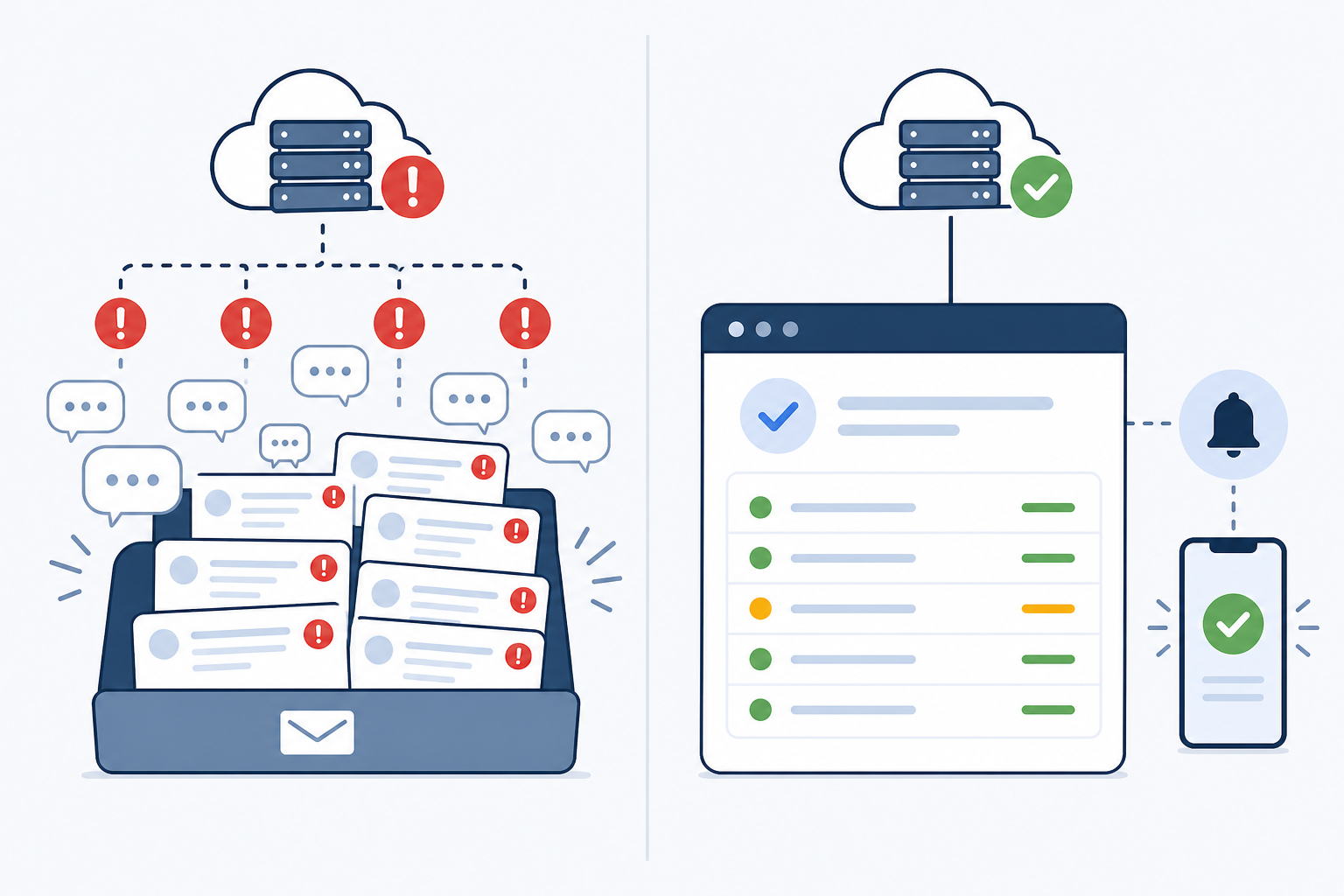
A well-maintained public page can meaningfully reduce the number of "is it down for you too?" emails, Slack pings, and Discord messages that would otherwise land directly on your support team. How much it reduces depends on things like how discoverable the page is, whether customers know it exists, and whether you actually keep it updated in real time. A page nobody knows about, or one that lags behind reality, won't do much good.
Subscribers can get automatic updates the moment something changes, rather than needing to open a ticket and wait for a reply. Your support team can point frustrated customers to a single link instead of writing similar explanations repeatedly during a live incident, which matters when you're trying to actually fix the thing, not just narrate it to everyone individually.
There's also a quieter benefit in the historical incident log. When a customer asks "didn't you have an outage last month?", you're not relying on someone's memory or a buried email thread. The record's there, dated and factual.
Good monitoring is what makes fast status updates possible in the first place. Tools that combine uptime, API, and server monitoring with alerting into Slack, email, or webhooks mean the gap between "something broke" and "customers are informed" can shrink from hours to minutes. Moonitor is one example of a platform built around that workflow: monitoring detects the issue, alerts the right people, and the status page update follows quickly after. The specific mechanics will vary by tool, but the principle holds regardless of what you use: the faster you know, the faster you can say something honest about it.
Customers Trust Companies That Communicate
There's a reasonable case, backed by general guidance from teams who think about reliability communication professionally, that trust isn't built by pretending you never have problems. It's built in how you handle the problems you do have.
Google's publicly available site reliability engineering resources make a point worth remembering: vague statements like "we are investigating" don't reassure anyone on their own. What tends to build more confidence is specificity: when the incident started, which components are affected, what you're doing about it, and when the next update is coming. That's guidance from people who manage incidents at scale, not a guarantee, but it's a sensible operating principle regardless.
Atlassian's own documentation on status pages makes a similar point about branding: a page using your own domain, logo, colours, and consistent service naming reads as an official channel, which can reduce the chance customers go hunting for answers on social media or third-party forums, where the story tends to get less accurate with each retelling. This is guidance from a company that builds status page tooling, so it's worth treating as informed opinion rather than independent proof, but it lines up with what most support teams observe anecdotally too.
On the broader question of institutional trust, the Edelman Trust Barometer has repeatedly found that businesses, as an institution, are trusted more than government, media, or NGOs in many markets. That's interesting context, but it's worth being careful with it. It shows general trust in business as a category, not a direct causal link between status pages and customer retention. I'd treat it as a reason to take the opportunity to build trust seriously, not as proof that a status page alone delivers it.
What I'd say more confidently, from working with teams on this, is that a branded status page (one that uses your own fonts, colours, and voice rather than a generic third-party template) tends to feel like part of the product you already pay for, not an afterthought bolted on after a bad quarter. For UK buyers running vendor assessments, especially in regulated sectors where GDPR breach-notification obligations and service continuity are already part of procurement conversations, a well-maintained status page is a small but genuine signal that you run a disciplined operation.
What to Include Without Oversharing
Transparency doesn't mean turning your status page into an open diary of every internal hiccup. There's a real line between honest and reckless, and it's worth drawing clearly.
![Comparison: A two-column comparison table graphic titled 'Include vs Avoid' showing example status page for Why Public Status Pages Are a Trust Signal, Not a Risk(https://www.moonitor.dev/docs/status-pages) content on one side (service status, incident timeline, resolution notes) and things to avoid on the other (internal server details, security specifics), clean infographic style with Moonitor brand colors]
| Include | Avoid |
|---|---|
| Status of key services (HTTP/S, API, server, DNS) | Internal architecture details |
| Incident start time, affected components, and customer impact | Specific security vulnerability details |
| Current status, next update time, and any workaround | Unverified or speculative root causes |
| A brief, factual root-cause summary once confirmed | Blame-heavy or defensive language |
| Maintenance windows, clearly separated from incidents | Customer-identifying information |
| Historical incident log | Overly technical jargon customers won't parse |
It also helps to have a consistent structure for live updates rather than freeform commentary. A common pattern, used by a lot of larger platforms, is four stages:
- Investigating – "We're seeing elevated error rates on our API and are looking into the cause. Next update in 30 minutes."
- Identified – "We've identified the issue as database connection pool exhaustion affecting API requests. A fix is being deployed."
- Monitoring – "A fix has been deployed and error rates have returned to normal. We're monitoring to confirm full resolution."
- Resolved – "This incident is resolved. Root cause: database connection pool exhaustion under peak load. Resolved at 14:32 UTC. Full post-incident notes to follow."
A nice side effect of solid monitoring coverage is that your status page more often shows resolved issues rather than live chaos. SSL certificate monitoring can catch an expiring certificate days before it becomes a customer-facing outage. A cron job monitor can flag a silent job failure before anyone downstream notices missing data. And heartbeat monitoring confirms your background workers are still checking in on schedule. When these run quietly in the background, some incidents get fixed before most customers ever notice, which is a genuinely useful form of transparency, even if it's the quiet kind.
One caveat worth naming: security incidents need a different, more careful process. If an incident involves a possible data breach or vulnerability, publishing unverified details publicly before you understand the scope can create legal and reputational risk. In the UK, that may also intersect with your ICO breach-notification obligations. For anything security-related, get legal or compliance input on timing and wording before it goes on a public page. Your status page is for operational transparency, not for real-time security disclosure.
Making the Case Internally for a Public Status Page
If you're sold on the idea but need to convince a co-founder or leadership, here's a practical path:
- Frame it as a sales and retention tool, not just an ops nicety. Some procurement teams ask about it directly; others simply expect to find one. Position it as a small piece of revenue protection, not just IT hygiene.
- Show what competitors and enterprise clients already expect. A quick look at any established SaaS competitor's footer will often turn up a status page link, which is good evidence this is common practice rather than a bold experiment.
- Start small. Launch a branded status page covering your core services first (your main app, your API, your primary integrations) rather than trying to map everything on day one.
- Choose a monitoring setup based on your actual needs, not just feature lists. Look for uptime monitoring, API and server checks, and status page publishing in one place if you want to minimise tooling overhead. Some platforms, including Moonitor, bundle these together with alerting through Slack, email, and webhooks. That's worth evaluating on its own merits, including current pricing and trial terms, rather than taking any vendor's claims at face value.
- Ask how alerts are verified before they go live. False alarms erode trust just as effectively as silence does. If a monitoring tool triggers alerts from a single check location, a temporary network blip can create a false incident. Checking from multiple regions before triggering an alert (an approach some monitoring tools, including Moonitor, use) is one way to reduce that risk, though it's worth confirming exactly how any tool you're considering handles this.
FAQ: Public Status Page Benefits and Transparency
Won't a public status page make us look unreliable?
Usually the opposite. A status page shows you're monitoring your systems closely and communicating clearly, which reads as competence rather than weakness. What tends to make companies look genuinely unreliable is silence during an outage, inaccurate updates, or customers finding out about downtime from social media instead of from you directly.
Do customers actually check status pages?
Yes, especially during an incident. Checking the status page is often faster than opening a support ticket and waiting for a reply. B2B customers with their own uptime commitments to their clients often check proactively too, particularly if they've been burned before by vendors who went quiet during an outage.
How transparent should we be about incident details?
Be honest about what happened and when it was resolved, but keep it factual and proportionate. You don't need to expose internal architecture, and you shouldn't publish unconfirmed root causes or anything that could be a security risk. Just enough detail to show you understand the problem and have addressed it.
Do we need to publish every single incident, even minor ones?
Not necessarily. Most teams set a threshold, say, anything causing visible customer impact for more than a few minutes, and log smaller blips internally rather than publicly. The key is consistency: decide on your severity thresholds in advance, write them down, and apply them the same way every time, so the page doesn't look selectively curated.
What if we have frequent incidents, won't that just look bad?
A pattern of frequent, unexplained incidents is a real reliability problem, and no amount of good communication fully offsets that. What a status page can do is show you're aware of the pattern and actively working on it, which is still better than customers discovering the pattern themselves with no context. But if reliability itself is the core issue, fix that first. Communication is a complement to good engineering, not a substitute for it.
A Few Steps to Get Started
A status page isn't a confession booth, and it isn't a marketing trick either. It's a working part of your operations: a place where you tell customers what's actually happening, on a schedule you control, with enough detail to be useful and enough discipline to stay professional.
If you're ready to move on this, three steps will get you most of the way there: publish a branded status page covering your core services, write down clear rules for what counts as an incident and how often you'll update during one, and run a short internal tabletop exercise. Pretend your API just went down and practise writing the first update within five minutes. That last step tends to reveal gaps faster than any amount of planning on paper.
Done well, that's a far better story than the one that gets written for you when you stay quiet.