
Why Publishing Your Incident History Builds Customer Trust (And How to Do It Well)
Wondering whether to show past outages on your status page? Learn why a transparent incident history builds lasting customer trust, what to include, a
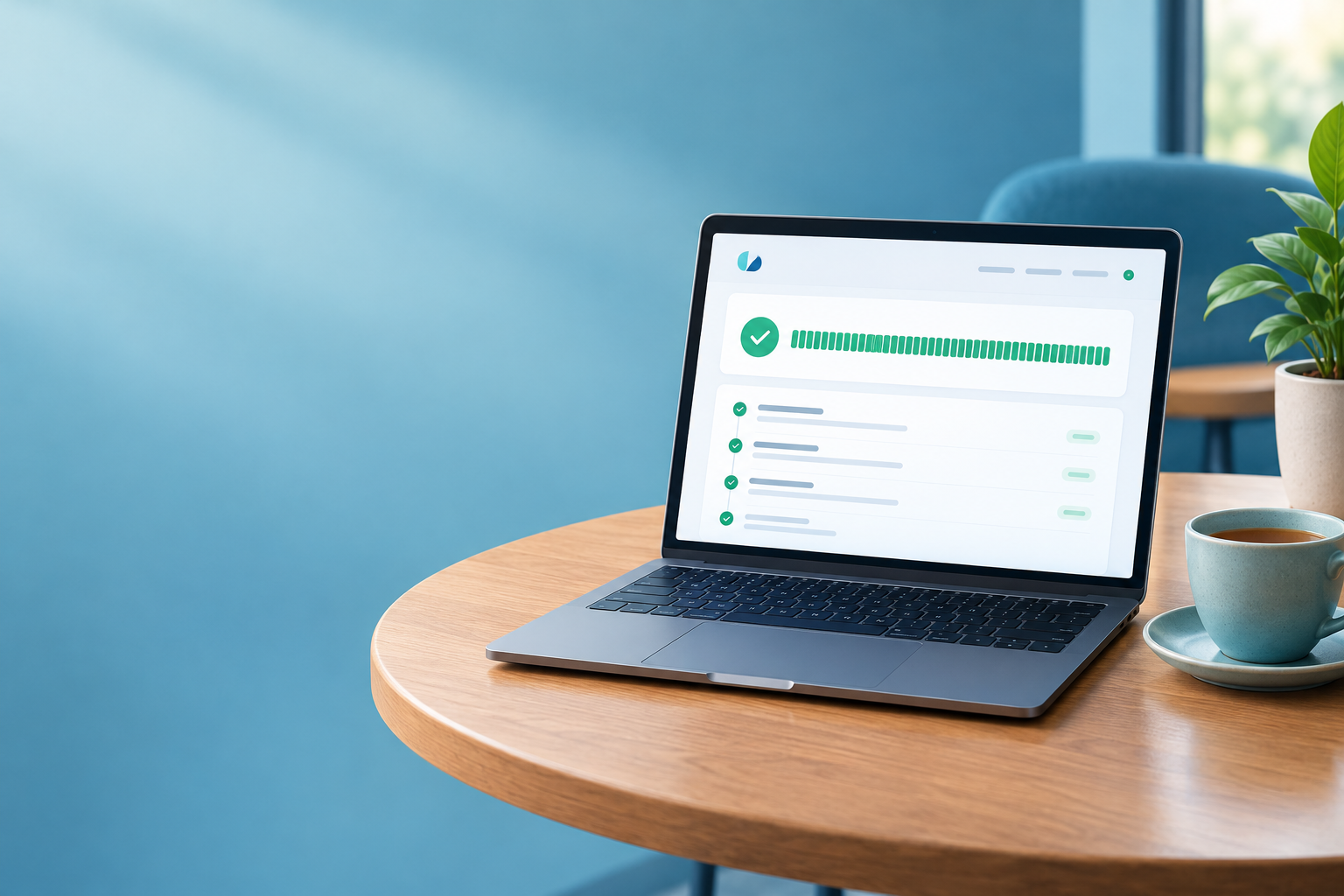
Should You Make Your Incident History Public? How Status Page Transparency Builds Customer Trust
Yes, in most cases you should make your incident history public. Customers already know outages happen. What they judge you on is how honestly and quickly you tell them. A clear, well-maintained public incident history can turn downtime from a reputational risk into evidence that you take reliability seriously.
I know that can feel backwards, especially if you've just set up your first status page and the thought of showing your worst days to the world makes your stomach flip. Stay with me. By the end you'll know why status page transparency works, what a good incident log contains, how long to keep it visible, and how to get started this week. ☕
Why Hiding Incidents Backfires
Picture this. A customer is halfway through an important task when an error pops up. They refresh. Same error. So they open your status page, and it's a wall of reassuring green: 'All systems operational.'
They probably don't think, 'Oh, it must be just me.' They're more likely to think, 'This company either doesn't know what's happening or isn't telling me.' Either way, a little trust quietly drains away.
That's the core problem with hiding incidents. It rarely stays hidden.
- Customers talk. They post on social media, ask in community channels and check third-party outage trackers. If your status page contradicts everything else they're seeing, your page loses.
- Silence creates support tickets. With no public explanation, people email you, and your support team ends up answering the same question fifty times.
- A wiped incident history feels like marketing. A status page should be a source of truth. If incidents vanish or are never published, it reads like a brochure.
- False reassurance stings. A broken service is forgivable. A page saying everything is fine while it clearly isn't feels like being misled.
The extreme case is Uber. In 2017 it disclosed that it had concealed a 2016 breach affecting around 57 million riders and drivers, after paying the attackers to delete the data and stay quiet. In 2018 it agreed to pay $148 million to settle an investigation by U.S. state attorneys general. That was a security breach, not a routine outage, and your status page isn't the place to handle one (more on that below). But it shows how concealment can end up being a bigger problem than the original incident.
Here's the comforting part: every reliable service has bad days. GitHub, Cloudflare and Atlassian all publish incident histories (links in the examples section below), so a visible record looks like normal practice for mature providers. 💛
Does Showing Past Outages Hurt Your Brand?
Let's tackle the worry head-on. There's some short-term discomfort, but I think the longer-term effect on credibility is more likely to help than hurt.
I should be honest about the limits here. I'm not aware of solid research showing that publishing an incident log automatically increases trust. It depends on how accurate, clear and followed-through the log is. A vague, sloppy one won't do you any favours. A clear one gives customers something to judge you on beyond your marketing copy.
To illustrate (this is a hypothetical, not a study), imagine two vendors facing a procurement team:
- Vendor A has a status page with no incident history. Perhaps nothing has ever gone wrong, or perhaps the history isn't published. A cautious buyer has no evidence either way.
- Vendor B shows three incidents in the past quarter, each detected quickly, updated regularly and closed with a short explanation of what changed. The buyer has something concrete to assess.
If you sell to UK businesses, due diligence teams are usually looking for signs of maturity rather than perfection. Do you notice problems, tell people, fix them and learn from them? A visible incident history is one way to show that.
The stakes are real, too. Uptime Institute's Annual Outage Analysis 2024 reported that 54% of survey respondents said their most recent significant outage cost more than $100,000, and 16% said more than $1 million. That's a global, survey-based figure in US dollars, and it doesn't measure the effect of publishing incidents. It does show why customers care about reliability, and why how you handle an outage matters.
What Should a Good Incident History Log Include?
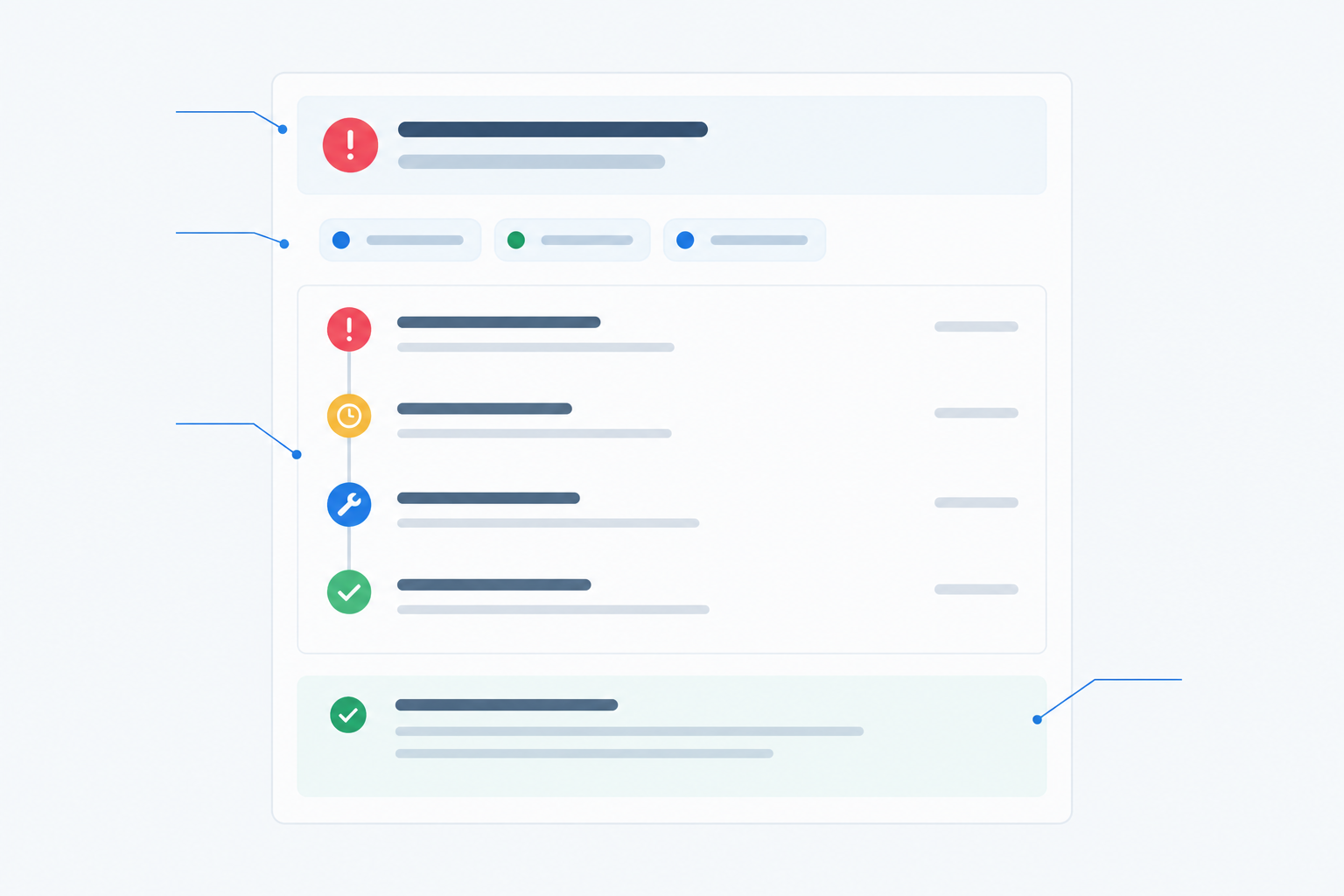
A good incident history isn't a list of timestamps. It's a readable account of what happened, who was affected and what you did. Each entry should include:
- A clear title in plain English. 'Dashboard login errors' beats 'Auth service degradation in cluster B.'
- Start, detection and resolution times, with a time zone. For UK customers, say GMT or BST explicitly. 'Resolved at 14:10 BST' removes doubt.
- The affected components, such as the website, API, dashboard or scheduled jobs. Customers want to know whether their bit was hit.
- An impact level on a simple scale. Minor, major or full outage is plenty.
- Timestamped updates through each stage: investigating, identified, monitoring, resolved.
- A brief post-incident summary covering what happened, the impact, and what you've changed.
What to Leave Out of a Public Incident Log
Transparency doesn't mean publishing everything. Leave out:
- Blame. Google's SRE book chapter on postmortem culture recommends blameless postmortems that focus on causes and corrective actions, not individuals.
- Speculation. Label estimates as estimates, and don't name a cause until you've verified it.
- Sensitive security details. You can acknowledge an incident without publishing anything exploitable.
- Customer-identifying information. Describe impact in general terms.
One important caveat: if an incident involves personal data, a status page entry is not a substitute for legal notification. Under UK GDPR, you generally must tell the ICO about a personal data breach within 72 hours of becoming aware of it, unless the breach is unlikely to result in a risk to people's rights and freedoms. If you can't manage 72 hours, you need to give reasons for the delay. Some breaches also require telling the affected individuals. This is a summary, not legal advice, so check the ICO's guidance on personal data breaches and involve your legal and security people.
How to Capture Accurate Incidents Without Manual Effort
A public incident history is only as good as your detection. If you only learn about outages from angry emails, your record will have holes. Here's the approach I'd take, whichever tools you use.
- Monitor what customers actually touch. Start with your public site and app, the API endpoints customers integrate with, and the infrastructure underneath.
- Verify failures from more than one location. A single failed check might be a network blip. Multi-region verification can reduce false alarms, though it won't eliminate them, and a problem that only affects one region can be real. Someone should still review alerts before anything goes public.
- Cover the quiet failures. Not every problem looks like a dead website. Heartbeat monitoring catches scheduled jobs that silently stop running, certificate monitoring warns you before an SSL certificate expires, and DNS monitoring spots unexpected record changes.
- Send alerts where your team already lives. Slack, Discord, Telegram, email or webhooks all work, as long as the right person sees the alert fast enough to post an update within minutes.
- Add a human-written update to each significant incident. Two or three plain sentences are enough: 'We've identified a database issue and are working on a fix. Next update in 30 minutes.'
- Review the record monthly. Look for gaps, missing summaries, or incidents that deserve a follow-up note.
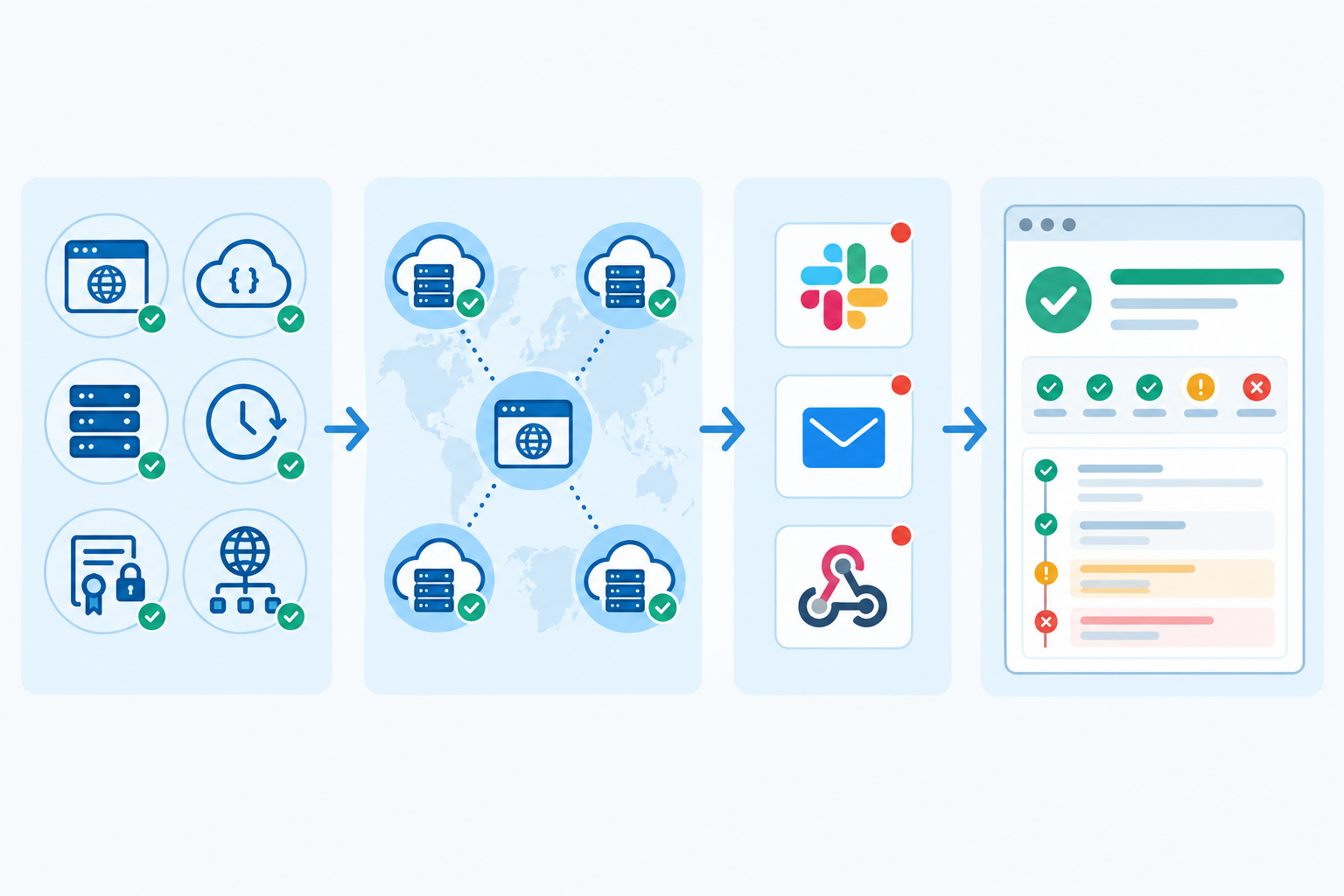
Automation gives you accurate timestamps without anyone scribbling notes mid-crisis. Your team then adds the context only a person can supply. The machine handles accuracy, and you bring the warmth.
How Long Should Past Incidents Stay Visible?
As far as I know, no legal or industry-wide rule says how long a public status page must show past incidents. It's a product and trust decision. Keep it separate from internal record-keeping for security, audit or regulatory purposes, which have their own requirements.
That said, some retention windows work better than others.
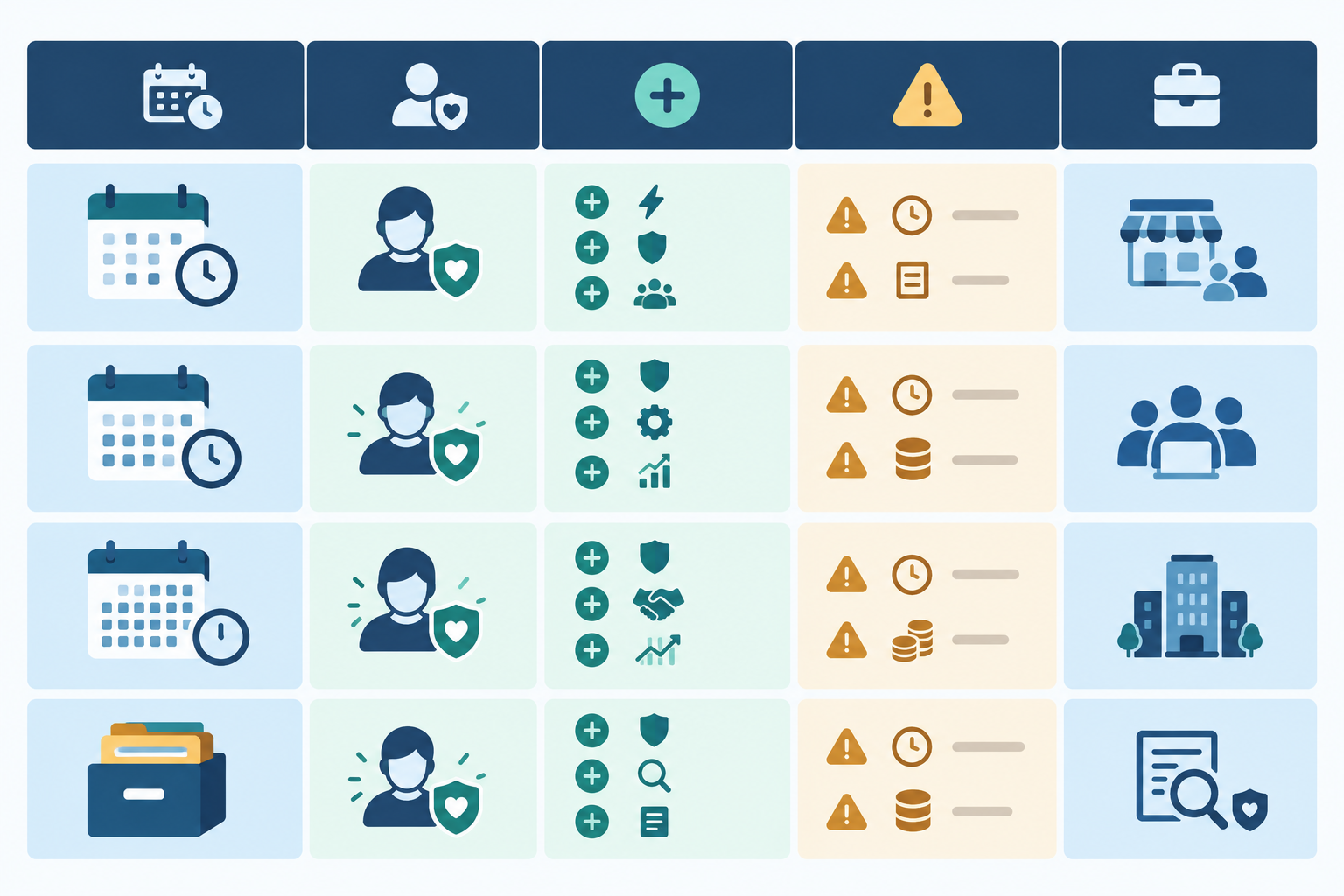
| Retention window | How customers may perceive it | Pros | Cons | Best suited for |
|---|---|---|---|---|
| 30 days | Possibly like you're tidying things away | Clean, simple page | Hides patterns; can look evasive | Very early-stage products, as a starting point only |
| 90 days | Reasonable and current | Shows recent reliability; easy to scan | Misses seasonal or recurring issues | The main status page for most SaaS teams |
| 12 months | Confident and thorough | Reveals recurring patterns; helps due diligence | Needs grouping to stay readable | A searchable archive behind the main page |
| Full archive | Very open | Complete record for enterprise or regulated buyers | Can bury the story if unfiltered | Teams with strict customer or compliance needs |
How Long Should You Keep Your Incident History? A Practical Recommendation
Show at least 90 days on the main page, with a searchable archive covering 12 months or more. That's my own recommendation rather than a formal standard, but it balances usefulness and readability. A few tips:
- Don't let incidents vanish quickly. If entries disappear after a week, customers may notice and wonder why.
- Group by month. An endless unfiltered list buries the story.
- Add context. Uptime percentages and response-time trends help customers see each incident in proportion. One bad Tuesday looks different against 99.9% over a quarter.
- Be explicit about your policy. Say how far back the live history goes and where older records live. If you ever remove or redact something, explain why.
- Check your contracts. If UK customers have SLA review periods, pick a window that covers them so they can compare your record with what you've promised.
- Keep your own full archive. Enterprise or regulated customers may ask for longer records, so make sure you can export your data.
On privacy: UK GDPR's storage-limitation principle applies to personal data, not to a public history of operational incidents. If you've kept personal data out of your entries, as you should, retention shouldn't be a headache.
Turning Past Incidents Into Customer Trust Signals
The log is the raw material. What you do with it decides whether it builds confidence.
- Write short post-incident summaries. Show what you learned and what you changed. Even three sentences help.
- Let fast detection speak for itself. If you spotted a problem within two minutes, the timestamps show it.
- Link fixes to visible improvements. Added redundancy? New monitors? Say so, and describe unfinished work as ongoing rather than done.
- Keep your tone calm and human. 'We got this wrong, here's what happened' lands far better than 'We experienced a temporary service anomaly.'
- Give sales and support something to point to. In security reviews and renewals, a link to your history is easier to trust than a promise.
- Make the page yours. A custom domain, logo and colours help the status page feel like part of your product.
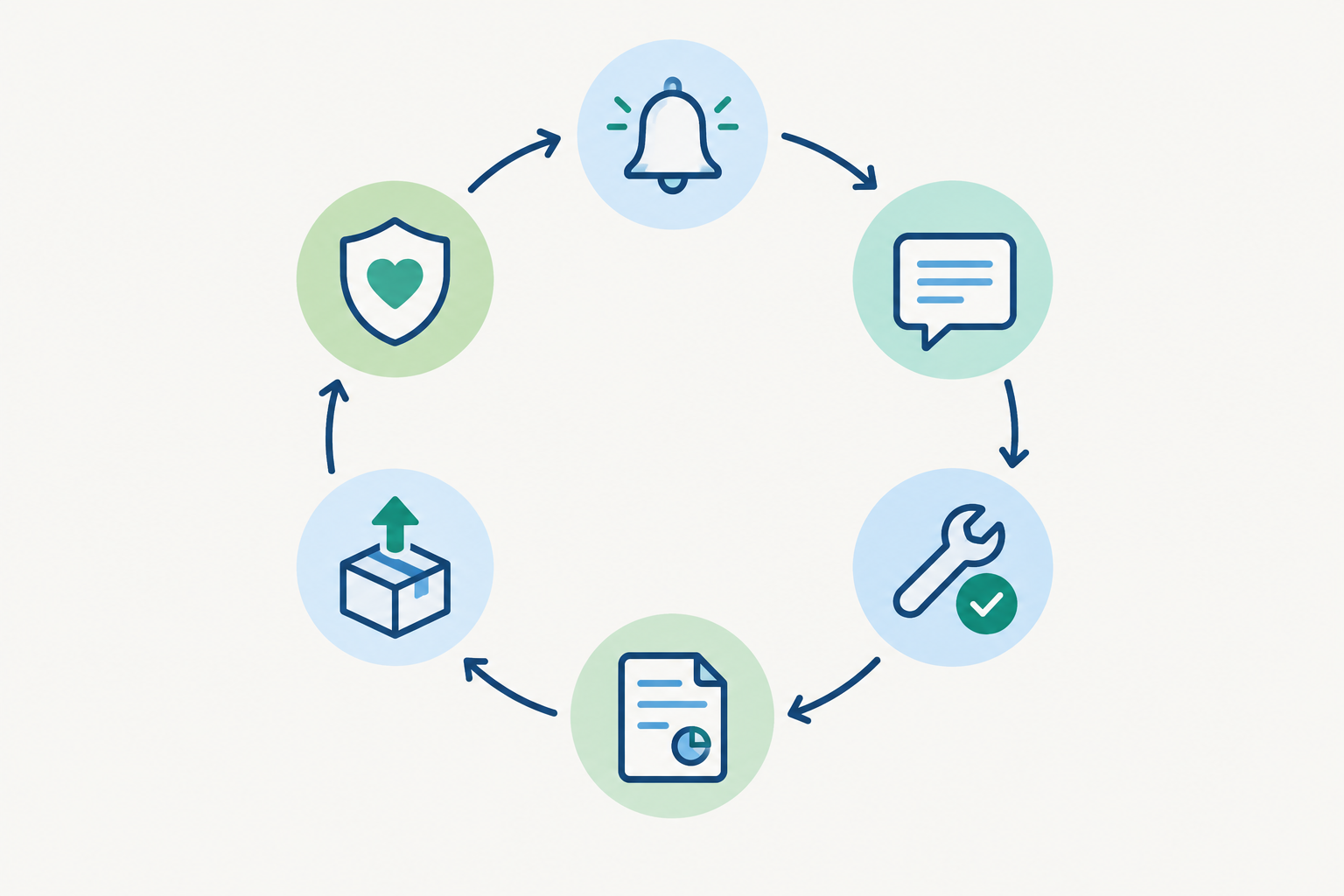
Think of it as a loop: incident detected, honest update, fast resolution, post-incident summary, improvement shipped, and confidence grows. Each turn can make the next incident feel less scary to your customers.
Examples of Public Incident Histories to Learn From
You don't need to invent a style from scratch. Here are some public examples worth studying. Pages change, so look at the live versions to see how they work today.
- GitHub: the GitHub Status history lets you browse past incidents and their timestamped updates. GitHub also publishes monthly availability reports on its blog, which pair a quick status entry with deeper technical context.
- Cloudflare: its status history records incidents, and for significant events the company publishes post-mortems covering cause, impact and remediation. It's a good model if you want to go deeper than short updates.
- Atlassian: its status history is browsable separately from the live health view, so the current picture stays clear while the past is still available.
- Google's SRE guidance: not a status page, but its postmortem culture chapter is a useful template for the content: impact, causes, resolution, follow-up actions and a blameless tone.
What these have in common is plain language, regular timestamps, clear ownership and follow-up actions.
What About Incident History for Smaller Teams?
You might be thinking, 'That's lovely, but those are huge companies with dedicated reliability teams.' Fair. I don't have a verified small-company example to point you to, so take this as a recommendation rather than a case study: the approach doesn't depend on size. A two-person team can manage it with a simple template:
Title: Short, plain-English description
When: Start time and end time (GMT/BST)
What was affected: Component names
Impact: Minor / major / outage
Updates: Investigating → Identified → Monitoring → Resolved
Summary: What happened, and what we've changed
Copy it, fill it in, and you've got a solid foundation.
How to Make Your Incident History Public This Week
You can do this in days, not months.
- Set up your key monitors (website, API, server and any scheduled jobs) and connect them to a status page.
- Brand the page and publish it on a custom domain.
- Agree on an update template with your team, like the one above.
- Decide your retention window and who writes post-incident summaries.
- Do a dry run with a test incident, so your first real one isn't also your first practice.
Start small. A clear page with two monitors and an honest tone beats an elaborate one nobody maintains. 🌱
A note on tools: we build Moonitor, which combines uptime monitoring, alerting and branded public status pages, and offers a free trial. Plans, trial terms and features change, so please check the current details on the Moonitor site. The advice above works with any tooling that gives you reliable detection and a public page.
Frequently Asked Questions About Incident History
Should I Make My Incident History Public?
In most cases, yes. A public incident history shows customers that you notice problems, communicate honestly and fix them. The exception is sensitive security detail, which you can leave out while still acknowledging the incident.
How Long Should Past Incidents Stay Visible?
I'd suggest at least 90 days on your main status page and ideally 12 months or more in an archive. There's no formal rule, but very short windows can look like you're tidying things away.
Does Showing Past Outages Hurt My Brand?
It can feel uncomfortable, but customers generally expect the odd bit of downtime. How quickly and clearly you respond is likely to shape their opinion more than the outage itself. A record of fast, honest handling can strengthen confidence over time, though a vague or neglected log won't.
What Details Should a Public Incident Log Include?
A clear title, start and end times with a time zone, affected components, impact level, timestamped updates and a short summary of the cause and fix. Leave out blame, speculation and private customer information.
Do I Have to Write Every Incident Update by Hand?
Not entirely. Automated monitoring can detect and log incidents, but a short human update adds the context customers value most.