
Top Causes of Silent Cron Job Failures (And How to Actually Catch Them)
Cron jobs fail quietly more often than you'd think. Here are the five most common silent failure causes and the monitoring fixes that catch them befor
Top Causes of Cron Job Failures — And How to Catch Them
Cron job failures can be surprisingly difficult to detect. Cron knows whether a command started and what exit status it returned, but it does not know whether your backup is valid, your report contains the right data, or your API sync completed successfully.
A script that crashes will often return a non-zero exit status. However, cron does not automatically turn that status into a useful alert. Unless you have configured MAILTO and a working mail transport, you may never receive a notification. The failure is technically recorded, but it is recorded somewhere nobody is looking.
Even a job that exits with status zero may not have achieved its intended business outcome. It might have created an incomplete backup, generated an empty report, or connected to an API without successfully moving any data. The distinction between “the process exited” and “the job succeeded” is where many silent cron job failures hide.
When people ask why cron jobs fail without an error message, the honest answer is that cron was never designed to be a full monitoring system. It is a scheduler, not a supervisor. The solution is not only to write more defensive code, but also to pair each important scheduled task with heartbeat monitoring that expects a check-in and alerts you when one does not arrive.
This guide explains the most common causes of cron job failures, how to diagnose them, and how heartbeat alerts can help you catch failed, skipped, or stuck jobs before they create a larger problem.
1. The Job Silently Exits Early
A script can hit an unhandled exception, run out of memory, or encounter a permissions error. Often, that does produce a non-zero exit status. But unless something is specifically watching for that status and alerting on it, the failure may sit in a log file or, worse, nowhere at all.
Backup scripts are a perfect example of how quietly a cron job can fail. Picture a nightly backup job that starts writing a file, then stops halfway through because of a disk-space issue or a dropped connection. Depending on how the script is written, it might exit with an error—or it might exit cleanly because nobody added a check to verify that the output file is complete and valid.
Either way, the backup file exists on disk. Everything looks fine. Nobody discovers that it is corrupted until the day someone needs to restore from it. By then, you may have weeks of unusable backups stacked up behind it.
That is the trap with this type of cron job failure: the job technically executed, and it may or may not have reported an error, but nobody built a path from “there was an error” or “the output is invalid” to “a human was notified”.
How to catch an early cron job failure
Validate the output first, then send a heartbeat. A backup script should check its own work by confirming that the file size is reasonable, running a checksum, or attempting a test restore. Only after validation passes should the job send a heartbeat to a monitoring service.
If the heartbeat never arrives, or arrives late, you know something is wrong—even if cron’s exit status looked fine.
2. A Dependency Times Out Without an Error
Another common cause of cron job failures is a job that does not crash at all. Instead, it hangs for minutes or hours.
This usually happens when a script calls an external dependency, such as an API, database, or third-party service, and that dependency becomes slow or unresponsive. If the connection or request has no timeout, the job can sit indefinitely, quietly consuming a cron slot while doing no useful work.
For example, a nightly synchronisation job may call a partner’s API. Most nights, it runs normally. Occasionally, the API hangs for several hours, and the synchronisation job hangs with it. It does not fail, log an error, or finish. It is still running when the next scheduled run begins.
Now you may have two copies of the same job running at once. They could write over each other’s work, duplicate records, or create inconsistent data. Nobody may notice until the information becomes stale or incorrect.
Why overlapping cron jobs create more failures
If a job has no locking mechanism—such as a lock file, database flag, or scheduler-level concurrency setting—a hang does not only delay one run. It can cause the next run to start on top of it.
Overlapping processes can lead to:
- Duplicate API requests
- Conflicting database updates
- Corrupted or partially written files
- Higher memory and CPU usage
- Multiple alerts for the same underlying problem
How to catch a hanging cron job
Set explicit connection and read timeouts on every external call. Add a retry limit so the job cannot wait indefinitely for an unavailable service, and use a lock to prevent overlapping runs.
Then add heartbeat monitoring with a grace period. For example, you might configure the monitor to expect a check-in within 15 minutes of the scheduled run. If the check-in does not arrive, you receive an alert whether the job crashed, hung, or stopped part-way through.
This is where uptime monitoring and cron job monitoring overlap: you are watching for the absence of an expected result, not only for a visible error.
3. The Server Restarts and Skips the Schedule
A standard crontab on a persistent host is not normally wiped by a reboot or cron daemon restart. It is stored on disk and cron reads it again when the system starts. However, if a job was scheduled while the machine was offline, most cron implementations simply skip that run rather than catching up later.
Tools such as anacron exist specifically to handle catch-up jobs on systems that are not always running.
Why container and cloud deployments make missed jobs harder to see
The problem becomes more subtle in containerised and cloud-native environments. If a cron entry exists inside a container’s filesystem and that container is replaced during a deployment, the new container must include and register the cron job again. It does not inherit the old entry automatically.
A team might redeploy an application, see that all normal health checks are passing, and assume everything is fine. A week later, someone realises that the nightly report has not run once since the deployment. The new container simply never had the cron entry. There was no crash or error—just no scheduled execution.
Your scheduler also matters. Kubernetes CronJobs, systemd timers with Persistent=true, and traditional crontabs handle missed runs differently. “The job did not run” can mean something different depending on which scheduling system you use.
How to catch skipped cron jobs after a restart
Heartbeat monitoring does not care where the ping comes from or which scheduler triggered the task. It only needs the expected check-in to arrive on time.
That makes heartbeat alerts useful for detecting infrastructure and deployment changes that break scheduling, regardless of what changed underneath the application.
4. Logs Are Written but Never Checked
Most teams log their cron job output, which is good practice. Log-based alerting can also catch genuine problems by scanning for known error patterns and sending a notification when one appears.
However, logging and alerting are not automatically the same thing. Log-based alerting cannot catch a job that never runs at all. If there is no new log entry, there is nothing to scan for an error pattern.
The common trap is: “We will check the logs if something seems wrong.” The problem is that nobody knows something is wrong until a customer complains, a report fails to appear, or a number looks incorrect several weeks later.
Logs are a record. They wait to be reviewed, and if nobody has a specific reason to look, they often remain unchecked. Log rotation and retention limits can make the problem worse by removing evidence before anyone investigates.
How to monitor cron jobs beyond log files
Keep your logs and alert on error patterns where possible. That is a useful layer of defence. But add another layer that alerts on absence, not just error content.
A heartbeat monitor can send an alert when an expected check-in does not arrive. Notifications can go to Slack, Discord, Telegram, email, or a webhook connected to the tools your team already uses.
Logs tell you what happened. A missing heartbeat tells you that something did not happen at all—and that is the gap logs alone will always miss.
5. No One Notices a Missed Run for Days
This is not really a separate cause of cron job failures. It is what happens when the other problems combine and nobody is watching closely enough to identify the pattern.
Any single silent failure might be recoverable: a backup fails once, a dependency briefly hangs, or a container is corrected during the next deployment. The real damage occurs when a failed or missed run goes unnoticed for several days.
For example, a data pipeline might quietly stop running on a Friday afternoon. It is the weekend, nobody is actively checking dashboards, and by Monday morning there are three days of missing data to backfill. In the best case, that creates several hours of manual work. In the worst case, decisions have been made using stale information that nobody realised was stale.
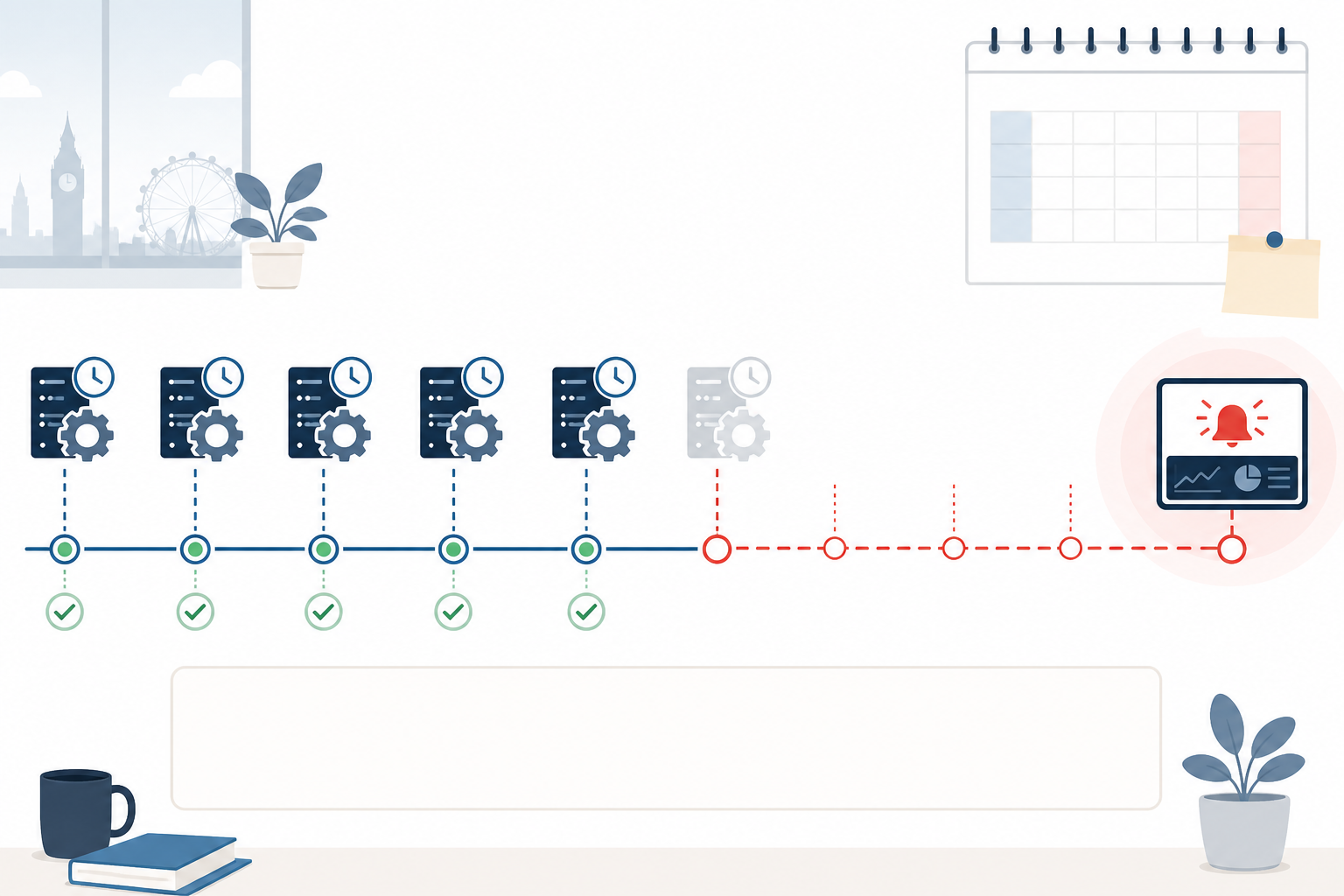
There is also a trust cost. After a team has been burned by a silent failure, people often start manually checking systems that should be fully automated. A team may move from “trust the pipeline” to “someone should check the pipeline every morning just in case”. That is a step backwards and defeats much of the purpose of automation.
The underlying gap is not necessarily a lack of effort or diligence. It is visibility. Nobody built a system that reliably and immediately reports when the expected task did not happen.
A Vendor-Neutral Checklist for Preventing Cron Job Failures
Before choosing a specific monitoring service, work through this checklist for every cron job that matters to your business:
- Check and act on exit codes. Use
set -ein Bash scripts, or explicit status checks in your chosen language, so a failed step stops the script instead of allowing it to continue silently. - Set timeouts on every external call. Configure connection and read timeouts, as well as a maximum retry count, so a slow dependency cannot hang the job indefinitely.
- Add a lock to prevent overlapping runs. A lock file or
flockcall is often enough to stop a stuck job colliding with the next scheduled run. - Validate the actual output. Check file size, run a checksum, test a restore, or check a record count—whatever proves the job completed meaningful work rather than simply starting.
- Alert on absence, not just on error. This is the part many setups are missing, and it is what heartbeat monitoring is designed to solve.
Heartbeat monitoring should be the final layer, not the entire solution. The script still needs defensive error handling, timeouts, locking, and output validation.
Example: Add a heartbeat alert to a Bash cron job
Here is an example using Moonitor as the heartbeat-monitoring service. The same pattern can be adapted for other monitoring providers:
#!/bin/bash
set -e

## 1. Do the actual work
/usr/local/bin/run-nightly-backup.sh

## 2. Validate the output before saying anything succeeded
if ! /usr/local/bin/verify-backup.sh /var/backups/latest.sql.gz; then
  echo "Backup validation failed" >&2
  exit 1
fi

## 3. Only ping if steps 1 and 2 actually succeeded, and check the response
response=$(curl -fsS -m 10 -o /dev/null -w "%{http_code}" \
  https://moonitor.io/hb/your-unique-id)

if [ "$response" != "200" ]; then
  echo "Heartbeat ping failed with status $response" >&2
fi
A few details matter here. First, the ping is deliberately placed after the work and validation steps. Do not put it in an unconditional cleanup block, such as a trap or finally block, because that could send a successful-looking heartbeat even when the job failed.
Second, the -f flag on curl and the response-code check ensure that a failed heartbeat request—for example, because of DNS or firewall problems—is logged rather than silently ignored. Finally, the -m 10 timeout prevents the heartbeat request itself from becoming a hanging dependency.
How to Set Up Cron Job Heartbeat Monitoring
Once your script can send a heartbeat correctly, configuring the monitoring side is straightforward:
- Create a separate heartbeat monitor for each important job. Give every task its own unique URL so you can identify the affected job when an alert occurs.
- Set an expected interval and grace period. This tells the monitor when to expect the next check-in. If the job normally finishes in five minutes, a 15–20-minute grace period may provide useful protection without creating false alarms.
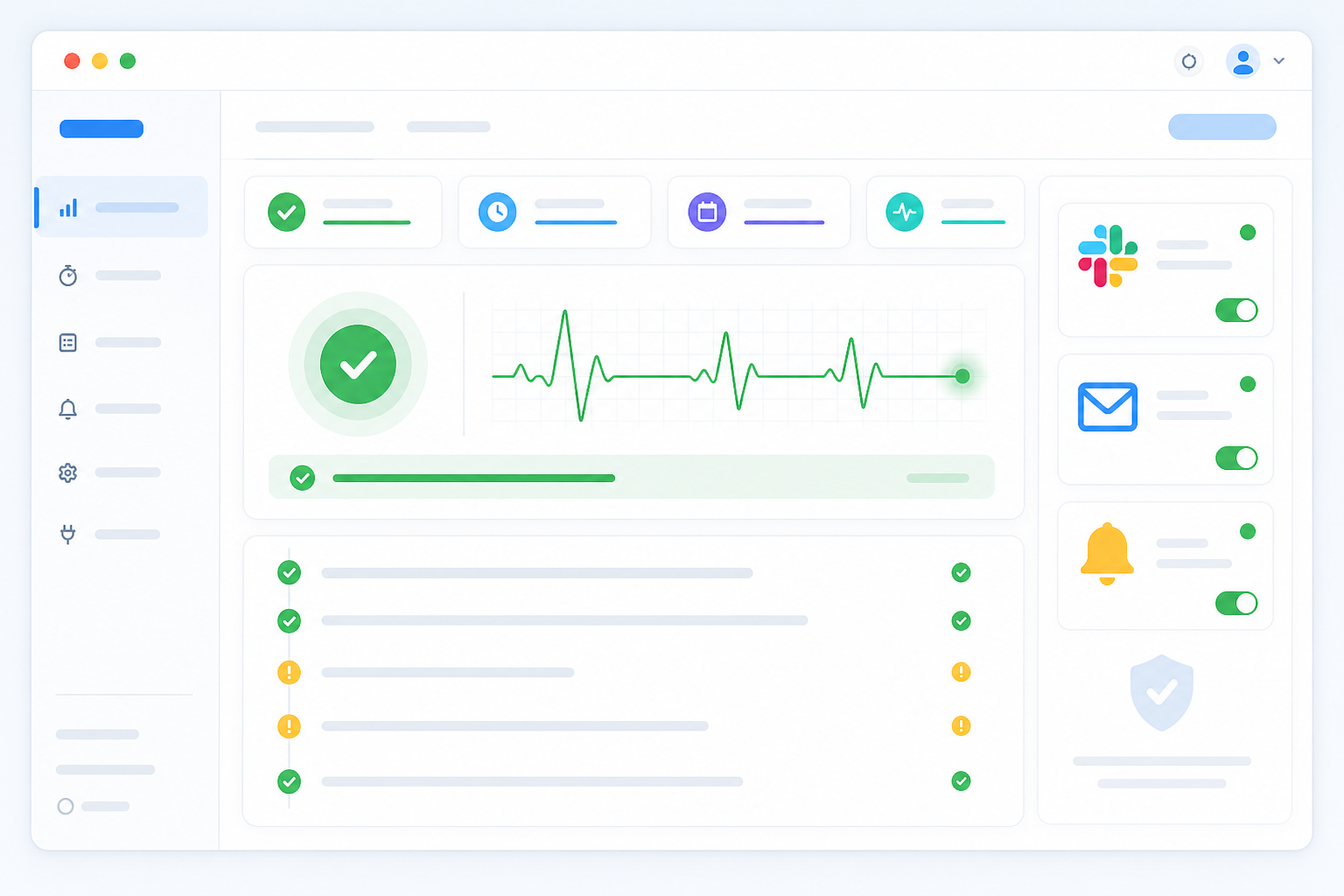
- Configure incident alerts. Send missed-heartbeat notifications to Slack, Discord, Telegram, email, or another channel your team actually monitors.
- Use multi-location checks if available. This can help distinguish a short network issue affecting one monitoring region from a genuine job failure.
- Review incident history regularly. Look for gradual changes, such as a job running ten minutes later each week until it eventually exceeds its grace period.
Setting up a single cron job monitor typically takes only a few minutes. A monitoring dashboard that supports heartbeat checks may also cover website monitoring, API monitoring, SSL certificate monitoring, and server monitoring, allowing scheduled jobs to sit alongside the rest of your infrastructure.
If you want to test heartbeat monitoring against a real job, Moonitor offers a short free trial with no credit card required. Start with the business-critical scheduled task that would cause the most damage if it failed silently, and see what the monitoring catches.
Frequently Asked Questions About Cron Job Failures
Why do cron jobs fail without any error message?
Cron checks that a process started and records its exit status when it finishes, but it does not reliably surface that status to a human by default. It also has no concept of whether the job succeeded at the business level—whether the backup is valid, the report is complete, or the synchronisation moved data.
A script can crash halfway through, hang on a slow dependency without a timeout, or be skipped after a container redeployment. Cron logs may still look unremarkable. The failure remains invisible unless something specifically watches for the expected outcome, not just the attempt.
How can I catch a job that silently stops running?
Heartbeat monitoring is one of the most reliable ways to detect a scheduled job that silently stops. Configure a monitor to expect a check-in at a defined interval, and send the ping only after the job has validated its output.
If the heartbeat does not arrive within the grace period, you receive an alert through Slack, email, Telegram, or another channel. This changes the problem from trying to detect every possible failure to detecting silence, which is particularly useful for jobs that hang rather than crash.
What is the easiest way to monitor background workers?
Background workers fail differently from one-off cron jobs. A worker can become stuck processing one item, stop pulling work from a queue, or crash without restarting while still appearing to be a running process. This is a liveness problem as well as a completion problem.
A practical approach is to have the worker send a heartbeat at a regular interval while it is healthy—for example, whenever it finishes a batch or every few minutes. Do not rely only on a final completion ping, because a continuously running worker may not have a clean end point.
Set the expected interval and grace period according to how often the worker should realistically check in. Route missed-heartbeat alerts to the same dashboard you use for uptime, API, SSL, and server monitoring so worker health is visible alongside the rest of your infrastructure.