
Affordable Uptime Monitoring: A Practical Guide to Free, DIY and Low-Cost Tools for Small Teams
Is free uptime monitoring good enough? Compare free tools, DIY scripts and low-cost paid plans, and learn which features are worth paying for as a sma
Meta description: Wondering what affordable uptime monitoring really costs? Compare free tools, DIY scripts and low-cost paid plans, and learn which features are worth paying for as a small team.
If you're a small team wondering what affordable uptime monitoring actually looks like, here's the short answer. For most startups and small businesses, a low-cost paid plan typically costs £10 to £40 a month and covers your website, APIs, SSL certificates and cron jobs, with alerts that don't cry wolf. Free tools are fine for a hobby site, and DIY scripts make a fun weekend project. But for anything that earns money, both can cost more in missed outages and maintenance time than a small subscription would.
I'll walk you through the trade-offs so you can pick a tool without second-guessing yourself. One disclosure up front: I'm part of the team behind Moonitor, so I'll mention it where it's relevant. I'll keep the advice useful whichever tool you choose, and I'll flag which claims are general patterns and which are specific to one product.
Why uptime monitoring matters more than your budget suggests ☕
Picture a two-person startup. It's Monday morning, the kettle's on, and the first thing in the inbox is a polite email from a customer: Hi, I tried to check out on Saturday night and the page just spun. Is everything okay?
Nobody got an alert. Nobody was watching. The checkout had been broken since the early hours of Saturday, and the only reason they found out was a customer kind enough to say something. Plenty of others would have just left.
That's the real cost of downtime, and it's rarely a dramatic headline number. It's lost sales, a pile of support emails, and a small dent in the trust you've worked hard to build. For UK teams it often lands at the worst possible moment, like a launch day or a quiet bank holiday weekend when everyone is offline.
Big outages can be eye-wateringly expensive. In its 2024 annual outage analysis, Uptime Institute reported that 54% of survey respondents said their most recent significant outage cost more than US$100,000. That's a survey of mostly larger organisations about significant outages, so please don't read it as your likely loss. What it does show is how quickly the potential cost of an outage can dwarf the price of an uptime monitoring plan.
It also helps to see what a downtime allowance looks like in real time. A service with 99.9% availability can be down for about 8 hours and 46 minutes a year. At 99.99%, that drops to about 52 minutes. Differences that look tiny on paper add up fast.
What is uptime monitoring?
Uptime monitoring is a service that checks, from outside your own systems, whether your stuff is actually working, and tells you when it isn't. Website uptime monitoring is the most familiar version: something visits your site every minute or so and raises a flag if it can't load. The same idea works for APIs, servers, certificates, DNS records and scheduled jobs.
The outside-in part matters. Google's SRE book, in its chapter on monitoring distributed systems, describes black-box monitoring (testing externally visible behaviour as a user would see it) as a complement to internal metrics. A server can look perfectly healthy from the inside while customers see an error page.
This guide is a cost-benefit comparison, not a hard sell. The cheapest option isn't always the lowest-cost one.
The real cost of free uptime monitoring tools
I love a good free tier. For a side project, free uptime monitoring tools can be brilliant. But if your site earns money, it's worth looking at what free actually gives you.
What free uptime monitoring plans usually include
These are typical patterns rather than guarantees. Free plans vary a lot between providers and change often, so check the current pricing pages for services such as UptimeRobot, Better Stack, StatusCake and Pingdom before relying on any of this.
- A limited number of monitors, often enough for a homepage and an API endpoint but rarely your whole stack.
- Slower check intervals, frequently five minutes or more.
- Fewer alert channels. Email may be included while chat integrations are reserved for paid tiers.
- Short data retention, which is handy for today's problem and less useful for spotting patterns over months.
Hidden costs and limits of free monitoring
The sticker price is zero, but some costs never show up on an invoice.
First, slow detection. With checks every five minutes, an outage can wait nearly five minutes for the next check, and about 2.5 minutes on average, before anything is even noticed. That's an idealised figure, and real alerts can take longer once confirmation attempts and notification delivery are added. For a checkout page, those minutes matter.
Then there's the missing incident history and status page. When a customer asks 'was your site down last Tuesday?', you want an answer. A status page lets you tell people what's happening without answering the same email forty times.
And single-location checks. Some free plans check from just one place. This limitation causes the most grief, so it's worth a closer look.
How single-location checks cause false alarms
If a monitor checks your site from just one place, a blip on the network between that place and your server looks exactly like an outage. You get a 3am alert, scramble out of bed, and find everything is fine.
Do that a few times and something predictable happens. You start ignoring alerts. Or you mute the channel. Then the one real outage arrives and nobody reacts.
That's alert fatigue, and it's a genuine cost. Google's SRE book makes the related point that pages should be urgent, actionable and genuinely need a human, because otherwise people learn to tune them out.
Multi-region failure verification can help. When one location sees a failure, other regions re-check before anyone gets paged, which cuts down on false positives caused by a flaky route or a single probe having a bad moment. It isn't magic, though. How it behaves depends on the provider's rules: how many regions must agree, how long it waits, and when it escalates anyway. A failure that only one region sees can still be real, such as a regional network problem or a CDN issue affecting customers in one part of the world. So when you compare tools, ask whether they suppress single-region failures entirely or surface them as a lower-priority warning.
Is free uptime monitoring good enough for a small business?
For hobby use, personal sites and non-critical pages, yes, absolutely. For anything that earns revenue or supports customers, rarely. Free tools tell you something is monitoring your site. They don't always give you the speed, accuracy and history to act on it.
What you sacrifice with DIY uptime monitoring scripts
I get the appeal. A cron job running curl every minute, a Raspberry Pi in the corner, or a self-hosted open-source tool all feel free and flexible, and building them is satisfying. I've done it myself and enjoyed it.
The trouble starts when you rely on it.
Who monitors the monitor?
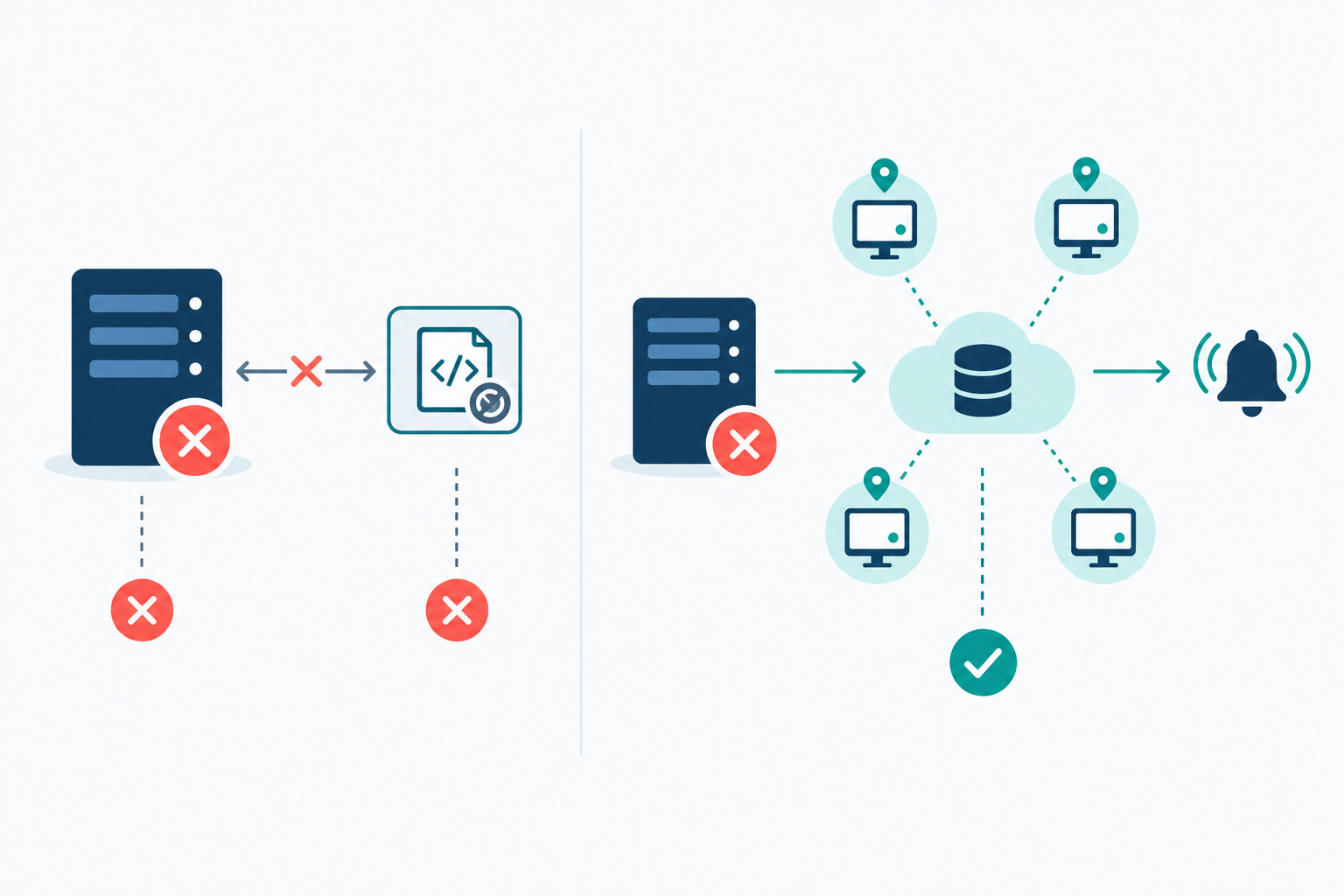
If your script runs on the same server or network as your app, it can go down with your app. The very outage you wanted to know about silently takes out the thing that would have told you. It's a basic shared-failure problem: a monitor that depends on the same host or network as the service it watches can't reliably report that service's failure.
The maintenance costs of self-hosted monitoring
Even a well-placed DIY setup needs ongoing care:
- Updating and patching the monitoring tool and its dependencies
- Hosting it somewhere separate from production (which has its own cost)
- Routing alerts to Slack, Discord, Telegram or email, and making sure they still arrive
- Handling retries so one failed request doesn't trigger a panic
- Storing history so you can look back
Prometheus's Blackbox Exporter is a good example. It can probe HTTP, HTTPS, DNS, TCP and ICMP endpoints, but your team has to run the exporter and the stack around it, including storage, alerting rules and notifications.
Features DIY monitoring can leave out
Many DIY setups don't include multi-region verification, response-time analytics, SSL and domain expiry tracking, DNS monitoring or a public status page. You can build each one. Each one is also another thing to maintain.
How to calculate the cost of DIY monitoring
Try this quick sum. Estimate the hours a month you'd spend on upkeep, including the occasional fix when it breaks, and multiply by your hourly rate. If that's three hours at £30, you're at £90 a month, well above the cost of a small paid plan. Even one hour a month is £30, right in the paid-plan range.
When DIY uptime monitoring makes sense
- Learning exercises, because you'll understand monitoring far better afterwards
- Highly custom internal checks that no off-the-shelf tool covers
- Teams with spare DevOps capacity who enjoy running their own tooling
A nice middle path is to use a hosted monitor for your public-facing essentials and keep DIY for the quirky internal bits.
Comparing free, DIY and low-cost paid uptime monitoring plans
I can't responsibly give you a live league table here, because plans and prices move around. So the table below is indicative. It describes the typical pattern in each category, not any single vendor. Treat it as a checklist of what to verify.
| Criteria | Free tier | DIY or self-hosted | Low-cost paid plan (around £10 to £40/mo) |
|---|---|---|---|
| Monthly cost | £0 | £0 licence, plus hosting and your time | Fixed monthly fee |
| Number of monitors | Usually a limited number | Whatever you build | Often dozens, sometimes unlimited |
| Check interval | Often 5 minutes or more | You decide | Usually faster |
| Monitor types | Basic HTTP, maybe ping | Whatever you script | Several types in one place |
| False alarm protection | Often single location | Only if you build it | Multi-region verification is common, but check how it works |
| Alert channels | Limited | Whatever you wire up | Email, chat apps, webhooks |
| Status page | Rarely | Build it yourself | Often included |
| API and data export | Varies | Full control | Look for it |
| Free-trial terms | Not applicable, though some paid vendors offer a free tier instead | Not applicable | Varies: trial length, whether a card is required, and what's limited during the trial |
| Maintenance effort | Low | High | Low |
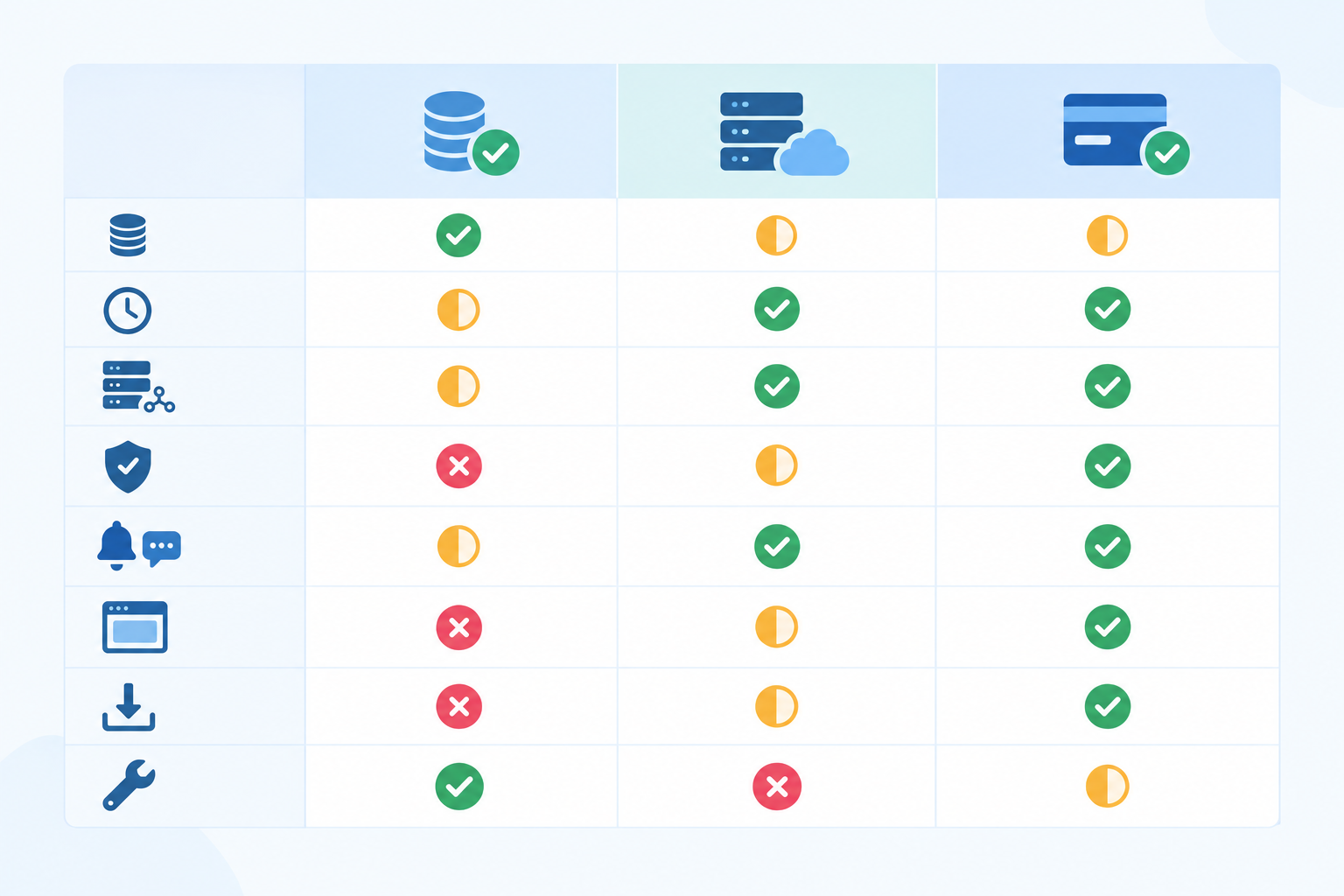
How to compare uptime monitoring providers in ten minutes
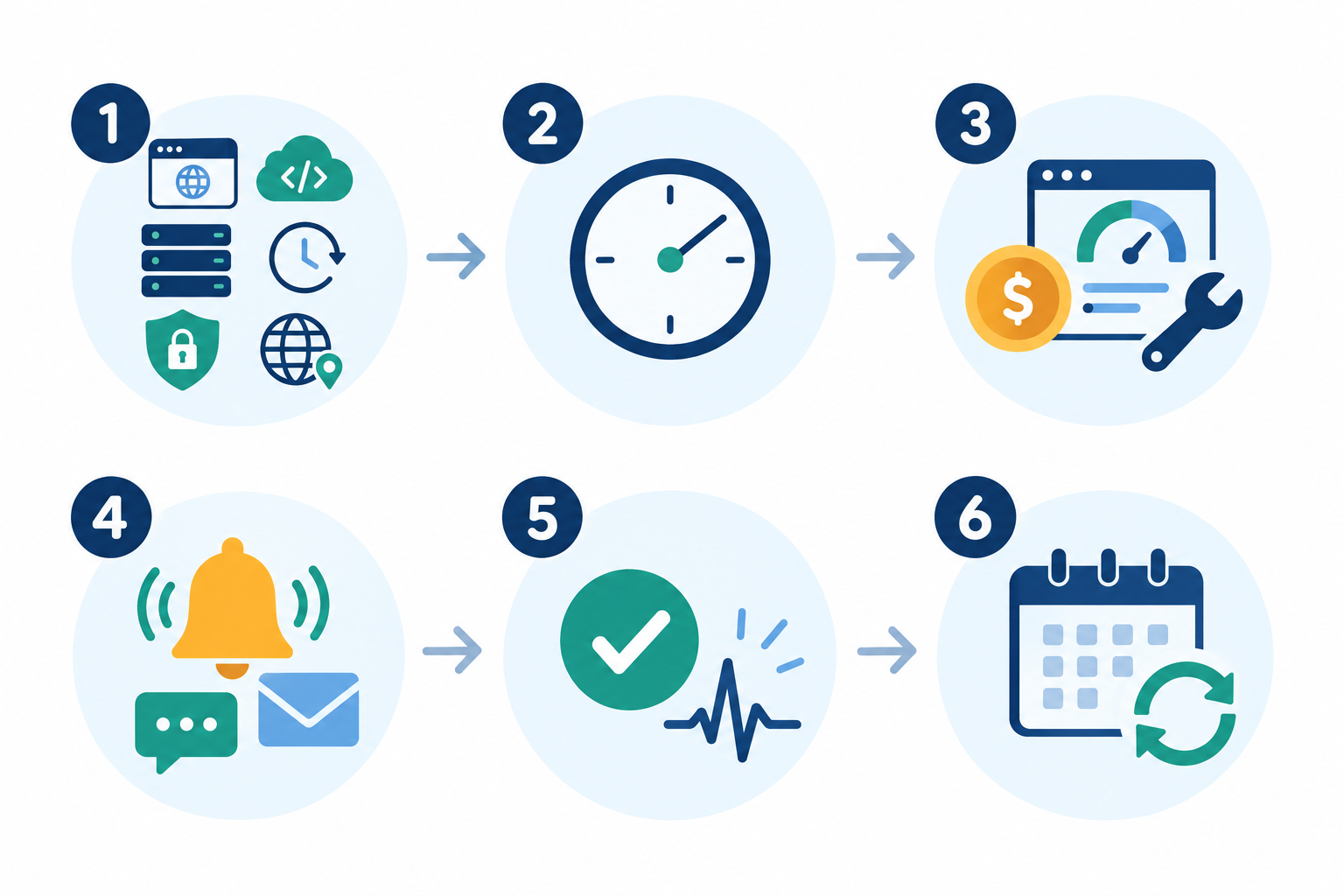
Pick three providers, say from the pricing pages of UptimeRobot, Better Stack, StatusCake, Pingdom or Moonitor, and note down the same five things for each, along with the date you checked:
- Monitor count at the price you'd actually pay
- Fastest check interval on that plan
- Alert channels included
- Whether a status page is included
- Trial terms, including whether a card is needed
That small exercise tells you more than any generic table can.
Where Moonitor fits among low-cost monitoring tools
Moonitor sits in the low-cost paid category. Based on the plan details we publish, the Solo plan is $14 a month for 20 monitors, and the Max plan is $49 a month for unlimited monitors. Both include all eight monitor types in one dashboard: HTTP/S, keyword, port and ping, SSL and domain expiration, cron/heartbeat and DNS record change detection. You also get multi-region failure verification, a branded status page, incident history, response-time analytics, and a full API with data export. Check the current pricing page before you buy, as prices can change.
A practical note for UK buyers: those prices are in US dollars. At an illustrative rate of about $1.28 to the pound (not a live rate, so check today's), $14 is roughly £11 and $49 roughly £38 before any VAT. If VAT is added to your invoice at 20%, the Max plan would come to around £46, which is above the £10 to £40 window. Card fees and exchange rates will nudge the figure too. So whichever vendor you compare, work out the final price in pounds on the day you buy.
How much should basic uptime monitoring cost per month?
A sensible range for a small team is roughly £10 to £40, ideally before VAT. Around the lower end, expect a modest number of monitors, multiple monitor types and fast alerts. Towards the upper end, you should be getting generous or unlimited monitors, a status page, history and analytics. If a plan is far cheaper, check what's been left out. If it's far more expensive, check whether you're paying for enterprise features you don't need yet.
One more thing to watch. A basic HTTP check confirms an endpoint responds, but it doesn't necessarily prove someone can sign in or complete checkout. Know what each tier actually checks.
Features worth paying for in uptime monitoring
So what's worth paying for as a small team? Here's my honest shortlist, in roughly the order I'd care about them.
- Multi-region failure verification cuts false alarms, which protects your sleep and your trust in the alerts. Check whether region-specific failures are still reported.
- Alerts that reach you where you already work. Email, Slack, Discord, Telegram and webhooks mean notifications land in the tools your team actually watches.
- Cron job and heartbeat monitoring. Silent failures in backups, invoicing runs and data syncs are the ones nobody notices until it's painful. A heartbeat monitor flags the check-in that didn't happen.
- SSL certificate and domain expiry monitoring. An expired certificate is one of the most avoidable outages there is, and it looks alarming to customers.
- API monitoring and keyword checks, which confirm a page or endpoint is genuinely working and not just returning a 200 with an error message inside.
- DNS monitoring, which catches unexpected record changes, whether from a slip-up or something more worrying.
- A branded status page, which cuts support tickets during incidents because customers can see what's going on.
- API access and data export, so you're never locked in.
Uptime monitoring features you can skip at first
Enterprise extras like SSO and complex on-call rotations are great for bigger organisations, but a team of five rarely needs them. Very high-frequency checks on non-critical pages are another thing to skip. Save the fastest checks for the pages that make you money.
A simple framework for choosing an uptime monitoring tool
It's easy to spend a week comparing tools. Here's a quicker way.
- List what you must protect. Website, API, server, scheduled jobs, certificates, DNS. Write them all down.
- Count your monitors honestly, then add 20 to 30 percent for growth. You'll thank yourself in six months.
- Decide how you want to be alerted and who gets it. One shared channel for everything, or a second route for urgent incidents?
- Check that false alarm protection and incident history are included. Those are what make alerts trustworthy and useful afterwards.
- Confirm you can export your data and leave if needed. Good tools don't hold your history hostage.
- Pick the cheapest plan that ticks those boxes, and revisit in six months. Your needs will change, and so can your plan.
A worked example for a small SaaS team
Say you're a five-person SaaS team. You need to protect a marketing site, a web app, one API, a nightly backup job, an SSL certificate and a domain. That's six things. Add 30% for growth and you want room for about eight monitors. You use Slack, so Slack alerts are a must, and you want a status page for customers. On the free tier you'd likely hit the monitor limit and miss the status page. DIY would work, but you'd be maintaining it on top of your product. A low-cost paid plan with around ten monitors and the features above covers it. That's the point where paying a modest monthly fee beats both alternatives.
How to try uptime monitoring without a credit card
Can you try monitoring tools without a credit card? Yes, some providers allow it, and for cash-conscious teams it's a big deal. There's no risk of surprise charges and no hoops to jump through to cancel. Trial terms vary, so check the length, whether a card is required, and whether any features are limited. Moonitor offers a 7-day free trial with no credit card required, and setup takes under a minute.
Set up your first uptime monitors in 15 minutes
- Add your homepage as an HTTP/S monitor. That's your baseline.
- Add one API endpoint, ideally something that reflects real functionality rather than a bare health route.
- Set up a heartbeat for one cron job, such as your nightly backup. Ping the heartbeat URL when the job finishes.
- Connect Slack or email so alerts reach you somewhere you'll see them.
What to test during an uptime monitoring trial
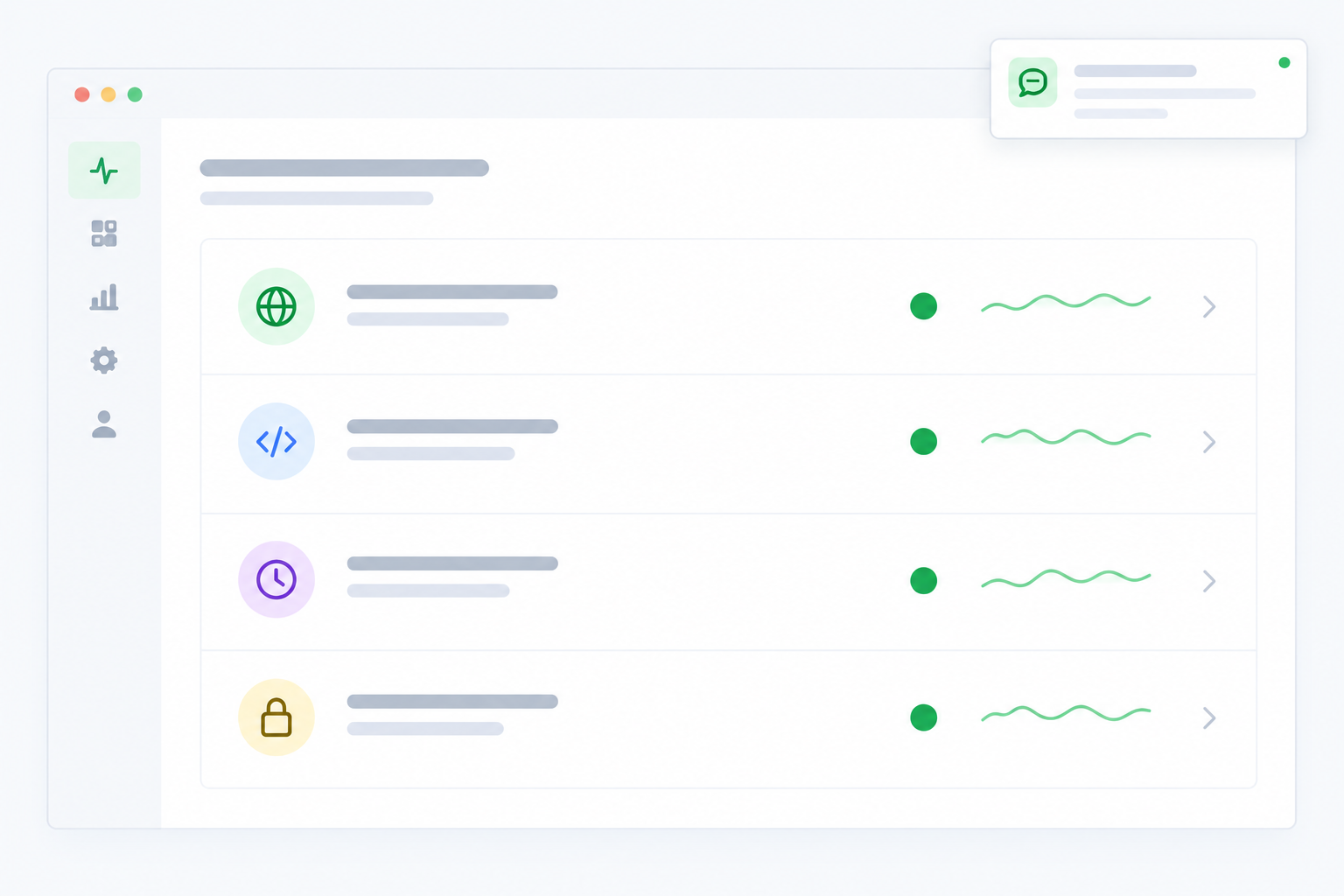
Don't just admire the dashboard. Poke it.
- Trigger a deliberate failure. Point a monitor at a URL you know will fail, or pause a heartbeat job, and see what happens.
- Time the alert. How quickly does it arrive, and is the message clear about what's wrong?
- Look at the incident history. Is the timeline easy to understand afterwards?
- Preview your status page. Would you be happy for customers to see it?
Is this uptime monitoring tool right for you?
Ask yourself three things. How noisy are the alerts? Is the dashboard something you'd happily open at 7am on a bad day? And can you export your data? If the answers are quiet, yes and yes, you've probably found a keeper.
The bottom line: spend a little, sleep a lot 🌙
Free tools are lovely for hobbies. DIY is brilliant for learning. And for anything that matters to your customers or your income, a low-cost paid plan usually wins, because affordable uptime monitoring is about value per pound, not the lowest sticker price.
My suggestion? Shortlist two or three providers, run the ten-minute comparison above, and trial your three most important monitors. If a tool earns its place, great. If not, you've lost nothing but a few minutes.
Frequently asked questions about affordable uptime monitoring
Is free uptime monitoring good enough for a small business?
It can be for a personal project or a non-critical site. If your website or API supports revenue or customers, the usual gaps are slow check intervals, single-location checks that cause false alarms, and no status page or incident history. Check the limits of any specific free plan before you rely on it.
What uptime monitoring features are worth paying for as a small team?
Start with multi-region verification, alerts in the tools you already use, cron and heartbeat monitoring, and SSL and domain expiry checks. A status page and data export come next. Skip enterprise extras like SSO until you need them.
How much should basic uptime monitoring cost per month?
Most small teams can get solid coverage for roughly £10 to £40 a month. For dollar-priced plans, convert at the current rate and check whether VAT is added, as both can move the final figure.
Can I try uptime monitoring tools without a credit card?
Yes, some providers let you trial without entering card details, while others require one up front. Always check the trial length and any feature limits, then use the trial to test a deliberate failure and see how fast the alert arrives.
Do I need cron job monitoring as well as website monitoring?
If you run backups, billing tasks or data syncs on a schedule, yes. Website checks won't notice a job that quietly stopped running. Heartbeat monitoring flags the missing check-in so you find out quickly.
Will I be locked in if I choose a paid monitoring tool?
Not necessarily. Look for tools with an API and data export so you can take your monitor configuration and history with you if you switch.