
Free vs. Paid Uptime Monitors: When Should Startups Upgrade?
Free uptime monitoring can launch a startup, but paid uptime monitoring matters when downtime, alerts and growth affect customers and revenue.
Free vs Paid Uptime Monitoring for Startups: When Should You Upgrade?
Here's the short answer: free uptime monitoring is usually enough before launch, or while your product has no customers who actually depend on it. Once downtime has real customer, revenue, or contractual consequences — or you need faster checks, team-based alerting, or coverage beyond a single webpage — it's time to consider paid uptime monitoring.
A decent paid plan typically costs less per month than what one undetected outage or one missed certificate renewal can cost you in lost trust. The right choice depends on your startup's stage, risk profile and monitoring requirements.
That's the decision in a nutshell. The rest of this article will help you identify exactly where that line sits for your business, because “more than one service” or “faster detection” means something different for a two-person SaaS than it does for a team processing payments.
One quick scope note before we get going: this article is about uptime monitoring specifically — checking whether your service responds, and responds correctly. That's a narrower and simpler job than application performance monitoring, synthetic transaction testing or full observability, which investigate why something is slow or trace a request across multiple services. Most startups don't need that heavier stack early on, but it's worth knowing where uptime monitoring's job ends.
What Do Free Uptime Monitoring Tools Typically Offer?
Free tiers aren't useless — tools such as UptimeRobot, StatusCake and Freshping have built solid reputations doing exactly this job for years. They're designed for a specific stage of company, and features vary meaningfully by provider and change over time, so treat the table below as a general snapshot rather than a permanent rulebook.
Always check a provider's current pricing page before deciding. Plans and limits are revised often.
| Provider | Typical free check interval | Typical monitor limit | Alert channels | Locations | SSL/DNS monitoring | Status page |
|---|---|---|---|---|---|---|
| UptimeRobot | ~5 minutes | Around 50 | Email (SMS/Slack on paid) | Limited, often single-region | Not on free tier | Basic, limited |
| StatusCake | ~5 minutes | Around 10 | Single region | Not on free tier | Not included | |
| Freshping | ~1 minute (site-dependent) | Around 50 | Single region | Not on free tier | Basic |
The pattern across all three is reasonable check frequency for a homepage, generous-ish monitor counts, but alerting that is often limited to email, little or no meaningful SSL or DNS coverage, and checks from one location rather than several.
If that matches a side project or something you're testing before launch, free uptime monitoring may be doing exactly its job. The trouble starts when your business has outgrown that list but your monitoring setup has not caught up.
What Are the Common Limitations of Free Monitoring Tools?
These monitoring limitations don't feel like a big deal until the exact moment they cost you something. Here's where that tends to happen.
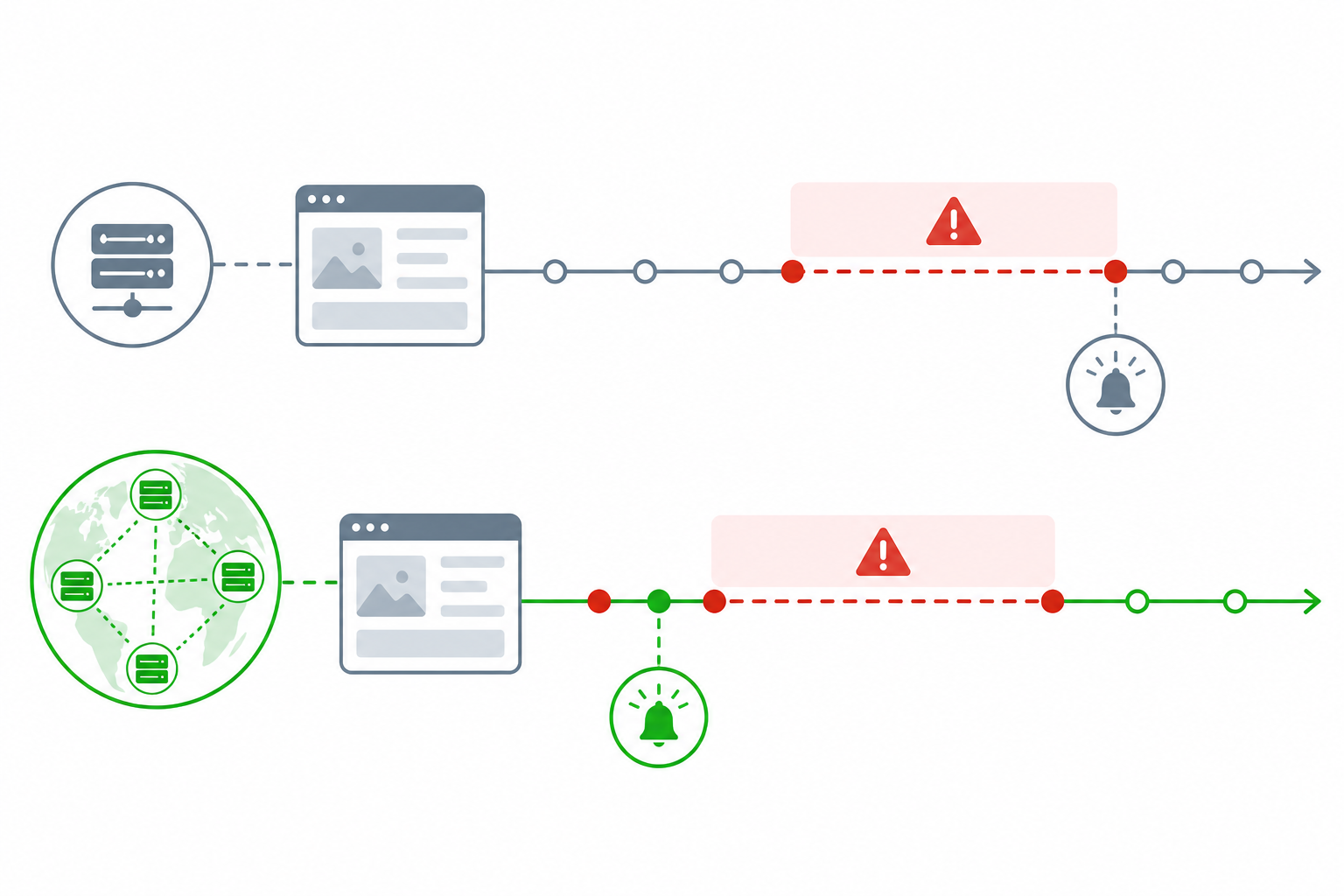
Longer check intervals mean you find out later. A 15-minute check interval sounds fine on paper. In practice, depending on exactly when in that window an outage starts, it can mean roughly 15 minutes pass before anyone is told — and your customers may notice before your monitoring does.
Fewer monitoring locations can train you to ignore alerts. Some free plans check from just one or two locations. Your monitor pings from that spot, hits a temporary network blip unrelated to your service and fires an alert. It happens a few times, you realise it was nothing, and soon you're mentally filing every alert under “probably noise”. That's the mindset that can cause teams to miss a real outage.
No Slack, Discord or Telegram integration in many free tiers. Email alerts work fine if someone's actively watching their inbox around the clock. Realistically, nobody is. An alert that lands at 2am might sit unread until someone opens their laptop the next morning.
No SSL certificate or DNS monitoring on many free plans. These are quiet killers. A certificate silently expires, browsers start showing security warnings to your customers, and you find out from a confused support ticket rather than a monitoring alert. The same applies to DNS: a record changes unexpectedly and nobody notices until traffic quietly drops.
No cron job or heartbeat monitoring. Most free tools are built to watch things that respond to a ping. But what about the nightly billing job that's supposed to charge cards on file at 2am and silently fails instead? Without heartbeat monitoring, that background task is essentially invisible until someone notices that revenue looks light.
Minimal or no incident history. When a customer asks, “How much downtime did we actually have last quarter?”, you want an answer, not a shrug. Incident history is not just record-keeping — it helps you spot recurring patterns and support SLA conversations with real data.
Shallow API monitoring. Free tools typically ping a URL and check for a 200 response. That's not the same as verifying that a specific endpoint returns the right data, or checking for a keyword confirming that a page loaded correctly rather than quietly showing an error page with a 200 status.
How to Decide Between Free and Paid Uptime Monitoring
Rather than treating “startup stage” as one vague signal, break the decision into three concrete questions:
- Customer impact — If your service goes down for 15 minutes, does anyone notice, and does it cost you anything through lost revenue, a support ticket or a churned trial?
- Detection requirement — How quickly do you realistically need to know? A minute matters if you're processing payments; it matters far less for a marketing site nobody is actively using at 3am.
- Coverage complexity — Are you monitoring just a homepage, or do you also have APIs, background jobs, certificates and DNS records that need watching?
A worked example: a pre-revenue landing page with no logged-in users can happily stay on free monitoring — the customer impact of a 15-minute gap is close to zero. A SaaS product processing payments for even a handful of customers is different. That product benefits from faster, multi-location checks and heartbeat monitoring for its billing job because the cost of a missed failed payment or quietly broken webhook is disproportionate to how small the company still is.
Signs Your Startup Has Outgrown Free Uptime Monitoring
Not every signal carries the same weight, so here they are grouped by urgency, with the business consequence alongside each one.
| Urgency | Signal | Business consequence |
|---|---|---|
| 🔴 Upgrade now | Customers noticed downtime before you did | Monitoring has already failed its primary job — this is a trust problem, not just a technical one |
| 🔴 Upgrade now | A missed alert, or a false alarm you nearly ignored, from limited-location checks | Your team's trust in alerts is compromised, increasing the risk that a real outage is dismissed next time |
| 🟠 Plan for it soon | You're monitoring APIs, servers or cron jobs, not just a homepage | Free plans' shallow check types may not catch failures in these areas |
| 🟠 Plan for it soon | An SSL certificate or domain expiry has caught you off guard | Repeat surprises can directly damage customer confidence |
| 🟡 Worth budgeting for | You need a branded public status page | This signals maturity to customers and investors, but is rarely urgent on its own |
| 🟡 Worth budgeting for | Your team has grown beyond one inbox for alerts | Response may be slower, although this is not necessarily a customer-facing failure yet |
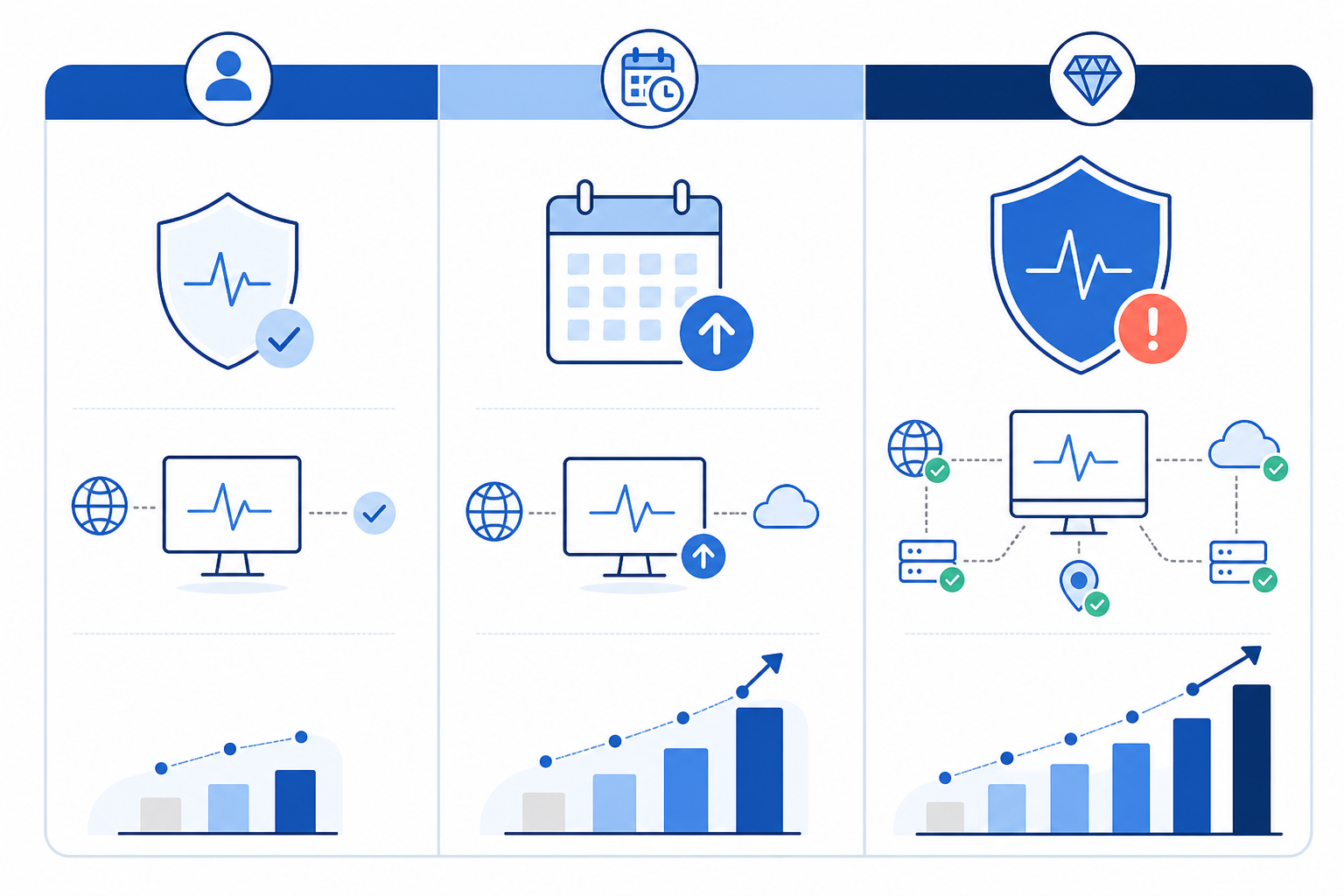
One red-tier signal outweighs three yellow ones. If you're only seeing orange and yellow items, you may have a few months of runway left on the free tier. If you've ticked even one red box, treat it as this month's problem rather than next quarter's. Customers finding your downtime before you do is about as expensive a lesson as monitoring can teach you.
What Do You Get With Paid Uptime Monitoring Plans?
Upgrading is not about ticking a box marked “more professional”. It's about closing specific gaps that create real, measurable risk. Let's look at what most paid tools offer, how monitoring pricing tends to work and what Moonitor provides, so you can compare fairly.
Common paid-plan capabilities
Across most paid uptime monitoring tools, upgrading tends to close a similar set of gaps, although exact features vary by provider and plan tier:
- Faster check intervals, often one minute or less on mid-tier plans, so you find out about problems while they're still small
- Multi-region verification, which can require a failure to be confirmed from more than one location before alerting and can reduce false-alarm fatigue
- Alerts routed to where your team works, including Slack, Discord, Telegram, email and custom webhooks
- Broader monitor types, including SSL and domain expiry, cron and heartbeat monitoring, DNS change detection, keyword checks and port or ping monitoring
- Branded status pages, incident history and response-time analytics, so you can support SLA conversations with real figures
- API access for data export, helping you avoid being locked into one vendor if your needs change
Pricing models differ. Some providers charge per monitor, some per check frequency, some per team seat, and some cap alert volume with overage fees. Read the details about what happens if you exceed your plan's limits mid-month — that's where an apparently affordable plan can surprise you.
Moonitor compared with other startup tools
Here's where I can speak from direct experience, since it's what we've built — but I want to show this alongside alternatives rather than in isolation, so you can judge it fairly.
| Moonitor | UptimeRobot (paid) | StatusCake (paid) | |
|---|---|---|---|
| Entry price | $14/mo (~£11), 20 monitors | Paid plans start lower per monitor but scale with add-ons | Mid-tier plans sit in a similar band |
| Monitor types | HTTP/S, keyword, port, ping, SSL, domain, cron/heartbeat, DNS — all eight from one dashboard | Core HTTP checks plus paid add-ons for some extras | Broad HTTP/port coverage; SSL and heartbeat vary by tier |
| Multi-region checks | Included | Included on paid tiers | Included on paid tiers |
| Status pages | Branded, included | Available on paid tiers | Available on paid tiers |
Prices and feature sets shift over time for every provider on that list, so treat this as a starting point for your own comparison rather than the final word. Check each provider's current pricing page before deciding.
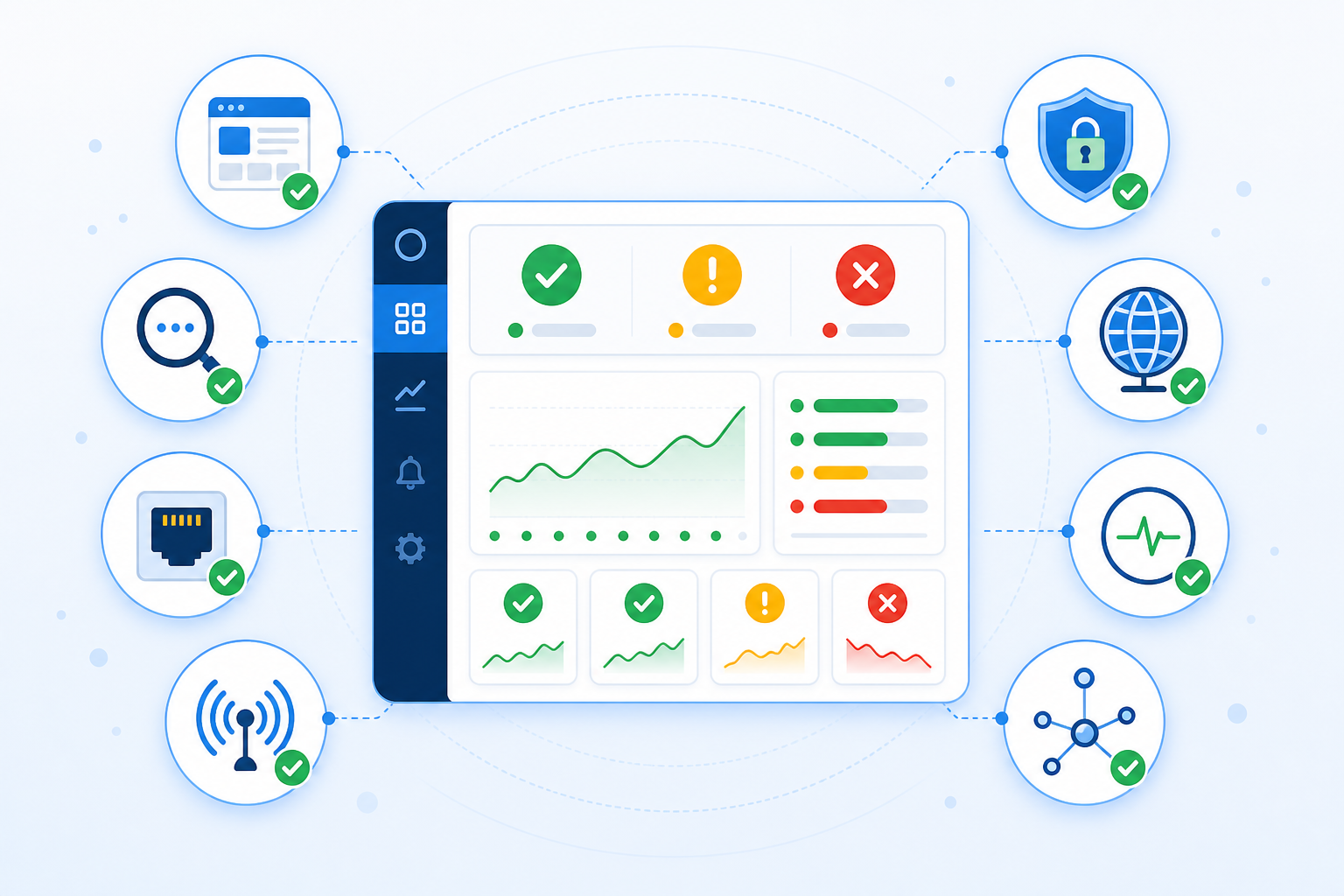
Moonitor's Solo plan starts at $14 per month for 20 monitors, while the Max plan scales to $49 per month for unlimited monitors. Both cover all eight monitor types from a single dashboard, alongside branded status pages and a full data-export API.
For UK teams specifically, check whether listed prices exclude VAT, whether monitoring checks originate from European or UK-adjacent regions if latency matters, and what time zone the provider's support team operates in. None of these factors is necessarily a dealbreaker, but they are easy to overlook when comparing monitoring pricing in isolation.
How to Upgrade Your Uptime Monitoring Without Disruption
Switching monitoring tools can feel like exactly the kind of infrastructure project you do not have time for. The good news is that it does not have to be disruptive if you do it in the right order.
- Audit what you're currently monitoring and find the gaps. Are you missing API monitoring, cron job monitoring, SSL checks or DNS monitoring? Write it down before comparing tools.
- Choose a plan sized to your actual monitor count, not what you think you might need in two years. Avoid over-provisioning “just in case” and upgrade later if you genuinely need to.
- Run old and new monitoring in parallel for a few days, and test both directions. Trigger a deliberate failure and recovery rather than relying on passive observation. Assign an escalation owner during this window and mute duplicate alerts from the old tool once the new one is working.
- Migrate your alert channels first — Slack, Discord, Telegram or whichever tools your team uses — so nobody is left without notifications during the transition.
- Set up your public status page before announcing anything to customers. There is nothing worse than communicating a new reliability commitment while the status page still shows placeholder text.
- Document a simple rollback plan. Note which monitors and alert channels you would revert to if something in the new setup does not behave as expected during the first week.
- Use a trial period to validate everything before committing. Confirm check intervals, alert routing, failover behaviour and recovery notifications. Moonitor, for instance, offers a seven-day trial with no credit card required.
Done this way, the switch should take an afternoon rather than a sprint.
At the end of the day, this is not a matter of principle between free and paid — it is about matching your monitoring to the actual risk your business carries right now. Before deciding, return to the three questions above: what would 15 minutes of undetected downtime cost you today, how quickly do you genuinely need to know about a problem, and are you monitoring anything beyond a single webpage?
Write down your answers. If they make you uneasy, that's your answer: stay with free uptime monitoring while it genuinely covers your risk, and upgrade when it no longer does.
Frequently Asked Questions About Uptime Monitoring
Is free uptime monitoring good enough for a startup?
Yes, for a pre-launch product or a side project with no paying customers. Once real users depend on your service, consider the potential cost of undetected downtime, how quickly you need to know about problems and whether you are monitoring anything beyond a single webpage. If any answer worries you, it is time to consider paid options.
What are the limitations of free monitoring tools?
Most, though not all, free plans check every 5–15 minutes rather than every minute, alert by email only, skip multi-region verification and leave out SSL certificates, DNS changes and cron jobs. Coverage varies by provider, so check the details of your current tool before assuming a particular gap applies to you.
When should I upgrade to a paid monitoring plan?
Treat customers noticing downtime before you did, or a missed alert caused by limited-location checks, as immediate triggers worth acting on this month. Growing monitor coverage — including APIs, servers and cron jobs — or wanting a branded status page are good reasons to plan an upgrade over the next month or two.
How much does paid uptime monitoring typically cost?
For UK startups, budget roughly £10–£40 per month for a solid paid plan, depending on monitor count and features. Check whether pricing excludes VAT if the provider bills in US dollars. Moonitor, for example, starts at $14 per month (about £11) for 20 monitors and scales to $49 per month (about £39) for unlimited monitors.
Do I need observability tools as well as uptime monitoring?
Not usually, especially at an early stage. Uptime monitoring tells you that something is wrong; observability and application performance monitoring tools help explain why. Most startups can use uptime monitoring alone until they have enough services, or enough complexity in how those services communicate, that root-causing an incident becomes difficult without tracing tools.