
Website Went Down at 3am? A Post-Outage Response Playbook
Website down at 3am? Follow this calm outage response playbook to check DNS, SSL, server and app issues, update customers and prevent repeat incidents.

Website Down at 3am? A Post-Outage Response Playbook
When your website goes down, try not to panic. Confirm the outage is real, then work through the usual suspects (DNS, SSL, server, app), starting with whichever the symptoms point to. Tell your customers what's happening, then fix, verify and close the incident. Finish with a short post-mortem so it doesn't happen again. If you have uptime monitoring in place, you'll usually hear about the problem before your customers do, and that makes every one of those steps easier.
That's the whole playbook in a paragraph. The rest of this post walks through each step so you can follow it half-asleep, which is usually when you'll need it.
The one-screen website outage checklist (bookmark this bit)
If your website is down right now, start here and come back to the detail later:
- Confirm: load the site on mobile data and check your monitoring. Note the start time.
- Diagnose: does the domain resolve (DNS)? Is the certificate valid (SSL)? Does the server respond? Is the app throwing errors? Ask what changed recently.
- Tell people: post a short status update with a time for the next one.
- Fix and verify: change one thing at a time, then check from more than one network.
- Review: within a few days, write a one-page blameless post-mortem.
Why website outages feel so awful at 3am (and why a playbook helps)
Picture it. Your phone buzzes on the bedside table at 3am. Your brain is mostly fog. Is the site actually down, or is it a glitch? Who can even fix this? Where do you start?
If that sounds familiar, you're in good company. Most startups and small businesses don't have an on-call rota, a formal incident process or a dedicated ops team. You've got a founder, a developer or two, maybe a freelancer on retainer. That's completely normal, and it's not a failing. It just means the plan needs to be simple enough to remember under stress.
This five-step playbook is built for teams of one to five people, not a big ops department. And I'll say this plainly: a calm checklist beats heroics every time. The person who methodically ticks boxes usually fixes things faster than the person frantically changing five settings at once.
Step 1: Confirm your website outage is real
Before you touch anything, make sure there's actually a fire. A surprising number of 'website down' moments turn out to be flaky hotel Wi-Fi or a laptop with a stale DNS cache.
- Check from a different network and device. Switch your phone to mobile data instead of Wi-Fi and load the site. If it works there, the problem might be local to your connection.
- See whether it's down for everyone. Use your monitoring dashboard or a third-party checker. If you already have uptime monitoring running, this takes about ten seconds, and you'll often have the answer before you've even found your slippers.
- Don't trust a single failed check. One failed request from one location isn't strong evidence of anything. Networks hiccup, and a route between one data centre and your server can wobble for 30 seconds and then recover. That's why multi-region failure verification is useful: the monitor re-checks from several locations before it alerts you. A common policy is to alert only when two or three regions agree, though thresholds vary between tools. Treat agreement as strong evidence rather than proof. It cuts false alarms a lot, but it can't tell you for certain that every visitor is affected, so keep your own checks in the mix.
- Note the start time straight away. Write it down. You'll need it for customer updates and for your post-mortem, and memory at 3am is unreliable.
- Open an incident note. A shared doc or a dedicated Slack thread is fine. What matters is having one source of truth, so nobody has to ask 'wait, what have we tried?' later.
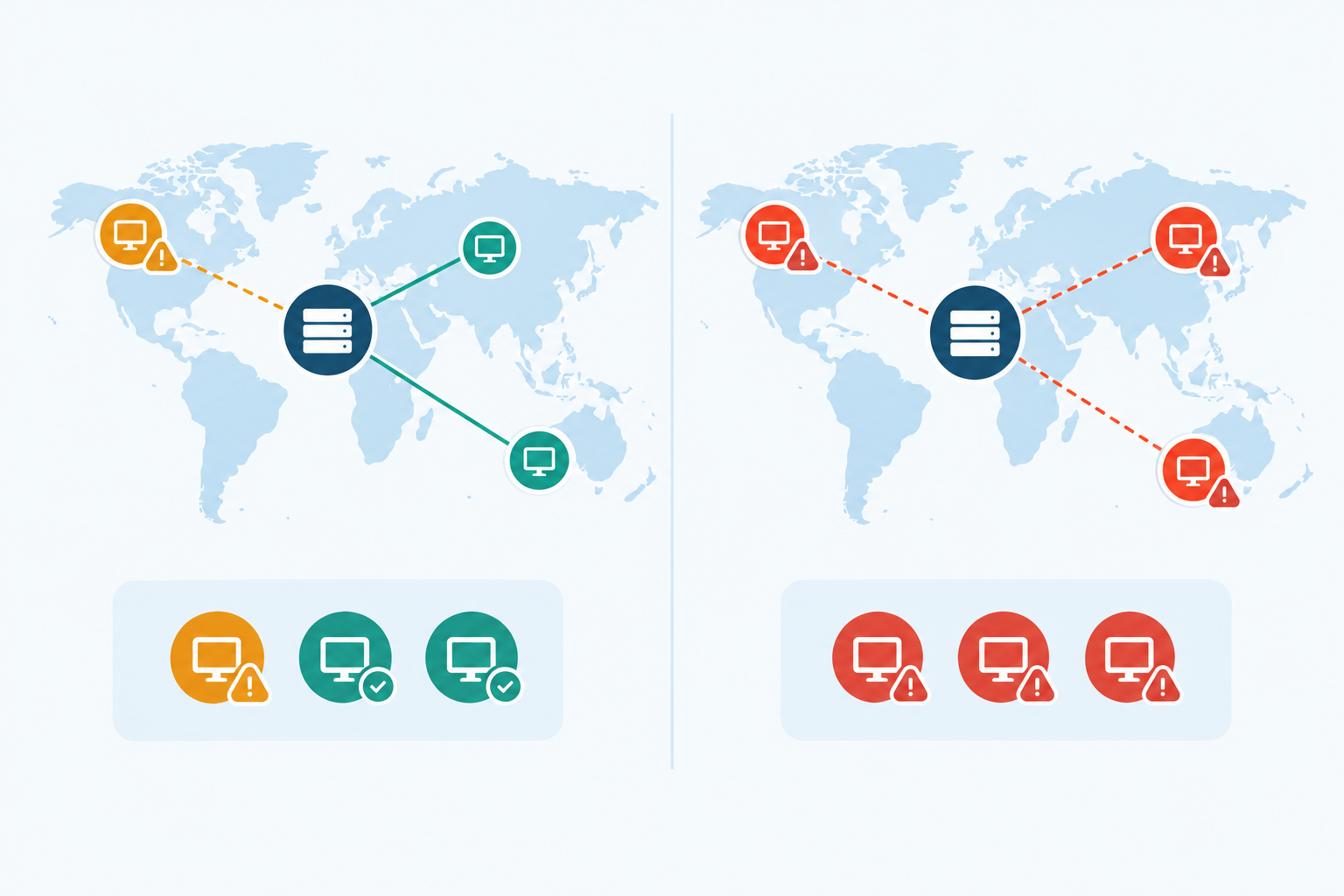
Once you're confident the outage is real, it's time to work out where the problem sits.
Step 2: Diagnose why your website is down: DNS, SSL, server or app
A handy way to think about it is working from the outside in. Your site is a chain: a visitor's browser has to find your domain (DNS), trust it (SSL), reach your server, and then get a sensible answer from your application. Break any link and the site looks 'down', but the fix is completely different for each one.
Treat this order as a starting point, not a rigid rule. If your monitor is showing 500 errors, jump straight to the application. If you changed DNS an hour ago, start there. Your symptoms and setup should guide you.
Google Cloud's DNS troubleshooting guidance makes a similar point: check each layer separately, and compare results from more than one network or location so you can tell a global failure from a local resolver or ISP issue. That's the mindset to borrow.
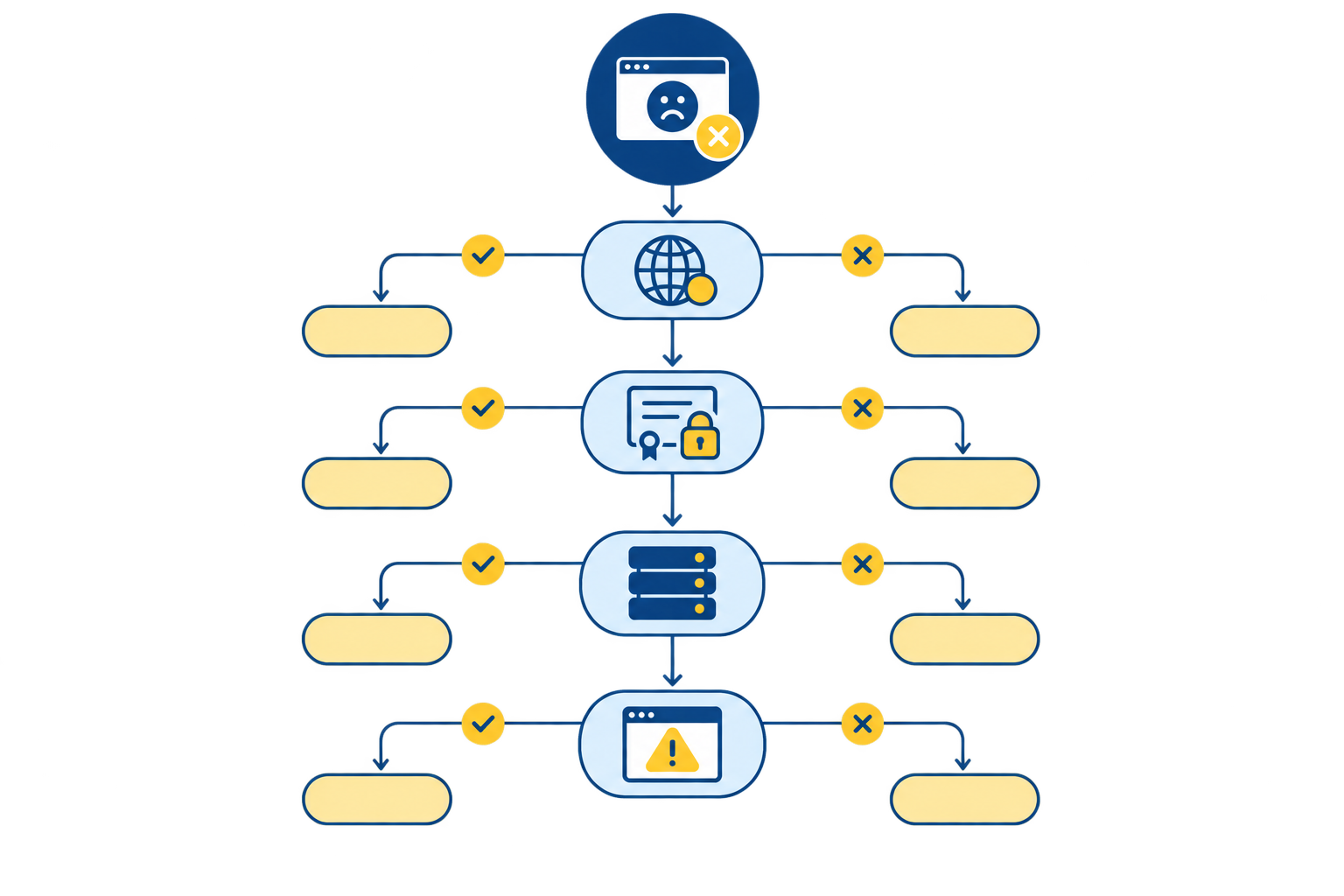
1. DNS: can anyone find your website?
Start by asking whether your domain resolves to an IP address at all.
- Run a quick lookup (
dig yourdomain.comor an online DNS checker) and see whether you get an answer. - Check that your A, AAAA and CNAME records are present and point where you expect. Did someone edit them recently?
- Confirm the domain itself hasn't expired. It sounds daft, but it happens to real businesses, usually because a renewal email went to someone who left. If you hold a .uk or .co.uk domain, check your registrar account rather than relying on the email alone.
- Remember caching. Resolvers hold on to old answers until the TTL runs out, so after a DNS change some people may see the site and others won't, even once the records are right.
This is where DNS monitoring earns its keep. A monitor that watches your records and flags unexpected changes can tell you something shifted before you've even started digging.
2. SSL: can browsers trust your website?
An HTTPS problem can make your site look dead even when the web server is perfectly happy. Visitors just see a big scary security warning and leave.
Check whether the certificate has expired, whether the hostname matches the certificate, whether the certificate chain is complete, and whether your server is presenting the right certificate for the requested hostname. The Let's Encrypt documentation and Mozilla's SSL configuration generator are both handy if you need to fix a setup.
Better still, avoid this one altogether. SSL certificate monitoring and domain expiry alerts warn you weeks ahead, so an expiring certificate becomes a calendar task rather than a 3am emergency.
3. Server: is your web server responding?
If the domain resolves and the certificate is fine but you can't connect, look at the server or the network in front of it.
- Start with an HTTP/S request. Does the site return a response, and with what status code? That's the check that matches what your visitors actually experience.
- Treat ping and port checks as supplementary. Many servers and firewalls block ping on purpose, so a failed ping doesn't prove the site is unreachable, and a successful one doesn't prove it's healthy. Confirming that ports 80 and 443 are open is more useful.
- Check CPU, memory and disk space. A full disk is a classic cause of a mysterious crash.
- Look at connection limits and the health of anything upstream, like a load balancer.
- Check your hosting provider's status page. Sometimes it really isn't you.
Google's SRE book describes four 'golden signals': latency, traffic, errors and saturation. You don't need to be a site reliability engineer to borrow the idea. If things are saturated or slow, it's probably capacity. If errors have spiked, look closer at the code or a dependency.
4. Application: is your website code behaving?
If the server connects but you get errors (500s, blank pages, a broken checkout), the problem is probably in your application.
- What changed recently? Review the latest deploys and configuration changes first. Consider rolling back the most recent release if the timing lines up.
- Skim the error logs for anything new.
- Check database connections and any third-party APIs you depend on, like payments or email.
It's worth building the change-first habit. In June 2021, Fastly suffered an outage when a customer's perfectly valid configuration change triggered a latent software bug. Fastly's own summary of the incident reports that it affected 85% of its network, with most service restored within 49 minutes. The lesson isn't that big providers are sloppy. A valid change can still cause a failure, so 'what changed?' belongs near the top of your list.
A quick example: diagnosing a website outage
Say your online shop stops loading at 3:05am. Your monitor shows failures from several regions, so it's not your hotel Wi-Fi. A DNS lookup returns the right IP address, so DNS is fine. The certificate is valid until next spring. But an HTTP/S request comes back with a 500 error. That points at the application, so you check what changed: a deploy went out at 2:50am. You roll it back, the error clears, and you verify from a second network. Total time: about fifteen minutes, with no guesswork.
How do I tell if my website is down because of DNS or the server?
Here's the short version:
- Domain doesn't resolve? Look at DNS.
- Resolves, but connections time out or are refused? Look at the server or network.
- Connects, but returns errors? Look at the application.
Different monitor types point at different layers, too. An HTTP/S monitor tells you whether a page responds with a healthy status code. A keyword monitor catches the sneaky case where the page loads but shows an error message or blank content. When several fail at once, the pattern usually tells you where to look first.
Step 3: Tell customers your website is down
You might feel you should wait until you've fixed it before saying anything. I'd gently suggest the opposite. Silence makes customers assume the worst, and your support inbox fills up while you're trying to concentrate.
- Notify in the right order. Start with whoever can fix it (your internal team or developer), then affected customers, then wider stakeholders such as partners or investors once you understand the impact. Real-time alerts via email, Slack, Discord, Telegram or webhooks mean your team hears about it in the channel they actually watch.
- Say something, even without a fix, and use a status page. A quick, honest 'we know, we're on it' beats silence every time. Post it on a branded status page and link to it from your social channels and support replies, so you're not answering the same question fifty times.
- Use a simple four-line template:
- What's happening: 'Our website is currently unavailable.'
- Who's affected: 'All customers trying to place orders.'
- What we're doing: 'We're investigating and working on a fix.'
- Next update: 'We'll update you by 4:30am GMT.' (Use GMT or BST, whichever applies, so UK customers don't have to guess.)
- Keep a steady rhythm. Update every 30 to 60 minutes, even if the update is 'no change yet'. And avoid guessing the cause in public. If you say 'it's a DNS issue' and it turns out to be the database, you've just created a second problem.
- Mind your tone. Be human, plain and briefly apologetic without over-explaining. UK customers tend to appreciate understatement and clarity: 'Sorry for the disruption, we're working on it' goes down far better than a wall of jargon or a dramatic apology.
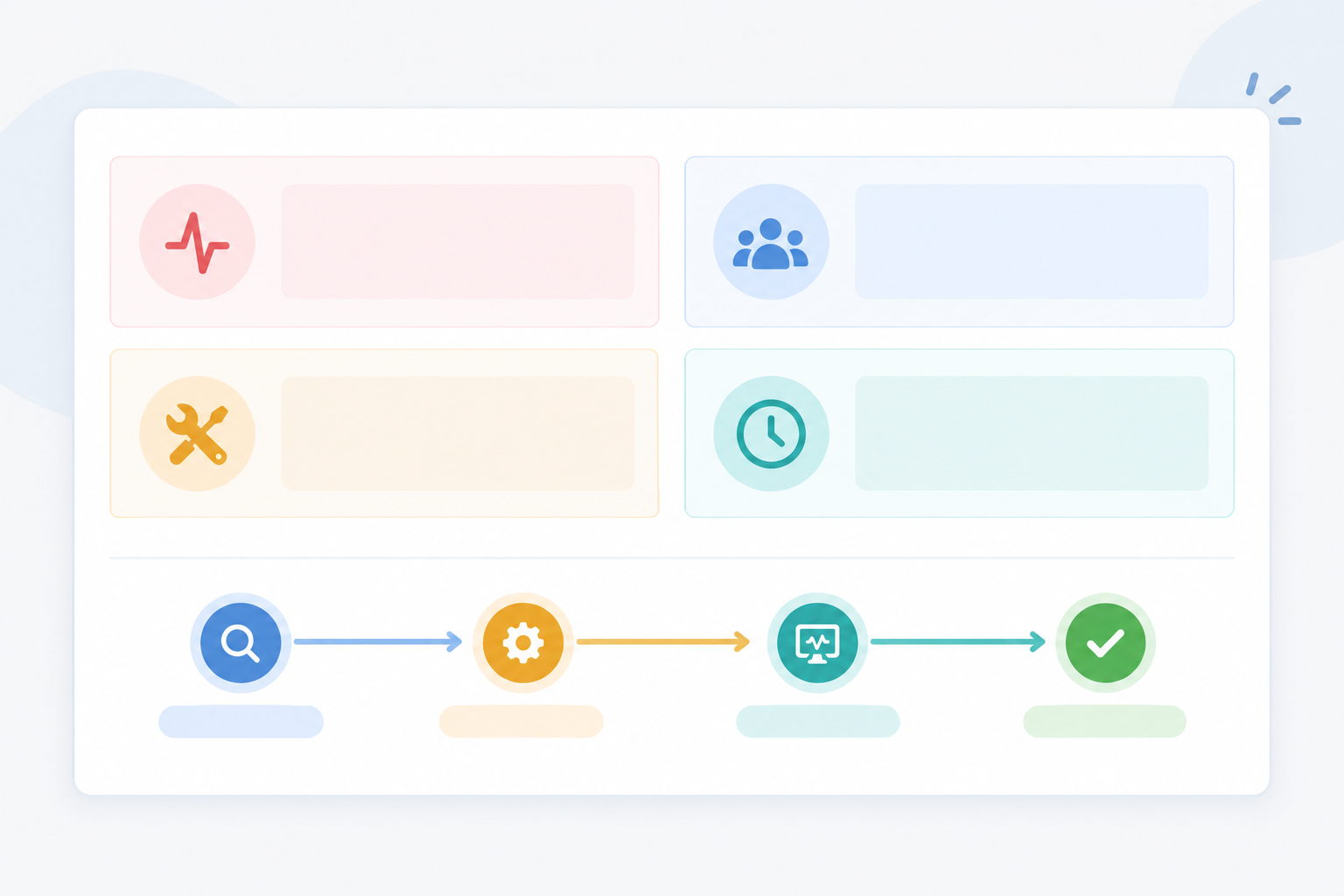
Step 4: Fix, verify and close the website outage
Now the satisfying part. A few habits make this go much more smoothly.
- Fix the simplest likely cause first. Roll back the deploy, renew the certificate, restart the service. Change one thing at a time, so you know what actually worked. Changing three things at once might fix it, but you'll learn nothing.
- Verify from multiple places. Don't just refresh on your own laptop and declare victory. Check from another network and, ideally, from several regions through your monitoring.
- Check the supporting pieces. Your homepage might be back, but what about your APIs, background jobs and scheduled tasks? These can fail silently during an outage. Think nightly backups, invoice runs, email queues and data syncs.
- Use heartbeat monitoring for scheduled jobs. Each job pings a URL when it finishes, and if a ping doesn't arrive on schedule, you get alerted. That catches the job that quietly missed its window while the site was down.
- Watch response times for a while. A site can be 'up' and still crawl. Keep an eye on response-time graphs for the next hour or so to make sure things return to normal rather than limping.
- Close it properly. Post a final 'resolved' update on your status page, and close the incident note with an end time. Future you will be grateful.
Then, if you can, go back to bed. The review can wait until daylight.
Step 5: Run a short post-incident review after your website outage
This is the step small teams skip, and it's the one that stops the same thing happening again. It doesn't need to be a formal affair. Thirty minutes and one page is plenty.
What belongs in a post-mortem?
Keep it to the essentials:
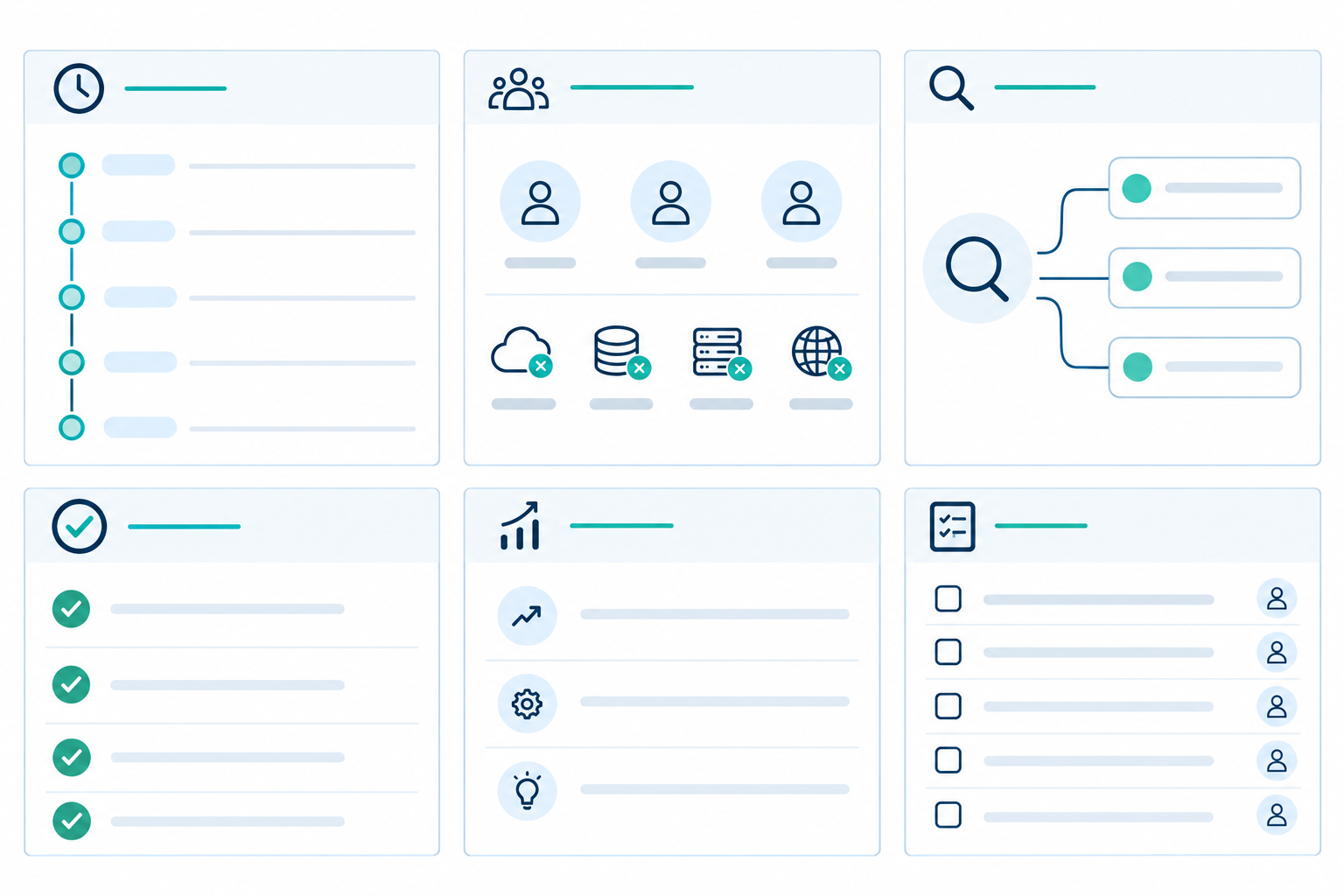
- Timeline: when it started, when you noticed, key actions, when it was fixed
- Impact: who and what was affected, and for how long
- Root cause: what actually went wrong, not just the symptom
- What went well and what didn't: what helped you respond quickly, and what slowed you down
- Action items: a few concrete tasks, each with an owner and a deadline
Keep it blameless. The question is 'how did our setup let this happen?', never 'who did this?'. People who fear blame hide mistakes, and hidden mistakes repeat. Your tooling can do much of the heavy lifting here: incident history and response-time analytics let you build the timeline from real data rather than from fuzzy memory of what happened at 3:20am.
Turn outage lessons into actions
A post-mortem that ends with 'we should be more careful' hasn't achieved much. Aim for specific changes:
- Add monitors for the gaps you found (a missing API check, an unmonitored cron job)
- Fix alert routing so the right person is actually notified
- Set up SSL and domain expiry reminders
- Add a deploy checklist or a quick rollback step
If the outage was significant, consider sharing a short summary with customers too. A few honest sentences about what happened and what you've changed builds trust.
A lightweight post-mortem template you can copy
Incident: [short title]
Date / start time / end time:
Impact: [who was affected, for how long]
Timeline: [key moments]
Root cause:
What went well:
What to improve:
Action items: [task - owner - due date]
One bit of context on why this matters. In the Uptime Institute's Annual Outage Analysis 2024, 54% of survey respondents said their most recent significant outage cost more than US$100,000. The respondents were operators of data centres and other critical IT infrastructure, not small-business websites, so please don't read it as your own number. It does show that outages can get expensive, and learning from each one is cheap by comparison.
Prepare for the next 3am website outage
Everything above gets easier when you find out about problems quickly. For a small team, the essentials are website and API monitoring, an SSL and domain expiry check, DNS change detection, and heartbeats for your most important scheduled jobs. You can build that with several different tools, or one.
Full disclosure: I'm part of the team behind Moonitor, which is one option. It covers HTTP/S, keyword, port, ping, SSL, domain expiry, cron/heartbeat and DNS record change monitoring in one dashboard, with multi-region verification, a branded status page and incident history. Setup for a basic website check is quick, though a full setup with several monitors will take longer. There's a 7-day free trial with no credit card needed. Prices are listed in US dollars, so check the current pricing page for plan details and how VAT applies to UK customers. Whichever tool you choose, look for data export so you're never locked in.
My suggestion: don't try to monitor everything on day one. Start with your most critical site, add an SSL check and a heartbeat for your most important scheduled job, and build out from there. A little effort now buys you a much calmer night later.
FAQ: website down and outage response
Why is my website down?
Common causes include an expired domain or SSL certificate, DNS changes, an overloaded server, a faulty deployment or a hosting provider problem. Step 2 above shows how to narrow it down, and 'what changed recently?' is usually the best first question.
Who should I notify first when my website goes down?
Whoever can fix it, followed by affected customers via a status page or direct message. Partners and investors can wait until you know the impact.
How do I tell if it's DNS or the server?
If the domain doesn't resolve to an IP address, start with DNS. If it resolves but the connection fails, look at the server. Remember that a failed ping alone isn't proof, so confirm with an HTTP/S request.
What belongs in a post-mortem?
A timeline, the impact, the root cause, what helped and what didn't, and a few action items with owners and deadlines. Use the template above.
How can I avoid false alarms from monitoring?
Choose a tool that re-checks failures from multiple regions before alerting you. That won't eliminate every false alarm, but it filters out most one-off network blips.