
SSL Certificate Expiration: The Silent Killer of Website Trust (And How to Stop It)
SSL certificate expiration can damage website trust, hurt SEO and conversions. Discover how SSL monitoring and automated alerts prevent costly outages.
If you've ever gotten that gut-drop feeling from a Slack message that just says "is the site down??", there's a good chance an expired SSL certificate was the culprit. Here's the thing nobody warns you about when you first set up HTTPS: SSL certificate expiration doesn't just throw a scary browser warning. It breaks user trust, quietly tanks conversions, can get in the way of Google properly crawling your site, and always seems to happen at the worst possible time—hello, 2am on a Saturday, right in the middle of your one weekend off.
The good news? This isn't a problem you fix by "remembering harder" or adding one more calendar reminder to the pile. It's a problem you fix with automated SSL certificate monitoring that pings you weeks before expiration, so renewal becomes a routine Tuesday task instead of a five-alarm fire drill.
If you're reading this mid-incident: check the certificate's "not after" date on the affected hostname first—not just the primary domain. CDNs, load balancers, and API subdomains often terminate TLS separately. Then check whether an intermediate certificate in the chain has expired rather than the leaf certificate itself. That distinction trips up more experienced teams than you'd think, and we'll come back to it below.
Let's talk about why SSL certificate expiration matters so much, and exactly how to build a monitoring system that catches it every single time—whether you're running one WordPress site or a sprawling estate of subdomains, APIs, and third-party integrations.
What Happens When an SSL Certificate Expires?
Every SSL/TLS certificate has a validity window baked right into it—a "not before" and "not after" date, defined in the X.509 standard that governs how certificates work. (Quick note on terminology: "SSL" is the term everyone still uses, but modern connections actually run on TLS, SSL's successor. The certificates themselves are the same thing people mean either way.) The moment the clock ticks past that "not after" date, browsers and other clients stop trusting the certificate, full stop. There's no grace period and no gentle warning shot. One second it's fine, the next second it's broken.
And when it breaks, it breaks loudly. Visitors hitting your site in Chrome will typically see the NET::ERR_CERT_DATE_INVALID page—a full-screen warning that looks less like "oops, administrative delay" and more like "this site might steal your card details." Firefox, Safari and Edge each show their own version of the same alarming message, with slightly different wording and styling. Most people don't stick around to read the fine print. They bounce, and they don't come back later to check if it's fixed. That's the brutal part of website trust: it's easy to lose and surprisingly hard to rebuild.
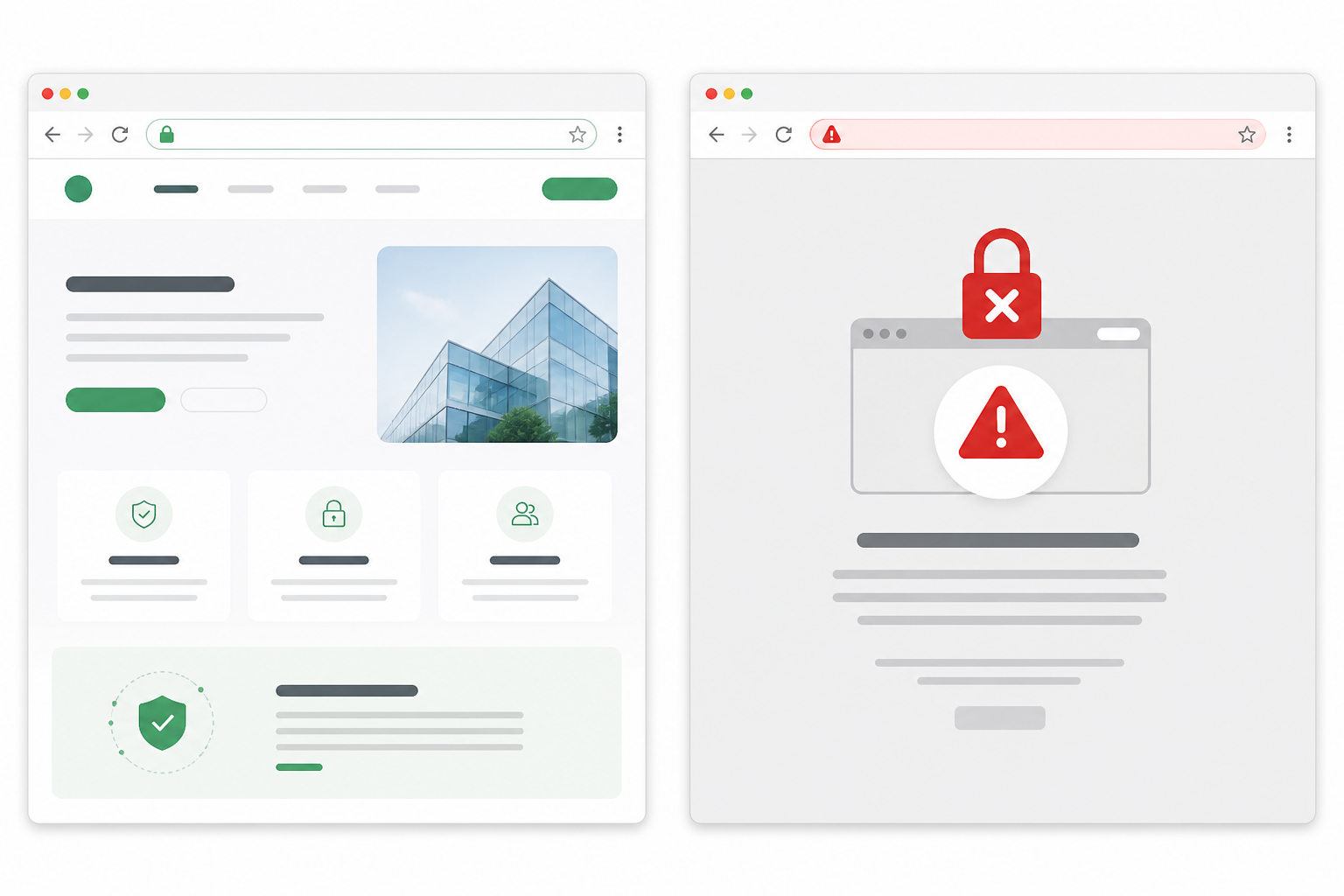 Alt text: Split-screen comparison of a website with a valid padlock icon next to the same site showing a full-page red browser security warning after certificate expiry.
How SSL certificate expiration affects APIs, apps and integrations
Here's what makes this worse than a typical outage: it's not just human visitors who get locked out. APIs, mobile apps, payment integrations and webhooks that rely on HTTPS will often fail too—and unlike a browser, they usually don't offer a "click to proceed anyway" option. Automated systems generally enforce certificate validation strictly, so the failure shows up as a cryptic timeout or a generic connection error buried in a log file, which makes it painfully hard to diagnose if you're not specifically watching for it.
If your site uses HSTS (HTTP Strict Transport Security, a header that tells browsers "never connect to this site over plain HTTP, ever"), it's even less forgiving. Compliant browsers can't fall back to an insecure connection, so an expired certificate can make your site fully unreachable rather than just scary-looking.
A few infrastructure details are worth knowing if you're the one on call. With SNI (Server Name Indication), a single load balancer or CDN can terminate TLS for dozens of hostnames, each with its own certificate—so "the site's certificate is fine" doesn't mean every hostname behind it is fine. A currently valid leaf certificate can also fail validation if an intermediate certificate higher up the chain has expired. This is exactly the scenario that catches experienced teams off guard, because everything looks correct until you check the whole certificate chain.
Real-world examples of certificate expiration outages
This isn't a hypothetical problem reserved for small, under-resourced teams. In December 2018, an expired certificate in software supplied by Ericsson triggered a mobile network outage that affected O2 and several other carriers across the UK and beyond, leaving millions of customers without data service for several hours. It was a stark reminder that certificate expiration isn't just a "website looks scary" problem—it can take down critical infrastructure.
LinkedIn has also had public incidents where an expired certificate briefly broke access to parts of its site. Equifax—already dealing with the fallout of its 2017 data breach—was criticised after one of its consumer-facing tools was found running on an expired certificate for an extended period, which didn't exactly help rebuild trust. Separately, in September 2021, the expiry of Let's Encrypt's older root certificate caused certificate errors on a large number of ageing Android devices, even for sites whose actual leaf certificates were perfectly valid. This was a good reminder that chain and root issues can masquerade as simple expiration problems.
And it's genuinely common, not a fringe risk. Keyfactor's 2023 State of Machine Identity Management report, based on a survey of IT and security professionals, found that 72% of organisations had experienced a certificate-related outage in the previous two years, and nearly a quarter of those incidents cost more than $100,000. Self-reported survey data always deserves a pinch of salt, but even a more conservative reading of that number should make anyone running production infrastructure sit up.
Here's the thing that ties all of this together: it's almost never a technical failure. The cryptography works fine. What fails is the tracking. Someone set up the certificate two years ago and left the organisation. The renewal reminder went to an inbox nobody checks anymore. The spreadsheet tracking expiration dates went stale the moment it was created. It's a process failure wearing a technical costume.
How SSL Certificate Expiration Affects SEO and Website Trust
Let's clear up a common misconception first: Google does not apply an automatic ranking penalty the instant your certificate expires. There's no algorithmic "HTTPS broken, minus ten points" switch. But that's cold comfort, because the real damage comes from several directions at once, and together they can look a lot like an SEO penalty even though, technically, it isn't one.
Google has treated HTTPS as a lightweight ranking signal since 2014 and—more practically important—Googlebot needs a working, trusted connection to fetch and index your pages at all. If your certificate is expired, Google's crawlers hit the same wall your human visitors do: they simply can't get in. According to Google's own documentation on crawling and indexing, pages that can't be fetched reliably may see delayed indexing or temporarily drop from the index while the issue persists. How severe that is depends heavily on how long the certificate stays broken and how many URLs are affected.
It's worth being precise here: this is a crawl-accessibility problem that can produce ranking-adjacent symptoms, not a direct ranking penalty in the way, say, a manual action would be.
The impact of an expired certificate on customer trust
Then there's the trust problem, which is honestly the more expensive one long-term. Google's own Chrome browsing data has shown that well over 90% of browsing time in Chrome happens over HTTPS, so users have been quietly trained to expect the padlock. When it's missing, that absence registers as a red flag, not a shrug.
Someone who hits a scary certificate warning on your site associates your brand with risk—and that association doesn't necessarily disappear the moment you fix the certificate. Some visitors simply never come back, and you'll never know exactly how many, because lost trust doesn't show up as a support ticket. It shows up as a quiet dip in traffic you might not even connect to the cause.
For ecommerce and SaaS businesses, this isn't an abstract branding concern—it's revenue. Research aggregated by the Baymard Institute, drawn from its ongoing checkout usability studies, found that around 18% of online shoppers have abandoned an order specifically because they didn't trust a site with their payment details. Now picture that hesitation multiplied by an actual full-page browser warning sitting between a customer and checkout.
There's a detail worth sitting with, too: if your public status page says "all systems operational" while customers are staring at a security warning, you've turned a fixable technical hiccup into a credibility problem. A status page is only valuable if it reflects reality—which is exactly why pairing SSL certificate monitoring with a status page that updates automatically beats one someone has to remember to edit by hand.
How Automated SSL Certificate Monitoring Prevents Expiration
Once you've seen how much damage a single missed renewal can do, the fix becomes pretty obvious: stop relying on humans to remember and start relying on a system that checks automatically. It's worth being precise about what "monitoring" actually does here: a monitoring tool doesn't renew your certificate for you. It watches the expiration date and tells you—or your renewal automation—with enough warning to act. Monitoring and renewal are two different jobs, and you generally need both.
Manual tracking methods fail in predictable ways. Honestly, it's not because anyone is careless—it's because the methods themselves are fragile:
- Calendar reminders get deleted or snoozed into oblivion, especially when they're set a year in advance for a date that feels impossibly far away at the time.
- Spreadsheets go stale the moment a new subdomain, CDN endpoint or third-party API gets a certificate that nobody adds to the tracker.
- Institutional knowledge walks out the door when "the person who set this up" leaves the team, taking the mental map of what expires when along with them.
What should SSL certificate monitoring check?
Before you pick a tool, it's worth having a vendor-neutral checklist in your head, because plenty of monitoring setups quietly leave gaps:
- Every hostname, not just the primary domain. Certificate inventory should include the main site, API endpoints, checkout subdomains, internal admin tools and anything sitting behind a CDN or load balancer with its own SNI-bound certificate.
- The full certificate chain, not just the leaf certificate. A currently valid leaf certificate can still fail if an intermediate is expired—that's precisely what happened during the Let's Encrypt root transition mentioned earlier.
- Domain and DNS expiry, not only TLS. A lapsed domain registration causes exactly the same customer-facing chaos as a lapsed certificate, so it deserves the same attention.
- Multi-region verification. A single monitoring node can throw false positives because of CDN routing quirks or a transient network blip in one region. Checking from multiple locations before firing an alert cuts down on the noise that makes teams start ignoring alerts altogether.
- Clear ownership metadata. Every monitored certificate should have a named owner and a backup contact attached to it—not just an alert destination. "Who renews this and who covers for them?" is the question that spreadsheets almost never answer six months later.
- One dashboard where possible. A lot of teams accidentally create their own tracking gaps by scattering SSL checks, uptime checks and DNS monitoring across different tools that don't talk to each other.
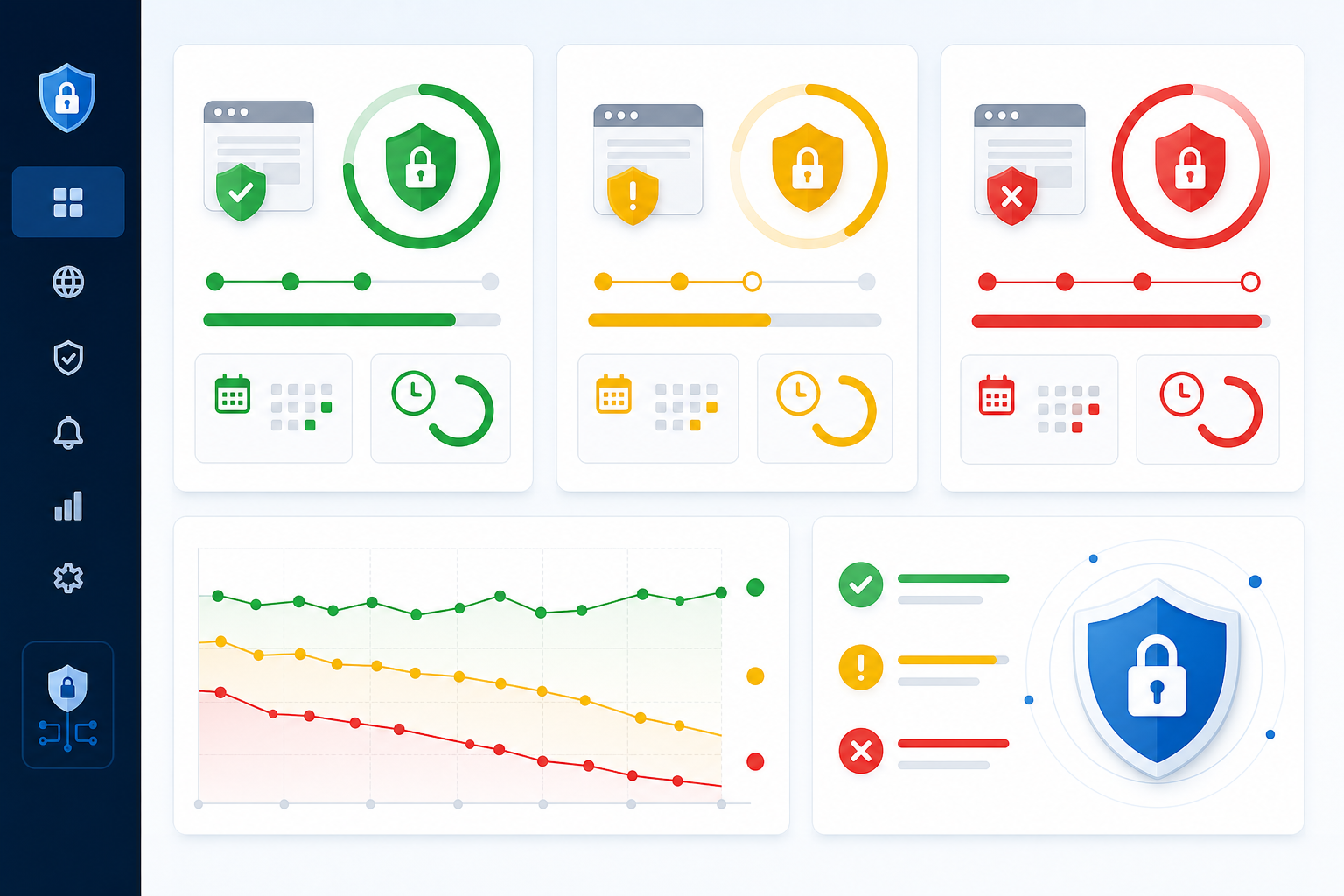 Alt text: Monitoring dashboard listing multiple domains with colour-coded status indicators and a countdown of days remaining until certificate expiry.
There are several solid tools that cover this ground, from dedicated certificate-transparency-log watchers to broader infrastructure monitoring platforms. We build one of them—Moonitor's SSL and domain expiration monitor sits alongside HTTP/S, port and ping, cron job monitoring and DNS monitoring in a single dashboard, which is useful if you'd rather not stitch together alerts from five different logins. Whatever you choose, judge it against the checklist above rather than against a single feature name.
How to Set Up SSL Certificate Expiration Alerts
Getting this right doesn't take long, and it's one of those setup tasks that pays for itself the first time it catches something before it becomes a customer-facing problem.
- Build a certificate inventory first. Before adding monitors, list every hostname that terminates TLS separately—main domain, API subdomains, checkout pages, internal tools and anything behind a CDN. This is the step teams skip, and it's the one that causes the "nobody knew that subdomain existed" surprise later.
- Add each domain or subdomain as a monitor and assign a named owner and a backup contact to each one—not just an alert channel.
- Set the check frequency. Daily is usually plenty for expiration tracking, since certificates don't suddenly expire without warning—the date is known well in advance.
- Configure your warning window. We'll walk through exactly how to pick this in the next section; the short version is don't rely on a single threshold.
- Connect your alert channels. Slack, Discord, Telegram, email or webhooks—pick whichever channel the right person actually watches. An alert that lands in an inbox nobody checks is functionally the same as no alert at all.
- Set up escalation. If the first alert gets missed or ignored, a second notification should go to a backup contact or a different channel entirely, so it doesn't just quietly die in a busy Slack thread.
- Add the monitor to a public status page, if relevant. This gives customers visibility if something does slip through and shows you're on top of it rather than pretending nothing happened.
- Test the whole alert flow during setup. Trigger a test notification and confirm it actually arrives. The worst time to discover your Slack webhook broke three months ago is during an actual certificate expiration.
- Verify after every renewal, automated or manual. Once a certificate is renewed, confirm the new expiry date is reflected in monitoring, check that the full chain—not just the leaf certificate—serves the correct new certificate, and clear any lingering alert. Renewal automation that runs but serves the old certificate from a cache or an unrestarted process is a real and common failure mode.
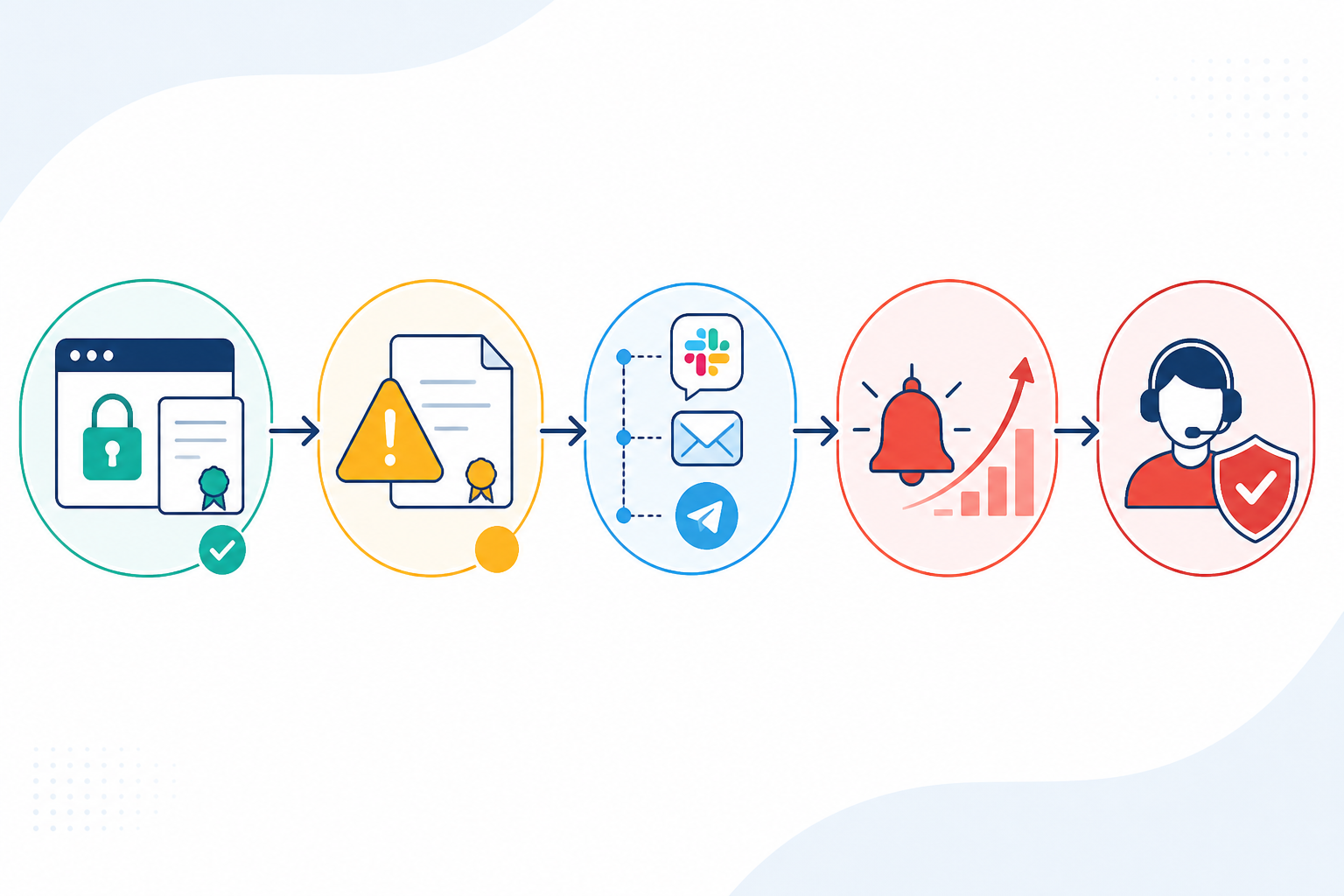 Alt text: Horizontal flowchart showing certificate check leading to warning threshold, then notification, then escalation to a backup contact if unacknowledged.
How Far in Advance Should You Get an SSL Expiration Alert?
How far in advance should your alert fire? The honest answer is that it depends on your renewal process, your change-management overhead and how forgiving your on-call rota is on a bank holiday weekend. The best setups layer more than one threshold rather than betting everything on a single alert.
| Warning Window | Best For | Why It Works |
|---|---|---|
| 30 days out | Certificates requiring manual renewal or approval steps | Gives time for procurement, change-management or vendor coordination |
| 14 days out | Teams using automated renewal, such as Let's Encrypt or ACME | A solid default that catches renewal pipeline failures with time to spare |
| 7 days out | Secondary or backup alert | A last-chance nudge if the earlier warning was missed |
| 1–3 days out | Emergency escalation only | If you're seeing this, your upstream process has already failed |
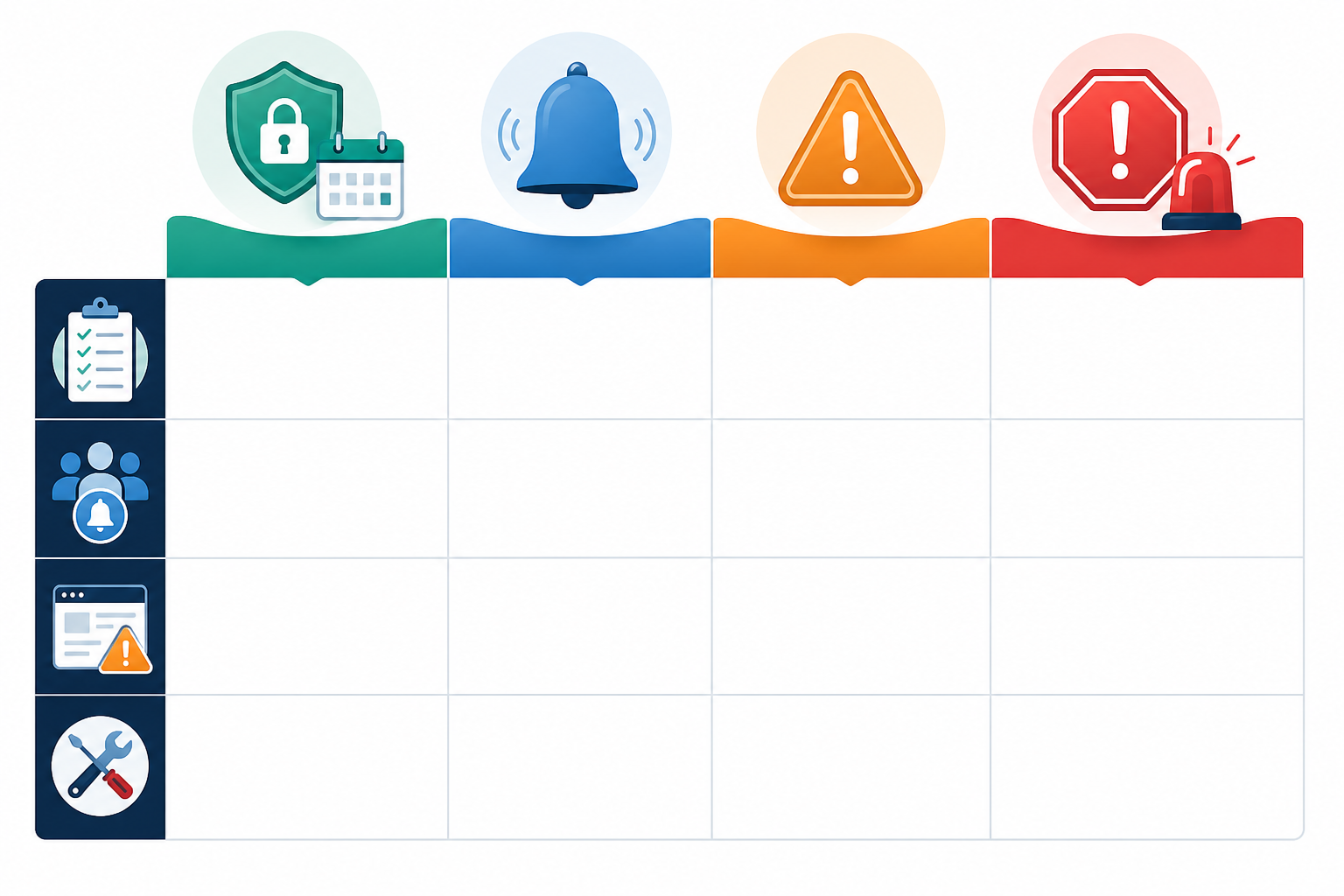 Alt text: Four-column visual comparing warning windows of 30, 14, 7 and 1-3 days with urgency icons and recommended use cases.
The smartest approach layers these rather than picking just one—say, a 30-day heads-up for planning purposes plus a more urgent 7-day alert as a backstop. That way, a missed first alert doesn't automatically mean a missed renewal. Teams with strict change-freeze periods—common in the run-up to Christmas trading for UK retailers, for instance—may want to push their first threshold out even further, since a 30-day warning that lands during a freeze is still too late to act on comfortably.
One thing worth repeating: even teams using fully automated certificate renewal through Let's Encrypt or another ACME client still need monitoring layered on top. Automation can fail silently too—a DNS validation hiccup, an expired API token, a misconfigured cron job running the renewal script, or a renewal that succeeds but never gets loaded by the web server. Short-lived certificates—Let's Encrypt certificates are valid for just 90 days, and the CA/Browser Forum caps public certificates at 398 days—make automation almost mandatory. They also raise the stakes if that automation quietly breaks, since there's less runway to notice before expiry. Monitoring is your safety net underneath the safety net.
SSL Certificate Expiration FAQ
What happens if my SSL certificate expires?
Browsers will block visitors with a full-page security warning, and most people won't click through. Beyond the visible warning, API calls, mobile app connections and webhook integrations that depend on HTTPS may fail outright, often with nothing more helpful than a generic timeout in a log file. Google's crawlers hit the same wall as human visitors, which can mean delayed indexing or temporary drops from search results—not because Google penalises you, but because it simply can't fetch the pages until access is restored.
How far in advance should I get an SSL expiration alert?
Most teams do well with a layered approach: a 30-day heads-up for planning, plus a more urgent 7-day alert as a backstop, and an emergency escalation inside the final 1–3 days if both were missed. If you're using automated renewal through Let's Encrypt or another ACME client, a 14-day threshold works well as a single primary alert, since it catches renewal pipeline failures with enough runway to fix them manually before the certificate actually lapses.
Does an expired SSL certificate hurt SEO?
Yes, indirectly but meaningfully, and it's worth being precise about the mechanism. Google treats HTTPS as a ranking signal, but the bigger issue is that Googlebot can't crawl pages behind a broken certificate at all. That inability to fetch pages—not a punitive ranking penalty—is what causes delayed indexing or temporary drops from search results. The severity depends on how long the outage lasts and how many URLs are affected.
Can I automate SSL renewal reminders?
Yes, and it's worth understanding the difference between two related but separate things: certificate renewal automation—tools such as Let's Encrypt's ACME clients that actually reissue and install a new certificate—and certificate monitoring, which watches expiration dates and alerts you. You genuinely want both.
SSL certificate monitoring tools—Moonitor is one example, and there are others worth comparing—check your certificate's expiration date on a schedule and send alerts via Slack, email, Telegram or webhook well before expiry. That way, renewal automation failures get caught rather than discovered by a customer.
At the end of the day, SSL certificate expiration is one of those problems that's completely avoidable once you stop treating it as a memory exercise. Build a proper inventory, layer your alerts, connect them to a channel someone actually watches, assign real owners and let SSL certificate monitoring do the remembering for you. Your future self—especially the version of you who was about to spend a Saturday debugging a "mysterious" outage—will thank you for it. 🙂